Joshua2go
Members
-
Joined
-
Last visited
-
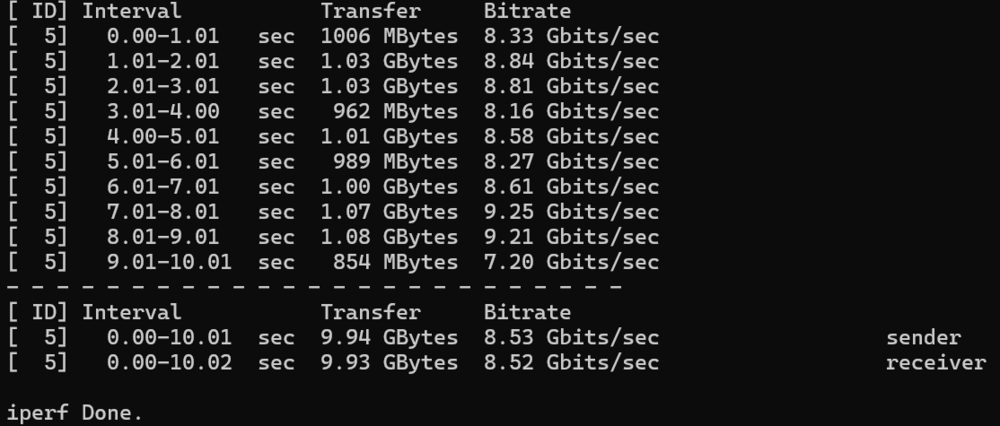
Die 260Mb/s habe ich zwischen Unraid-Cache-SSD (Gigabyte AORUS NVMe Gen4) und einer Samsung 9100 (HauptPC). In beiden PC ist eine Asus XG-C100F 10G mit LWL Modul verbaut. Dazwischen hängt ein MikroTik CRS309-1G-8S+IN der unter SwOS läuft. Diese Kombi läuft seit der 6er Unraidversion. Mit Unraid 6 hatte ich die volle Geschwindig von etwas über 900MB/s. Nach dem Update auf Version 7 hat sich die Geschwindigkeit auf 400Mb/s verringert und jetzt mit der Version 7.3.1 habe ich nur noch 260Mb/s. An der Hardware wurde nichts geändert. Deshalb vermute ich, das es an Samba liegt. Das Merkwürdige ist auch, in Gegenrichtung (Aorus->Samsung) habe ich ca 500Mb/s. Ich habe mal mein Netzwerk mit Iperf3 überprüft, alles in Ordnung....
-
Momentan habe ich unter SMB ein großes Speedproblem (10Gbit Netzwerk nur 260 Megabyte/s). Ich habe mir deshalb mal den Sambastatus ausgeben lassen und dabei festgestellt, das bei mir nur eine alte Sambaversion 4.22.10 läuft. Aktuell wäre ja die 4.24.3 vom 26.05.2026. Ein User bei Kodinerds meinte, das wohl die 4.23 unter Unraid 7.3.1 aktuell wäre. Kann dies jemand bestätigen? Ich vermute ja, das ich durch diese alte Sambaversion diese LAN-Speedprobleme habe. Vielleicht ist ja beim Update etwas schief gelaufen. Mit freundlichen Grüßen Johua
-
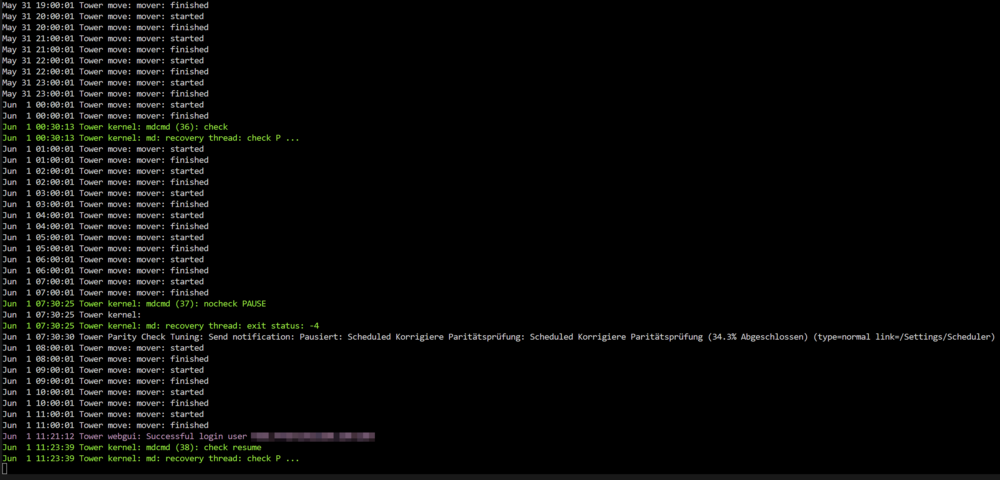
Hallo, seit der 7er Version startet der Mover zu jeder vollen Stunde für eine Sekunde und das auch, während der Paritätstest läuft. Dies hat zum Anhalten des Paritätstests geführt. Auch hat sich die Übertragungsgeschwindigkeit in meinem 10Gbit Netzwerk noch einmal auf ca 220 Megabyte/s fast halbiert. Mit der 7.2.4 hatte ich noch 400 Megabyte/s und mit der 6.9 fast 1000 Megabyte/s. Könnte es sein, das der Mover eine Macke hat und die Cache-SSD voll auslastet? Anders kann ich mir die Geschwindigkeitsreduzierung einfach nicht mehr erklären. Zumal zu einem Qnap NAS die volle Geschwindigkeit erreicht werden kann. Ich hab hier mal ein Ausschnitt des Towerprotokoll angehängt.
-
In Unraid 7.2.6 ist das Problem nun behoben. Nur schade, daß ich in diesem Thread Alleinunterhalter war.🤔
-
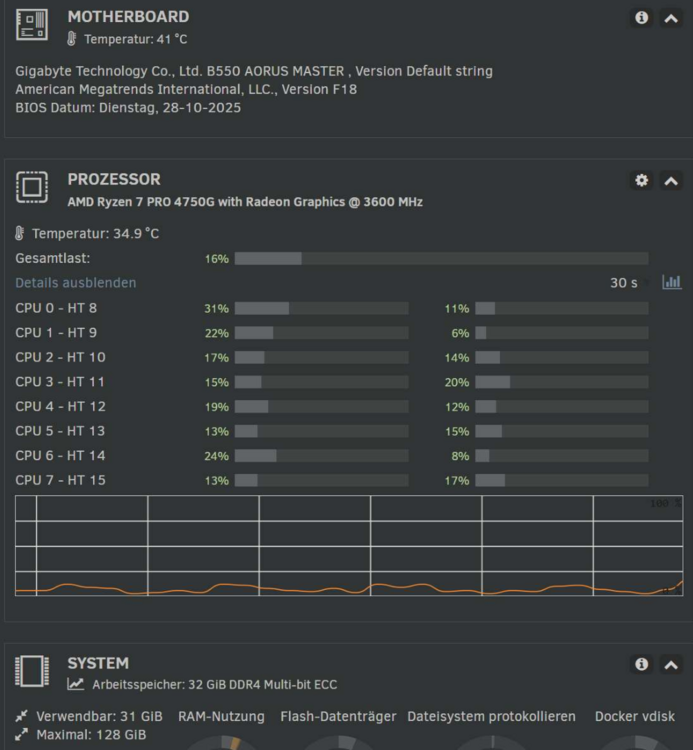
Hallo, ich habe mal das Update auf die 7.2.5 gewagt und plötzlich eine hohe Prozessorlast im idle. Auch ist die ganze Oberfläche sehr träge und ein wechsel von der Start- zur Übersichtsanzeige dauert zB. locker 5 Sekunden. Ich habe auch mehrmals einen Neustart gemacht. Dieser dauert jetzt geschlagene 7 Minuten plus 3 Minuten um die Festplatten zu entschlüsseln. Auch scheint irgendwas auf den Festplatten rumzurödeln. Diese sind wärmer als zuvor. Es wird aber keine Schreib-Lesetätigkeit angezeigt. Alle Docker und Plugins sind aktuell. Also irgendwas schein hier im argen zu sein. das schaue ich mir noch eine Woche an und wechsele dann wieder zur 7.2.4 zurück. Im Log sind keine Auffälligkeiten zu erkennen. Hat vielleicht noch jemand das Problem? Mit freundlichen Grüßen Joshua Nachtrag: Ich habe mal ein 20Gb File zum Unraidserver übertragen. Übertragungsgeschwindigkeit von SSD zur Cache SSD ca 88Mb/s über eine 10 Gbit Glasfaserleitung. Normal waren bei der 6er Version mal über 700Mb/s, bei der 7er Version hatte sich das auf einmal auf 400Mb/s fast halbiert und jetzt habe ich nicht mal mehr 1 Gbit Geschwindigkeit. Ich bin echt bedient. 🥴 Bin jetzt zur 7.2.4 gewechselt und alles läuft wieder wie gewohnt. Im Log der 7.2.5 ist mir aufgefallen, das der Mover zu jeder vollen Stunde für eine Sekunde angelaufen ist. Warum auch immer.
-
Okay, danke....dann doch lieber never change a running system.🫡 Nachtrag: So, ich habe es nun doch gewagt und keinerlei Probleme.🙂
-
Ich wollte gern ein Bios Update (AMD AGESA V2 1.2.0.E for fix AMD CPU microcode signature verification vulnerability) auf meinem Unraidserver machen. Dieser ist allerdings mit Luks verschlüsselt. Nun habe dieses Sicherheitsupdate auf meinem Hauptrechner gemacht und dann Probleme mit Bitlocker bekommen. Bitlocker wollte auf einmal den 48 Stelligen key von der Festplatte haben. Habe ich natürlich nicht mehr parat gehabt, konnte aber glücklicherweise ein Backup wieder einspielen. 😇Ein Backup meiner Daten auf dem Unraidserver würde aber meine Möglichkeiten überfordern. Deshalb meine Frage....arbeitet Unraid mit dem TPM Modul und verwendet dieses Modul auch für die Verschlüsselung mit Luks? Könnte das Biosupdate zum Verlust sämlicher Daten führen? Über eine Antwort freue ich mich. Mit freundlichen Grüßen Joshua
-
Was sind das eigendlich für "nicht unterstützte Codecs"? Und welche Hardware ist überhaupt verbaut?
-
Hallo, ich möchte gern meine Festplatten unter Unraid 6.12.13 verschlüsseln. Dazu muß ich ja die einzelnen Festplatten leeren. Ist dazu noch Unbalance notwendig oder kann ich auch mit Unraid Boardmittel Dateien verschieben? Funktioniert da noch die Anleitung von Spaceinvader auf Youtube? Würde mich über eine Antwort sehr freuen. Mit freundlichen Grüßen Joshua
-
Hier keine Probleme, ganz im Gegenteil die Farben sind jetzt top. Was mir aufgefallen ist....man sollte Unraid, nach dem Update von Jellyfin, neu starten. Jellyfin 10.9.11
-
Danke für den Hinweis.😃 Datenträger ist tatsächlich die Übersetzung für Device.🫣 Ich habe den Jellyfin Docker nun noch einmal neu aufgesetzt und dazu das Plugin Radeon Top installiert. Dabei habe ich bemerkt, das es nun eine neue Version von Jellyfin, die 10.9.9 gibt. Als Transcoder habe ich wieder VAAPI eingestellt und funktioniert. AMD AMF funktioniert leider nicht. Das einzige was mir nicht so gefällt ist, das die transcodierten Video ziemlich flaue Farben bei 1080p/15Mbit haben. Vielleicht kann man das ja noch irgendwo einstellen. Was mir noch aufgefallen ist....in der Edit Configuration sind die Einstellungen Display, Required und Password Mask nicht vorhanden. Dies hatte jedoch keine Auswirkung auf meine Eintragung. Vielen Dank noch mal für die ausgezeichnete Unterstützung.🙋♂️
-
Danke dir, nun noch eine letzte Frage....wo muß ich /dev/dri eintragen? Unter Schlüssel, Wert oder Standardwert? Ich hoffe ich nerve nicht allzu sehr.
-
Unter "+ Weiteren Pfad, Port, Variable, Bezeichnung oder Gerät hinzufügen" kann ich kein Gerät(Device) hinzufügen. Ich habe nur die Auswahl zwischen: Pfad, Port, Variable, Bezeichnung und Datenträger Muß ich Device noch irgendwo freischalten?
-
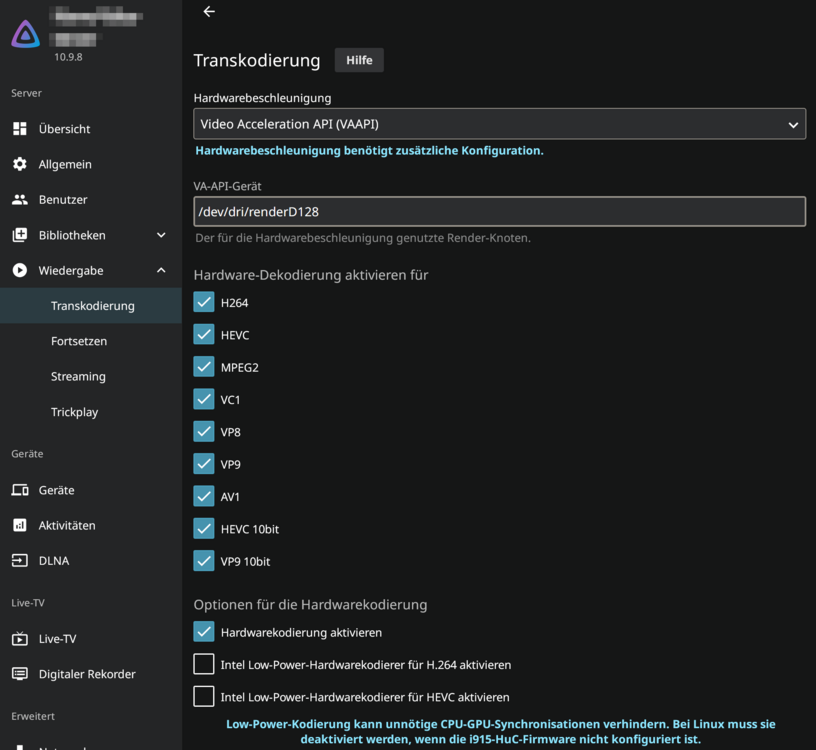
Habe mal AMD AMF eingestellt. Ich habe mir gedacht, teste ich statt Firefox, doch auch mal mit Microsoft Edge. Mit Erstaunen habe ich festgestellt, das die Hardwarebeschleunigung jetzt auch mit UHD Filmen einwandfrei funktioniert. Keine Fehlermeldung mehr und maximal 10% Prozessorlast. Keine Ahnung wo das Problem in Firefox liegt. Vielleicht liegt es an den ganzen notracking Funktionen von Firefox. Ich habe auch Probleme mit dem Aufruf des Forums, mit Firefox. Ich muß bestimmt über eine Minute warten, bis sich die Webseite aufbaut. Vielleicht sollte ich mir doch mal einen neuen Browser, meines Vertrauens, zulegen. Ich danke euch für die rege, lösungsorientierte Anteilnahme zu meinem Problem und wünsche ein schönes Wochenende.🙋♂️
-
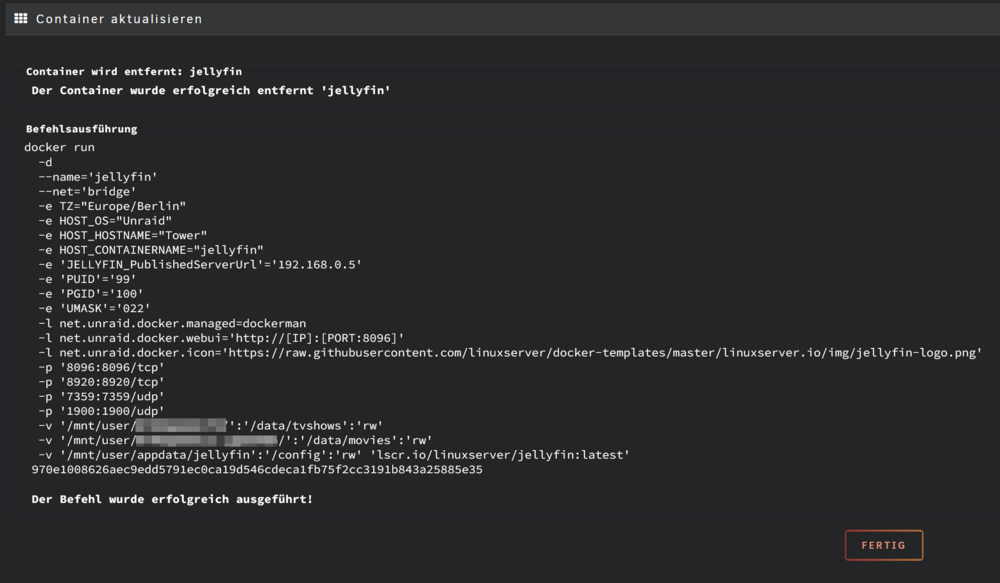
Die GPU ist ein AMD Ryzen 4750G Pro auf einem Gigabyte B550 Aorus Master. Die kann das einwandfrei in Software, wie die volle Funktion auf Plex beweist. Hier noch der run: