





s1l3nce
Members
-
Joined
-
Last visited
Everything posted by s1l3nce
-
Sorry for resurrecting this but what does the 50 mean? Because the boot splash screen does not stay for 50 seconds by default. edit: I respond myself. "The timeout value is in tenths of a second. The default is 50, or five seconds." So a timeout 1 would mean 0.1 seconds and not 1 second. For 1 second I should write timeout 10 Sorry for my lack of linux knowledge
-
I've been using Virtualbox and Proxmox for a while and having snapshots is a must have for virtualisation. Not having it on Unraid is not a deal-breaker but it's a bit frustrating.
-
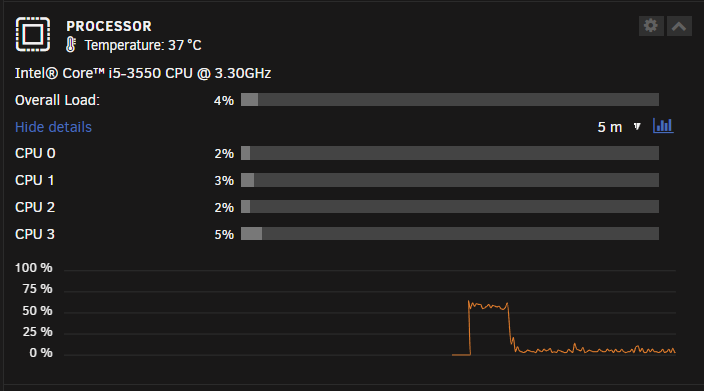
Although this thread is old, I think my issue is related. On my dashboard, I only see for cores but I should see the threads as well. Yet, here is what I see: Is this an Unraid issue? Or a BIOS issue? PS: Never mind. This cpu does not support HyperThreading. My bad haha (old piece of garbage...)
-
It's been working great so far 🙏
-
It would be nice to have the option to disable root/admin and be able to create a new admin account, like it's offered in other NAS solutions.
-
Oh my god... I had the same problem hahaha The orange button stands out and it confused me.
-
Excellent. Thanks!
-
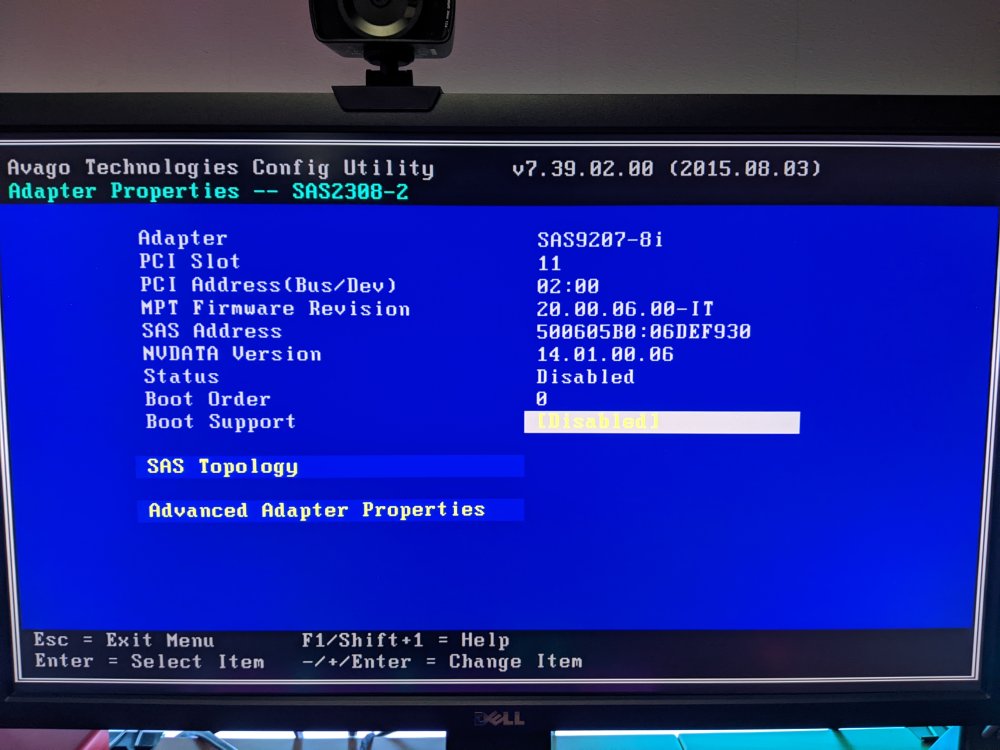
It just arrived home and this is what I got. Is it the correct BIOS for good compatibility with UNRAID?
-
New to unraid here. I guess this card should work nicely with Unraid, right? https://es.aliexpress.com/item/1005005481527291.html I'm asking because it seems to be too cheap and I'm not very confident on my purchase haha


