





Ikeasofa
Members
-
Joined
-
Last visited
-
Very nice plugin! Thanks!
-
With these prices 😭
-
Yeah but the issue is that it automatically installs the latest driver and by downgrading I'm forced to reboot 😅 Anyway... It works now. Thank you everyone
-
And another reboot.... it automatically installs the latest driver. I can't use that....
-
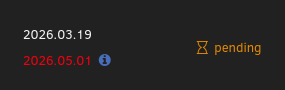
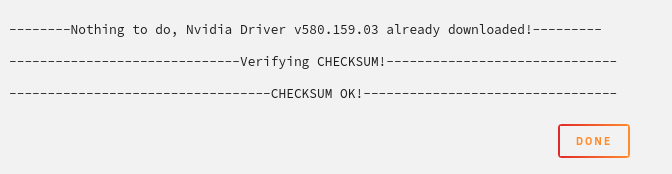
First time seeing pending on the plugin tab. I'm not really sure how to update now as the "Update & Download" returns a successful checksum:
-
Just in case its not related to the plugin version I want to paste the output when I try to deploy the containers. it might help with troubleshoot: Error response from daemon: failed to create task for container: failed to create shim task: OCI runtime create failed: runc create failed: unable to start container process: error during container init: error running prestart hook #0: exit status 1, stdout: , stderr: Auto-detected mode as 'legacy' nvidia-container-cli: ldcache error: process /sbin/ldconfig failed with error code: 1
-
No, for some reason I can't get the update. It shows "up-to-date"
-
Alright, I "updated" to the latest available gpu driver for my GPU 580.159.03 but my containers can't make use of that GPU. They fail to start. Should I try to update the plugin and try again? Do I have to reboot for the plugin update?
-
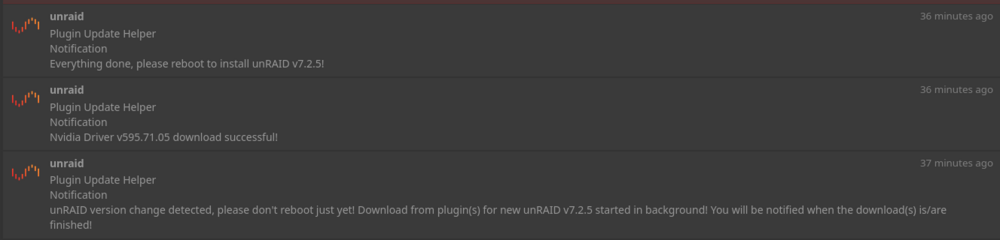
Yeah, of course. This is the log before reboot
-
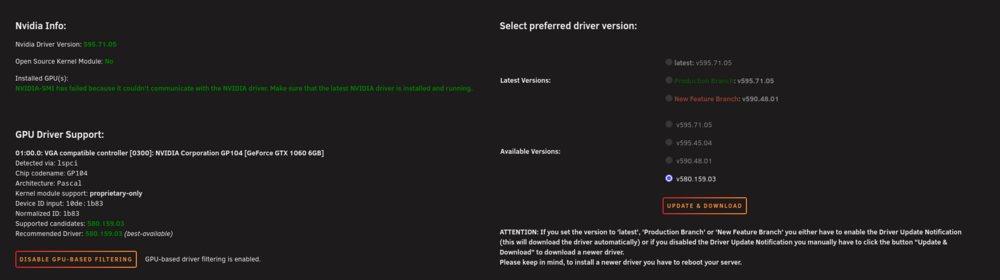
I think its already set to it? Not 100% sure. Keep in mind I haven't rebooted yet just in case I have to set some settings. I don't want to criticize your plugin here btw. I just want to avoid having to reboot twice on any upcoming update :)
-
Hey, I have issues with the combination of update helper plugin + nvidia drivers + owning an old "unsupported GPU" like the GTX 1060. I updated to 7.2.5 and the update helper plugin installed the latest driver. This forced me to reinstall the latest supported driver for this GPU and reboot. Is it possible to configure the plugin to not auto update the drivers on Pascal GPUs? Also for some reason I can't find the update helper plugin in the "Plugin" tab. why is that? 😅
-
Any workaround for the permission issue? It seems to be related to unraid (I'm using compose instead of your app but the issue exists on both). An issue exists and they suggest to use the root user which I really wouldn't use 😰 https://github.com/Termix-SSH/Support/issues/425
-
Hey @KluthR have you noticed the broken layout since 7.2?
-
Hell yeah! I can see my config now too. Thanks!
-
hmm isn't the other instance the integrated rclone? Do you have a clue how to stop it?


