





Ikeasofa
Members
-
Joined
-
Last visited
Everything posted by Ikeasofa
-
Very nice plugin! Thanks!
-
With these prices 😭
-
Yeah but the issue is that it automatically installs the latest driver and by downgrading I'm forced to reboot 😅 Anyway... It works now. Thank you everyone
-
And another reboot.... it automatically installs the latest driver. I can't use that....
-
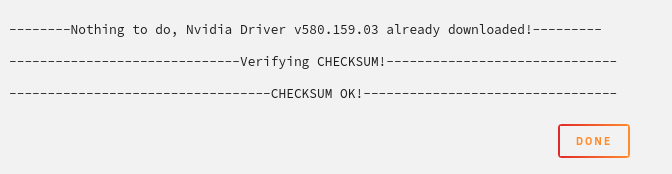
First time seeing pending on the plugin tab. I'm not really sure how to update now as the "Update & Download" returns a successful checksum:

-
Just in case its not related to the plugin version I want to paste the output when I try to deploy the containers. it might help with troubleshoot: Error response from daemon: failed to create task for container: failed to create shim task: OCI runtime create failed: runc create failed: unable to start container process: error during container init: error running prestart hook #0: exit status 1, stdout: , stderr: Auto-detected mode as 'legacy' nvidia-container-cli: ldcache error: process /sbin/ldconfig failed with error code: 1
-
No, for some reason I can't get the update. It shows "up-to-date"
-
Alright, I "updated" to the latest available gpu driver for my GPU 580.159.03 but my containers can't make use of that GPU. They fail to start. Should I try to update the plugin and try again? Do I have to reboot for the plugin update?
-
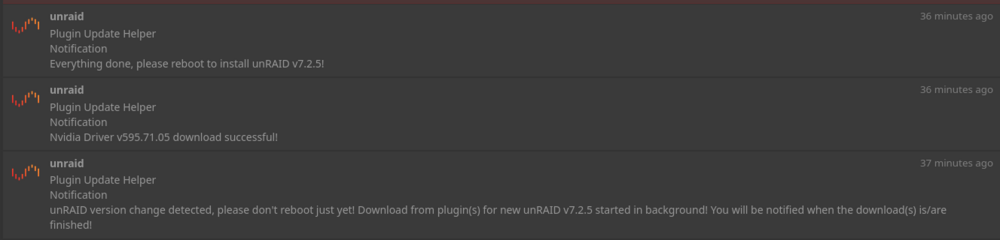
Yeah, of course. This is the log before reboot
-
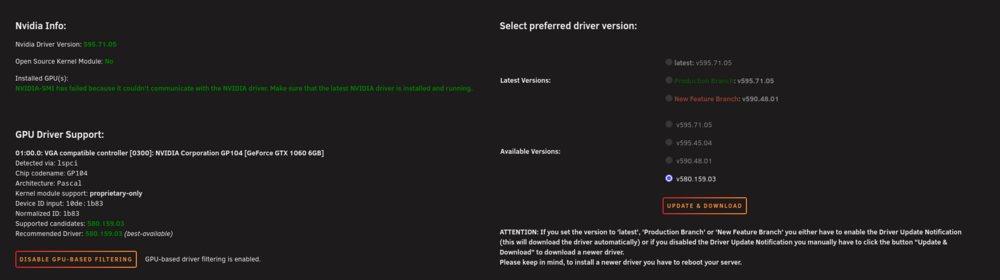
I think its already set to it? Not 100% sure. Keep in mind I haven't rebooted yet just in case I have to set some settings. I don't want to criticize your plugin here btw. I just want to avoid having to reboot twice on any upcoming update :)
-
Hey, I have issues with the combination of update helper plugin + nvidia drivers + owning an old "unsupported GPU" like the GTX 1060. I updated to 7.2.5 and the update helper plugin installed the latest driver. This forced me to reinstall the latest supported driver for this GPU and reboot. Is it possible to configure the plugin to not auto update the drivers on Pascal GPUs? Also for some reason I can't find the update helper plugin in the "Plugin" tab. why is that? 😅
-
Any workaround for the permission issue? It seems to be related to unraid (I'm using compose instead of your app but the issue exists on both). An issue exists and they suggest to use the root user which I really wouldn't use 😰 https://github.com/Termix-SSH/Support/issues/425
-
Hey @KluthR have you noticed the broken layout since 7.2?
-
Hell yeah! I can see my config now too. Thanks!
-
hmm isn't the other instance the integrated rclone? Do you have a clue how to stop it?
-
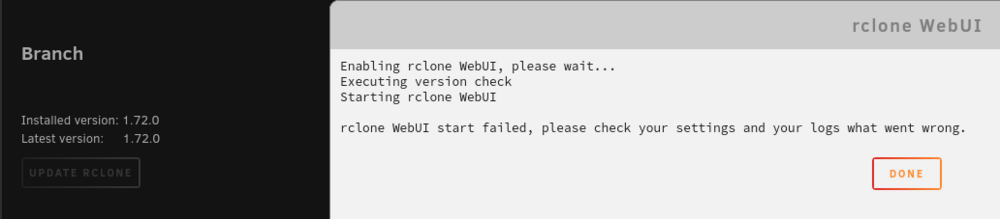
Thanks! Unfortunately it doesn't seem to start up for me
-
Very cool! Thanks for trying to fix it. My existing config seem to work as the backups are still ongoing but I just can't see them in the integrated version anymore
-
Thanks for the update! What about the webui? Will it work again at some point?
-
This seems like a step backwards to me. How did you swap to the embedded rclone now? can we reuse the configuration? Really don't like this change AT ALL. Edit: Apparently there is a webui, I'm not sure what that is since my previous config is missing, so I assume it is not from this plugin? This whole thing is such a mess somehow 😅
-
Ich habe es soeben mit dem Console Language German und TightVNC ausprobiert und es klappt jetzt.... Ich hatte es testweise nochmal über den noVNC browser über unraid gestartet und da habe ich das Problem nochmal... Echt merkwürdig.... Danke für die Hilfe!
-
Bisher war mein workflow folgender: Starte VM und warten bis die decryption Meldung kommt Sag meinem PW Manager dass er das Passwort in das noVNC Fenster schmeißen soll. Ich drücke auf Enter und bin drin. An diesem Workflow hat sich eigentlich nichts geändert bis auf die Unraid Version. Aus den Changelogs entnehme ich das VNC ein Update bekommen hat. Eventuell hat sich da etwas geändert? Hm.... Ich hatte es gestern Abend aus Verzweiflung nochmal mit TigerVNC & TightVNC probiert aber auch da leider kein Erfolg
-
Es ist eine Debian VM und die wurde bei der Installation mit LUKS verschlüsselt. Ich hatte schon verschiedene Console Languages ausprobiert: No Keymap, German, English UK, English US. Auch hatte ich mal versucht mittels der Bildschirmtastatur das Passwort über eine Englische Tastatur einzugeben... kein Erfolg leider. Das Passwort hat verschiedene Sonderzeichen wie * _ - Leider habe ich keine Backups Ich überlege langsam die Unraid version downgraden, das LUKS passwort anzupassen dass es auch für englische tastaturen passt und wieder update auf 7.
-
Seit dem update auf Unraid 7 kann ich meine VM aus irgendeinem Grund nicht mehr entschlüsseln. Ob ich es selbst abtippe oder es über den PW Manager mache, macht keinen Unterschied. Ich habe testweise mal versucht in die VM Console rein zu gehen und habe gesehen dass die z und y tasten vertausche sind. Dabei ist die VM Console Language auf German gesetzt. Hat da jemand eine Ahnung wei ich das beheben kann? So sieht die Meldung aus.

-
Hey, the day before upgrading to unraid 7 I could start the VM and type the password (or use pw manager to enter the password for me) to decrypt the vdisk. After upgrading it seems to be some issue with the keyboard? I did not change the console language in the settings since months. Did anyone else experience similar? Does it have to do with any keyboard setting? Any ideas what I could try to fix it? Some Information about the VM It's Debian 12 and was encrypted inside teh VM with LUKS

-
not fixed



