





RobAinscough
Members
-
Joined
-
Last visited
Everything posted by RobAinscough
-
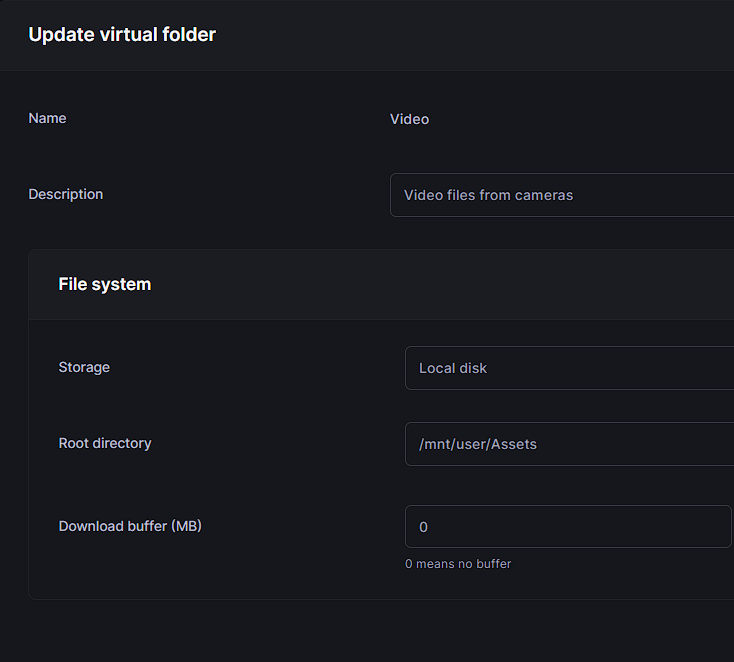
I've created a Virtual Folder for Root directory I guessed ... "Assets" is one of my shares, but no idea if this is correct?
-
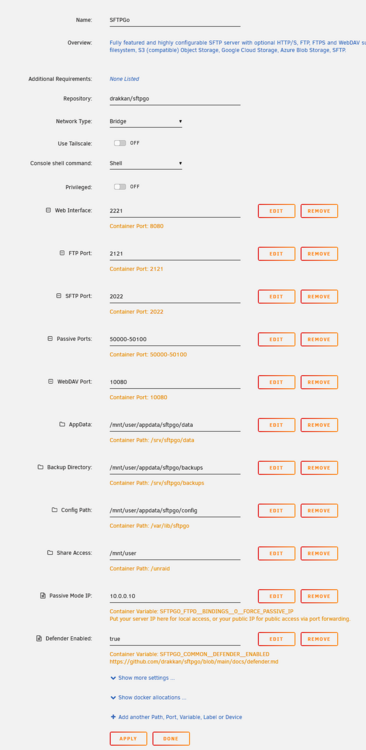
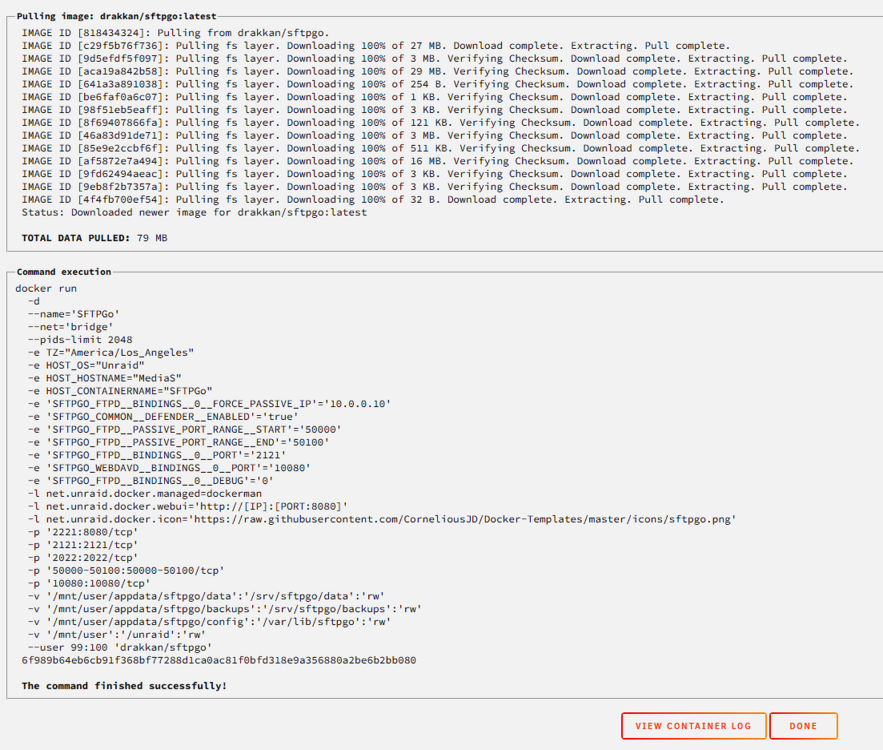
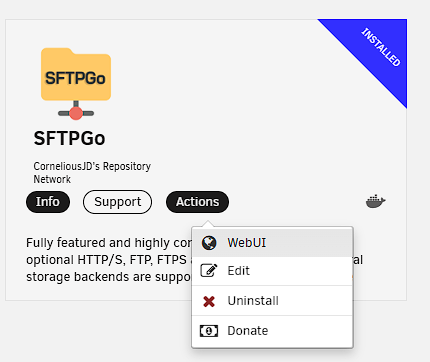
Correct, not listed in my Docker tab, only have my Plex Media Server Click Install and get parameters, I don't change any. Click Apply ... oh, this time I got a command execution window ... hmmm And some errors reported: But it does now show up in Installed Apps Ok, seem to be getting somewhere now. Will move forward ... but do have a question, how can I make the FTP server local ONLY (no public access)?


-
Thanks for the response. I installed sFTPGo and left the defaults "as is" and hit Apply. I guess I expected to see a WebUI for it or something, but I don't see anything as if it never installed? EDIT: I'm looking for the quickest and most simple FTP or SFTP for local network usage exclusively (not public) for my Camera FTP xfer of files to sFTPGo.
-
UPDATE: the developer for sFTPGo got back to me and indicated sFTPGo should NOT be listed for apps to use with Unraid?

-
I'm in exactly the same boat. My Sony A7VR camera can only connect via FTP or SFTP (bizarre for 2025) but it is what it is. I don't see ProFTP or ProFTPd as even listed for UnRaid docker apps?
-
Oops, nevermind, nextCloud is NOT an FTP server ... my quest continues.
-
I guess I'll try "nextCloud" docker, but it doesn't actually say it supports FTP or SFTP or FTPS? But it seems "nextCloud" is being regularly updated so that's a plus.
-
Any suggestions, I tried sFTPGo but nothing happened?
-
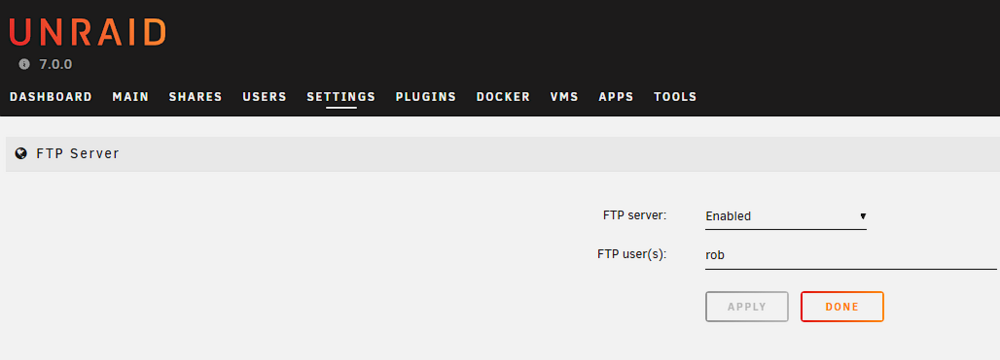
Before anyone lets me know that FTP is a bad idea, I know it is ... my options are very limited. I'm doing this specifically for my Sony A7VR camera that oddly supports LAN connections but uses FTP for file transfer. I've got the Sony camera setup with LAN connectivity. I've enabled FTP on Unraid 7.0.0 But now what? I verified connections, but the folders available all say permission denied (disk 1, disk 2, user, cache, etc.). I don't see anywhere where I can define access to a share? FYI, I enable FTP server only when I need to use it, otherwise I disable it. It's odd that this camera only support file transfer thru Wifi or LAN connection via FTP or direct USB-C to PC or remove CFexpress card and use a reader/USB-C to PC. What I'm trying to accomplish is to NOT keep removing the CFexpress card and just use LAN for file xfer. Anyway, thoughts on how to proceed with FTP server enable and getting it to allow access to shares?
-
Is the plugin safe? Last file manager type plugin I used and it kill my Plex app because it dropped Cache drives and had to uninstall and re-install and reset my cache pool … so I’m a little gun-shy when it comes to plugins.
-
Ah, found it ... default is 20% RAM Cache so bumped it to 40% and xfer was much faster. Yes, I'm on a UPS so should be safe. sysctl vm.dirty_ratio=40 I assume I will need to set this on every reboot? Is there away I can make this change permanent?
-
RAM Buffer? On UnRaid server? If so, I have 128GB RAM with 123GB RAM free. EDIT: also tested the same local file 31GB xfer to another local M.2 drive and xfer sustained average was 3.8GB/s so there is no sustained read issue from my local.
-
Did some more testing ... Source files is a 31GB video file mp4 Local Drive (on different PC Win11): M.2 Samsung 990 Pro 2TB For my share called "Assets" which is Cache --> Array For my share called "Media" (plex uses) is just Array Copy 31GB file from Local to Assets 48.53 sec ... Starts at 1.2GB/s then at the 20 second mark drops down to 234 MB/s by end of xfer. Copy 31GB file from Local to Media 154.16 sec ... Starts at 1.2GB/s then at the 19 second mark drops down to about 64 MB/s. The "Assets" Cache --> Array share is faster (as expected). However, I do NOT understand why both tests have significant drop-offs around the 20 second mark? My next question, does Plex have any issues with "Cache --> Array"? My "Media" share is used by Plex and I heard a "rumor" that Plex doesn't like Cache --> Array on UnRaid? Rob.
-
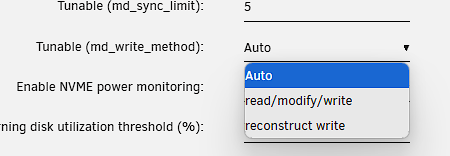
Not sure, I executed: mdcmd set md_write_method 1 from terminal ... but other than the "Spin Up" button how does one enable Turbo Write? What should this be set to? Reconstruct write?
-
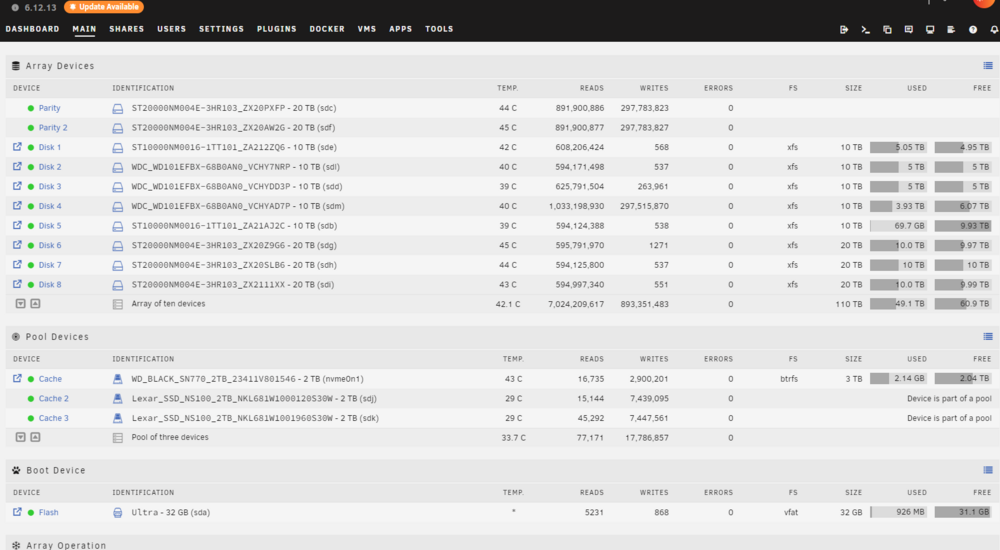
The specifications of the drives (both Cache and Array) are well above 60MB/s and 20MB/s and "sustained writes" The Cache Pool -------------- 1X WDS200T3X0E (WD Black SN770) is 4850MB/s for first 325GB (SLC cache full) then drops to 500MB/s for rest of duration (sustained). 2X Lexar SSD NS100 2TB is 467 MB/s sustained The Array Drive --------------- 2X Seagate ST10000NM0016 10TB is 254 MB/s sustained 3X Western Digital WDC_WD101EFBX 10TB is 215 MB/s sustained 5X Seagate ST20000NM004E 20TB is 285 MB/s sustained The above are "sustained" specifications (not sequential). So something doesn't add up, even my worse case device is 215 MB/s.
-
I'm running a 10G network 6 computers in a large rack. NICs are all 10G, Switch is 10G, Cat8 cable. I frequently copy 20-50GB files from one PC to the NAS and they start out fast 700-800MB/sec for about 1 minute or so then thruput suddenly drops to 190MB/sec and then drop again to 60MB/sec and sometimes even 20MB/sec. If I perform the same file copy PC to PC, I will sustain 800MB/sec without much of a change in thruput. When I copy a file from PC to NAS, the performance degradation seems directly proportional to file size. If a file is under 2GB or so, it's very fast, no thruput drop. My NAS (UnRaid v7.0.0 but issue was the same with V6.x.x) has a 3TB Cache Pool (very fast M.2s + some fast SSDs total 6TB). The shares are setup Cache --> Array so my assumption is writing to Cache which should be much faster than 1200MB/sec (10G limit). Plenty of cache space available when I do the copies (2+ TB) so I'm puzzled at the thruput performance degradation based on file size? Rob.
-
Found the thread to fix here. Pretty simple: 1. Main - Pool Devices - click on Cache, click on Remove Pool 2. Main - Pool Devices - select number of cache devices (in my case 3) slots - Add Pool 3. Main - Pool Devices - assign cache devices back to unassigned slots 4. Start Array
-
I got the "Wrong Pool State Cache Invalid" error as reported by others. Let me research for "the fix" ... if there is one.
-
Thank you for response. I haven’t done a flash backup before, where does the backup go? Onto same USB stick or somewhere else? Different USB stick? Why sooner and not later? Normally I wait for a 7.0.x to flush bugs found in the wild. Rob.
-
Before I hit the Update button? My configuration: Assume: 1. Take array off-line 2. Reboot to clear 3. Perform update to v7.0.0 I'm running Plex. Most of my computers are Windows 11, a couple iPad Pro M4s iOS 18.x, two webOS LG TV with Plex client. Anything new that I might need to adjust in EFI/BIOS? Rob.
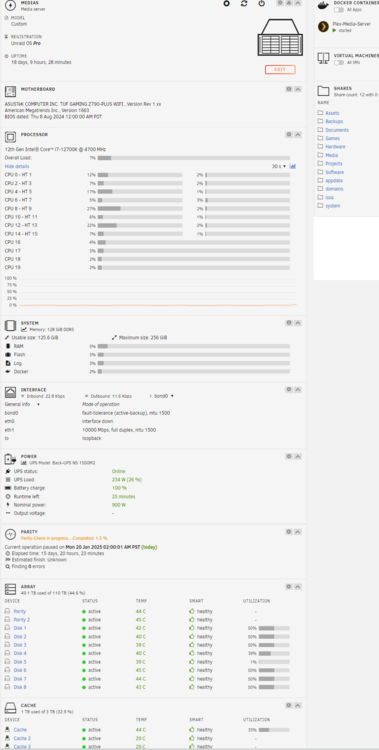
-
In case you don't believe me, proof: TAB key worked, ENTER key did not ... ENTER key just brought me back to the UserName: prompt (no error messages)
-
Standard US keyboard (USB hardwired) ... smaller compact one, but standard (Adesso AKB-110EB) EDIT: and yes NumLock was OFF
-
After some testing I was able to resolve the issue: Use TAB key after entering your password. I was using the ENTER key which would not work.
-
I used to, but I changed it to simple one and it still didn't work ... unless I need to reboot after changing root password?
-
Phew, thought it was just me going crazy. Hope Unraid can find a fix for this. I run small 7" LCD panels (3U slot) in my server rack and would like to show the GUI so I can see activity at a glance without having to bring up another computer and go thru website URL.


