





MrTroll
Members
-
Joined
-
Last visited
Everything posted by MrTroll
-
Any plans to update this to the latest build it’s currently 2 behind including some pretty scary security issues?
-
Hey man are you keeping this updated because I'm getting out of date or insecure errors?
-
I'm slow in the head mate didn't realised TF classic is the old one. Can you give me more info on how your containers work so I can try and edit the TF2 container to work with classified. If I change the game name and the steam ID it grabs the right files and everything but it never starts the server.
-
But its a container you already have? TF2C just updated to actually be on steam now!
-
Hey man tf2c is now fully launched on steam and has its own dedicated server app ID at 3557020. I've tried modifying your existing tf2 and tf2 c containers variables but keep running into start up loops. Seems like its not launching the srcds.sh properly the logs just loop the start-up routines.
-
I'm fairly certain all it takes is port forwarding. A mate of mine managed this with his and his mother's like you. I can ask him if you want homie.
-
11notes/unifi:9-unraid if you're down for any bugs that might crop up with a fresh release. Otherwise sub the number for the current version number of the "Network Server" on unifis website.
-
https://help.ui.com/hc/en-us/articles/115012240067-Enabling-UniFi-Remote-Management
-
It'll make it show up in the iOS app mate
-
Mate just run on remote access in the settings of the web UI.
-
@PeteAsking @bmartino1 Ultimately fixed the issue I was having by changing the container to host with everything else being the unraid default. I can finally remote access! Got the green globe and everything works!
-
Cannot download keep getting this error docker: error pulling image configuration: download failed after attempts=6: dial tcp 130.117.252.104:443: i/o timeout.
-
Turns out I had a remote PC sitting on the unraid connect website filling my notification log with unraid API started. After removing this for the equation everything is smooth as butter.
-
Wasn't asking you too boss if it fixes itself neat, but I've just resigned myself to using another browser.
-
So i've been running into this issue where the web ui will be completely unaccessible, with running /etc/rc.d/rc.nginx restart via ssh resolving the issue. I've attached diag logs from the last time it happened, just before I restarted nginx. Side note I read somewhere to /etc/rc.d/rc.emhttpd restart but when I run that in ssh I get -bash: /etc/rc.d/rc.emhttpd: No such file or directory. jarby-diagnostics-20250505-2003.zip
-
Installed on my system before you posted this after checking available tags. Works without any issues so far! Didn't resolve my odd Firefox bug though.
-
Hey man if you modify the icon URL to "https://gitlab.torproject.org/tpo/web/styleguide/-/raw/HEAD/assets/static/images/tor-browser/nightly/icon_512x512.png" It'll actually load an icon. :))
-
When I first setup this container all I had was a switch and AP I also had a server running unraid so I figured hosting it on the computer thats on 24/7 was a solid idea. Later I bought a UXG Lite when it was on sale which I kinda regret cause ultimately for me i'd prefer the build in cloud stuff the more expensive routers have. But it still works out for me to be able to monitor my network remotely and with a really nice UI. So the data security standpoint of self hosting never really entered my calculus, its honestly a use case I hadn't thought of. It makes sense when I think about it, most people have way more baller hardware than me which all have build in cloud key hardware. So they would only seek something like this out to maintain better data hygienics.
-
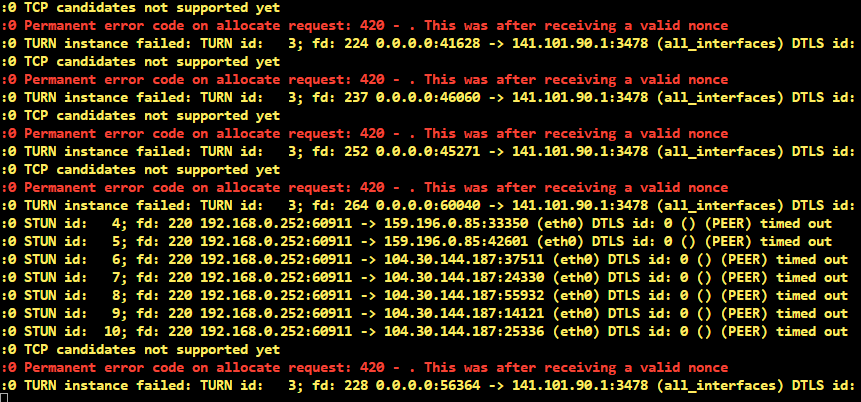
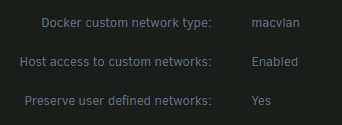
I have done everything you asked man multiple times. Here's it enabled as requested. Heres the logs after enabled the setting.
-
Oh yeah 100% man I know you've got no control over what other people post, unifi etc. I'm surprised that no one else has had this issue recently since I figure there's a pretty big overlap between Firefox users and UniFi users. I appreciate you testing the issue and ultimately sharing the same behaviour helps to make me feel not insane. I appreciate everyone's help here.
-
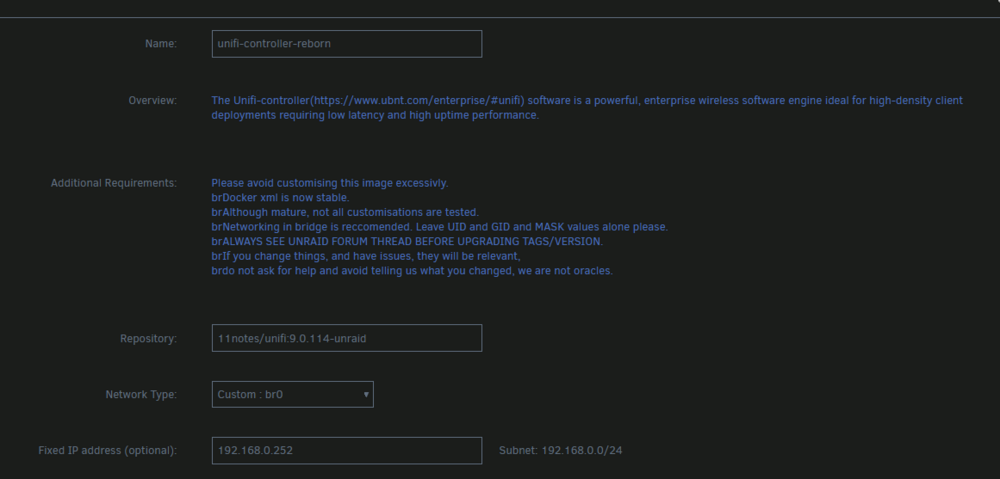
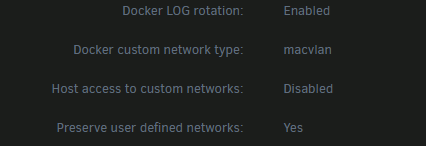
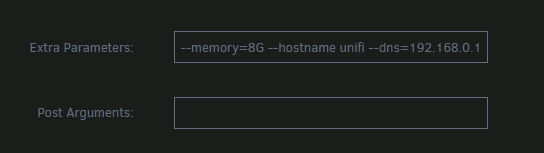
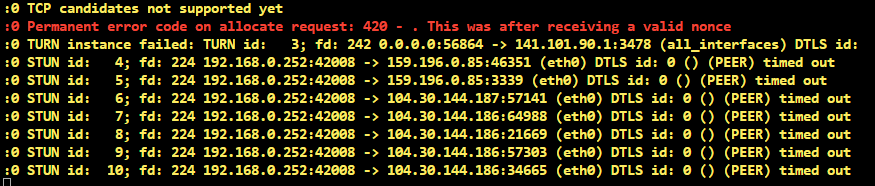
I am running the latest stable build 11notes/unifi:9.0.114-unraid. I am not on a cgnat, I have specifically asked my ISP to turn that off. I was previously running everything as you mentioned but changed it back after nothing improved. However just for you i'll do it again. Here is my docker network which I never swapped back because it meant taking down all of my containers. Here's the previously mentioned hostname I know what my public IP is 104.30.144.186-187 not my public IP and PeteAsking also has it show up in his logs. UniFi has no issues logging my LAN ip correctly from when i'm connecting within my network. I have set all the networking up the way you have asked for the second time. The only thing that changes is in the logs it reports the set IP. Setting unifi to the old interface forces me to load it via a different URL that takes some time to try and load then ultimately fail. I don't know if you missed it but the author of this thread has ran into the EXACT same issue upon doing his own testing with the same IP showing up in his logs also. Are you then not implying that hes doing it wrong? I don't know if you and him are a team or something maybe you already know this. I want to restate that UniFi loaded on firefox previously with all my default networking as per Pete's own recommendation. However this issue started quite some time ago so its hard for me to nail down what version it was on.
-
@PeteAsking
-
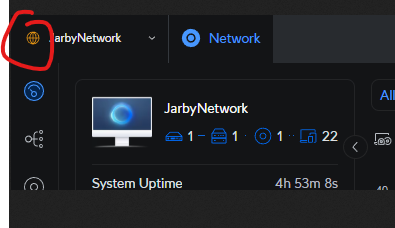
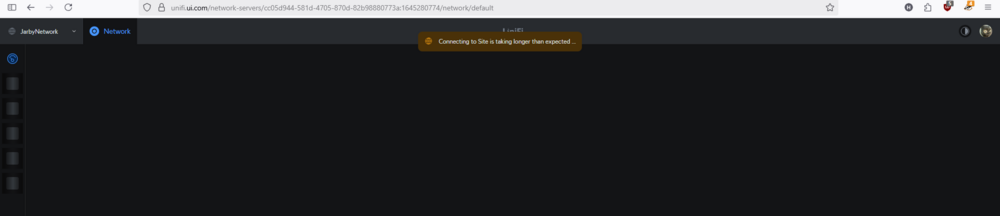
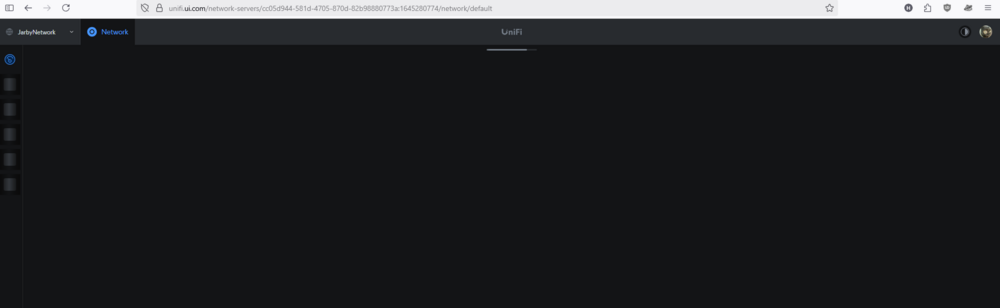
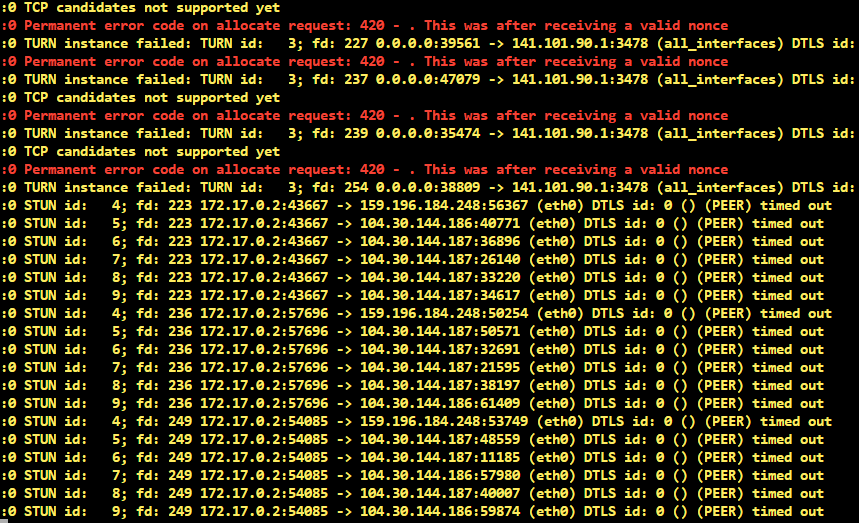
@bmartino1 Latest version It failing to load It failing to load with every extension disabled, enhanced security disabled, cache cleared. It loading with the globe icon on chrome. The source IP in my admin acitity log always resolves as coming from 104.30.144.186 or 104.30.144.187, no matter the actual WAN IP of the network i'm on. The logs from when Firefox attempts to load. I find it odd that the same IP addresses show up in the log.

-
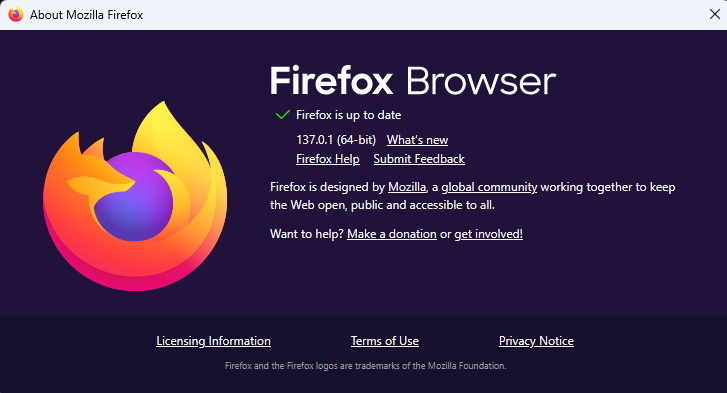
I'm only trying to access unifi.ui externally, I don't ever use a vpn or anything of the sort. I am running whatever the the latest version of firefox is. I was considering asking on the unifi forum but I came here first cause I get the feeling they're gonna shift the blame onto the somewhat off textbook implementation. Bit of a wild card line of questioning but when you guys access your unifi network server remotely does the IP logged match the wan IP of that connection?
-
I said I turned off enhanced protection. Do you guys use Firefox? Have you guys got the orange icon in chrome? The globe in the top left.






