





rowansc1
Members
-
Joined
-
Last visited
Everything posted by rowansc1
-
Thats a shame. I shall bring it back as there's a warranty. Thanks for your help!
-
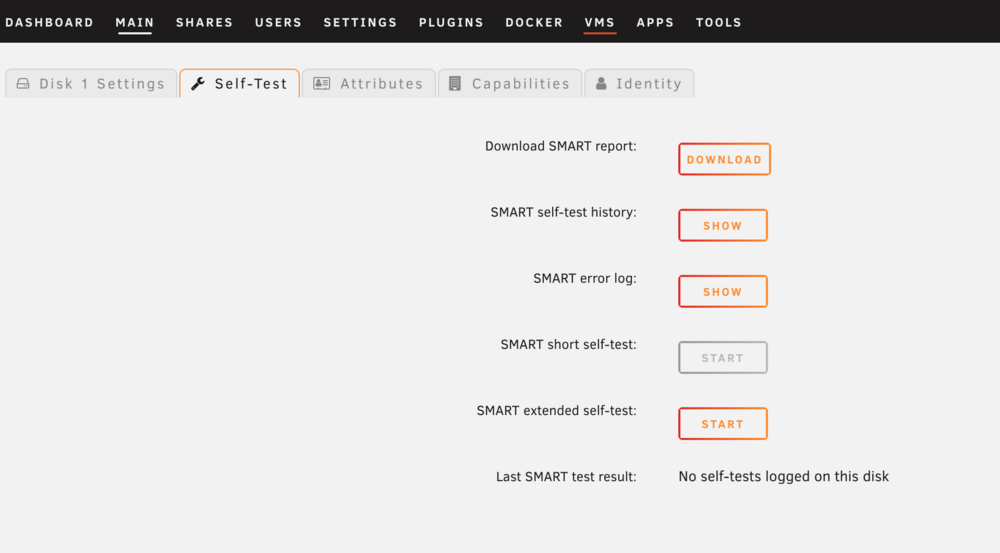
never mind - it got stuck and stopped doing the SMART test. Looks like it may have dropped off again?valkyrie-diagnostics-20250414-1345.zip
-
Ah ok - I'll let it run
-
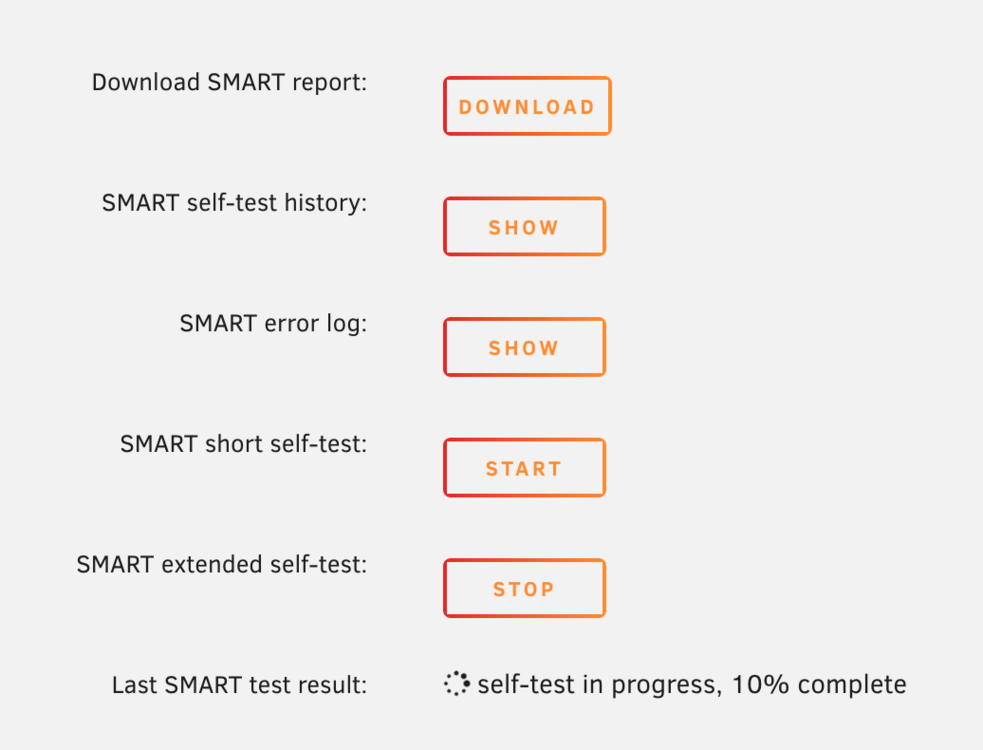
Thanks! The extended SMART test ran. I had to reboot it and shutdown and start it quite a few times for the disk to appear again. However, it has been detected. Sadly, its been stuck on `self-test in progress, 10% complete`.valkyrie-smart-20250414-1330.zip valkyrie-diagnostics-20250414-1333.zip
-
Thanks for your help @JorgeB! Sadly, after rebooting, it did the same thing as previously. valkyrie-diagnostics-20250414-1148.zip Here are the latest diagnostics
-
Screen Recording 2025-04-14 at 10.00.19.mov When attempting to run an extended SMART test, the button just goes back to `start` and doesn't actually do the test. The spindown time is set to never.
-
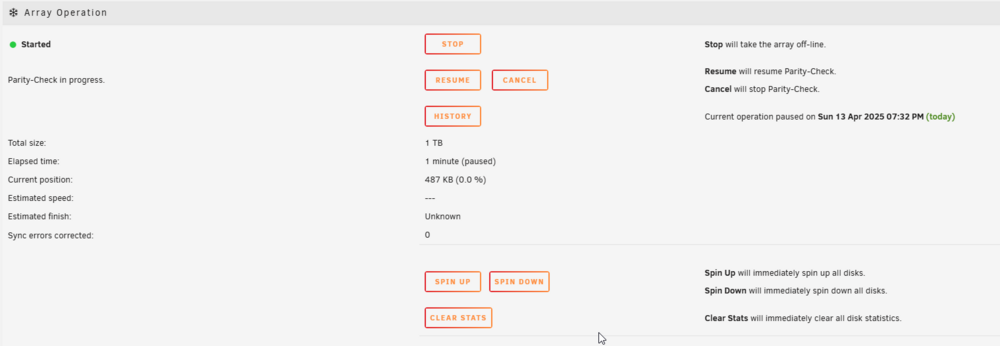
When I press the array start button, this is what happens:

-
Not sure if that last diagnostic had that disk in it, so here's another where I can see it in the `main` tab. valkyrie-diagnostics-20250413-1912.zip

-
Hiya Unraid Wizards! I've got a quick question here. So I purchased a used hard drive recently, and just got around to putting it in today. However, the drive seems to be erroring/not being detected by unraid. When installing, I went through the usual process, and it showed up in `main` as unallocated (great!), so I assigned it to a slot, and started the array. After 8 seconds, it stopped due to 137 errors. I thought that was weird so I took the drive out and moved it to a new slot in my server, with sadly a similar error appearing again. I gave it a restart, and now it's not detecting the drive at all. I was wondering if any of you knew wether the drive is just busted, or I've done something wrong? I've attached my diagnostics below, it's the Seagate ST1000.valkyrie-diagnostics-20250413-1839.zip Thanks everyone!
-
Preferably shrink the array. Typically I just put new drives into the array last week!
-
Ah balls, that's not ideal. What would be the best way to rebuild parity when removing this drive?
-
Thanks for your help so far JorgeB! I can confirm that the cabling is correct, the caddy lights are on and active. I have reseated the caddy and power-cycled the server. Diagnostics are attached below as requested. valkyrie-diagnostics-20250313-1305.zip
-
Hiya, it was the same type as disk in drive 2, sadly I can’t see any unassigned disks in the dashboard. Under main, it doesn’t show any other disks as assignable to drive 1.
-
Hiya! Looks like this could be a lovely disk failure, but I wanted to ask here to check. The drive appears undetected in Unraid, restarts of the server and array are inconclusive. The server is a HP ProLiant. I've attached the diagnostics below if they are of use. Thank you all! valkyrie-diagnostics-20250312-2031.zip

-
Thank you very much for the update! I'll remain on v3 for a little bit longer
-
Gottya, thank you very much! I'll give it a go. Do you have any recommendations for a UPS around the same capacity & price?
-
Thanks for your help. I appreciate it Is this an actual issue I should be looking into or is it worth just ignoring? Mainly, I want to make sure that the actual UPS is fine before the return window closes.
-
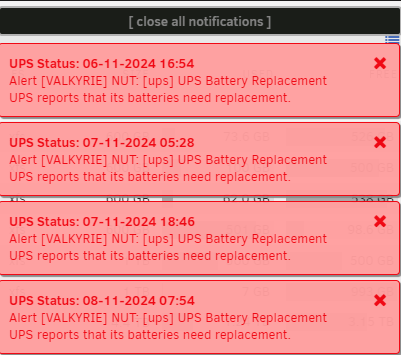
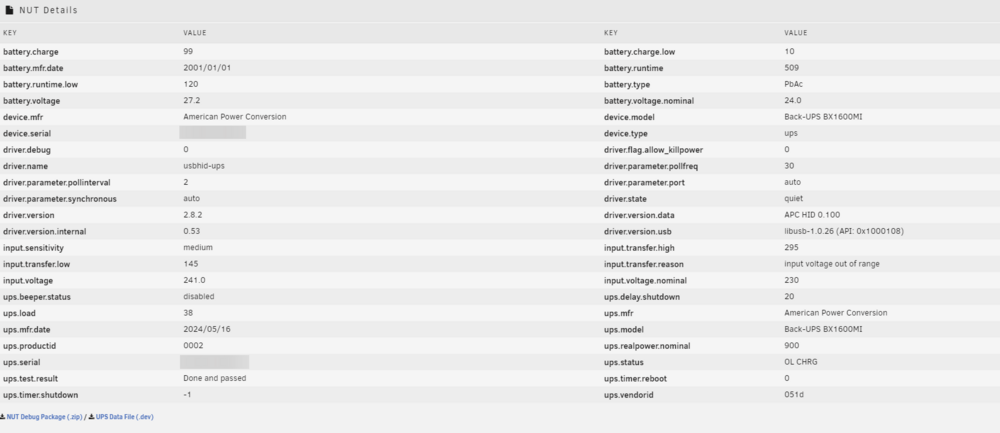
Hello! I recently bought an APC BX1600MI (delivered this week), I've tested it and it seems to be working well and as intended, however, I'm using the NUT plugin to manage it on unraid, and the plugin is reporting that the batteries need replacing (see image). This confuses me a little bit, as the unit is new. I've attached a screenshot of the NUT details (I was going to do it as text, but couldn't format it correctly to be readable) - I did try and download the `NUT Debug Package` but that seemed to fail. If anyone could give me any advice as to whether this is a fault with the unit, or something that I could just ignore, I'd be very grateful! Thanks everyone!
-
This has been solved. If anyone else has this issue, you can read the Reddit thread here, or feel free to reach out to me and I'll help the best I can!
-
Hi all! I have a bit of a strange question here. To give you some context, I am trying to use AdGuard Home as a DHCP server for my home network (to replace my routers DHCP server). This is using the AdGuard docker application on the unraid server. The issue I have is that my mesh network will not start as it cannot detect my unraid servers AdGuard container as only one of the slave nodes is connected to it. The unraid server isn't located close to the router, and I am unable to run a ethernet cable to it (plus the mesh Wi-Fi network gives it nearly gigabit internal speeds anyway). A potential solution to this that I came up with was to purchase TP-Link powerlines and connect one end to the router, and the other to the switch. However, the speeds are not as desired (less than 100Mbps despite lots of config and location changes), so I decided to plug it into the unraid server directly (along side my connection to the switch). What I want to do is bind that specific docker container for AdGuard to only use that one specific ethernet port (and everything else goes to my switch as usual) is this possible? I've read through various form posts on here, and it seems like there are various degrees of success, but sadly I was unable to accomplish this myself. I'd appreciate any help from you fantastic people, thank you very much in advance! Let me know if you need any further details
-
You're a legend for providing this. This worked perfectly for me!


