






Bob-omb
Members
-
Joined
-
Last visited
Everything posted by Bob-omb
-
Thanks for helping so far. Really appreciated. Here is an update. I switched out the LAN cable and tried a different port on the router and a different port on the server. The router still does not seem to detect the server. However, if I connect my laptop to that same cable I get internet instantly, so there is probably nothing wrong with the cable or the router, which is what I expected. I loaded optimized defaults on my BIOS. I installed Unraid 6.12.15 on a flash drive (as opposed to Unraid 7) just to see if it made a difference. The server is not given an IP, but I am not sure if it is because it is not asking for it yet. If I boot into BIOS this is what it says: However both says: I have literally no idea what is going on. I am so lost. My next options are: Completely reset the router. Install Windows to see if it resolves.
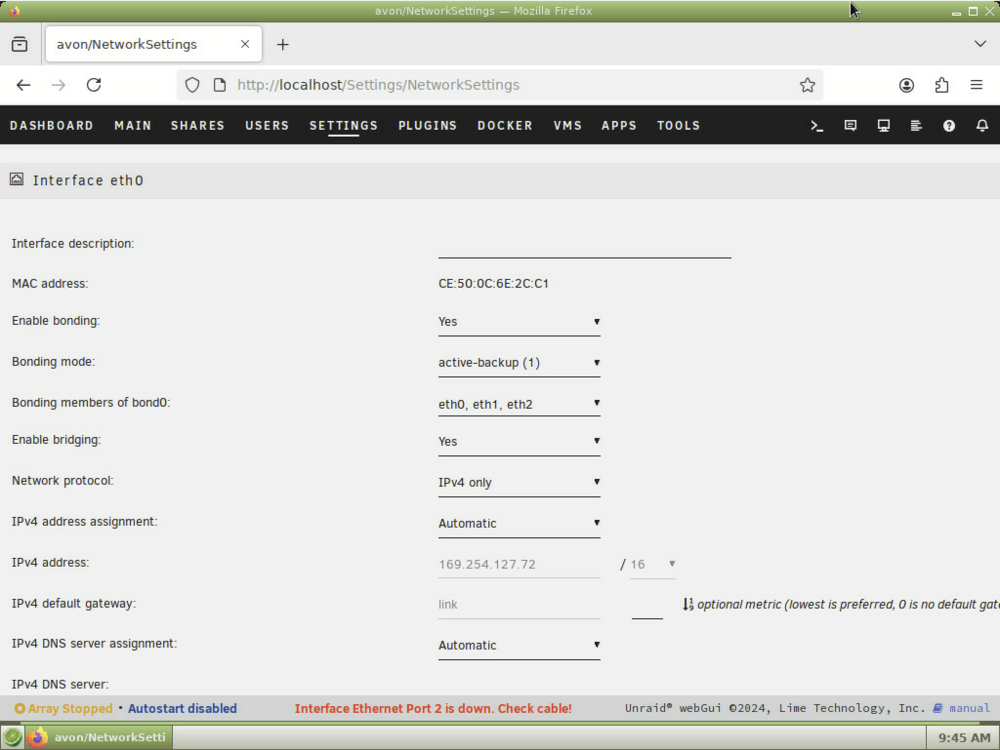
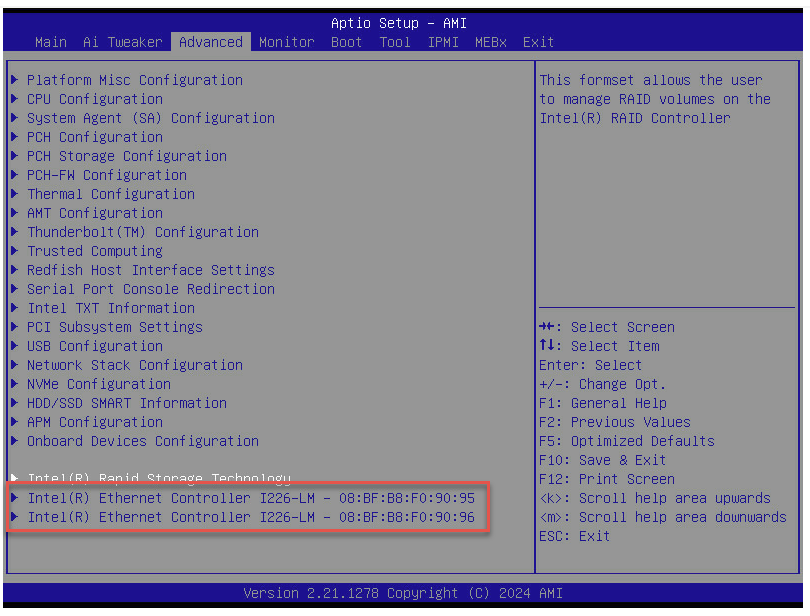

-
I changed the cable and changed the port to the other Intel 2.5Gb Ethernet port. The server still does not appear on my router even though the LAN LED indicator is green (indicating that it is linked).
-
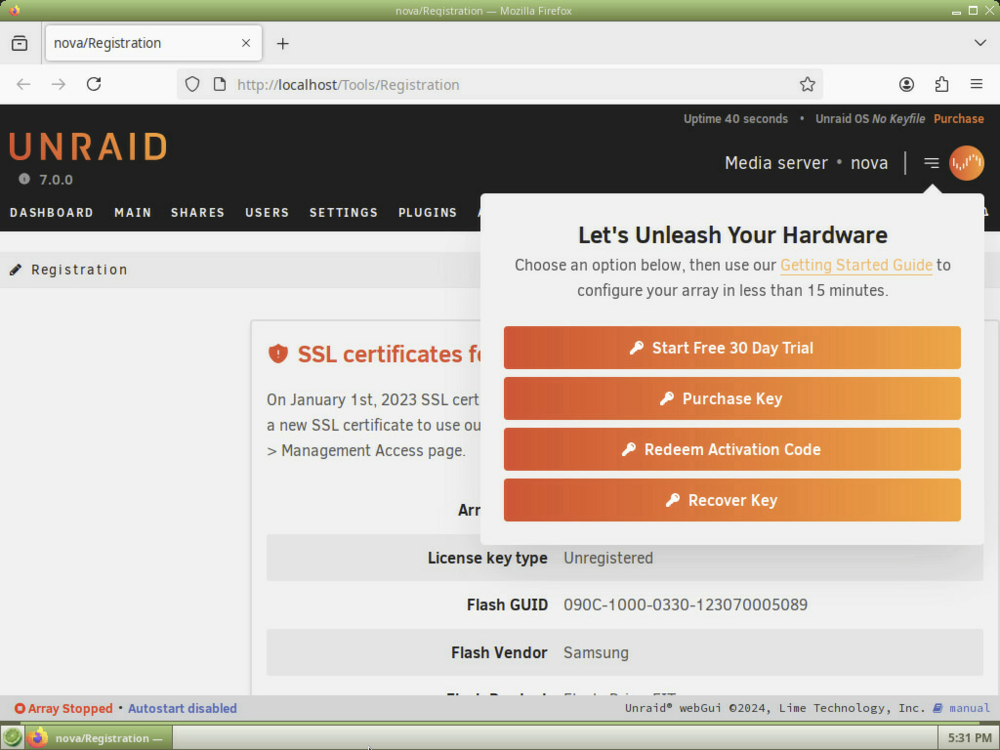
Here is an update: I reinstalled the USB creator tool. Installed Unraid on a different flash disk of the same kind with (DHCP) Was working but there was no network. I moved the server to another mesh node on my network. Booted from IPMI. Selected "Unraid OS GUI Mode". Now it is complaining about SSL certificate for unraid.net being deprecated. I go to Settings ➜ Network: Now it says "Interface Ethernet Port 1 is down. Check Cable." even though the computer is connected to the router.
-
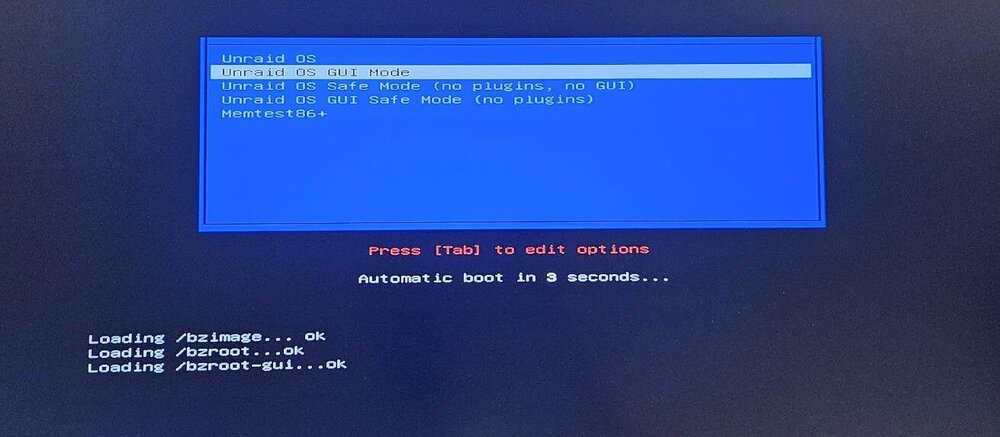
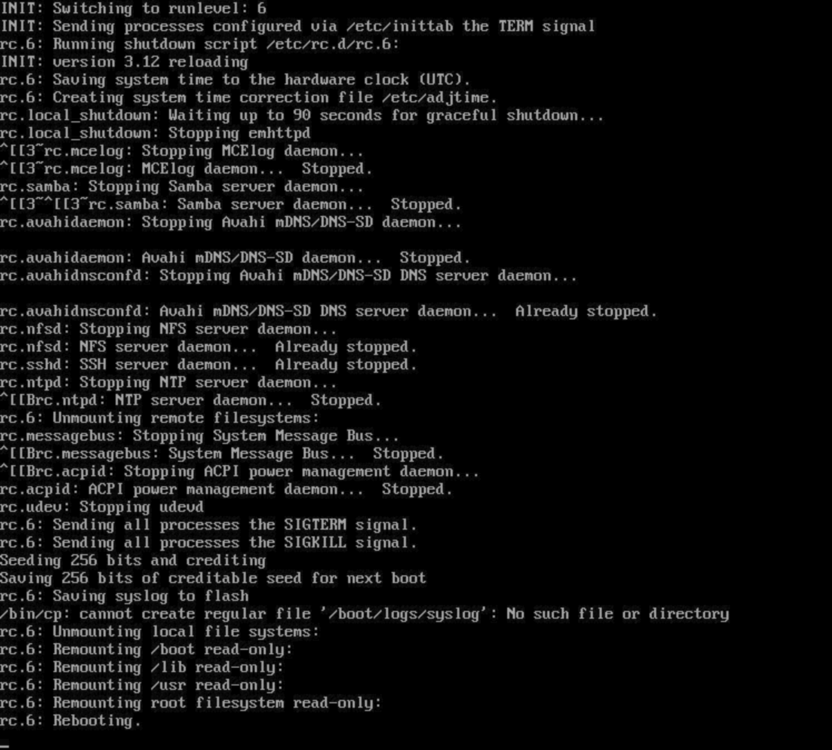
As you can see in the screenshot the system freezes when picking Unraid OS GUI Mode. I just made a fresh flash disk. At first it worked, but after a reboot this happened. Is this after the OS is loaded to RAM? How can I know if there is something wrong with the flash drive? It's a Samsung FIT Plus - 64GB so it should be of decent quality. But I have used it for a year. Steps to reproduce: Make an Unraid 7 flash disk with "unraid-usb-creator-1.0.1.exe". Boot from the device. Select Unraid OS GUI Mode Notice how the system freezes. IPMI Remote shows me this:
-
Sorry yeah I just realized: Not anonymized (including everything): diagnostics -a Anonymized: diagnostics
-
I am having problems accessing the GUI and I need to run a diagnostics report to get some help. Using SSH I can run the `diagnostics` command and download the zip file, but it is not anonymized. Does anyone know which command I can use through SSH to make an anonymized diagnostics report? I could not find any information about the command itself.
-
Is there any file in particular in the diagnostics? I hesitate to post the entire dump here out of privacy and security concerns. Edit: Since I could not access the interface I also could not anonymize it. Unless there is some command I can run through ssh.
-
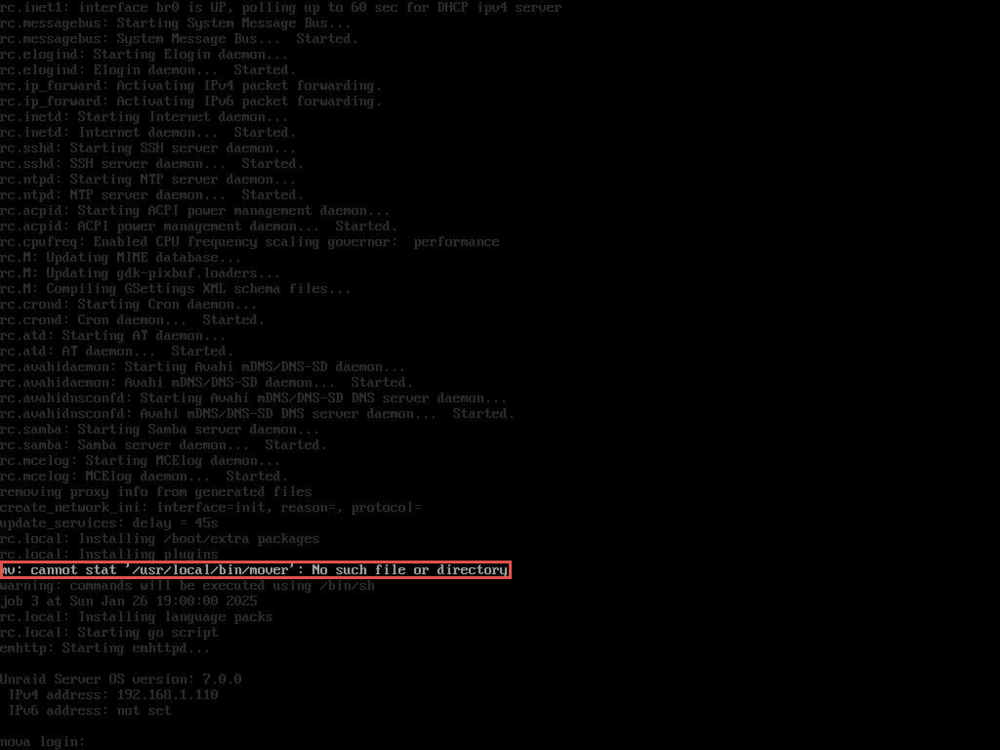
I got impatient and decided to shutdown the system. However, I did take a diagnostics dump first. When restarting I could see this one: Maybe off-topic but is this normal?
-
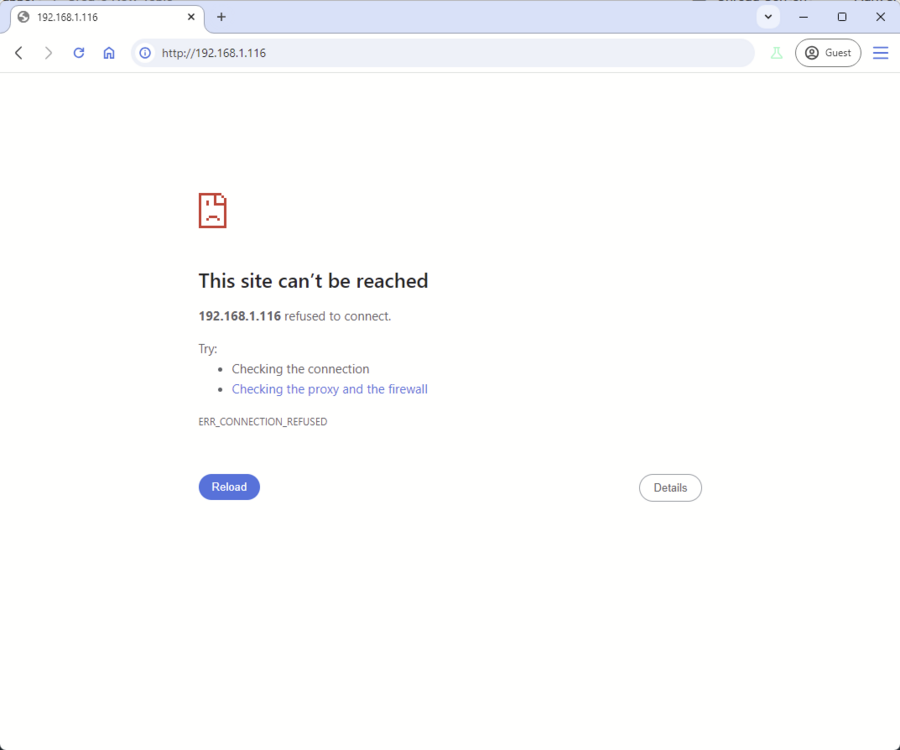
For no apparent reason suddenly when I try to access the web interface the website gets stuck when loading. Using hostname does not help. Using hostname.local does not help. Using the IP does not help. When using a different browser I am able to login, but from there the browser never manages to resolve the landing page. Using: tail -f /var/log/syslog it does not show any errors, but perhaps I should check a different log file? What is going on?

-
Where can you do that? I can't find it.
-
Thanks. The computer had an unexpected random shutdown which might be the cause. I will keep an eye on it. Thanks.
-
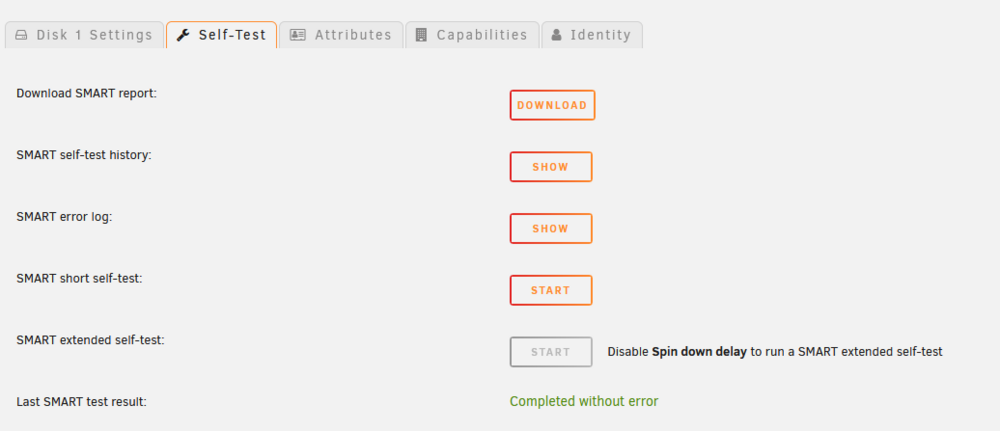
So I am Trying to find out if my drive is actually failing but I am confused by the available info in Unraid. Yesterday I got a message from Unraid through Pushover saying "udma crc error count is 1". The SMART error log shows this, but I am not sure if I can find anything concerning here: <redacted> This is the XFS repair status: <redacted> Unraid shows that the last SMART test completed without errors. Here is the SMART data: <redacted>
-
For some reason whenever I try to export queues or presets Handbrake fails to actually make the file. I don't get any error. It's just the exported file does not show. It's weird because it is able to export videos just fine. Has anyone else had this problem? Btw I also cant use libaom-av1, only SVT-AV1. Is that normal?
-
It doesn't matter, because eventually all my VMs stop working after reboots or updates. But installing Windows usually takes only a couple of minutes. I got an i9-14900K and a Samsung 970 EVO Plus and 128 GB RAM. Just to clarify I have been installing Windows probably around 20 times because they all die eventually so there has got to be something wrong.
-
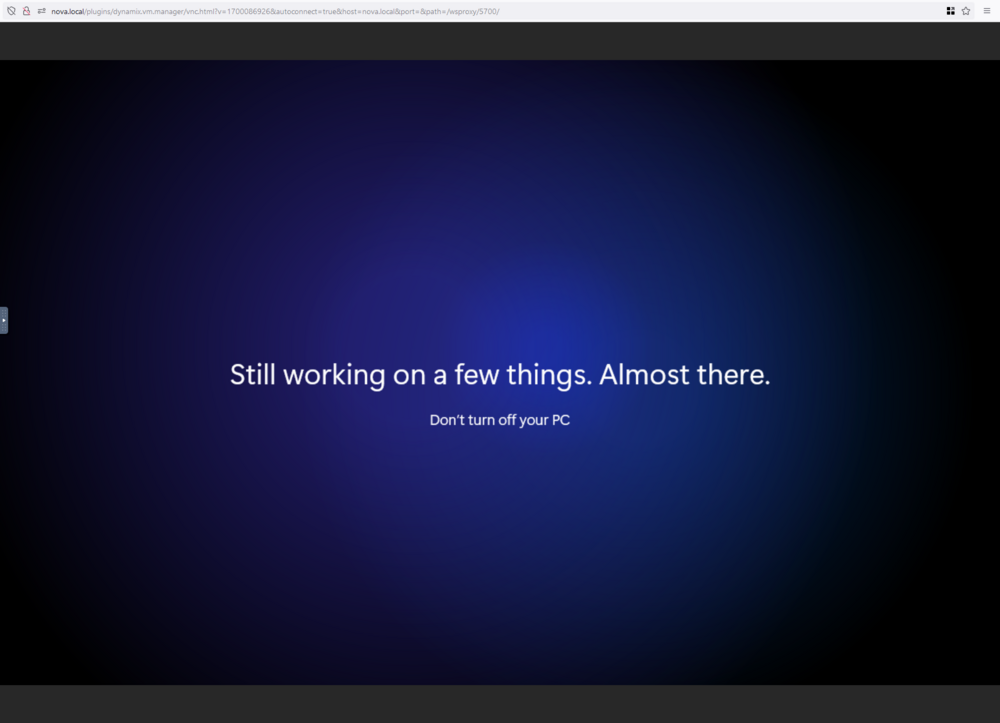
I got to be honest and say that I have been having so many problems running Windows VMs on Unraid. In short; usually (not always) installing them is smooth and they will run for days/weeks and then after a reboot they will become stuck on the Unraid VNC splash screen. I tried posting about it here, but no help. So today I tried installing a brand new Windows 11 VM for the millionth time. Everything went fine during the Windows installation but as soon as the VM is attempting to restart (for the first time ever) I am presented with a black screen in the VNC. It's basically stuck forever. en-us_windows_11_consumer_editions_version_23h2_updated_sep_2024_x64_dvd_edcefbe4.iso 2024-10-09 14:37:00.621+0000: Starting external device: TPM Emulator /usr/bin/swtpm socket --ctrl type=unixio,path=/run/libvirt/qemu/swtpm/70-62266548-swtpm.sock,mode=0600 --tpmstate dir=/var/lib/libvirt/swtpm/2b1db981-894c-fb2b-30a6-4febec7e588e/tpm2,mode=0600 --log file=/var/log/swtpm/libvirt/qemu/62266548-swtpm.log --terminate --tpm2 2024-10-09 14:37:00.653+0000: starting up libvirt version: 8.7.0, qemu version: 7.2.0, kernel: 6.1.79-Unraid, hostname: nova LC_ALL=C \ PATH=/bin:/sbin:/usr/bin:/usr/sbin \ HOME=/var/lib/libvirt/qemu/domain-70-62266548 \ XDG_DATA_HOME=/var/lib/libvirt/qemu/domain-70-62266548/.local/share \ XDG_CACHE_HOME=/var/lib/libvirt/qemu/domain-70-62266548/.cache \ XDG_CONFIG_HOME=/var/lib/libvirt/qemu/domain-70-62266548/.config \ /usr/local/sbin/qemu \ -name guest=62266548,debug-threads=on \ -S \ -object '{"qom-type":"secret","id":"masterKey0","format":"raw","file":"/var/lib/libvirt/qemu/domain-70-62266548/master-key.aes"}' \ -blockdev '{"driver":"file","filename":"/usr/share/qemu/ovmf-x64/OVMF_CODE-pure-efi-tpm.fd","node-name":"libvirt-pflash0-storage","auto-read-only":true,"discard":"unmap"}' \ -blockdev '{"node-name":"libvirt-pflash0-format","read-only":true,"driver":"raw","file":"libvirt-pflash0-storage"}' \ -blockdev '{"driver":"file","filename":"/etc/libvirt/qemu/nvram/2b1db981-894c-fb2b-30a6-4febec7e588e_VARS-pure-efi-tpm.fd","node-name":"libvirt-pflash1-storage","auto-read-only":true,"discard":"unmap"}' \ -blockdev '{"node-name":"libvirt-pflash1-format","read-only":false,"driver":"raw","file":"libvirt-pflash1-storage"}' \ -machine pc-i440fx-7.2,usb=off,dump-guest-core=off,mem-merge=off,memory-backend=pc.ram,pflash0=libvirt-pflash0-format,pflash1=libvirt-pflash1-format \ -accel kvm \ -cpu host,migratable=on,hv-time=on,hv-relaxed=on,hv-vapic=on,hv-spinlocks=0x1fff,hv-vendor-id=none,host-cache-info=on,l3-cache=off \ -m 16384 \ -object '{"qom-type":"memory-backend-ram","id":"pc.ram","size":17179869184}' \ -overcommit mem-lock=off \ -smp 12,sockets=1,dies=1,cores=6,threads=2 \ -uuid 2b1db981-894c-fb2b-30a6-4febec7e588e \ -no-user-config \ -nodefaults \ -chardev socket,id=charmonitor,fd=35,server=on,wait=off \ -mon chardev=charmonitor,id=monitor,mode=control \ -rtc base=localtime \ -no-hpet \ -no-shutdown \ -boot strict=on \ -device '{"driver":"qemu-xhci","p2":15,"p3":15,"id":"usb","bus":"pci.0","addr":"0x7"}' \ -device '{"driver":"virtio-serial-pci","id":"virtio-serial0","bus":"pci.0","addr":"0x4"}' \ -blockdev '{"driver":"file","filename":"/mnt/user/vm/vms/62266548/vdisk1.img","node-name":"libvirt-3-storage","cache":{"direct":false,"no-flush":false},"auto-read-only":true,"discard":"unmap"}' \ -blockdev '{"node-name":"libvirt-3-format","read-only":false,"cache":{"direct":false,"no-flush":false},"driver":"raw","file":"libvirt-3-storage"}' \ -device '{"driver":"virtio-blk-pci","bus":"pci.0","addr":"0x5","drive":"libvirt-3-format","id":"virtio-disk2","bootindex":1,"write-cache":"on","serial":"vdisk1"}' \ -blockdev '{"driver":"file","filename":"/mnt/user/vm/iso/isos/en-us_windows_11_iot_enterprise_version_24h2_x64_dvd_3a99b72b.iso","node-name":"libvirt-2-storage","auto-read-only":true,"discard":"unmap"}' \ -blockdev '{"node-name":"libvirt-2-format","read-only":true,"driver":"raw","file":"libvirt-2-storage"}' \ -device '{"driver":"ide-cd","bus":"ide.0","unit":0,"drive":"libvirt-2-format","id":"ide0-0-0","bootindex":2}' \ -blockdev '{"driver":"file","filename":"/mnt/user/vm/iso/virtio-win-0.1.262-2.iso","node-name":"libvirt-1-storage","auto-read-only":true,"discard":"unmap"}' \ -blockdev '{"node-name":"libvirt-1-format","read-only":true,"driver":"raw","file":"libvirt-1-storage"}' \ -device '{"driver":"ide-cd","bus":"ide.0","unit":1,"drive":"libvirt-1-format","id":"ide0-0-1"}' \ -netdev tap,fd=36,id=hostnet0 \ -device '{"driver":"virtio-net","netdev":"hostnet0","id":"net0","mac":"52:54:00:e5:83:e5","bus":"pci.0","addr":"0x3"}' \ -chardev pty,id=charserial0 \ -device '{"driver":"isa-serial","chardev":"charserial0","id":"serial0","index":0}' \ -chardev socket,id=charchannel0,fd=34,server=on,wait=off \ -device '{"driver":"virtserialport","bus":"virtio-serial0.0","nr":1,"chardev":"charchannel0","id":"channel0","name":"org.qemu.guest_agent.0"}' \ -chardev socket,id=chrtpm,path=/run/libvirt/qemu/swtpm/70-62266548-swtpm.sock \ -tpmdev emulator,id=tpm-tpm0,chardev=chrtpm \ -device '{"driver":"tpm-tis","tpmdev":"tpm-tpm0","id":"tpm0"}' \ -device '{"driver":"usb-tablet","id":"input0","bus":"usb.0","port":"1"}' \ -audiodev '{"id":"audio1","driver":"none"}' \ -vnc 0.0.0.0:1,websocket=5700,audiodev=audio1 \ -k no \ -device '{"driver":"qxl-vga","id":"video0","max_outputs":1,"ram_size":67108864,"vram_size":67108864,"vram64_size_mb":0,"vgamem_mb":16,"bus":"pci.0","addr":"0x2"}' \ -device '{"driver":"virtio-balloon-pci","id":"balloon0","bus":"pci.0","addr":"0x6"}' \ -sandbox on,obsolete=deny,elevateprivileges=deny,spawn=deny,resourcecontrol=deny \ -msg timestamp=on char device redirected to /dev/pts/0 (label charserial0) qxl_send_events: spice-server bug: guest stopped, ignoring I tried to force stop it. Then start it now it is stuck on this screen for about 10 minutes: I am not sure if I am doing anything wrong because there is basically no documentation on how to install VMs.
-
So today I tried to update a Windows 11 VM. Rebooted. Now this VM is also stuck on the Unraid splash screen. This VM was actually important. Although I have backup of it, restoring it won't help. It's still stuck.
-
Here we go again. I installed a Windows 10 VM. Then I installed WSL2 using wsl --install then I rebooted. Now it is stuck on the Unraid splash screen. -overcommit mem-lock=off \ -smp 12,sockets=1,dies=1,cores=6,threads=2 \ -uuid 86956cf1-bd34-d496-6acf-a4db9bbab2c9 \ -no-user-config \ -nodefaults \ -chardev socket,id=charmonitor,fd=39,server=on,wait=off \ -mon chardev=charmonitor,id=monitor,mode=control \ -rtc base=localtime \ -no-hpet \ -no-shutdown \ -boot strict=on \ -device '{"driver":"qemu-xhci","p2":15,"p3":15,"id":"usb","bus":"pci.0","addr":"0x7"}' \ -device '{"driver":"virtio-serial-pci","id":"virtio-serial0","bus":"pci.0","addr":"0x4"}' \ -blockdev '{"driver":"file","filename":"/mnt/user/vm/vms/NOVA-VM/vdisk1.img","node-name":"libvirt-1-storage","cache":{"direct":false,"no-flush":false},"auto-read-only":true,"discard":"unmap"}' \ -blockdev '{"node-name":"libvirt-1-format","read-only":false,"cache":{"direct":false,"no-flush":false},"driver":"qcow2","file":"libvirt-1-storage","backing":null}' \ -device '{"driver":"virtio-blk-pci","bus":"pci.0","addr":"0x5","drive":"libvirt-1-format","id":"virtio-disk2","bootindex":1,"write-cache":"on","serial":"vdisk1"}' \ -netdev tap,fd=40,id=hostnet0 \ -device '{"driver":"virtio-net","netdev":"hostnet0","id":"net0","mac":"52:54:00:c4:08:72","bus":"pci.0","addr":"0x3"}' \ -chardev pty,id=charserial0 \ -device '{"driver":"isa-serial","chardev":"charserial0","id":"serial0","index":0}' \ -chardev socket,id=charchannel0,fd=37,server=on,wait=off \ -device '{"driver":"virtserialport","bus":"virtio-serial0.0","nr":1,"chardev":"charchannel0","id":"channel0","name":"org.qemu.guest_agent.0"}' \ -chardev qemu-vdagent,id=charchannel1,name=vdagent,clipboard=on,mouse=on \ -device '{"driver":"virtserialport","bus":"virtio-serial0.0","nr":2,"chardev":"charchannel1","id":"channel1","name":"com.redhat.spice.0"}' \ -device '{"driver":"usb-tablet","id":"input0","bus":"usb.0","port":"1"}' \ -audiodev '{"id":"audio1","driver":"none"}' \ -vnc 0.0.0.0:2,websocket=5701,audiodev=audio1 \ -k no \ -device '{"driver":"qxl-vga","id":"video0","max_outputs":1,"ram_size":67108864,"vram_size":67108864,"vram64_size_mb":0,"vgamem_mb":16,"bus":"pci.0","addr":"0x2"}' \ -device '{"driver":"virtio-balloon-pci","id":"balloon0","bus":"pci.0","addr":"0x6"}' \ -sandbox on,obsolete=deny,elevateprivileges=deny,spawn=deny,resourcecontrol=deny \ -msg timestamp=on char device redirected to /dev/pts/1 (label charserial0) qxl_send_events: spice-server bug: guest stopped, ignoring 2024-10-02T08:32:51.350662Z qemu-system-x86_64: terminating on signal 15 from pid 16934 (/usr/sbin/libvirtd) 2024-10-02 08:32:51.556+0000: shutting down, reason=destroyed 2024-10-02 08:33:47.475+0000: starting up libvirt version: 8.7.0, qemu version: 7.2.0, kernel: 6.1.79-Unraid, hostname: nova LC_ALL=C \ PATH=/bin:/sbin:/usr/bin:/usr/sbin \ HOME=/var/lib/libvirt/qemu/domain-46-NOVA-VM \ XDG_DATA_HOME=/var/lib/libvirt/qemu/domain-46-NOVA-VM/.local/share \ XDG_CACHE_HOME=/var/lib/libvirt/qemu/domain-46-NOVA-VM/.cache \ XDG_CONFIG_HOME=/var/lib/libvirt/qemu/domain-46-NOVA-VM/.config \ /usr/local/sbin/qemu \ -name guest=NOVA-VM,debug-threads=on \ -S \ -object '{"qom-type":"secret","id":"masterKey0","format":"raw","file":"/var/lib/libvirt/qemu/domain-46-NOVA-VM/master-key.aes"}' \ -blockdev '{"driver":"file","filename":"/usr/share/qemu/ovmf-x64/OVMF_CODE-pure-efi.fd","node-name":"libvirt-pflash0-storage","auto-read-only":true,"discard":"unmap"}' \ -blockdev '{"node-name":"libvirt-pflash0-format","read-only":true,"driver":"raw","file":"libvirt-pflash0-storage"}' \ -blockdev '{"driver":"file","filename":"/etc/libvirt/qemu/nvram/86956cf1-bd34-d496-6acf-a4db9bbab2c9_VARS-pure-efi.fd","node-name":"libvirt-pflash1-storage","auto-read-only":true,"discard":"unmap"}' \ -blockdev '{"node-name":"libvirt-pflash1-format","read-only":false,"driver":"raw","file":"libvirt-pflash1-storage"}' \ -machine pc-i440fx-7.2,usb=off,dump-guest-core=off,mem-merge=off,memory-backend=pc.ram,pflash0=libvirt-pflash0-format,pflash1=libvirt-pflash1-format \ -accel kvm \ -cpu host,migratable=on,hv-time=on,host-cache-info=on,l3-cache=off \ -m 16384 \ -object '{"qom-type":"memory-backend-ram","id":"pc.ram","size":17179869184}' \ -overcommit mem-lock=off \ -smp 12,sockets=1,dies=1,cores=6,threads=2 \ -uuid 86956cf1-bd34-d496-6acf-a4db9bbab2c9 \ -no-user-config \ -nodefaults \ -chardev socket,id=charmonitor,fd=39,server=on,wait=off \ -mon chardev=charmonitor,id=monitor,mode=control \ -rtc base=localtime \ -no-hpet \ -no-shutdown \ -boot strict=on \ -device '{"driver":"qemu-xhci","p2":15,"p3":15,"id":"usb","bus":"pci.0","addr":"0x7"}' \ -device '{"driver":"virtio-serial-pci","id":"virtio-serial0","bus":"pci.0","addr":"0x4"}' \ -blockdev '{"driver":"file","filename":"/mnt/user/vm/vms/NOVA-VM/vdisk1.img","node-name":"libvirt-1-storage","cache":{"direct":false,"no-flush":false},"auto-read-only":true,"discard":"unmap"}' \ -blockdev '{"node-name":"libvirt-1-format","read-only":false,"cache":{"direct":false,"no-flush":false},"driver":"qcow2","file":"libvirt-1-storage","backing":null}' \ -device '{"driver":"virtio-blk-pci","bus":"pci.0","addr":"0x5","drive":"libvirt-1-format","id":"virtio-disk2","bootindex":1,"write-cache":"on","serial":"vdisk1"}' \ -netdev tap,fd=40,id=hostnet0 \ -device '{"driver":"virtio-net","netdev":"hostnet0","id":"net0","mac":"52:54:00:c4:08:72","bus":"pci.0","addr":"0x3"}' \ -chardev pty,id=charserial0 \ -device '{"driver":"isa-serial","chardev":"charserial0","id":"serial0","index":0}' \ -chardev socket,id=charchannel0,fd=37,server=on,wait=off \ -device '{"driver":"virtserialport","bus":"virtio-serial0.0","nr":1,"chardev":"charchannel0","id":"channel0","name":"org.qemu.guest_agent.0"}' \ -chardev qemu-vdagent,id=charchannel1,name=vdagent,clipboard=on,mouse=on \ -device '{"driver":"virtserialport","bus":"virtio-serial0.0","nr":2,"chardev":"charchannel1","id":"channel1","name":"com.redhat.spice.0"}' \ -device '{"driver":"usb-tablet","id":"input0","bus":"usb.0","port":"1"}' \ -audiodev '{"id":"audio1","driver":"none"}' \ -vnc 0.0.0.0:2,websocket=5701,audiodev=audio1 \ -k no \ -device '{"driver":"qxl-vga","id":"video0","max_outputs":1,"ram_size":67108864,"vram_size":67108864,"vram64_size_mb":0,"vgamem_mb":16,"bus":"pci.0","addr":"0x2"}' \ -device '{"driver":"virtio-balloon-pci","id":"balloon0","bus":"pci.0","addr":"0x6"}' \ -sandbox on,obsolete=deny,elevateprivileges=deny,spawn=deny,resourcecontrol=deny \ -msg timestamp=on char device redirected to /dev/pts/2 (label charserial0) qxl_send_events: spice-server bug: guest stopped, ignoring
-
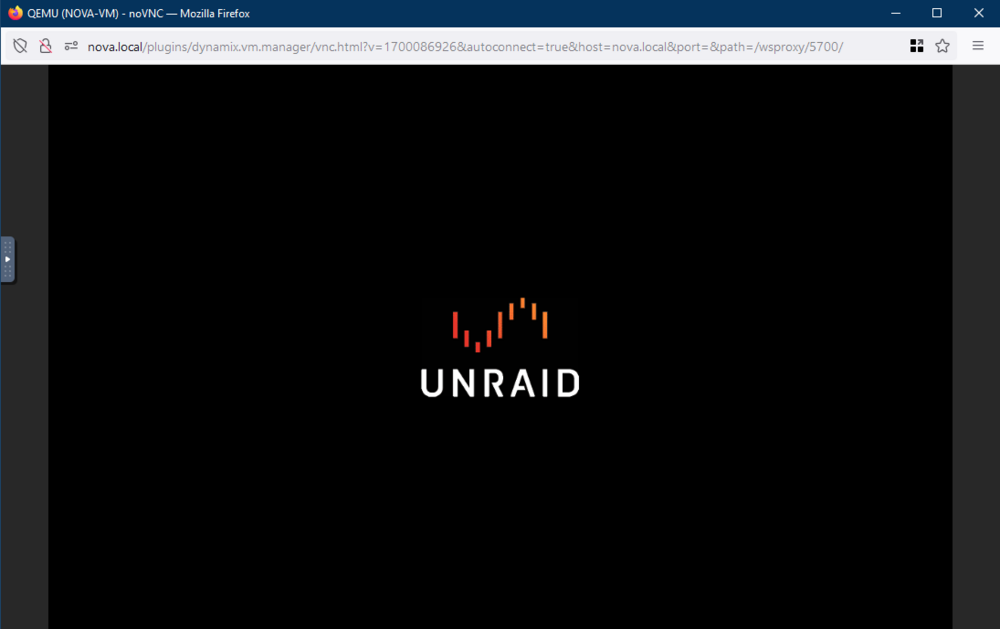
I am having such a difficult time with VMs in Unraid. Especially Windows 10 it seems. Sometimes they work sometimes they are stuck on the Startup.nsh shell. Sometimes they are stuck on the Unraid-logo splash screen. Meanwhile some VMs work flawlessly. Like for example my Windows 11 VM. I am thinking maybe it has to do with the VM settings but I have no idea. I am not that Unraid-savvy. But perhaps Windows 10 requires different VM settings than Windows 11? I guess I am talking to myself here... 😂
-
My Windows 10 VM is suddenly stuck while booting. It worked once. I installed WSL 2 and attempted a reboot. Then this: Here is the log: -no-user-config \ -nodefaults \ -chardev socket,id=charmonitor,fd=35,server=on,wait=off \ -mon chardev=charmonitor,id=monitor,mode=control \ -rtc base=localtime \ -no-hpet \ -no-shutdown \ -boot strict=on \ -device '{"driver":"qemu-xhci","p2":15,"p3":15,"id":"usb","bus":"pci.0","addr":"0x7"}' \ -device '{"driver":"virtio-serial-pci","id":"virtio-serial0","bus":"pci.0","addr":"0x4"}' \ -blockdev '{"driver":"file","filename":"/mnt/user/vm/vms/NOVA-VM/vdisk1.img","node-name":"libvirt-2-storage","cache":{"direct":false,"no-flush":false},"auto-read-only":true,"discard":"unmap"}' \ -blockdev '{"node-name":"libvirt-2-format","read-only":false,"cache":{"direct":false,"no-flush":false},"driver":"qcow2","file":"libvirt-2-storage","backing":null}' \ -device '{"driver":"virtio-blk-pci","bus":"pci.0","addr":"0x5","drive":"libvirt-2-format","id":"virtio-disk2","bootindex":1,"write-cache":"on","serial":"vdisk1"}' \ -blockdev '{"driver":"file","filename":"/mnt/user/vm/iso/virtio-win-0.1.248-1.iso","node-name":"libvirt-1-storage","auto-read-only":true,"discard":"unmap"}' \ -blockdev '{"node-name":"libvirt-1-format","read-only":true,"driver":"raw","file":"libvirt-1-storage"}' \ -device '{"driver":"ide-cd","bus":"ide.0","unit":1,"drive":"libvirt-1-format","id":"ide0-0-1"}' \ -netdev tap,fd=36,id=hostnet0 \ -device '{"driver":"virtio-net","netdev":"hostnet0","id":"net0","mac":"52:54:00:e1:25:bb","bus":"pci.0","addr":"0x3"}' \ -chardev pty,id=charserial0 \ -device '{"driver":"isa-serial","chardev":"charserial0","id":"serial0","index":0}' \ -chardev socket,id=charchannel0,fd=34,server=on,wait=off \ -device '{"driver":"virtserialport","bus":"virtio-serial0.0","nr":1,"chardev":"charchannel0","id":"channel0","name":"org.qemu.guest_agent.0"}' \ -device '{"driver":"usb-tablet","id":"input0","bus":"usb.0","port":"1"}' \ -audiodev '{"id":"audio1","driver":"none"}' \ -vnc 0.0.0.0:1,websocket=5700,audiodev=audio1 \ -k no \ -device '{"driver":"qxl-vga","id":"video0","max_outputs":1,"ram_size":67108864,"vram_size":67108864,"vram64_size_mb":0,"vgamem_mb":16,"bus":"pci.0","addr":"0x2"}' \ -device '{"driver":"virtio-balloon-pci","id":"balloon0","bus":"pci.0","addr":"0x6"}' \ -sandbox on,obsolete=deny,elevateprivileges=deny,spawn=deny,resourcecontrol=deny \ -msg timestamp=on char device redirected to /dev/pts/1 (label charserial0) qxl_send_events: spice-server bug: guest stopped, ignoring 2024-10-01T14:08:19.324523Z qemu-system-x86_64: terminating on signal 15 from pid 16934 (/usr/sbin/libvirtd) 2024-10-01 14:08:19.548+0000: shutting down, reason=shutdown 2024-10-01 14:08:32.418+0000: starting up libvirt version: 8.7.0, qemu version: 7.2.0, kernel: 6.1.79-Unraid, hostname: nova LC_ALL=C \ PATH=/bin:/sbin:/usr/bin:/usr/sbin \ HOME=/var/lib/libvirt/qemu/domain-29-NOVA-VM \ XDG_DATA_HOME=/var/lib/libvirt/qemu/domain-29-NOVA-VM/.local/share \ XDG_CACHE_HOME=/var/lib/libvirt/qemu/domain-29-NOVA-VM/.cache \ XDG_CONFIG_HOME=/var/lib/libvirt/qemu/domain-29-NOVA-VM/.config \ /usr/local/sbin/qemu \ -name guest=NOVA-VM,debug-threads=on \ -S \ -object '{"qom-type":"secret","id":"masterKey0","format":"raw","file":"/var/lib/libvirt/qemu/domain-29-NOVA-VM/master-key.aes"}' \ -blockdev '{"driver":"file","filename":"/usr/share/qemu/ovmf-x64/OVMF_CODE-pure-efi.fd","node-name":"libvirt-pflash0-storage","auto-read-only":true,"discard":"unmap"}' \ -blockdev '{"node-name":"libvirt-pflash0-format","read-only":true,"driver":"raw","file":"libvirt-pflash0-storage"}' \ -blockdev '{"driver":"file","filename":"/etc/libvirt/qemu/nvram/a78919cf-74bc-af13-4143-26089379fa4e_VARS-pure-efi.fd","node-name":"libvirt-pflash1-storage","auto-read-only":true,"discard":"unmap"}' \ -blockdev '{"node-name":"libvirt-pflash1-format","read-only":false,"driver":"raw","file":"libvirt-pflash1-storage"}' \ -machine pc-i440fx-7.2,usb=off,dump-guest-core=off,mem-merge=off,memory-backend=pc.ram,pflash0=libvirt-pflash0-format,pflash1=libvirt-pflash1-format \ -accel kvm \ -cpu host,migratable=on,hv-time=on,hv-relaxed=on,hv-vapic=on,hv-spinlocks=0x1fff,hv-vendor-id=none,host-cache-info=on,l3-cache=off \ -m 16384 \ -object '{"qom-type":"memory-backend-ram","id":"pc.ram","size":17179869184}' \ -overcommit mem-lock=off \ -smp 12,sockets=1,dies=1,cores=6,threads=2 \ -uuid a78919cf-74bc-af13-4143-26089379fa4e \ -no-user-config \ -nodefaults \ -chardev socket,id=charmonitor,fd=35,server=on,wait=off \ -mon chardev=charmonitor,id=monitor,mode=control \ -rtc base=localtime \ -no-hpet \ -no-shutdown \ -boot strict=on \ -device '{"driver":"qemu-xhci","p2":15,"p3":15,"id":"usb","bus":"pci.0","addr":"0x7"}' \ -device '{"driver":"virtio-serial-pci","id":"virtio-serial0","bus":"pci.0","addr":"0x4"}' \ -blockdev '{"driver":"file","filename":"/mnt/user/vm/vms/NOVA-VM/vdisk1.img","node-name":"libvirt-2-storage","cache":{"direct":false,"no-flush":false},"auto-read-only":true,"discard":"unmap"}' \ -blockdev '{"node-name":"libvirt-2-format","read-only":false,"cache":{"direct":false,"no-flush":false},"driver":"qcow2","file":"libvirt-2-storage","backing":null}' \ -device '{"driver":"virtio-blk-pci","bus":"pci.0","addr":"0x5","drive":"libvirt-2-format","id":"virtio-disk2","bootindex":1,"write-cache":"on","serial":"vdisk1"}' \ -blockdev '{"driver":"file","filename":"/mnt/user/vm/iso/virtio-win-0.1.248-1.iso","node-name":"libvirt-1-storage","auto-read-only":true,"discard":"unmap"}' \ -blockdev '{"node-name":"libvirt-1-format","read-only":true,"driver":"raw","file":"libvirt-1-storage"}' \ -device '{"driver":"ide-cd","bus":"ide.0","unit":1,"drive":"libvirt-1-format","id":"ide0-0-1"}' \ -netdev tap,fd=36,id=hostnet0 \ -device '{"driver":"virtio-net","netdev":"hostnet0","id":"net0","mac":"52:54:00:e1:25:bb","bus":"pci.0","addr":"0x3"}' \ -chardev pty,id=charserial0 \ -device '{"driver":"isa-serial","chardev":"charserial0","id":"serial0","index":0}' \ -chardev socket,id=charchannel0,fd=34,server=on,wait=off \ -device '{"driver":"virtserialport","bus":"virtio-serial0.0","nr":1,"chardev":"charchannel0","id":"channel0","name":"org.qemu.guest_agent.0"}' \ -device '{"driver":"usb-tablet","id":"input0","bus":"usb.0","port":"1"}' \ -audiodev '{"id":"audio1","driver":"none"}' \ -vnc 0.0.0.0:1,websocket=5700,audiodev=audio1 \ -k no \ -device '{"driver":"qxl-vga","id":"video0","max_outputs":1,"ram_size":67108864,"vram_size":67108864,"vram64_size_mb":0,"vgamem_mb":16,"bus":"pci.0","addr":"0x2"}' \ -device '{"driver":"usb-host","hostdevice":"/dev/bus/usb/002/003","id":"hostdev0","bus":"usb.0","port":"2"}' \ -device '{"driver":"virtio-balloon-pci","id":"balloon0","bus":"pci.0","addr":"0x6"}' \ -sandbox on,obsolete=deny,elevateprivileges=deny,spawn=deny,resourcecontrol=deny \ -msg timestamp=on char device redirected to /dev/pts/0 (label charserial0) qxl_send_events: spice-server bug: guest stopped, ignoring These are my settings: <?xml version='1.0' encoding='UTF-8'?> <domain type='kvm' id='29'> <name>NOVA-VM</name> <uuid>a78919cf-74bc-af13-4143-26089379fa4e</uuid> <metadata> <vmtemplate xmlns="unraid" name="Windows 10" icon="windows.png" os="windows10"/> </metadata> <memory unit='KiB'>16777216</memory> <currentMemory unit='KiB'>16777216</currentMemory> <memoryBacking> <nosharepages/> </memoryBacking> <vcpu placement='static'>12</vcpu> <cputune> <vcpupin vcpu='0' cpuset='0'/> <vcpupin vcpu='1' cpuset='1'/> <vcpupin vcpu='2' cpuset='2'/> <vcpupin vcpu='3' cpuset='3'/> <vcpupin vcpu='4' cpuset='4'/> <vcpupin vcpu='5' cpuset='5'/> <vcpupin vcpu='6' cpuset='6'/> <vcpupin vcpu='7' cpuset='7'/> <vcpupin vcpu='8' cpuset='8'/> <vcpupin vcpu='9' cpuset='9'/> <vcpupin vcpu='10' cpuset='10'/> <vcpupin vcpu='11' cpuset='11'/> </cputune> <resource> <partition>/machine</partition> </resource> <os> <type arch='x86_64' machine='pc-i440fx-7.2'>hvm</type> <loader readonly='yes' type='pflash'>/usr/share/qemu/ovmf-x64/OVMF_CODE-pure-efi.fd</loader> <nvram>/etc/libvirt/qemu/nvram/a78919cf-74bc-af13-4143-26089379fa4e_VARS-pure-efi.fd</nvram> </os> <features> <acpi/> <apic/> <hyperv mode='custom'> <relaxed state='on'/> <vapic state='on'/> <spinlocks state='on' retries='8191'/> <vendor_id state='on' value='none'/> </hyperv> </features> <cpu mode='host-passthrough' check='none' migratable='on'> <topology sockets='1' dies='1' cores='6' threads='2'/> <cache mode='passthrough'/> </cpu> <clock offset='localtime'> <timer name='hypervclock' present='yes'/> <timer name='hpet' present='no'/> </clock> <on_poweroff>destroy</on_poweroff> <on_reboot>restart</on_reboot> <on_crash>restart</on_crash> <devices> <emulator>/usr/local/sbin/qemu</emulator> <disk type='file' device='disk'> <driver name='qemu' type='qcow2' cache='writeback'/> <source file='/mnt/user/vm/vms/NOVA-VM/vdisk1.img' index='2'/> <backingStore/> <target dev='hdc' bus='virtio'/> <serial>vdisk1</serial> <boot order='1'/> <alias name='virtio-disk2'/> <address type='pci' domain='0x0000' bus='0x00' slot='0x05' function='0x0'/> </disk> <disk type='file' device='cdrom'> <driver name='qemu' type='raw'/> <source file='/mnt/user/vm/iso/virtio-win-0.1.248-1.iso' index='1'/> <backingStore/> <target dev='hdb' bus='ide'/> <readonly/> <alias name='ide0-0-1'/> <address type='drive' controller='0' bus='0' target='0' unit='1'/> </disk> <controller type='pci' index='0' model='pci-root'> <alias name='pci.0'/> </controller> <controller type='ide' index='0'> <alias name='ide'/> <address type='pci' domain='0x0000' bus='0x00' slot='0x01' function='0x1'/> </controller> <controller type='virtio-serial' index='0'> <alias name='virtio-serial0'/> <address type='pci' domain='0x0000' bus='0x00' slot='0x04' function='0x0'/> </controller> <controller type='usb' index='0' model='qemu-xhci' ports='15'> <alias name='usb'/> <address type='pci' domain='0x0000' bus='0x00' slot='0x07' function='0x0'/> </controller> <interface type='bridge'> <mac address='52:54:00:e1:25:bb'/> <source bridge='br0'/> <target dev='vnet28'/> <model type='virtio-net'/> <alias name='net0'/> <address type='pci' domain='0x0000' bus='0x00' slot='0x03' function='0x0'/> </interface> <serial type='pty'> <source path='/dev/pts/0'/> <target type='isa-serial' port='0'> <model name='isa-serial'/> </target> <alias name='serial0'/> </serial> <console type='pty' tty='/dev/pts/0'> <source path='/dev/pts/0'/> <target type='serial' port='0'/> <alias name='serial0'/> </console> <channel type='unix'> <source mode='bind' path='/var/lib/libvirt/qemu/channel/target/domain-29-NOVA-VM/org.qemu.guest_agent.0'/> <target type='virtio' name='org.qemu.guest_agent.0' state='disconnected'/> <alias name='channel0'/> <address type='virtio-serial' controller='0' bus='0' port='1'/> </channel> <input type='tablet' bus='usb'> <alias name='input0'/> <address type='usb' bus='0' port='1'/> </input> <input type='mouse' bus='ps2'> <alias name='input1'/> </input> <input type='keyboard' bus='ps2'> <alias name='input2'/> </input> <graphics type='vnc' port='5901' autoport='yes' websocket='5700' listen='0.0.0.0' keymap='no'> <listen type='address' address='0.0.0.0'/> </graphics> <audio id='1' type='none'/> <video> <model type='qxl' ram='65536' vram='65536' vgamem='16384' heads='1' primary='yes'/> <alias name='video0'/> <address type='pci' domain='0x0000' bus='0x00' slot='0x02' function='0x0'/> </video> <hostdev mode='subsystem' type='usb' managed='no'> <source> <vendor id='0x174c'/> <product id='0x55aa'/> <address bus='2' device='3'/> </source> <alias name='hostdev0'/> <address type='usb' bus='0' port='2'/> </hostdev> <memballoon model='virtio'> <alias name='balloon0'/> <address type='pci' domain='0x0000' bus='0x00' slot='0x06' function='0x0'/> </memballoon> </devices> <seclabel type='dynamic' model='dac' relabel='yes'> <label>+0:+100</label> <imagelabel>+0:+100</imagelabel> </seclabel> </domain>
-
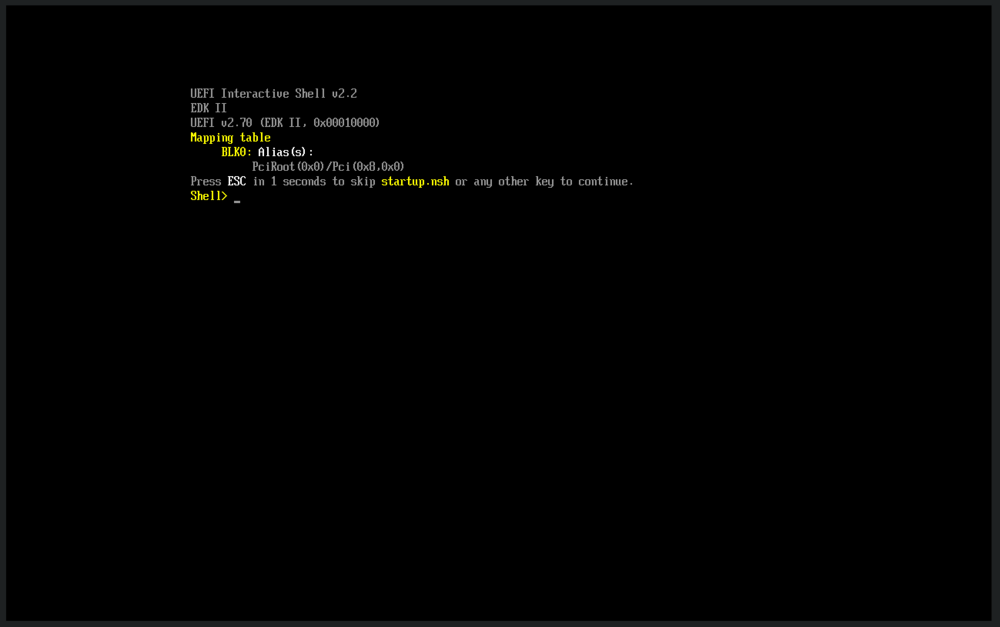
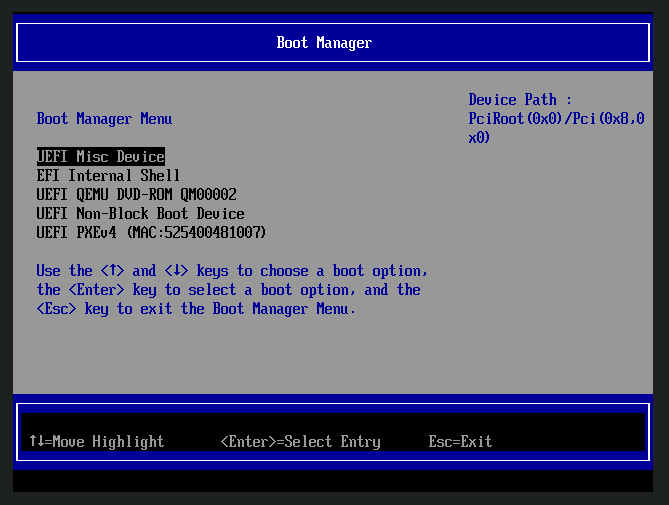
I have a pretty consistent problem where any VM I make after a few reboots stops working properly. More precisely they boot into UEFI and display the error: UEFI Interactive Shell v2.2 EDK 11 UEFI v2.70 (EDK II, 0x00010000) Mapping table BLK0: Alias(s): PCiRoot(0x0)/Pci(0x8,0x0) Press ESC in 1 seconds to skip startup.nsh or any other key to continue. Shell> In this case all I did was: 1. Make a VM and use a pre-existing image file 2. Start the VM 3. Rename the computer from inside Windows 4. Reboot 5. Add a VM share using the VM wizard in Unraid 6. Start the VM 7. I get this message: -device '{"driver":"virtio-net","netdev":"hostnet0","id":"net0","mac":"52:54:00:48:10:07","bus":"pci.0","addr":"0x5"}' \ -chardev pty,id=charserial0 \ -device '{"driver":"isa-serial","chardev":"charserial0","id":"serial0","index":0}' \ -chardev socket,id=charchannel0,fd=34,server=on,wait=off \ -device '{"driver":"virtserialport","bus":"virtio-serial0.0","nr":1,"chardev":"charchannel0","id":"channel0","name":"org.qemu.guest_agent.0"}' \ -device '{"driver":"usb-tablet","id":"input0","bus":"usb.0","port":"1"}' \ -audiodev '{"id":"audio1","driver":"none"}' \ -vnc 0.0.0.0:0,websocket=5700,audiodev=audio1 \ -k no \ -device '{"driver":"qxl-vga","id":"video0","max_outputs":1,"ram_size":67108864,"vram_size":67108864,"vram64_size_mb":0,"vgamem_mb":16,"bus":"pci.0","addr":"0x2"}' \ -device '{"driver":"virtio-balloon-pci","id":"balloon0","bus":"pci.0","addr":"0x6"}' \ -sandbox on,obsolete=deny,elevateprivileges=deny,spawn=deny,resourcecontrol=deny \ -msg timestamp=on char device redirected to /dev/pts/2 (label charserial0) qxl_send_events: spice-server bug: guest stopped, ignoring 2024-08-14T15:02:27.784739Z qemu-system-x86_64: terminating on signal 15 from pid 15275 (/usr/sbin/libvirtd) 2024-08-14 15:02:27.984+0000: shutting down, reason=destroyed 2024-08-14 18:56:08.787+0000: Starting external device: virtiofsd /usr/libexec/virtiofsd --fd=36 -o source=/mnt/user/DL-MACHINE,cache=always,sandbox=chroot,xattr 2024-08-14 18:56:08.878+0000: starting up libvirt version: 8.7.0, qemu version: 7.2.0, kernel: 6.1.79-Unraid, hostname: nova LC_ALL=C \ PATH=/bin:/sbin:/usr/bin:/usr/sbin \ HOME=/var/lib/libvirt/qemu/domain-15-DL-MACHINE \ XDG_DATA_HOME=/var/lib/libvirt/qemu/domain-15-DL-MACHINE/.local/share \ XDG_CACHE_HOME=/var/lib/libvirt/qemu/domain-15-DL-MACHINE/.cache \ XDG_CONFIG_HOME=/var/lib/libvirt/qemu/domain-15-DL-MACHINE/.config \ /usr/local/sbin/qemu \ -name guest=DL-MACHINE,debug-threads=on \ -S \ -object '{"qom-type":"secret","id":"masterKey0","format":"raw","file":"/var/lib/libvirt/qemu/domain-15-DL-MACHINE/master-key.aes"}' \ -blockdev '{"driver":"file","filename":"/usr/share/qemu/ovmf-x64/OVMF_CODE-pure-efi.fd","node-name":"libvirt-pflash0-storage","auto-read-only":true,"discard":"unmap"}' \ -blockdev '{"node-name":"libvirt-pflash0-format","read-only":true,"driver":"raw","file":"libvirt-pflash0-storage"}' \ -blockdev '{"driver":"file","filename":"/etc/libvirt/qemu/nvram/61f77654-9c6a-49aa-3422-cadd9947bc96_VARS-pure-efi.fd","node-name":"libvirt-pflash1-storage","auto-read-only":true,"discard":"unmap"}' \ -blockdev '{"node-name":"libvirt-pflash1-format","read-only":false,"driver":"raw","file":"libvirt-pflash1-storage"}' \ -machine pc-i440fx-7.2,usb=off,dump-guest-core=off,mem-merge=off,memory-backend=pc.ram,pflash0=libvirt-pflash0-format,pflash1=libvirt-pflash1-format \ -accel kvm \ -cpu host,migratable=on,hv-time=on,hv-relaxed=on,hv-vapic=on,hv-spinlocks=0x1fff,hv-vendor-id=none,host-cache-info=on,l3-cache=off \ -m 16384 \ -object '{"qom-type":"memory-backend-memfd","id":"pc.ram","share":true,"x-use-canonical-path-for-ramblock-id":false,"size":17179869184}' \ -overcommit mem-lock=off \ -smp 12,sockets=1,dies=1,cores=6,threads=2 \ -uuid 61f77654-9c6a-49aa-3422-cadd9947bc96 \ -no-user-config \ -nodefaults \ -chardev socket,id=charmonitor,fd=35,server=on,wait=off \ -mon chardev=charmonitor,id=monitor,mode=control \ -rtc base=localtime \ -no-hpet \ -no-shutdown \ -boot strict=on \ -device '{"driver":"qemu-xhci","p2":15,"p3":15,"id":"usb","bus":"pci.0","addr":"0x7"}' \ -device '{"driver":"virtio-serial-pci","id":"virtio-serial0","bus":"pci.0","addr":"0x4"}' \ -blockdev '{"driver":"file","filename":"/mnt/user/vm/vms/DL-MACHINE/vdisk1.img","node-name":"libvirt-2-storage","cache":{"direct":false,"no-flush":false},"auto-read-only":true,"discard":"unmap"}' \ -blockdev '{"node-name":"libvirt-2-format","read-only":false,"cache":{"direct":false,"no-flush":false},"driver":"raw","file":"libvirt-2-storage"}' \ -device '{"driver":"virtio-blk-pci","bus":"pci.0","addr":"0x8","drive":"libvirt-2-format","id":"virtio-disk2","bootindex":1,"write-cache":"on","serial":"vdisk1"}' \ -blockdev '{"driver":"file","filename":"/mnt/user/vm/iso/virtio-win-0.1.248-1.iso","node-name":"libvirt-1-storage","auto-read-only":true,"discard":"unmap"}' \ -blockdev '{"node-name":"libvirt-1-format","read-only":true,"driver":"raw","file":"libvirt-1-storage"}' \ -device '{"driver":"ide-cd","bus":"ide.0","unit":1,"drive":"libvirt-1-format","id":"ide0-0-1"}' \ -chardev socket,id=chr-vu-fs0,path=/var/lib/libvirt/qemu/domain-15-DL-MACHINE/fs0-fs.sock \ -device '{"driver":"vhost-user-fs-pci","id":"fs0","chardev":"chr-vu-fs0","queue-size":1024,"tag":"DL-MACHINE","bus":"pci.0","addr":"0x3"}' \ -netdev tap,fd=36,id=hostnet0 \ -device '{"driver":"virtio-net","netdev":"hostnet0","id":"net0","mac":"52:54:00:48:10:07","bus":"pci.0","addr":"0x5"}' \ -chardev pty,id=charserial0 \ -device '{"driver":"isa-serial","chardev":"charserial0","id":"serial0","index":0}' \ -chardev socket,id=charchannel0,fd=34,server=on,wait=off \ -device '{"driver":"virtserialport","bus":"virtio-serial0.0","nr":1,"chardev":"charchannel0","id":"channel0","name":"org.qemu.guest_agent.0"}' \ -device '{"driver":"usb-tablet","id":"input0","bus":"usb.0","port":"1"}' \ -audiodev '{"id":"audio1","driver":"none"}' \ -vnc 0.0.0.0:0,websocket=5700,audiodev=audio1 \ -k no \ -device '{"driver":"qxl-vga","id":"video0","max_outputs":1,"ram_size":67108864,"vram_size":67108864,"vram64_size_mb":0,"vgamem_mb":16,"bus":"pci.0","addr":"0x2"}' \ -device '{"driver":"virtio-balloon-pci","id":"balloon0","bus":"pci.0","addr":"0x6"}' \ -sandbox on,obsolete=deny,elevateprivileges=deny,spawn=deny,resourcecontrol=deny \ -msg timestamp=on char device redirected to /dev/pts/0 (label charserial0) qxl_send_events: spice-server bug: guest stopped, ignoring 2024-08-14T18:56:15.620295Z qemu-system-x86_64: warning: no scancode found for keysym 65297 2024-08-14T18:56:15.621805Z qemu-system-x86_64: warning: no scancode found for keysym 65297 2024-08-14T18:56:15.664735Z qemu-system-x86_64: warning: no scancode found for keysym 65297 2024-08-14T18:56:15.665338Z qemu-system-x86_64: warning: no scancode found for keysym 65297 2024-08-14T18:56:15.709394Z qemu-system-x86_64: warning: no scancode found for keysym 65297 2024-08-14T18:56:15.709630Z qemu-system-x86_64: warning: no scancode found for keysym 65297 2024-08-14T18:56:15.767766Z qemu-system-x86_64: warning: no scancode found for keysym 65297 2024-08-14T18:56:15.768046Z qemu-system-x86_64: warning: no scancode found for keysym 65297 2024-08-14T18:56:15.784530Z qemu-system-x86_64: warning: no scancode found for keysym 65297 2024-08-14T18:56:15.785636Z qemu-system-x86_64: warning: no scancode found for keysym 65297 2024-08-14T18:56:15.843981Z qemu-system-x86_64: warning: no scancode found for keysym 65297 2024-08-14T18:56:15.844207Z qemu-system-x86_64: warning: no scancode found for keysym 65297 2024-08-14T18:56:15.934611Z qemu-system-x86_64: warning: no scancode found for keysym 65297 2024-08-14T18:56:15.935131Z qemu-system-x86_64: warning: no scancode found for keysym 65297 XML: <?xml version='1.0' encoding='UTF-8'?> <domain type='kvm' id='15'> <name>DL-MACHINE</name> <uuid>61f77654-9c6a-49aa-3422-cadd9947bc96</uuid> <metadata> <vmtemplate xmlns="unraid" name="Windows 10" icon="windows.png" os="windows10"/> </metadata> <memory unit='KiB'>16777216</memory> <currentMemory unit='KiB'>16777216</currentMemory> <memoryBacking> <nosharepages/> <source type='memfd'/> <access mode='shared'/> </memoryBacking> <vcpu placement='static'>12</vcpu> <cputune> <vcpupin vcpu='0' cpuset='0'/> <vcpupin vcpu='1' cpuset='1'/> <vcpupin vcpu='2' cpuset='2'/> <vcpupin vcpu='3' cpuset='3'/> <vcpupin vcpu='4' cpuset='4'/> <vcpupin vcpu='5' cpuset='5'/> <vcpupin vcpu='6' cpuset='6'/> <vcpupin vcpu='7' cpuset='7'/> <vcpupin vcpu='8' cpuset='8'/> <vcpupin vcpu='9' cpuset='9'/> <vcpupin vcpu='10' cpuset='10'/> <vcpupin vcpu='11' cpuset='11'/> </cputune> <resource> <partition>/machine</partition> </resource> <os> <type arch='x86_64' machine='pc-i440fx-7.2'>hvm</type> <loader readonly='yes' type='pflash'>/usr/share/qemu/ovmf-x64/OVMF_CODE-pure-efi.fd</loader> <nvram>/etc/libvirt/qemu/nvram/61f77654-9c6a-49aa-3422-cadd9947bc96_VARS-pure-efi.fd</nvram> </os> <features> <acpi/> <apic/> <hyperv mode='custom'> <relaxed state='on'/> <vapic state='on'/> <spinlocks state='on' retries='8191'/> <vendor_id state='on' value='none'/> </hyperv> </features> <cpu mode='host-passthrough' check='none' migratable='on'> <topology sockets='1' dies='1' cores='6' threads='2'/> <cache mode='passthrough'/> </cpu> <clock offset='localtime'> <timer name='hypervclock' present='yes'/> <timer name='hpet' present='no'/> </clock> <on_poweroff>destroy</on_poweroff> <on_reboot>restart</on_reboot> <on_crash>restart</on_crash> <devices> <emulator>/usr/local/sbin/qemu</emulator> <disk type='file' device='disk'> <driver name='qemu' type='raw' cache='writeback'/> <source file='/mnt/user/vm/vms/DL-MACHINE/vdisk1.img' index='2'/> <backingStore/> <target dev='hdc' bus='virtio'/> <serial>vdisk1</serial> <boot order='1'/> <alias name='virtio-disk2'/> <address type='pci' domain='0x0000' bus='0x00' slot='0x08' function='0x0'/> </disk> <disk type='file' device='cdrom'> <driver name='qemu' type='raw'/> <source file='/mnt/user/vm/iso/virtio-win-0.1.248-1.iso' index='1'/> <backingStore/> <target dev='hdb' bus='ide'/> <readonly/> <alias name='ide0-0-1'/> <address type='drive' controller='0' bus='0' target='0' unit='1'/> </disk> <controller type='usb' index='0' model='qemu-xhci' ports='15'> <alias name='usb'/> <address type='pci' domain='0x0000' bus='0x00' slot='0x07' function='0x0'/> </controller> <controller type='virtio-serial' index='0'> <alias name='virtio-serial0'/> <address type='pci' domain='0x0000' bus='0x00' slot='0x04' function='0x0'/> </controller> <controller type='pci' index='0' model='pci-root'> <alias name='pci.0'/> </controller> <controller type='ide' index='0'> <alias name='ide'/> <address type='pci' domain='0x0000' bus='0x00' slot='0x01' function='0x1'/> </controller> <filesystem type='mount' accessmode='passthrough'> <driver type='virtiofs' queue='1024'/> <binary path='/usr/libexec/virtiofsd' xattr='on'> <cache mode='always'/> <sandbox mode='chroot'/> </binary> <source dir='/mnt/user/DL-MACHINE'/> <target dir='DL-MACHINE'/> <alias name='fs0'/> <address type='pci' domain='0x0000' bus='0x00' slot='0x03' function='0x0'/> </filesystem> <interface type='bridge'> <mac address='52:54:00:48:10:07'/> <source bridge='br0'/> <target dev='vnet12'/> <model type='virtio-net'/> <alias name='net0'/> <address type='pci' domain='0x0000' bus='0x00' slot='0x05' function='0x0'/> </interface> <serial type='pty'> <source path='/dev/pts/0'/> <target type='isa-serial' port='0'> <model name='isa-serial'/> </target> <alias name='serial0'/> </serial> <console type='pty' tty='/dev/pts/0'> <source path='/dev/pts/0'/> <target type='serial' port='0'/> <alias name='serial0'/> </console> <channel type='unix'> <source mode='bind' path='/var/lib/libvirt/qemu/channel/target/domain-15-DL-MACHINE/org.qemu.guest_agent.0'/> <target type='virtio' name='org.qemu.guest_agent.0' state='disconnected'/> <alias name='channel0'/> <address type='virtio-serial' controller='0' bus='0' port='1'/> </channel> <input type='tablet' bus='usb'> <alias name='input0'/> <address type='usb' bus='0' port='1'/> </input> <input type='mouse' bus='ps2'> <alias name='input1'/> </input> <input type='keyboard' bus='ps2'> <alias name='input2'/> </input> <graphics type='vnc' port='5900' autoport='yes' websocket='5700' listen='0.0.0.0' keymap='no'> <listen type='address' address='0.0.0.0'/> </graphics> <audio id='1' type='none'/> <video> <model type='qxl' ram='65536' vram='65536' vgamem='16384' heads='1' primary='yes'/> <alias name='video0'/> <address type='pci' domain='0x0000' bus='0x00' slot='0x02' function='0x0'/> </video> <memballoon model='virtio'> <alias name='balloon0'/> <address type='pci' domain='0x0000' bus='0x00' slot='0x06' function='0x0'/> </memballoon> </devices> <seclabel type='dynamic' model='dac' relabel='yes'> <label>+0:+100</label> <imagelabel>+0:+100</imagelabel> </seclabel> </domain> Please help me out. I have two VMs doing this now and I have no idea why. Boot manager shows this but I can't boot from any of them.
-
Tried to ask mods to move it yesterday. Waiting...
-
Thanks for the suggestion. I still get the same error.
-
I have made a docker app that seems to be working fine if I run it manually. For example: docker run -d -v /mnt/user/appdata/myapp/config:/CONFIG -v /mnt/user/appdata/myapp/downloads:/DOWNLOADS --name myapp myapp However, if I try to run it with a template XML file, I get a lot of permission errors: mkdir: cannot create directory ‘/root’: Permission denied Setting up watches. Watches established. crontab: your UID isn't in the passwd file. bailing out. crontab: your UID isn't in the passwd file. bailing out. crontab: your UID isn't in the passwd file. bailing out. crontab: your UID isn't in the passwd file. bailing out. crontab: your UID isn't in the passwd file. bailing out. crond: can't open or create /var/run/crond.pid: Permission denied Setting up watches. Watches established. I am completely new to Docker and I have very limited knowledge of Linux. So my question is, really, how do I deploy a docker app in Unraid and manage the appropriate permissions? For example: Which user should I use in the docker app? Which user should I add to the Unraid template XML? Should I upload the source files to a share using my SMB user? Seems like this will mess up the permissions when trying to install the app. I really need some general advice on how to go about this I have basically no clue and I have exhausted ChatGPT.
-
Yes.
-
No, as I said, I installed it using a repository rather than the CA store.





