





SteveScott
Members
-
Joined
-
Last visited
-
My intent was to launch claude code at boot. I vibe coded a script and placed it in my boot directory for it to launch at start. Things were loading out of sequence and overwriting my /mnt/user directory. I fixed it and all my files were accessible again. That is what I get for vibe coding in my boot directory. The day is was ruined, and then saved, thanks to Claude.
-
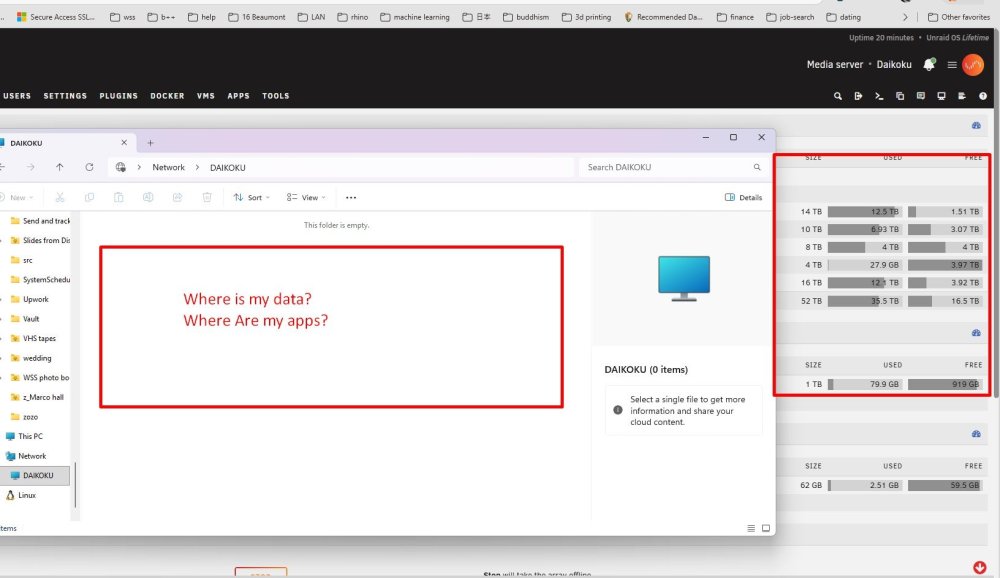
I just updated my OS. All my files, gone. All my apps, gone. Access the system on Windows? Empty What happened? Are all my files gone? I shut down my array just in case. Is there a way to restore? I was booting off a flash drive.
-
Any leads on how I could set this up? Are there kits?
-
Has anyone hosted a Zulip server on Unraid? I see no one has created an image for it. I suppose I could run it on a VM.
-
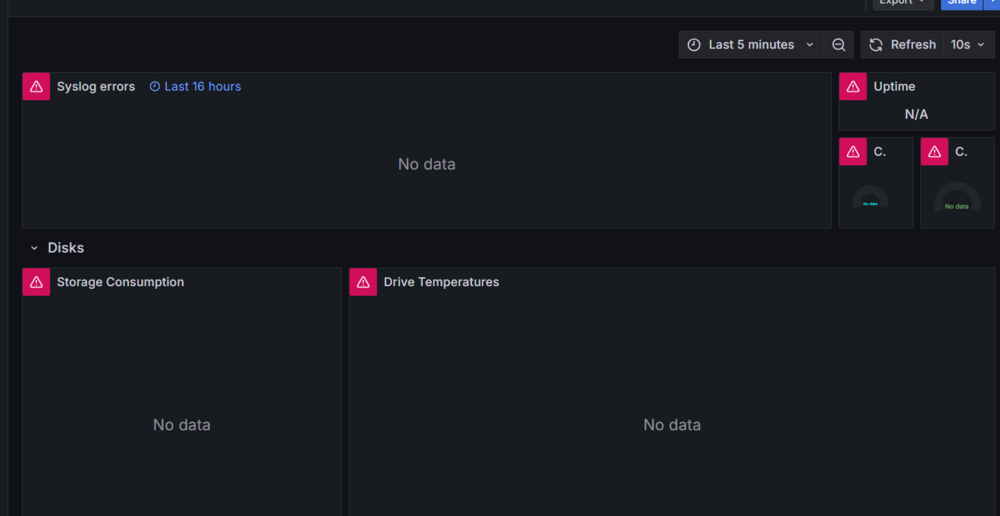
I don't know if this is a Grafana or a network problem, but every single dashboard on every port is showing "connection refused"?
-
SteveScott changed their profile photo
-
Has anyone received an error message in Granafa regarding "connection refused?" Dashboard not working · Issue #17 · testdasi/grafana-unraid-stack https://github.com/testdasi/grafana-unraid-stack/issues/17
-
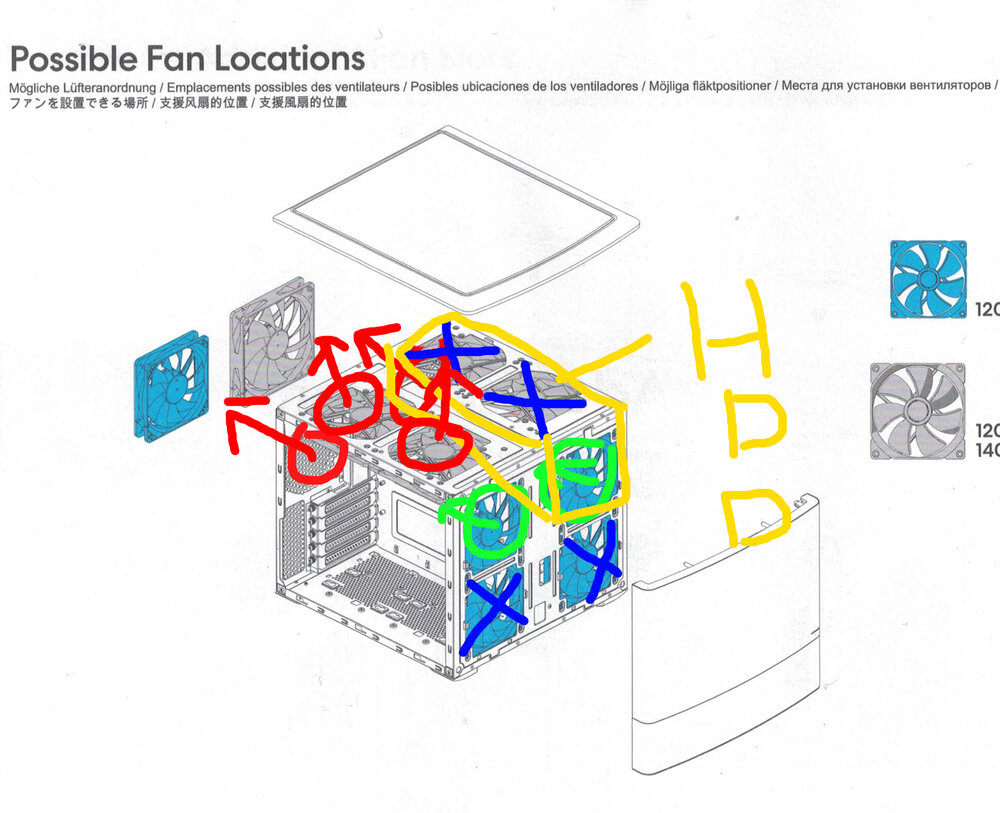
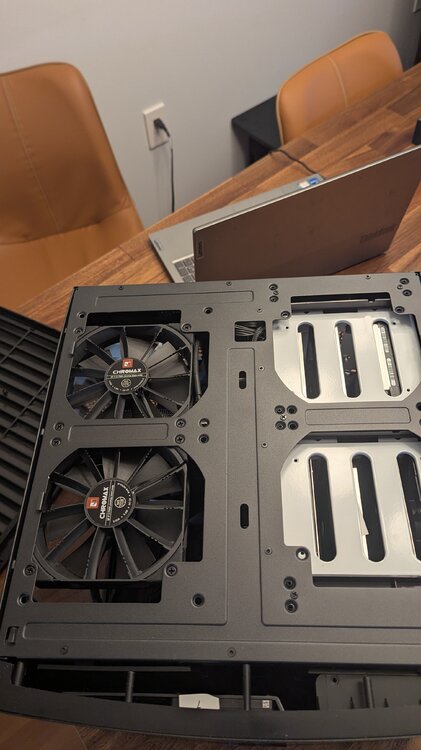
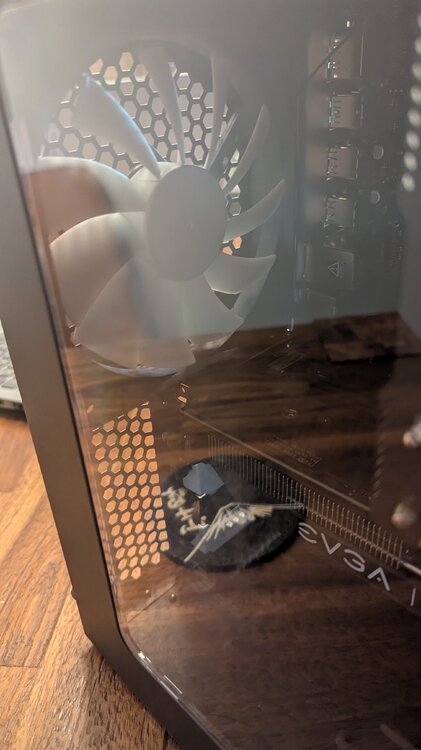
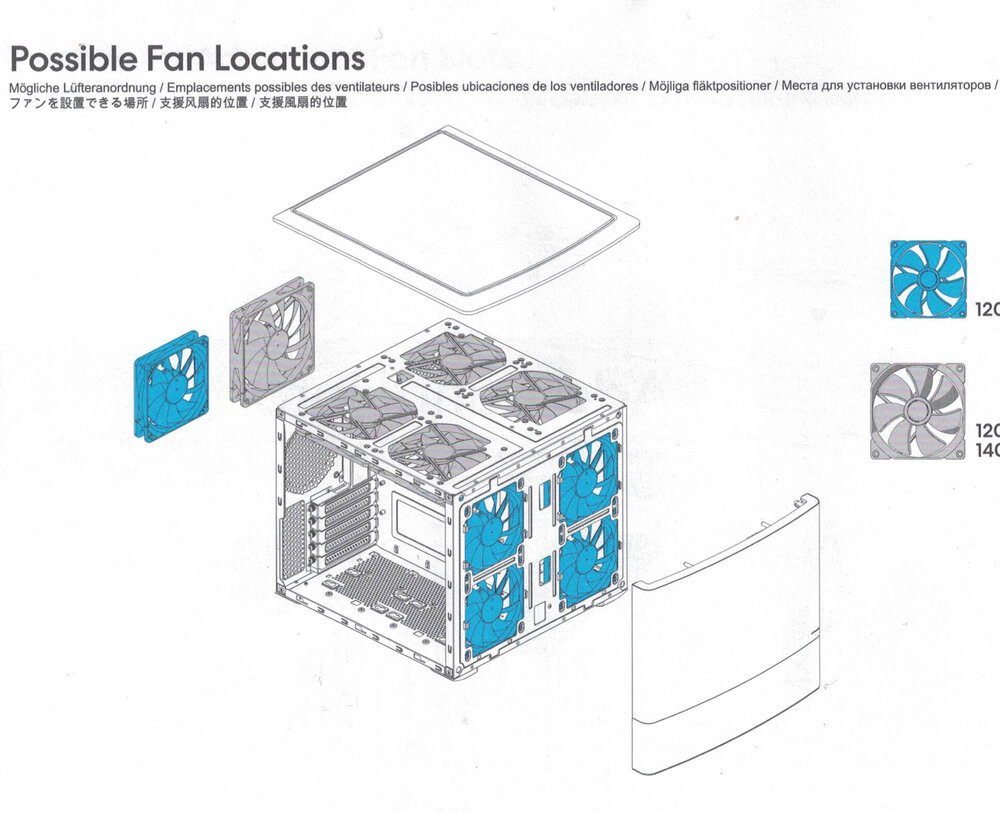
This is my configuration. Looks like I may be able to add two more fans in the front, but they are partially obstructed by the plastic case. I could also upgrade some 120mm fans to 140mm fans. Edit: I think I found the problem. The top of the front panel is solid plastic (where the fans are). The bottom panel is mesh, and there are no fans in that location.
-
Maybe I just need more fans.
-
I came here looking for this. Archive Team Warrior v4 runs in VirtualBox. ArchiveTeam Warrior - Archiveteam http://warrior.archiveteam.org/
-
I have a Fractal Design Note 804. The computer is on a closet. What can I do to cool these hard disk drives? I have 7 drives in close proximity to each other.
.thumb.jpg.4eb6fa990f4c70a8d28cb747d299775b.jpg)
-
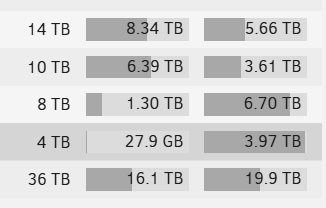
Well I was organzing and deleting files, and what do you know, it looks like it balanced itself. I am also running a parity check. Would a parity check result in rebalancing?
-
It ended up on Disk 3. That is a good place to be and what I would expect from the high-water algorithm. And 10 TBDisk 2 is at 6.5 TB, and overflowing onto disk 3, as expected.. And my large Downloads file is distributed across three disks, as expected. I just wonder how I can force a rebalance to reduce storage on disk 1. That is the main issue I would expect disk 1 to not be maxed out. Maxing out a disk is not what I expected.
-
See attached. One thing that may be useful is I get daily warnings about overheating disks. Would that change the allocation? daikoku-diagnostics-20250113-0931.zip
-
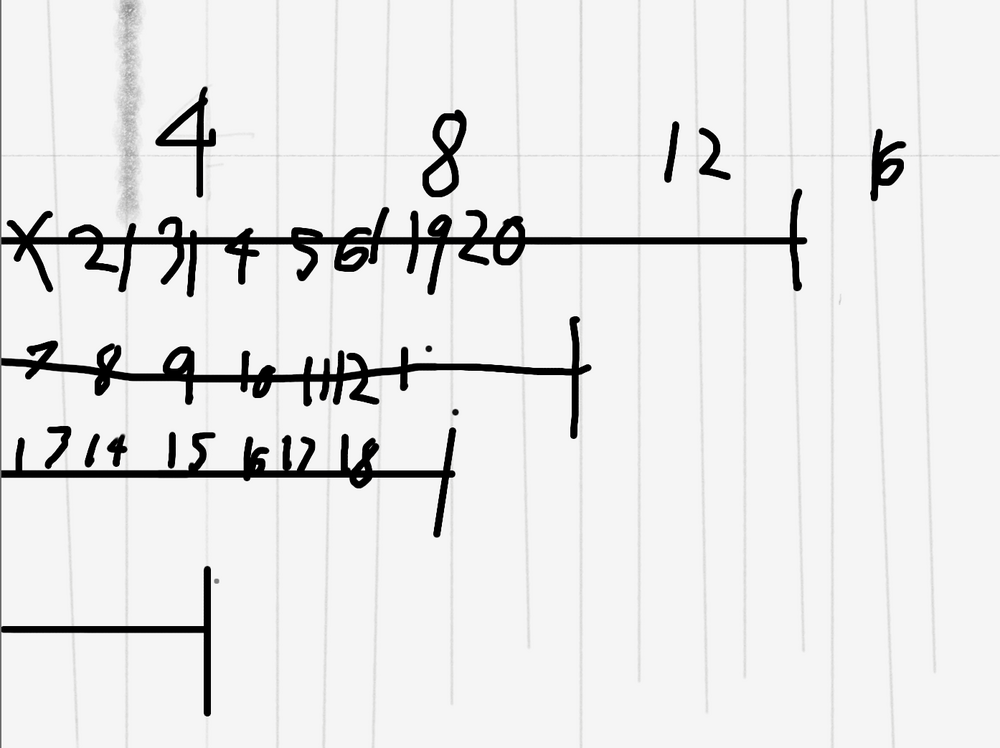
This is how I would expect high water to fill up my disks (20 TB). If my largest disk is 14 TB, half of that is 7 TB, so I would expect all disks larger than 7 TB to have at least 7 TB of data. But that is not what I have.
-
What is the High Water method of filling disks? Is this the best method?


.jpg.369928e469b43459b30df87b42b62123.jpg)

