





SteveScott
Members
-
Joined
-
Last visited
Everything posted by SteveScott
-
My intent was to launch claude code at boot. I vibe coded a script and placed it in my boot directory for it to launch at start. Things were loading out of sequence and overwriting my /mnt/user directory. I fixed it and all my files were accessible again. That is what I get for vibe coding in my boot directory. The day is was ruined, and then saved, thanks to Claude.
-
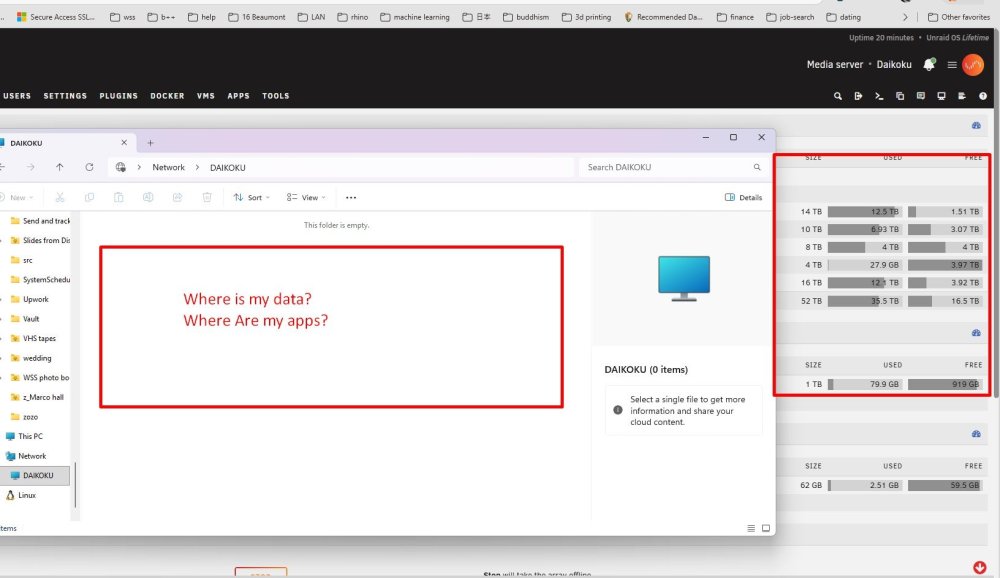
I just updated my OS. All my files, gone. All my apps, gone. Access the system on Windows? Empty What happened? Are all my files gone? I shut down my array just in case. Is there a way to restore? I was booting off a flash drive.
-
Any leads on how I could set this up? Are there kits?
-
Has anyone hosted a Zulip server on Unraid? I see no one has created an image for it. I suppose I could run it on a VM.
-
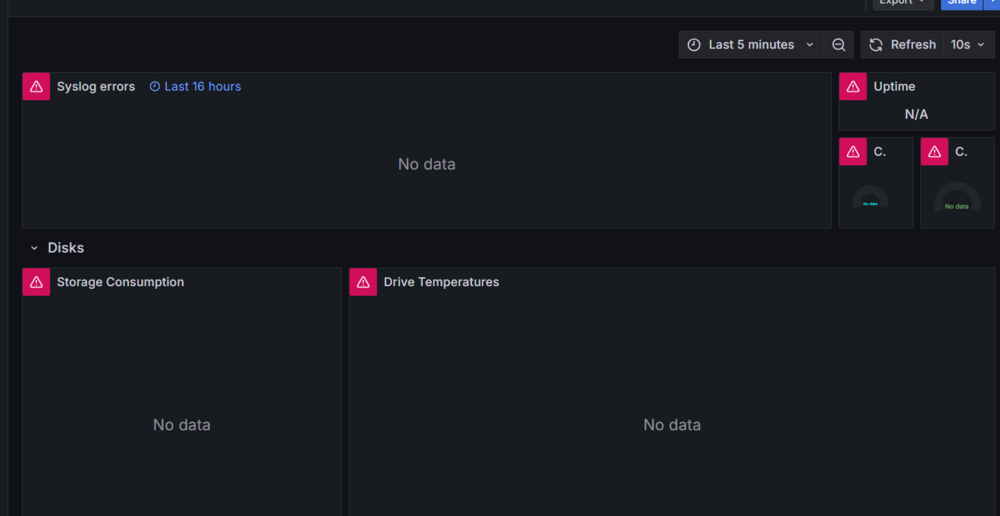
I don't know if this is a Grafana or a network problem, but every single dashboard on every port is showing "connection refused"?
-
Has anyone received an error message in Granafa regarding "connection refused?" Dashboard not working · Issue #17 · testdasi/grafana-unraid-stack https://github.com/testdasi/grafana-unraid-stack/issues/17
-
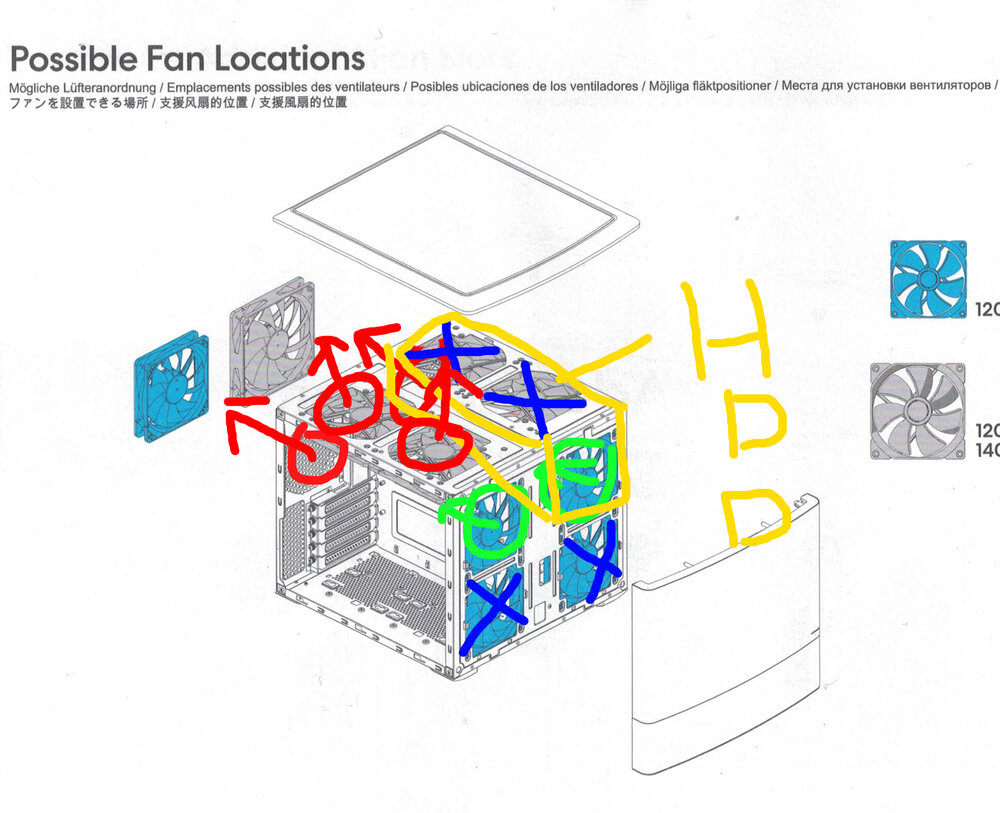
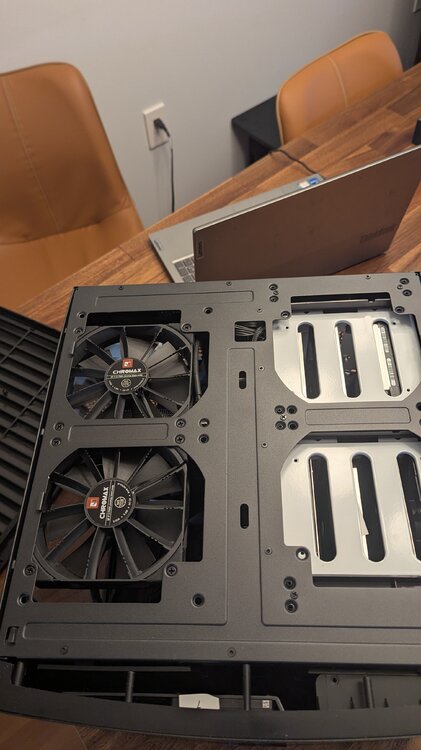
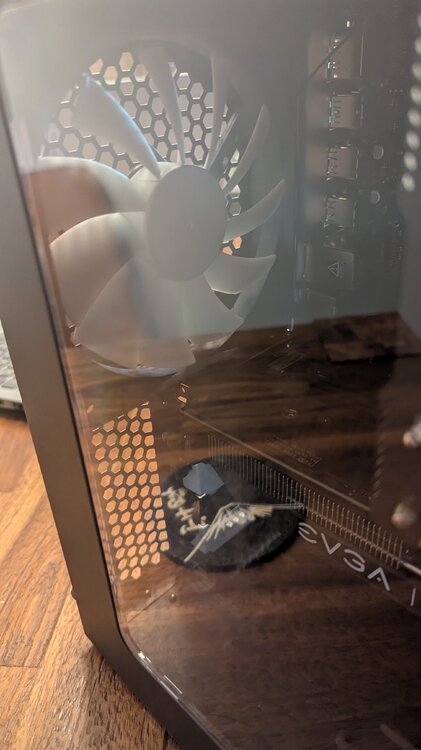
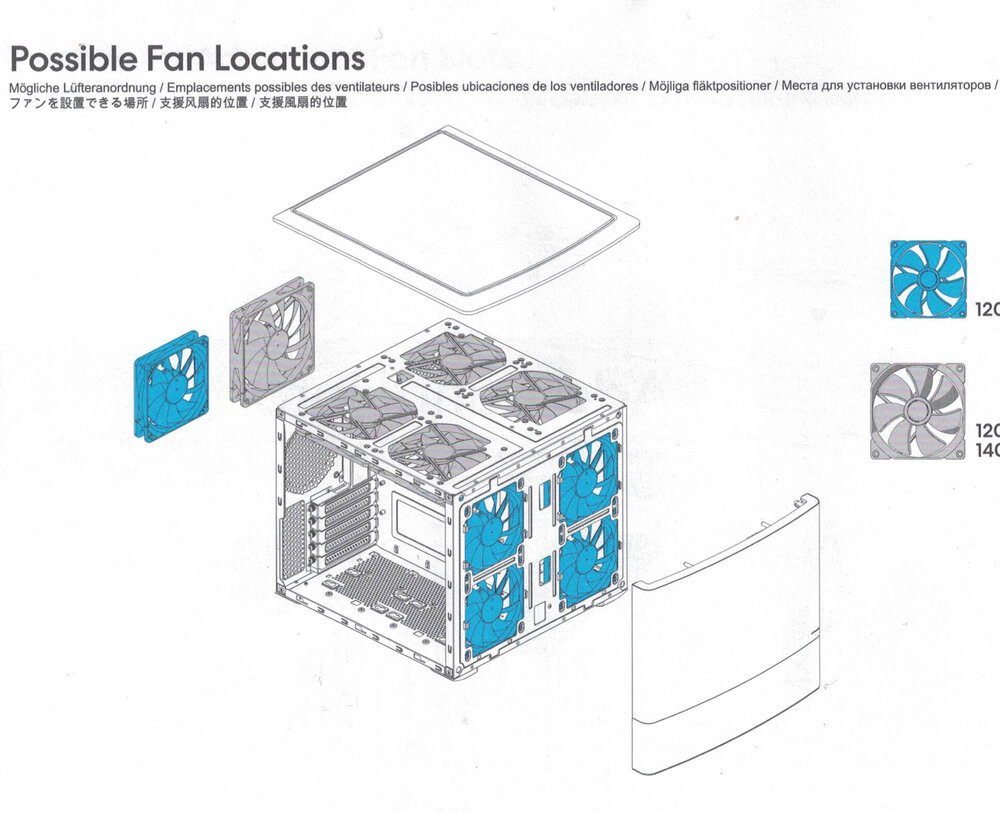
This is my configuration. Looks like I may be able to add two more fans in the front, but they are partially obstructed by the plastic case. I could also upgrade some 120mm fans to 140mm fans. Edit: I think I found the problem. The top of the front panel is solid plastic (where the fans are). The bottom panel is mesh, and there are no fans in that location.
-
Maybe I just need more fans.
-
I came here looking for this. Archive Team Warrior v4 runs in VirtualBox. ArchiveTeam Warrior - Archiveteam http://warrior.archiveteam.org/
-
I have a Fractal Design Note 804. The computer is on a closet. What can I do to cool these hard disk drives? I have 7 drives in close proximity to each other.
.thumb.jpg.4eb6fa990f4c70a8d28cb747d299775b.jpg)
-
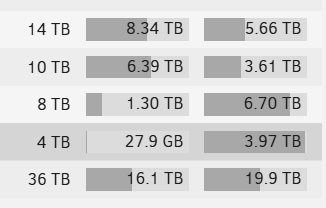
Well I was organzing and deleting files, and what do you know, it looks like it balanced itself. I am also running a parity check. Would a parity check result in rebalancing?
-
It ended up on Disk 3. That is a good place to be and what I would expect from the high-water algorithm. And 10 TBDisk 2 is at 6.5 TB, and overflowing onto disk 3, as expected.. And my large Downloads file is distributed across three disks, as expected. I just wonder how I can force a rebalance to reduce storage on disk 1. That is the main issue I would expect disk 1 to not be maxed out. Maxing out a disk is not what I expected.
-
See attached. One thing that may be useful is I get daily warnings about overheating disks. Would that change the allocation? daikoku-diagnostics-20250113-0931.zip
-
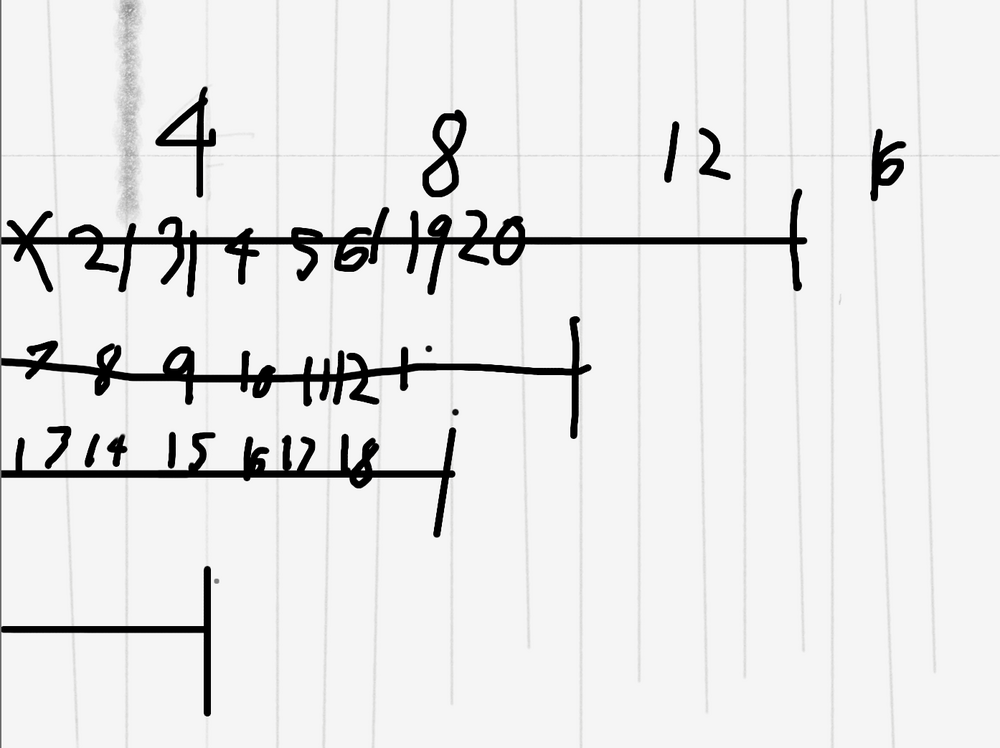
This is how I would expect high water to fill up my disks (20 TB). If my largest disk is 14 TB, half of that is 7 TB, so I would expect all disks larger than 7 TB to have at least 7 TB of data. But that is not what I have.
-
What is the High Water method of filling disks? Is this the best method?
-
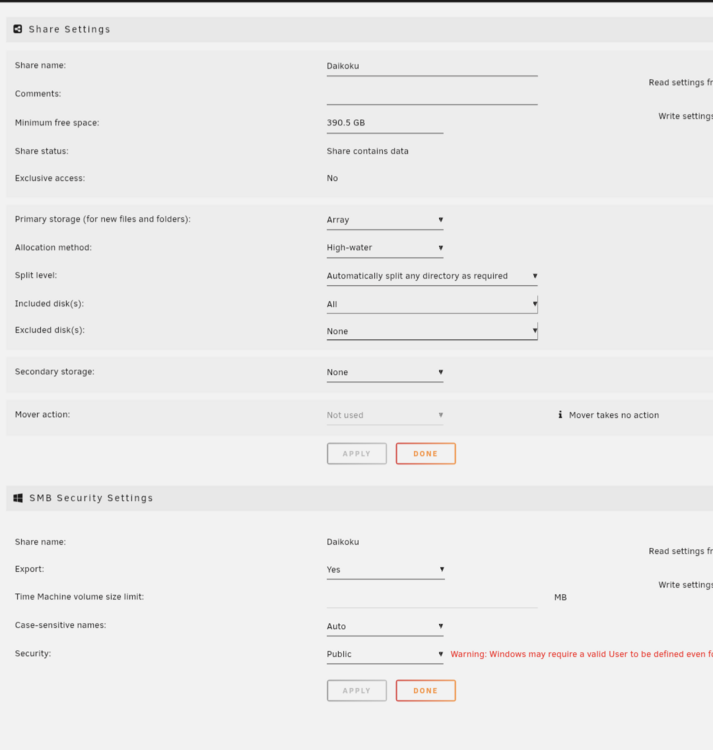
Seems like all my shares are at the default?
-
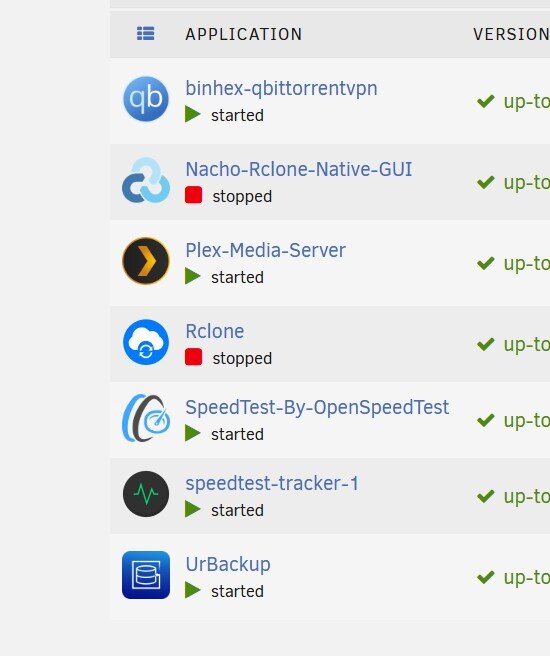
For some reason, all my data is going to one disk (edit, well, one and a half disks)? What is going on? I would expect it to distribute it and not let one drive get maxed out. I wonder if there is some process that is the problem. I am running UrBackup to backup another computer on the network but it is in the /mmt/user directory, so that should also be distributed I would think. Any insight how to rebalance my disks?

-
I think I am having the similar journey as @wgstarks. My intent is to mirror Google Photos onto unraid inside my home directory. I tried opening the web browser (and enabled ENABLE_WEBUI). Connection refused. I check my firewall and I *think* I set it up correctly, but be default all traffic on the LAN is already allowed. So I tried to get it to work with the CLI. I successfully added a remote. But when I went to mount I get the following error: ``` [root@1fcf0eb011cf /]# rclone mount google-photos: /mnt/user/<username>/google-photos 2024/12/31 18:18:17 NOTICE: Google Photos path "": --vfs-cache-mode writes or full is recommended for this remote as it can't stream 2024/12/31 18:18:17 CRITICAL: Fatal error: failed to mount FUSE fs: cannot open: /mnt/user/<username>/google-photos: open /mnt/user/<username>/google-photos: no such file or directory ``` So I did ```ls /mnt``` to see what docker sees and it returns an empty list. It is not "seeing" the unraid OS file system, I think it is seeing the file system inside the docker image. Maybe if I got the web interface to work this would be easier. Would you offer tips on starting and connecting to the local rclone web server? edit: I used the command ```sudo netstat -tnlp | grep :5572``` and it returned empty. I don't think it is blocked by the firewall, rather I think the web server is offline.
-
Thanks SimonF. I am going to continue the conversation in that other thread. I also have an Asrock motherboard.
-
here is my system profile unraid-profile.pdf
-
Thanks Jorge. I installed unraid on a different USB and the exact same thing happened.
-
Hello, I purchased a new PC from AVA Direct. It came with Windows installed. I put in my new Unraid USB key and booted to GUI. It says on the last line ``` "amdgpu 0000:0d:00.0: [drm: jpeg_v4_0_early_init [amdgpu]]] JPEG decode is enabled in VM Mode" ``` And it is just stuck there. I have a monitor plugged in and this is what I see on the display. I am looking on my network (wireless connection) and I see nothing. I have tried to open all the unmarked IP addresses in my network, and there is nothing labeled to indicate the Unraid device. This is also the same thing it displayed when I booted without GUI. There is something about SATA link down. Not sure what that is about. There are 10 slots for drives going through a SATA expansion. I forget how many drives I have in there, maybe 7? I am booting an AMD AsRock motherboard. Any tips? I was hoping when I boot to gui I would see the GUI. I am attaching a video Pxl 20241124 052843247.Ts.mp4 of the boot sequence.
-
Searched for this issue and found this thread. Wish I had looked here earlier. I am almost certain that my SanDisk is not counterfeit, it came from B&H Photo which has reliable sources. I did notice that it came with some additional capabilities and software installed, it wasn't a clean disk.


.jpg.369928e469b43459b30df87b42b62123.jpg)



