





ZacharySmith
Members
-
Joined
-
Last visited
Everything posted by ZacharySmith
-
looks like they downgrade it. Theres a new update available
-
Great thanks! Works perfectly!

-
When using the included Custom CSS if I ue any but the default I lose the ORANGE text when an Update is available. I dont see which of the listed customizable items i could change to get that feature bck. Am i missing something?
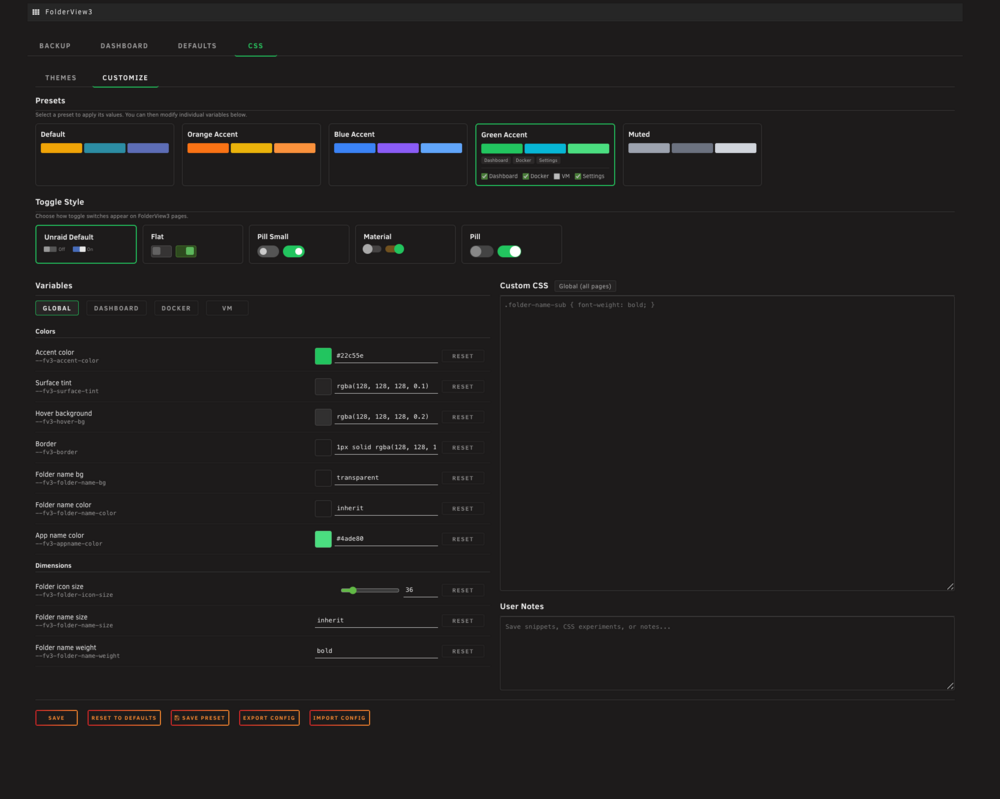


-
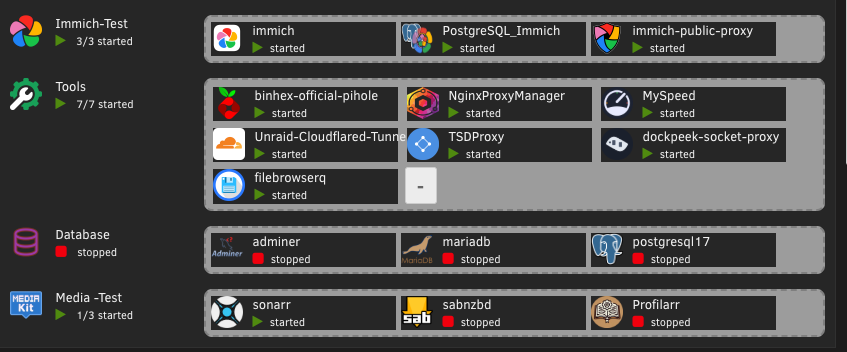
Im having this issue
-
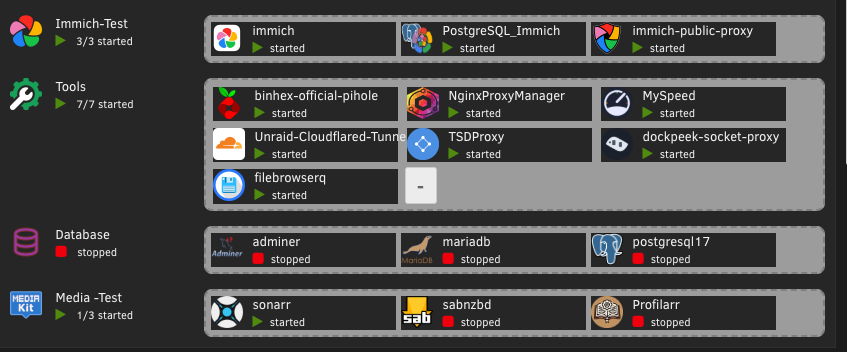
Im having this issue
-
After installing the latest CA update the screen hangs for a few seconds and this window pops up. Tried 2 different servers and it happens on both. It eventually goes away after a few seconds.
-
Have the same issue. Was there a solution?
-
I do not have unifi network gear. I will get the logs but I can tell you it pulls Tailscale 1.80. There have been multiple issues posted on Tailscale GitHub which I linked.
-
https://github.com/tailscale/tailscale/issues/14872
-
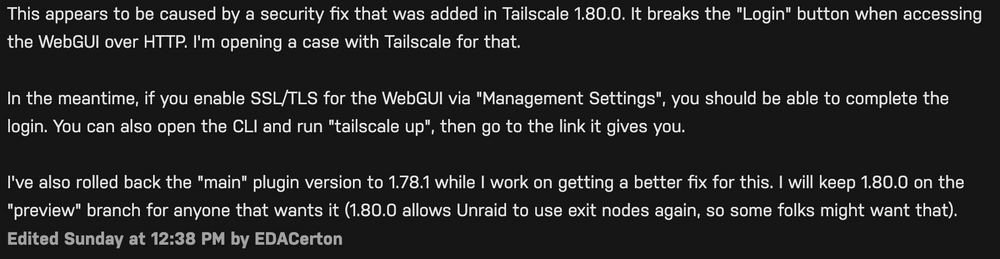
The developer for the plugin rolled back to 1.78. But docker containers in unraid pulls down 1.8. My tailnet and other devices work fine with 1.8. Only my unraid is on 1.78. And i can connect by adding my ports to the end of my tailnet ip for unraid. I just cant install the plugin directly in a container. This is from github for a workaround for 1.80 but i havent tried it.
-
I had an issue where where I could not access my Unraid server via tailscale. I was presented with the Unraid login screen but kept getting login error. Someone who i believe was the developer of the tailscale plugin was able to solve the problem by rolling back to version 1.78. The problem is now when you go to use the tailscale option when setting up a docker container it automatically fetches version 1.8 which which results in not being able to connect to the container directly through tailscale. I also get no reference that Tailscale was added to the container in the form of any icon or tailscale option for web gui. However I can access the container by adding the port number to the end of my tailnet ip for Unraid. this happens without adding the option in the container.



