Tom7320
Members
-
Joined
-
Last visited
Everything posted by Tom7320
-
I'd like to encourage you to give Tailscale Services a try, along with Docktail: DockTail — Containers as Tailscale ServicesAutomatically expose Docker containers as Tailscale Services using label-based configuration. It just works out of the Box…
-
Great! Thanks!
-
Does it support --attach? Can't make it to work...
-
Ok. I think it should be enough to keep my old backup script for the new setup: mkdir -p /mnt/backup if mount UUID=6A09-DB37 /mnt/backup; then echo "Backup Unraid..." /usr/local/emhttp/webGui/scripts/flash_backup echo echo "Move to destination..." mv /unraid-*-boot-backup-*.zip /mnt/backup echo "Cleanup..." find /mnt/backup/ -name "unraid-*-boot-backup-*.zip" -type f -mtime +30 -delete find /usr/local/emhttp -maxdepth 1 -name "unraid-*-boot-backup-*.zip" -delete umount /mnt/backup else echo "Error: no backup device found..." fiBare metal recovery is done by creating a bootable usb flash drive with the USB creator and the backup zip file.
-
Hi! I successfully updated to 7.3.0 and moved to internal boot and TPM licensing. Now I'm wondering what a smart backup and restore strategy of the boot SSD might look like?! Is it enough/safe to sanoid/syncoid my boot dataset like all my other datasets to an external drive once a day? How would a bare metal recovery from a failed boot SSD work? Thanks a lot! Thorsten
-
Meanwhile, I simply use Unraid as the LT Server URL: http://unraid.funny-name.ts.net:8123/v2 Another way would be to use Tailscale Services: With Tailscale Services you just do a simple # tailscale serve --service=svc:languagetool --https=443 127.0.0.1:8123 on your Unraid server. Then your LT Server URL would be https://languagetool.funny-name.ts.net/v2 Personally I quit using the build in Unraid Docker integration completely. Tailscale Services is much more reliable and so much simpler to work with...
-
Good question which I can't answer unfortunately... I do not use the build in Tailscale mechanism anymore. I switched all my Dockers to Tailscale services. This way I can use Joplin for example without being root (-u 0:0): TailscaleTailscale Services · Tailscale DocsSecurely connect to and manage access to your internal resources using Tailscale Services.
-
Extra parameter -u 0:0 (or --user 0:0) does work but makes Joplin run with root permissions. For a home lab this might be acceptable...
-
Why not just use the mentioned CNAF container? It's also just a bash script wrapped in a container: GitHubcontainernetwork-autofix/entrypoint.sh at main · buxxdev/...ContainerNetwork AutoFix (CNAF) - Automatically recreates dependent containers when master container restarts - buxxdev/containernetwork-autofix
-
Yeah. That's true. I was so stupid to click them one by one... 🤪
-
Yes, thanks! That's exactly what I did. It worked, but I wanted to avoid it, since I had to re-install 45+ containers by hand which took me about two hours of clicking around. But at least there was no data loss AFAIK.... 🙃
-
Same problem here. Did you find a solution?
-
For all the newbies like me who missed it: Tailscale ACL within the "grants" section: "src": ["autogroup:admin"], "dst": ["*"], "app": { "tailscale.com/cap/tsidp": [ { "allow_admin_ui": true, "allow_dcr": true, "users": ["*"], "resources": ["*"], "includeInUserInfo": true, }, ], }, },Then go to https://unraid.your-tailnet.ts.net:1025 I missed port 1025... 😉 Have a nice weekend! Thorsten
-
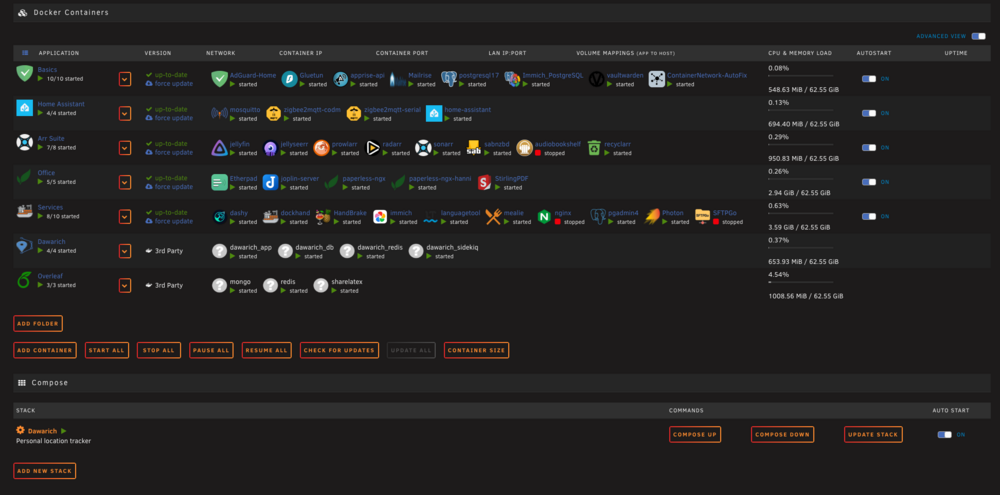
Hi! After a reboot of my server a couple of arbitrary Docker containers did not start automatically: I tried to start them from the GUI and got a "Error code 403". So I delete the containers in question and tried to recreate them. But this time I got a "docker: Error response from daemon: Address already in use.". I also tried to stop and start the Docker daemon again with and without a reboot. No luck. The problem is, that I am very sure, that the port is not in use (lsof -i :8088 reports nothing in case of nginx configured on that port)?! And it worked before the reboot without change. What am I doing wrong? Help would be very much appreciated.... Thanks a lot! Thorsten unraid-diagnostics-20260314-1737.zip
-
Thanks! I just copy/pasted the ACLs from here: https://github.com/tailscale/tsidp But how do I reach tsidp admin console? I still don't get it....
-
Good question! Did you find an answer?
-
Klar kann man alles mit einzelnen Containern machen. Dennoch halte ich compose für etwas komplexere Umgebungen für unverzichtbar. Klar kann man auch ganze Kubernetes Umgebungen mit Einzelcontainern nachbauen. Aber will man das? Egal. Ich klinke mich hier mal aus, weil es keine Diskussion bzgl. Für und Wider von compose werden sollte, sondern um Dockhand ging... Euch einen schönen Sonntag!
-
-
Ich will es einmal am Beispiel von Dawarich festmachen. Hier die docker-compose.yml von Dawarich: GitHubdawarich/docker/docker-compose.yml at master · Freika/daw...Your favorite self-hostable alternative to Google Timeline (Google Location History) - Freika/dawarich Das sind am Ende vier Container, die zusammen gehören. Klar kann man über Unraid auch vier separate Container starten. Aber es ist doch wesentlich übersichtlicher alle vier Container zusammen in einer einzigen docker-compose.yml zusammenzuhaben, anstatt mit vier unabhängige Containern zu hantieren. Witzigerweise gehe ich genau den umgekehrten Weg wie Du: für simple Dinge nutze ich die Container unter Unraid. Komplexe Sachen laufen unter einer Ubuntu VM administriert über das Terminal oder mit Dockhand.
-
Das sollte gar kein Unraid bashing werden - ich mag Unraid. Nur fand ich es "damals" eine unglückliche Designentscheidung, auf XML Templates zu setzen, aus denen man dann komplexe "docker runs" zusammenbaut. Vor allem die Entscheidung, compose per Default wegzulassen, wird der Komplexität von etwas größeren Docker Stacks IMHO nicht gerecht. Klar, geht alles auch mit einzelnen Containern oder dem Plugin, macht die Sache aber viel unübersichtlicher und schwerer zu warten. Als Beispiele seien Overleaf oder Dawarich genannt. Wenn Unraid aber im Grunde eine Standard Docker Umgebung bereitstellt, spricht ja nichts dagegen, Portainer, Dockhand oder etwas ganz anderes zu nutzen. Daher die Frage, ob schon jemand erfolgreich Dockhand auf Unraid nutzt oder ob es damit irgendwelche Probleme gibt. Schönes sonniges Wochenende an alle!
-
Moin! Ich mag Unraid wirklich sehr gerne, aber die Implementierung von Docker und die komplette Abwesenheit von Docker Compose finde ich einfach grottenschlecht gemacht bzw. ich kann mich einfach nicht daran gewöhnen. Daher eine kurze Frage zu Alternativen: spricht etwas dagegen, Docker und Docker Compose komplett über Dockhand zu administrieren? Da ich noch ein paar andere Docker Umgebungen administriere, wäre mein großer Vorteil, dass ich alle Umgebungen unter einem Hut managen und updaten könnte. Geht das? Habt ihr da Erfahrungen? Schönen Abend und beste Grüße Thorsten
-
Hi! Quick, stupid question: I'd like to run Tailscale within Languagetool container, but TS needs root privileges to install: Executing Unraid Docker Hook for Tailscale ERROR: No root privileges! ERROR: Unraid Docker Hook script throw an error! Starting container without Tailscale! Starting container... I do understand what the problem is, but not how to properly solve it without running the whole container privileged. Anyone else knows? Thx a lot! Have a nice weekend Thorsten
-
Yes. Confirmed. Same thing here.
-
FYI: No problems with Ubuntu server 24.04.3 LTS so far.... Happy holidays!
-
Today I moved all my dockers to a Ubuntu server VM. I will watch and report…