





rockbox948
Members
-
Joined
-
Last visited
Everything posted by rockbox948
-
I was running out of space on Disk2 so I started moving files to Disk4 using ich777's Krusader container. After the transfer completed, Disk4 now says it is write-protected. There are still 864 GB of space left on Disk4. I'm not sure how to look at the diagnostics to determine what the issue is. Any help would be great, thanks! diagnostics-20230320-1128.zip
-
@itimpi Thanks for your help!
-
@itimpi Thanks! I didn't know this was a possibility. I may do that in a future situation.
-
@JorgeB Thanks. I just wanted to make sure I didn't need to reformat the drive first before letting Unraid recreate it as a parity drive. Is the same true for taking one of the old NAS drives with data on it and bringing it over to replace one of the existing Unraid drives? Unraid will take care of deleting all of the existing data on the old NAS drive on its own?
-
@JorgeB@Squid - So I just upgraded the drives in my backup NAS and want to use them in my Unraid server as they are larger than the existing drives. Since these drives contain data, is there anything I need to do after #5 in my situation?
-
@JorgeB Thanks. I will run it and report back when I have an opportunity to do so.
-
It was the youtube-dl-material docker container. I was really hoping to be able to make the deletions using a graphic interface so that I could compare the contents of the two directories and identify the duplicate files. However, I may have to resort to the rm command if there isn't a better solution.
-
I'm trying to clean up my server by deleting duplicate files. I wanted to use Krusader to that I could compare files in different folders to delete the duplicates. I can delete small files, non-video files. However, when I try to delete video files nothing happens. I tried to delete the files using share access through Windows but I get an error stating: "You require permission from SERVERNAME/nobody to make changes to this folder." What am I doing wrong? How can I get permissions corrected so I can delete the unwanted files? Thanks!
-
Figured it out. Using localhost did not work on my system. I had to attached the username to the IP address listed in the logs.
-
@Axelander This is probably a stupid question but what should I include after the "@" when making the database username? I've made several attempts but Openbudgeteer refuses to start and the logs say that access is denied for the db username I've created. I appreciate your help!
-
Thanks!
-
@jorgeb - That did it! Thanks! As far as using eth1-eth4 for VMs, do I need to turn off bonding but turn on bridging? Is there anything else I need to set?
-
@gevsan - It's interesting that we both ran into the same issue around the same time. This is my second attempt at trying to get the NIC to work. My thread.
-
@JorgeB - Thanks again. I'm new to much of this. Based on your last, I have done the following: I took out the separate 1-port NIC that wasn't doing anything; I kept the original network cable in the onboard NIC as it has always been; and I reinstalled the 4-port NIC and connected two of the ports to the network. I observed the following: The onboard NIC no longer seems to be transmitting as the LEDs are off. The two connected ports on the 4-port NIC have lit LEDs. Unraid now shows an IPv4 address but it is not the address that I set for the system in my pfSense box. I am unable to reach the webGUI through the original IP I had set but can reach it from the new IP Unraid shows. What do I need to do to for Unraid to use the onboard NIC with the original IP so that the 4-port NIC can be dedicated to just VMs? Updated diagnostics are attached.
-
Thanks for your reply, @JorgeB! I have the onboard NIC, a separate single port NIC that is not in use, and the new 4 port NIC I was installing. After install, only the onboard NIC was connected to my network as that one is the one I have always used for the server. 1. When you say link, do you mean network cable? The server was connected to the network via the onboard NIC. 2. If not, what do you mean by link? Thanks again.
-
I just installed a 4-port NIC hoping to use it for VMs. However, upon boot up I was unable to access the webgui or any of the shares. When I connected my monitor, this was shown: IPv4 address: not set IPv4 address: not set I've attached the diagnostics. This happened a few weeks ago when I made the first attempt to install the nic. At that time, I needed to access my shares for work so I wasn't able to pursue a solution. Instead, I removed the nic and I found a discussion in the forum that said deleting the network.cfg file would get me back in. It did that. Any help would be greatly appreciated!
-
Thanks!
-
So I set up a Synology NAS to back up my Unraid server. Without thinking about it, I had the system back up everything and I quickly ran out of space on the NAS. After a little digging, I noticed that the NAS was backing up everything in the /mnt/. Unless I'm wrong, this is causing the NAS to store multiple copies of the same files; one set from the disk folders, one from the user folder, and one from the user0 folder. Is it safe to just backup one of the sets? If so, which is the best option to choose? I appreciate the help!
-
Hey Everyone! I have a Virtual Assistant (VA) who is outside the US that does social media work for me. Unfortunately, not all of the platforms allow you to delegate full access to an account so she can't do all of the things I need her to do. I was thinking about setting up a VM on my server just for accessing the social media accounts. That way she can get into the accounts and do more of what I need her to do without the platforms seeing the accounts being accessed from a different IP. Outside of the concerns about giving someone access to my social media accounts, are there things to be concerned about with letting someone access the VM? My knowledge on VMs is still elementary so please let me know if there are security concerns that may allow her or another actor to get access to the rest of my network through the VM. Thanks!
-
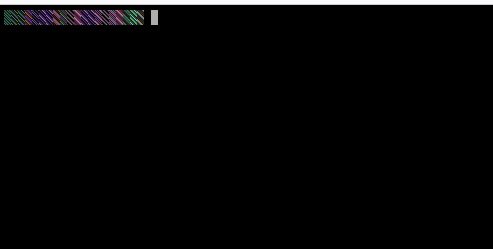
I'm running Unraid 6.9.2. Whenever I enter terminal or a Linux VM on my Win 10 Pro laptop, I get scrambled characters. You can see them in the picture. I do not have the same issue when accessing the terminal or same VMs on my Win 10 Home desktop. Any ideas on how to fix this?
-
I appreciate the help!
-
Thanks, Jonathan. Yes, those existing files would be expanding from the modifications I make. Warranted or not, having disks that are 90+% full has always been unsettling to me. It sounds like I should move files from one disk to another.
-
Thanks, Squid. So if the drive is almost full and I am editing large, existing video files that are stored on Disk 1, should I be concerned?
-
Hello, My Disk 1 is nearly full and it has files for my business on a share that is spread between this and 3 other disks. If I set the Business share to exclude Disk 1, will that cause issues with files that I modify the may be saved on Disk 1 within the share? Thanks!
-
Thanks, everyone! I'll test it out.
