





wedge22
Members
-
Joined
-
Last visited
-
6.9.2 but I built the server ages ago and have not converted old drives over to XFS.
-
I was checking my logs and Disk 1 has been converted to read-only due to the following error. "REISERFS error (device md1): vs-5150 search_by_key: invalid format found in block 958683755. Fsck?" How can I resolve this?
-
I have decided to remove the media share and setup a new share for movies only and then a new share for tv shows only. I have then gone through the options and decided on a 2 level split for movies share and a 3 level split for the tv share. If what you are stating is correct then I must use the movies share as the root folder within radarr media management and none of the files can actually be in the sub folders I created??
-
Thanks for the responses. I have a couple of follow up questions. I have created a new share based on the information in the manual, Movies and this is set to split at the top two directory levels, within this Movies share I added three new directories, 4k_movies, hd_movies and kids_movies. I have now configured radarr with the new root folder of /movies under media management. Am I able to grab new movies and have those be sorted and moved automatically into the correct folders based on the type, ie 4k?
-
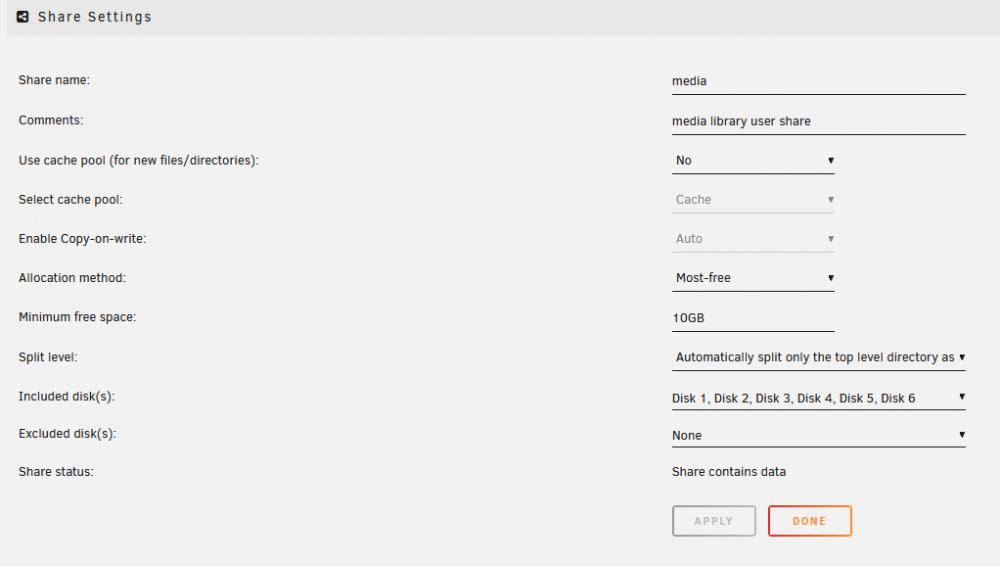
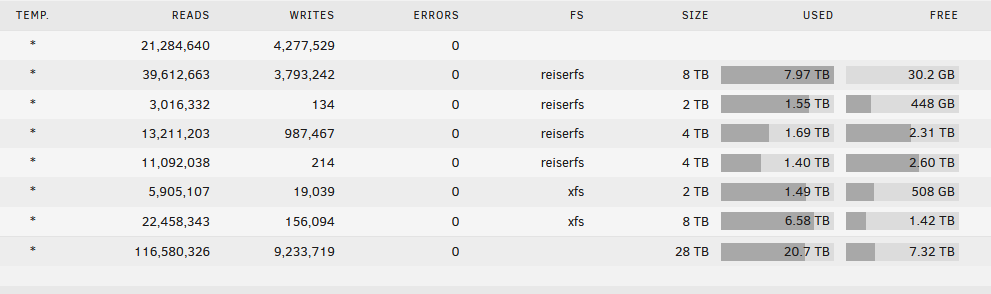
I have my media share settings as per the attached image but even with these settings Disk 1 of my 6 Disk array continues to be used for all the latest media added to the server. Can anybody explain why this is the case?
-
Thanks for creating this dashboard, I was able to install it yesterday following the excellent videos created by Nate. I am currently experiencing a couple of small issues, I do not see any readings for System Temps, System Power or Fan Speeds, I am using sensors not IPMI as I have a Gigabyte X99 motherboard. I enabled the sensors option in the applicable panels and restarted all of the dockers but no change. I also noticed that the Plex stats map is not showing any location data and neither are the Plex stream logs in the table, I did signup for Maxmind as per the videos and entered my key. Thanks in advance for any tips.
-
Thanks this does help me, I have added the plugin along with a couple of the user scripts from the forum post you linked.
-
I have parity check scheduled for once per month and during the check I would like to have certain dockers pause their activity, this mainly applies to Sab as it uses a reasonable amount of cpu to unpack and move files. Is it possible to write a script that would do this, if so where can I find more details on this?
-
I am using this docker for the first time to preclear an 8TB disk prior to shucking it, so its currently pre clearing via USB. Once it has competed do I just immediately unplug the USB and then close down the docker, or is there no specific order of operations required?
-
I gave that a go but no luck, I also deleted the docker and downloaded and installed it again and it is still not working. I used unraid terminal and the following command to determine the cause of the issue from the logs. ```docker start cd8ced150900 Error response from daemon: driver failed programming external connectivity on endpoint binhex-delugevpn (redacted😞 Error starting userland proxy: listen udp 0.0.0.0:58946: bind: address already in use Error: failed to start containers: cd8ced150900``` I have also determined the following. lsof -i :58946 COMMAND PID USER FD TYPE DEVICE SIZE/OFF NODE NAME rpcbind 2496 rpc 10u IPv6 243 0t0 UDP *:58946
-
I am getting an Execution Error Server Error when trying to run the docker, this worked previously and all my other dockers are working normally, any ideas?
-
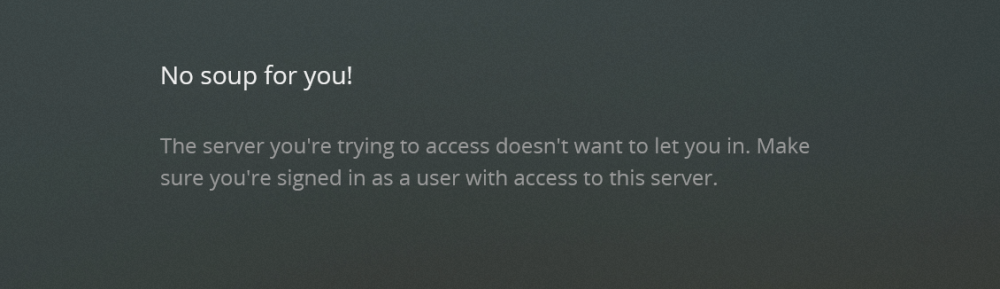
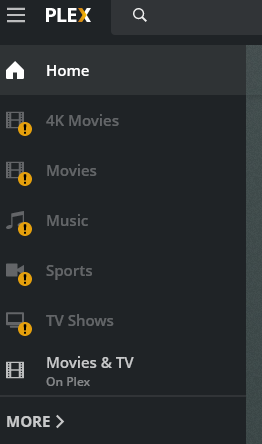
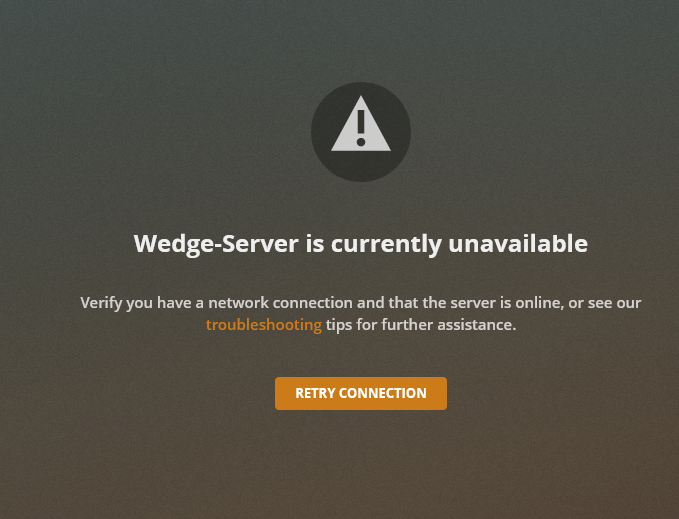
I upgraded to 6.8.2 yesterday and then Plex stopped working, I noticed I had the old depreceated version so I decided to follow the video by Spaceinvaderone and migrate to a newer supported Plex docker from Linuxserver team. I am still having the same issues with the new docker as the old one. I can login to Plex via the webgui, page loads erros for all my folders and shows cannot connect to server. I also tried another new installation without referencing any of the old Docker appdata and I get the "No soup for you error after webgui login".
-
Thanks for the reply, I can increase the current size of my docker image up from 20GB to maybe 40GB as I do not have a spare SSD to use as a non-array drive.
-
Thanks for making the changes so quickly, I installed the latest version and I am using the volumes exactly as described but this means I have very little space left on my docker volume. Did you increase the size of your docker volume, mine is currently set to 20GB, and has multiple containers running.
-
Thanks for the update, I was just trying to configure it again now but I may as well wait.


