digitaldoctor
Members
-
Joined
-
Last visited
Everything posted by digitaldoctor
-
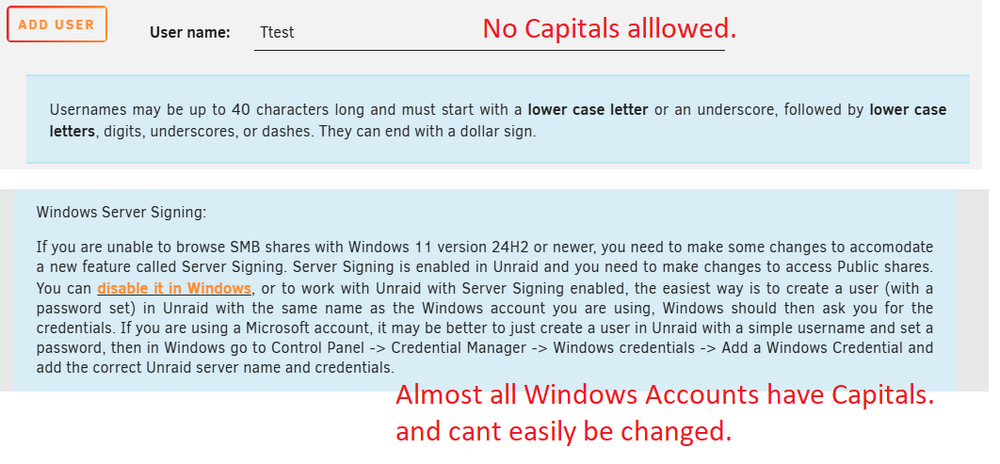
I only have local accounts as well. But all my local client logins have capital letters. Windows SAMBA share networking has really gotten weird in Windows 11. It often works, but when it doesn't it's weird.
-
Is this reality a problem ?
-
reboot shows this
-
NAME MAJ:MIN RM SIZE RO TYPE MOUNTPOINTS loop0 7:0 0 651.6M 1 loop /usr loop1 7:1 0 173.4M 1 loop /lib loop2 7:2 0 300G 0 loop /var/lib/docker/btrfs /var/lib/docker sda 8:0 1 57.7G 0 disk └─sda1 8:1 1 57.7G 0 part /boot sdb 8:16 0 1.8T 0 disk └─sdb1 8:17 0 1.8T 0 part sdc 8:32 0 1.8T 0 disk └─sdc1 8:33 0 1.8T 0 part md1p1 9:1 0 1.8T 0 md /mnt/disk1 zram0 252:0 0 0B 0 disk nvme0n1 259:0 0 953.9G 0 disk └─nvme0n1p1 259:6 0 953.9G 0 part /mnt/cache ironmaiden-diagnostics-20260221-1827.zip
-
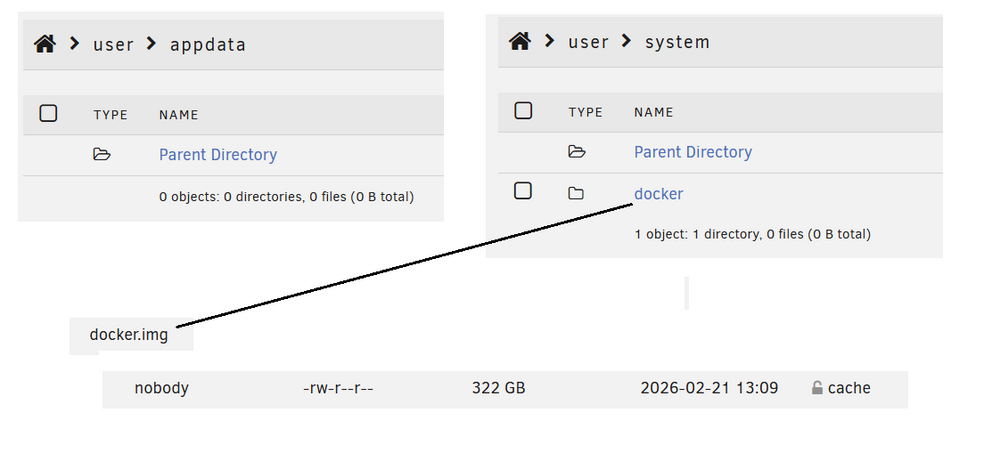
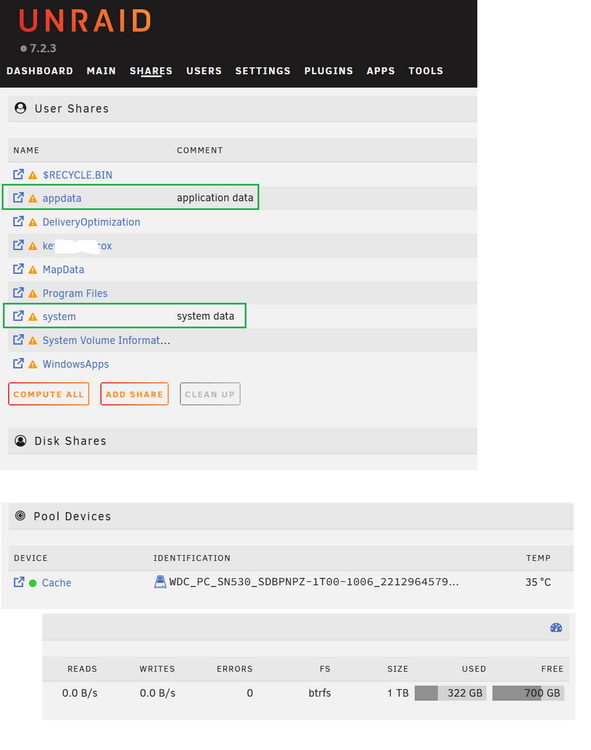
The 322 GB is the size of my docker.img
-
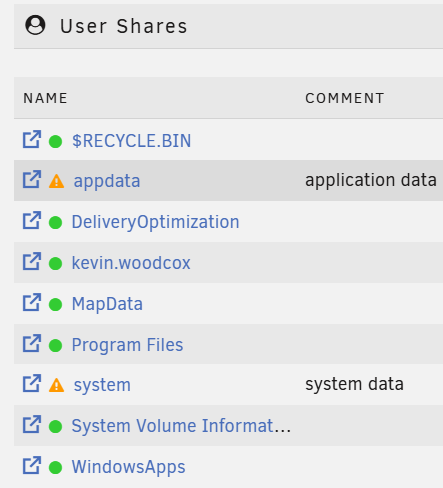
Was going to check to see if my appdata was running on the pool cache ... I was surprised to see this ! Is this a sign my NVME SSD for the cache pool was not empty when I started the UNRAID ? the SSD used to have Windows 11 on it. I think appdata and system should be shares, how would I get rid of all the rest ?
-
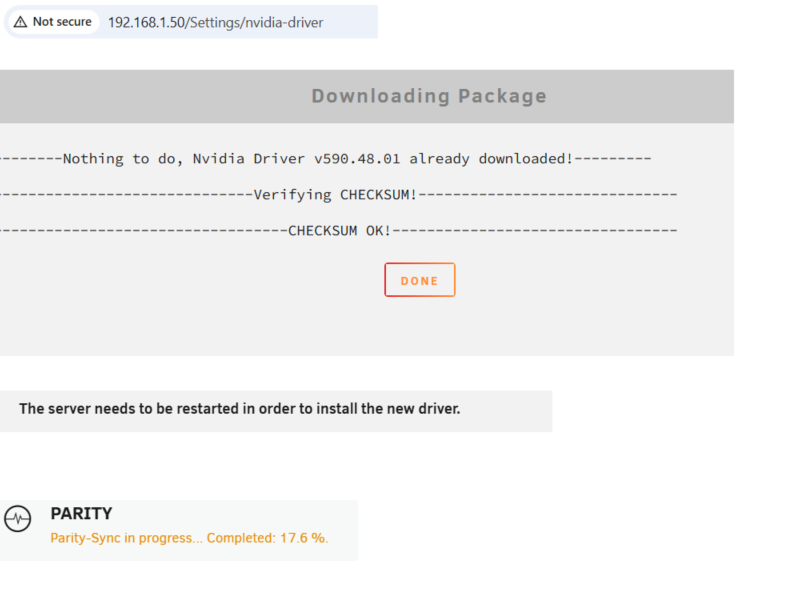
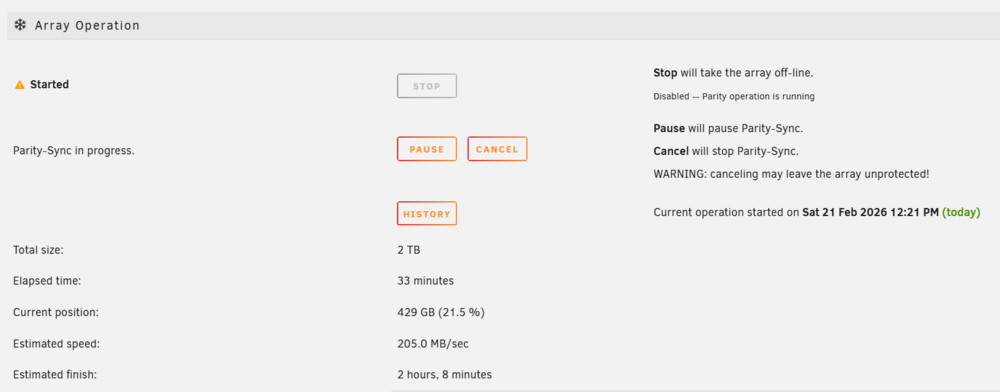
I am onto my second UNRAID already. :) I guess, just like children, you are less careful with the second. I installed the nvidia driver and it says it wants a reboot. But the parity isn't finished. Will take and 2 hrs 20 min, (which ends up being 3 hours if it is like the last UNRAID box setup). Q: Can I stop it ? Looks like I have my answer. is it safest to just do something while the parity runs ? I was kinda surprised I was able to install the nvidia driver plugin while the parity check was running. Can you install Dockers while the parity check is running ?
-
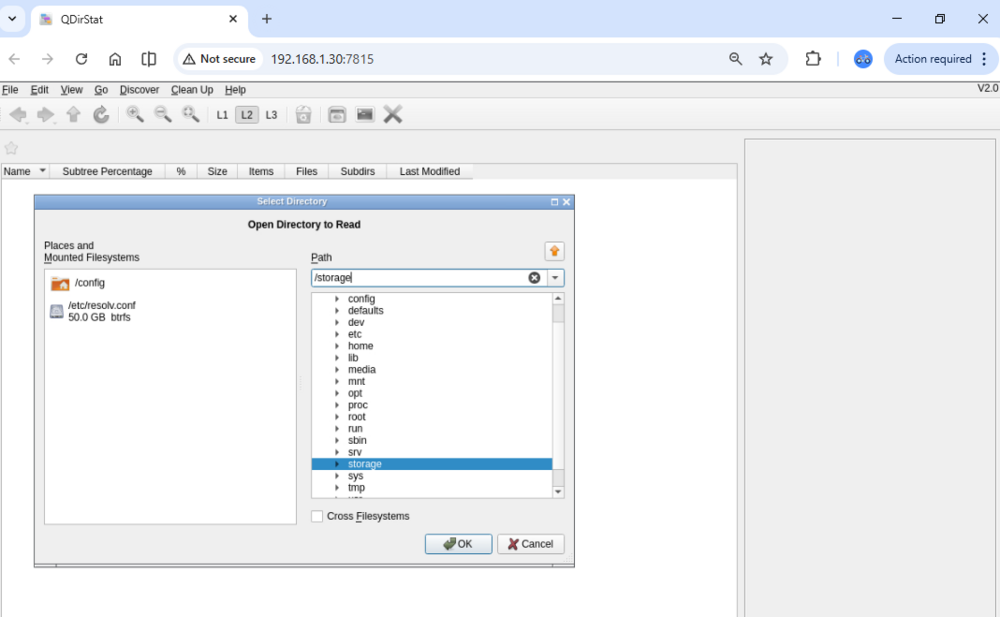
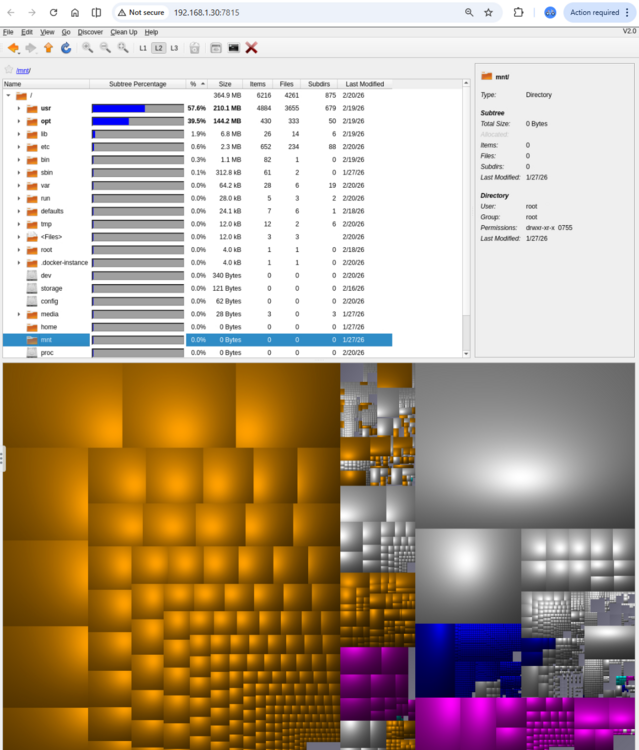
This mnt/ is empty. I don't appear to have access to unraid files via QDirStat
-
QDirStat is a graphical application to show where your disk space has gone and to help you to clean it up. The graphical user interface (GUI) of the application can be accessed through a modern web browser, requiring no installation or configuration on the client side, or via any VNC client. The container is built against Alpine Linux to provide an efficient image in terms of size and resource usage. For a complete documentation of this container, see https://github.com/jlesage/docker-qdirstat#readme installed and trying. Thank you @ConnerVT
-
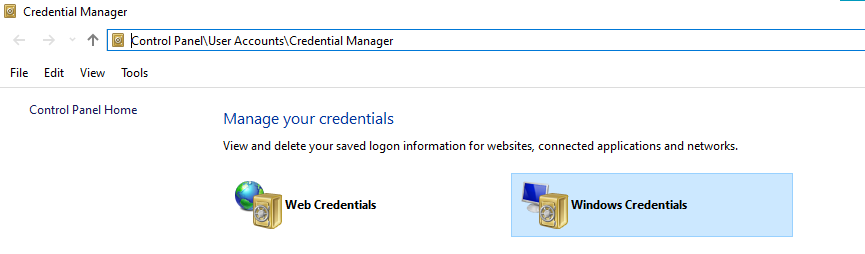
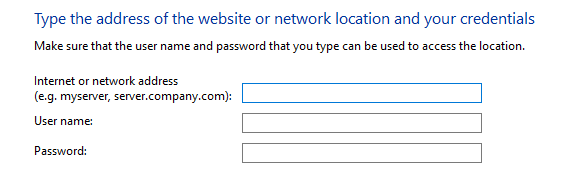
You aren't the first. Can you access it via the IP ? \\192.168.1.30\mdrive which is my UNRAID IP address\sharename try deleting the entries in Windows Credentials if you have some wrong ones. If you add a Windows credential .... this is the information you need to supply. make sure the login and password match up with the UNRAID user information. the easiest way to get Windows Networking to work is to use your Windows Login username. Is your windows 11 log in a Microsoft account ? or a local account ? If you type Windows Key + e (explorer) and type: Network (and hit enter) ... does the name of the UNRAID show up ?
-
the move was successful. I was unsure if my files would end up in /mnt/user/appfiles/jdown/ or /mnt/user/appfiles/jdown/_data/ It ended up in: /mnt/user/appfiles/jdown/ (no _data)
-
What this tells me is that it is worth it for me to get a entry level Uninterruptible Power Supply (UPS).
-
be aware my 7 TB (3 hard drives total) parity check took 7 hours. I was able to use the UNRAID while it did it with the Web Interface.
-
Does this look good ? mv -i * .. /mnt/user/appfiles/jdown i am in the extremely long docker file right now. /var/lib/docker/volumes/ecbEDIT14c/_data/ this should move _data/ and all the content to my desired location. -=-=-=-==-=-=- Safe Procedure for Moving Data: Stop the Container: docker stop <container_name>. Move the Data: Use mv or rsync to move files from /var/lib/docker/volumes/ecbEDIT14c/_data/ to /mnt/user/appfiles/jdown. Update Configuration: Update your Docker Compose file or docker run command to use -v /mnt/user/appfiles/jdown:/path/in/container instead of the old volume. Restart the Container: Start the container to verify the files are recognized in the new location. Key Considerations: Permissions: Moving files from /var/lib/docker (often root-owned) to /mnt/user (user share) might change file ownership or permissions, requiring a chown to the user the container runs as. Alternative: Instead of moving, using rsync -av allows you to copy data while keeping an archive, which is safer than mv. -=-=-=- mv * .. Explanation and Usage mv: The command to move (or rename) files and directories. *: A wildcard character that the shell expands to match all files and directories in the current directory, except for hidden files (dotfiles, which start with a .). ..: A special reference that denotes the parent directory of your current location. Important Considerations Overwriting: The mv command overwrites existing files in the destination without prompting by default, unless you use the -i (interactive) flag. It is a good practice to use mv -i to be prompted for confirmation before overwriting.
-
Is it safe to move files from /var/lib/docker/volumes/ecbEDIT14c/_data/ to /mnt/user/appfiles/jdown ?
-
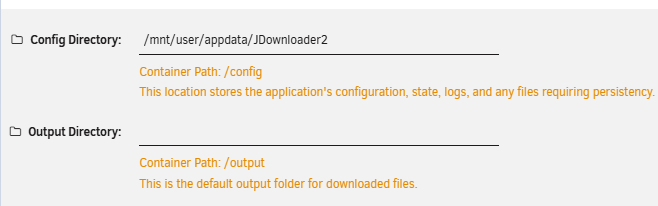
The appdata for this app is below. But I left the Output directory blank. I added an appfiles share and I am going to put all my UNRAID docker files in there. so I am going to use: /mnt/user/appfiles/jdown as the output directory.
-
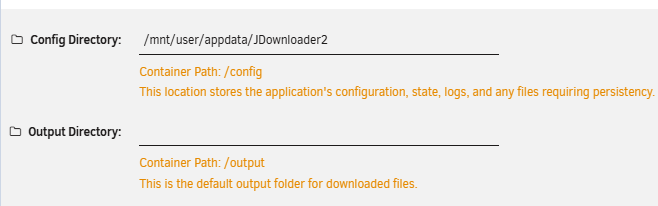
Is it safe to set the /mnt/user/mdrive share as the "output directory" ?
-
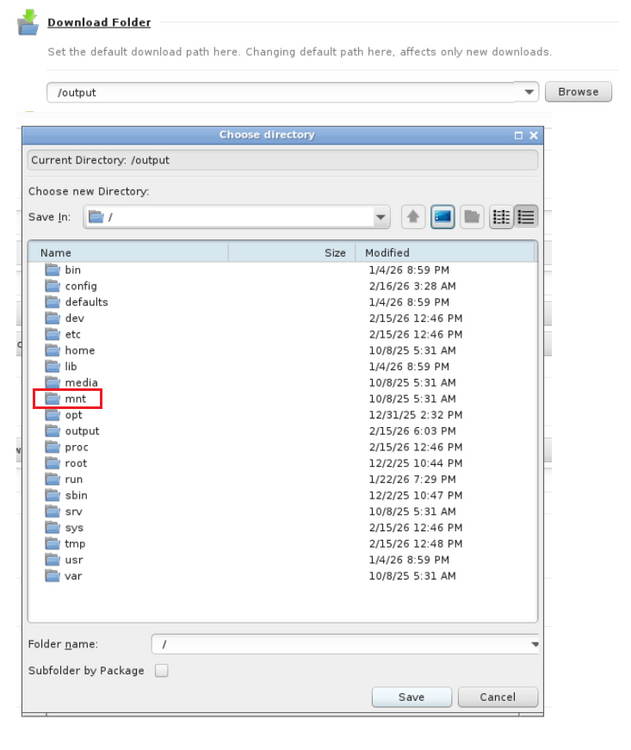
I had just left it blank so the app itself had the download folder set as: /output

-
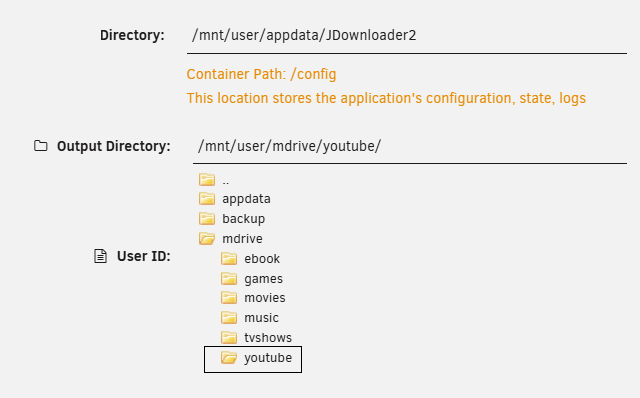
is it safe to set the docker settings Output directory to store files directly to: /mnt/user/mdrive/youtube/ ?
-
The file is here: ./var/lib/docker/volumes/ecbEDIT14c/_data/Fault Tolerant Tennis - Uploads from Fault Tolerant Tennis/3 Brilliant Alcaraz Tactics ANYONE Can Use (1080p_60fps_AV1-128kbit_AAC).mp4 a samba share with Windows is located at: mnt/user/mdrive/ Is there a practical way to get file access to UNRAID apps files from my Windows PC ?
-
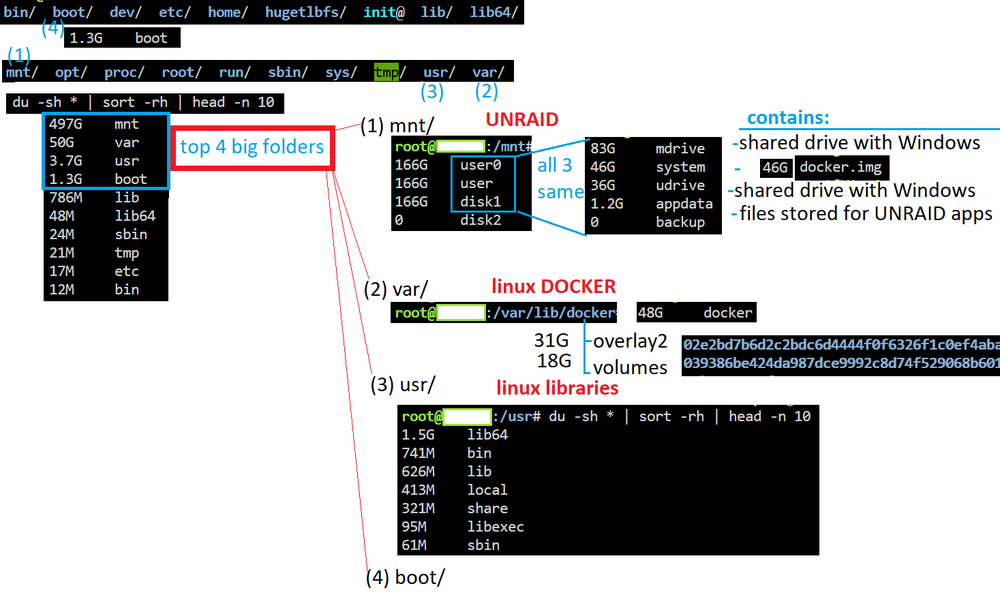
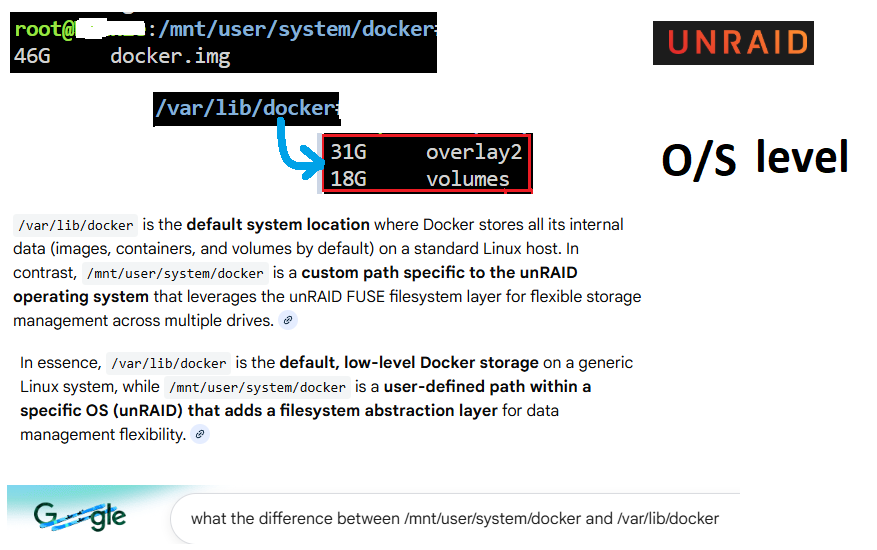
I guess the "UNRAID folder" is mnt/ Docker takes up the most space and: it is spanned across all your disk and user shares (all approximately the same size) mnt/user0/system/docker.img mnt/user/system/docker.img mnt/disk1/system/docker.img and the var/lib/docker/ is impacted by UNRAID as it is the storage for "nix O/S level" DOCKER files (- has 2 main subfolders: overlay2, volumes) var/lib/docker Basically I found all the larger files with this terminal command du -sh * | sort -rh | head -n 10 To find the largest folders in Linux, use du -sh * | sort -rh | head -n 10 to list the top 10 largest subdirectories in human-readable format, sorted by size. This command is highly effective for identifying directories consuming the most disk space. Summary of Flags du: Disk usage command. -h: Human-readable (e.g., 1K, 234M, 2G). -s: Summary (only total for each argument). sort -rh: Reverse, Human-numeric sort. head: Top part of a file. -n 10 (Top 10 entries) (use 5 for top 5)
-
this helped me.
-
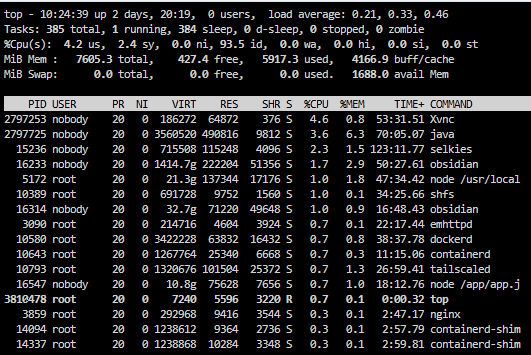
Terminal command: top (I clicked [ctrl+c] to stop) (google says you should use: q) shows CPU utilization. That'll be helpful.
-
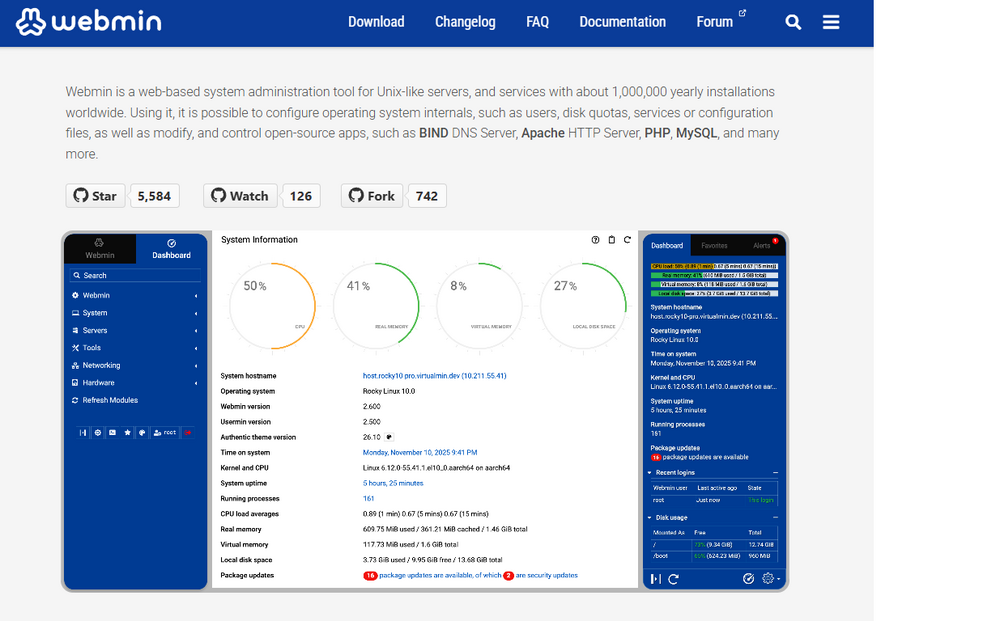
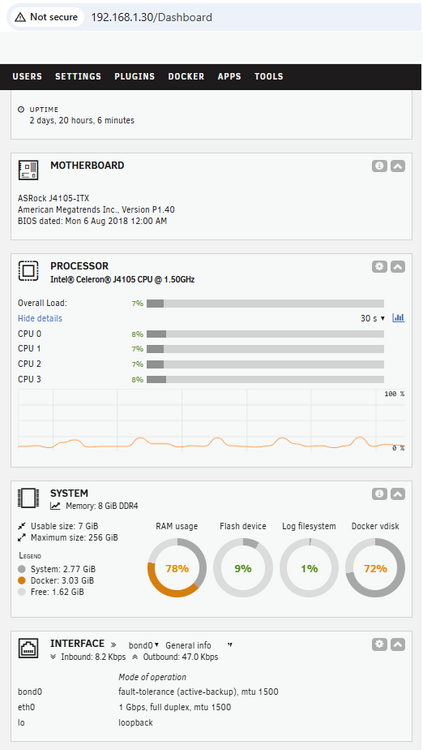
Maybe file manager isn't the best word. Maybe I want a web-based system administration tool for a linux server ? I suppose I could get the CPU utilization information here but I think I remember it was not loading or I felt it might be accurate. I probably need terminal commands to help next time.
-
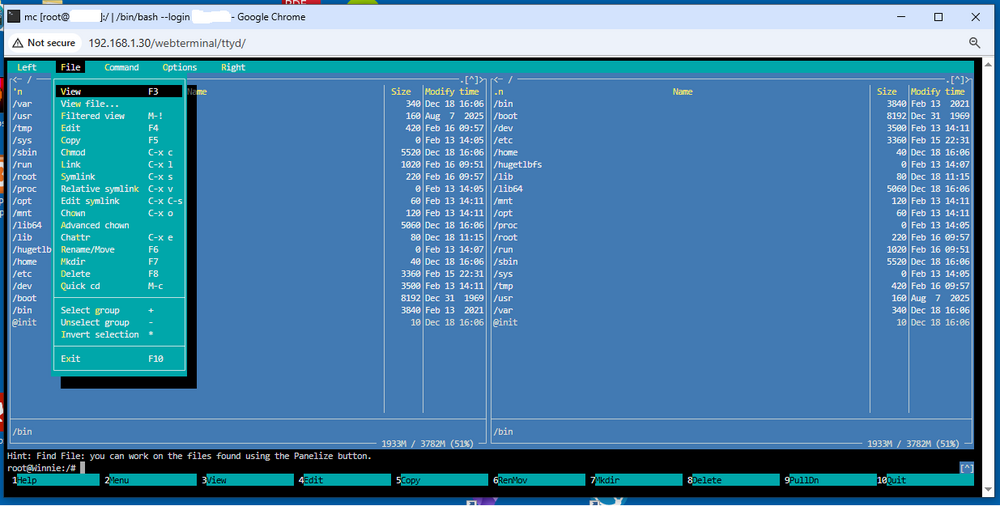
neat ! i'll probably be able to use that for something. i foget what dos commander I used before windows It doesn't have a search function it seems ? I was also hoping to troubleshoot unraid at times. I had a slowdown once (rebooted and all was fine) ... where things were still working, but things took about 20-50 times longer. I wanted to see if the CPU was being overused, or whatever else it could be.