





johnmzimm
Members
-
Joined
-
Last visited
Everything posted by johnmzimm
-
That makes sense. When I put the original SSD back in and assign it to the number 7 slot, I am told "Stopped. Replacement disk is too small."
-
No, I don’t need anything that was on it.
-
Gotcha. Trying add a new drive.
-
The original SSD drive 7 was in the array, I pulled it out thinking I could just add the 2TB drive back and it would just repopulate it. I don't need anything on it. I would like to add this 2TB drive that I formatted with gparted and then put in the array. I don't care if it repopulates it with the Plex stuff, (I can just delete everything on it later), or if it just adds as a new drive, (which is what I want).
-
I pulled out an old SSD/Plex drive and now I want to add a 2 TB spinning drive. I told it to be a xfs drive and started array. It said to staret array and it would format drive. But it never shows up any were to add to a slot. What am I missing? And when I try to download the diagnostics, it says this; "Downloading... /boot/logs/tower-diagnostics-20220710-1937.zip But it never finishes.
-
Di you have any luck running Spinrite on the disk?
-
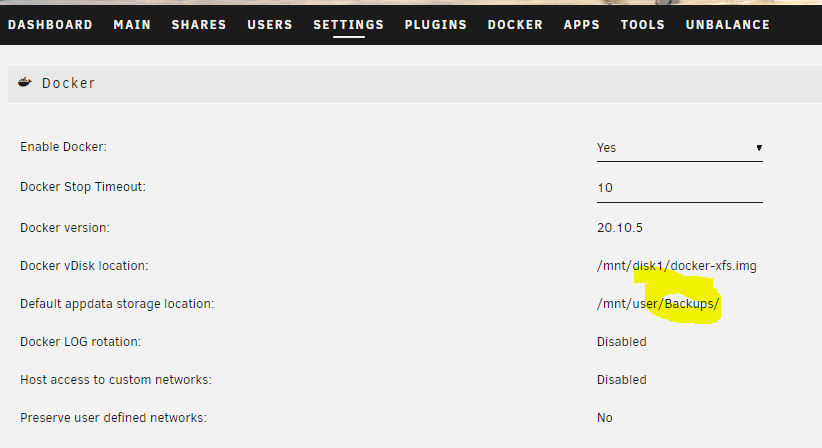
I have mistakenly pointed my default appdata location to a share called backups. If I fix it now, will it mess up all my dockers? Or will it just change it for any new dockers I install. Thanks, John
-
In Radarr>System>Health I am getting this message. "You are using docker; download client sab places downloads in /config/Downloads/complete but this directory does not appear to exist inside the container. Review your remote path mappings and container volume settings." I feel like everything is working fine. Does this need fixing?
-
Is there someone on the forums... maybe a moderator... that us noobs could pay to jump on our system and check for things that don't look right or could be optimized?
-
Yes, and Byte My Bits’ videos… but they are what get me interested in adding all the cool stuff ; )
-
My basic Unraid server runs great, but now I am trying to "trick it out" with all the bells and whistles. I am fighting my way through setting up all the dockers and paths etc... Does anyone make a preconfigured Unraid thumbdrive? One that has like 15 dockers, (Plex, Radarr etc), VPN, animated icons etc. And it maybe would need a docker image to drop in the cache drive... Just a thought, for those of us that don't really know all that much about this stuff. And of course it would have to be from someone that we all trusted, so no back door shenanigans.
-
So, I just want to check-in on my home unraid server now and then from work. I have looked into Guacamole, but it is way over my head. If I keep an old laptop running at home, is it safe to access it then access the unraid webui via the Chrome Remote Access. Basically, it is easy for me to set up, but before doing it, I just want to make sure it is safe and secure. Thank you, John
-
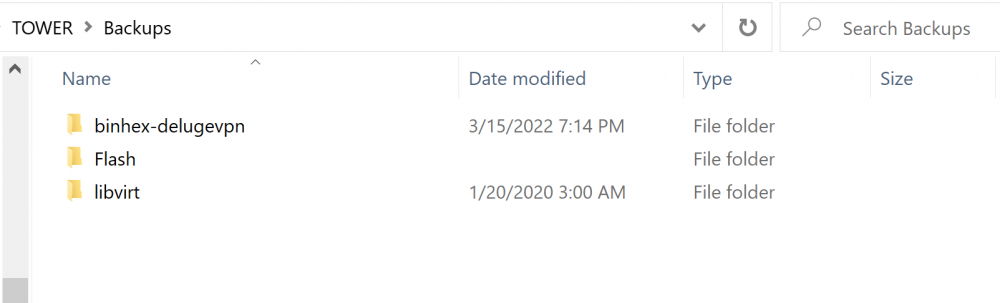
When I enabled Deluge it made a binhex-delugevpn folder in my Backups share, but there still not an appdata folder... is that OK? tower-diagnostics-20220315-1916.zip
-
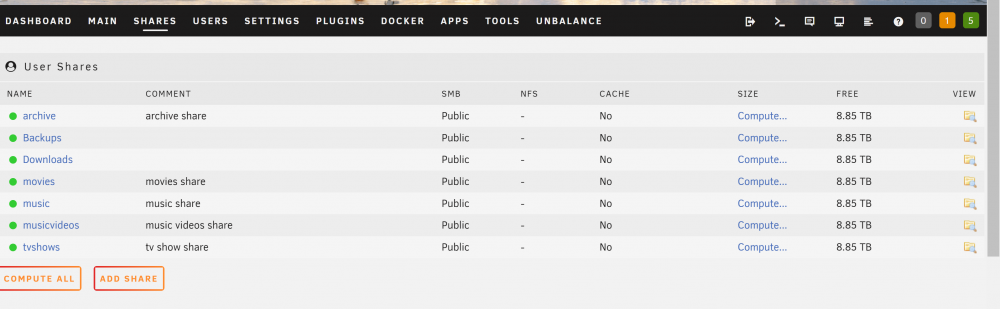
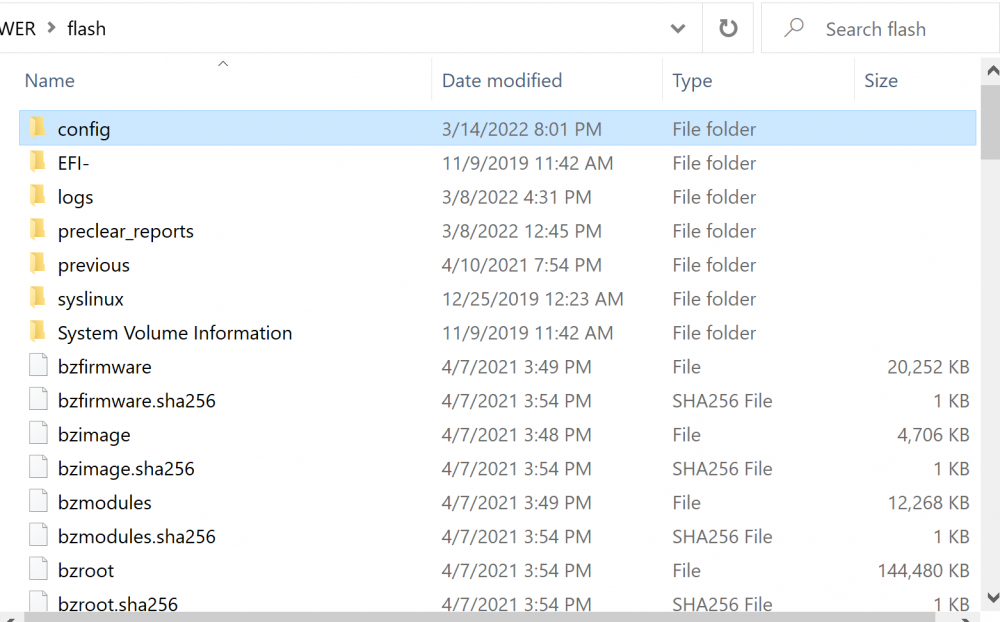
I searched everywhere on the forum, and it looks like I should be able to see appdata as a share. I searched all my disks and shares... but I don't see it anywhere.
-
That did it, thanks itimpi.
-
I am converting my disks to XFS... I moved everything off Drive 1 with unbalance. Then I stopped array, unassigned drive 1. I formatted it as XFS, and reassigned it as drive 1 but the Parity keeps rebuilding it and changing it back to rsf. Do I need to assign it to a different slot... or do I need to do a new config each time? Thank you
-
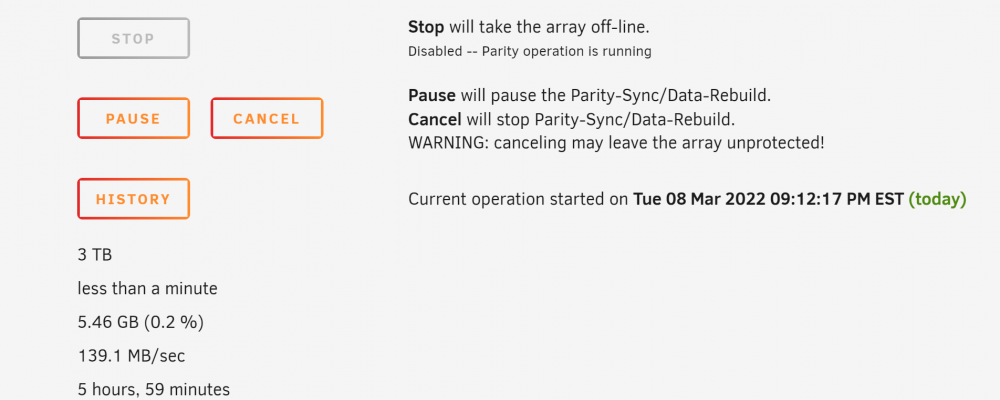
That did the trick. Thank you so much. So, apparently I was trying to do too much at once by rebuilding and changing the FS. Sometimes the Parity drive concept seems a bit like magic. I am glad Unraid was holding all my stuff of drive 1 on the parity drive and emulating it on the "drive 1" slot with an "x" next to it. For others that have the same problem in the future... the second I did the above steps, the red "x" turned into the blue "box" and then finally turned into the yellow caution sign after I started the array... and it started to rebuild drive 1 from the parity drive. Its magic I tell ya. Thank you JonathanM
-
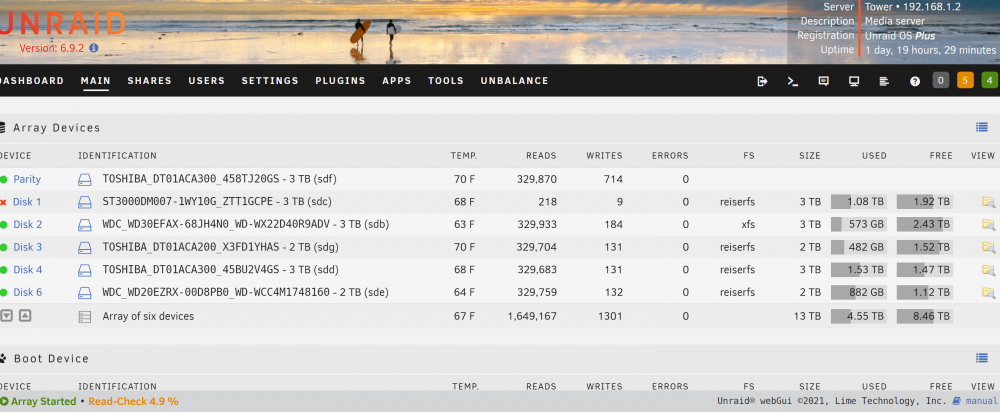
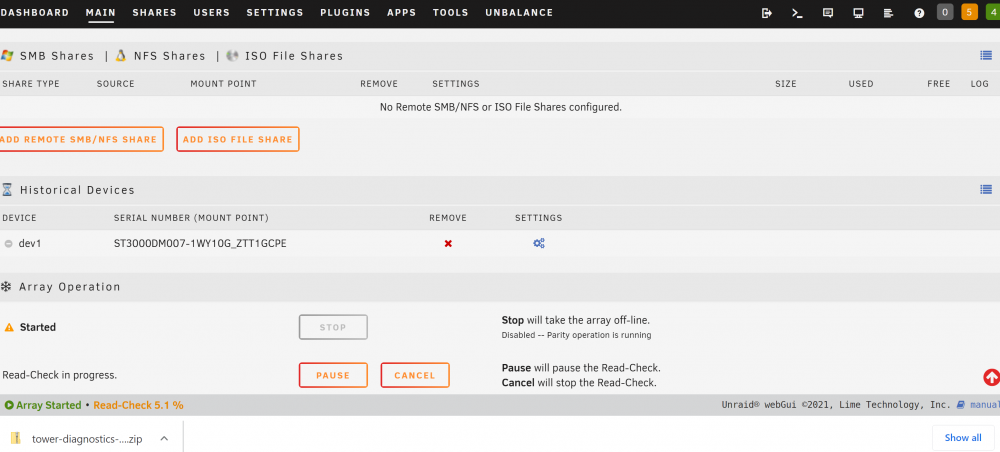
I had drive 1 die. So I bought a new same size, 3TB drive and ran preclear and formatted it as XFS, (I am trying to convert all my drives to XFS). But it still says it is formatted as reiserfs. And them mounted it. Then I chose it to be drive 1. After starting the array, it does not seem to be rebuilding the drive from parity. And the drive has an "x" next to it not the yellow caution icon. What am I doing wrong? Thank you, I am not good at fixing things when they go wrong. tower-diagnostics-20220308-1630.zip
-
Thank you so much. The new cables came in today. We took out all the drives and my son dusted the whole server. Then we installed the new cables... and after it fired up, it immediately saw the new drive! Thanks again. That gets a bit scary when things go wrong,(even though I have back ups of the important stuff. BTW, after it pre-clears and repopulates, should I look into switching over to a better file system? Thank you again, John
-
Oops, sorry. It was an internal drive with no case etc.
-
No, I got it as an external drive.
-
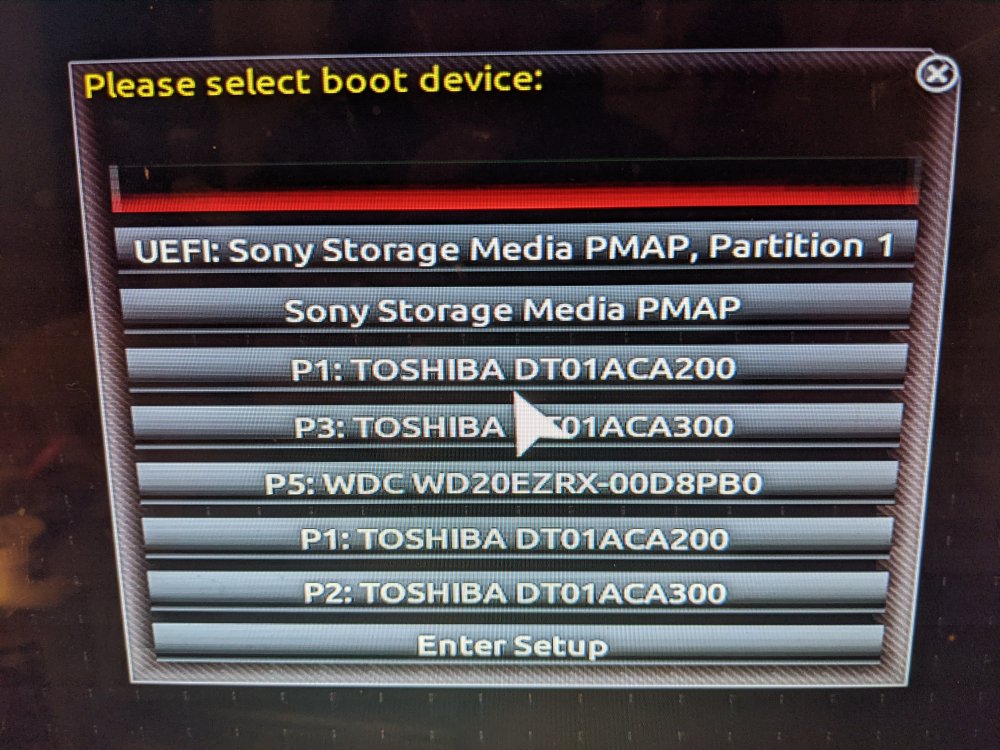
These show up... Soooo, no. I don't see it. I ordered all new cables... Mine look like they were from the junk draw. Is there a way to see in the bios if all the data ports are working?
-
Sorry, I'm not used to forums being nice, or helpful. I do have the original, but I already reformated in a desktop.
-
I decided that the drive was bad because I got this email from the server. "Event: Unraid Disk 2 error Subject: Alert [TOWER] - Disk 2 in error state (disk dsbl) Description: ST3000DM007-1WY10G_ZFN43RPN (sdb) Importance: alert" When I logged in it had a red x next to it. I don't know how to do much investigating to solve the problem... So I just replaced the drive. If I get it to see the new drive and repopulate it... Could I change them over to a different file format one by one? What are you using... I've had it running for so many years, that I haven't thought of changing to a different file system.
-
I had a drive die so I purchased a new drive. WD 3TB NAS Red drive. But it does not show up to be formatted and does not show up in preclear. I put the drive in a desktop computer and it formatted just fine. I tried new cables and ports in server, but it still will not show up. I am running 6.9.2. I'm not sure what to do. What do I do next? Thank you, John tower-diagnostics-20211107-1441.zip


