






SpaceInvaderOne
Community Developer
-
Joined
Everything posted by SpaceInvaderOne
-
Maybe the gtx760 is outputting from another port when using the webdrivers hence the black screen. Can you check the output from all ports hdmi/dp/dvi etc?
-
Thanks ive added to the op. Which 1080ti is this from please?
-
Hi @gestrella please see my guide a few posts up on how to upgrade
-
@1812 Ha LOL. Well thats why I love the unRAID forums. I get called great and a hero. Now why cant real life be like that!!
-
Ok finished the guide. Was a bit rushed so sorry if its a bit lower quality than normal.
-
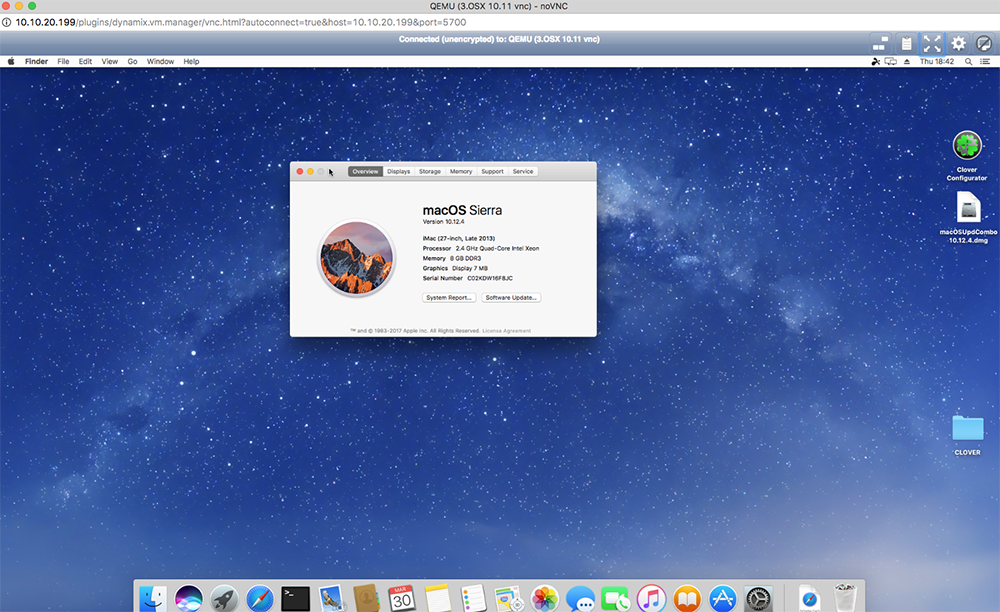
Well got 10.12.4 running now. Just finishing my guide on how. Will be up soon.
-
Hi @1812 not updated as yet. just downloading the combo update seems to be very slow coming down. But this is what I am going to do. 1. remove nvidia webdrivers 2. update clover to latest 3. install combo update https://support.apple.com/kb/DL1910?locale=en_US 4. install newest webdrivers https://images.nvidia.com/mac/pkg/367/WebDriver-367.15.10.45f01.pkg 5. keep fingers crossed
-
I guess i will have a go doing an update as everyone else is and i dont want to miss out! But really looks like nothing really worth having in it unless you like cricket !! • Adds Night Shift for automatically shifting the colors in your display to the warmer end of the spectrum after dark • Adds Siri support for cricket sports scores and statistics for Indian Premier League and International Cricket Council • Adds Dictation support for Shanghainese • Resolves several PDF rendering and annotation issues in Preview • Improves the visibility of the subject line when using Conversation View in Mail • Fixes an issue that may prevent content from appearing in Mail messages Also updating may break the nvidia webdrivers
-
I have had that problem myself before. i have no idea what caused it, but a server reboot sorted it out.
-
@dlandonThanks I re enabled destructive mode in the settings and config file is back. Now drive is working as expected. Many thanks
-
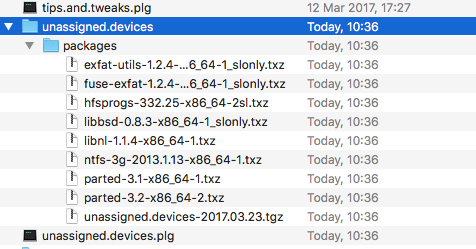
@dlandon thanks for the reply here is the log prime-unassigned.devices-20170325-1026.zip I cant find the config file in my flash. I have just uninstalled and reinstalled and it hasnt been created. I will try a flash backup and see if i can find it. Edit ....... i turned on destructive mode and config file is back. I also had an error on uninstall Warning: syntax error, unexpected '~' in Unknown on line 29 in /usr/local/emhttp/plugins/unassigned.devices/include/lib.php on line 1108 Warning: array_keys() expects parameter 1 to be array, null given in /usr/local/emhttp/plugins/unassigned.devices/scripts/rc.unassigned on line 114 Warning: array_map(): Argument #2 should be an array in /usr/local/emhttp/plugins/unassigned.devices/scripts/rc.unassigned on line 114 Warning: implode(): Invalid arguments passed in /usr/local/emhttp/plugins/unassigned.devices/scripts/rc.unassigned on line 114 Warning: Invalid argument supplied for foreach() in /usr/local/emhttp/plugins/unassigned.devices/include/lib.php on line 364 Warning: syntax error, unexpected '!' in Unknown on line 30 in /usr/local/emhttp/plugins/unassigned.devices/include/lib.php on line 1108 Warning: array_keys() expects parameter 1 to be array, null given in /usr/local/emhttp/plugins/unassigned.devices/scripts/rc.unassigned on line 114 Warning: array_map(): Argument #2 should be an array in /usr/local/emhttp/plugins/unassigned.devices/scripts/rc.unassigned on line 114 Warning: implode(): Invalid arguments passed in /usr/local/emhttp/plugins/unassigned.devices/scripts/rc.unassigned on line 114 Warning: Invalid argument supplied for foreach() in /usr/local/emhttp/plugins/unassigned.devices/include/lib.php on line 364 Many thanks for your help.
-
Hi, Everything has been fine for weeks. But the last few days I have had a problem with my nvme drive. Every time i start the server the drive is mounted and i cant unmount it. I have this error on the gui Warning: syntax error, unexpected '~' in Unknown on line 29 in /usr/local/emhttp/plugins/unassigned.devices/include/lib.php on line 1108 Warning: syntax error, unexpected '!' in Unknown on line 30 in /usr/local/emhttp/plugins/unassigned.devices/include/lib.php on line 1108 Device Identification Any idea what is causing this please? prime-diagnostics-20170324-2128.zip

-
@Thingi I think it is an excellent idea to try different vbios One thing to be careful of though is the ones commonly downloaded from techbios etc dont often work. They are not right for use and are often the wrong size. See my video on dumping nvidia vbios. So it may be difficult getting the correct format.
-
@planetwilson that's interesting. Thanks for the info. I normally expand my images through the unraid GUI and can boot fine. I did find that disk utility didn't like trying to expand the new space, though. But rebooting the VM and trying disk utility the second time it would work and expand the new space.

-
Ah glad you got it working. Its a pain you have to turn off sip to install clover. I wonder if this is only with the patched clover?
-
@Waseh great thank you.
-
@BobPhoenix wow thats cool you have a VM of windows 3.1. Oldest sysem ive "VMed" is 95
-
Yes please, guys be careful when posting your XML asking for help. Just xxxx it out. Tom, I have put this at the top of this guide now so hopefully, people will read it and remember not to post. Here's my osx VM running on unRAID on my MacBook pro
-
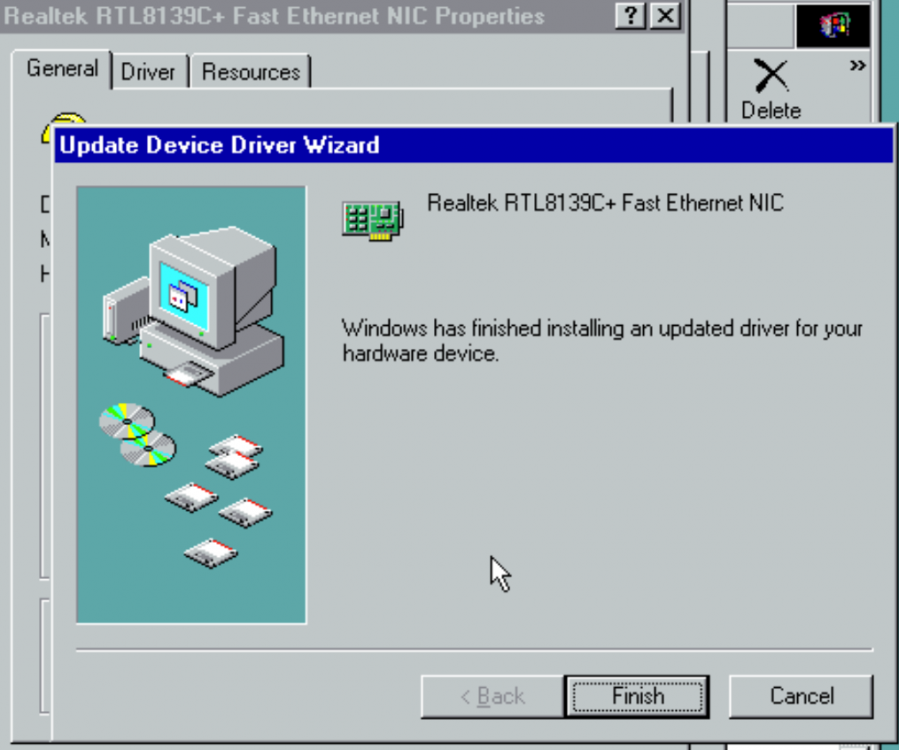
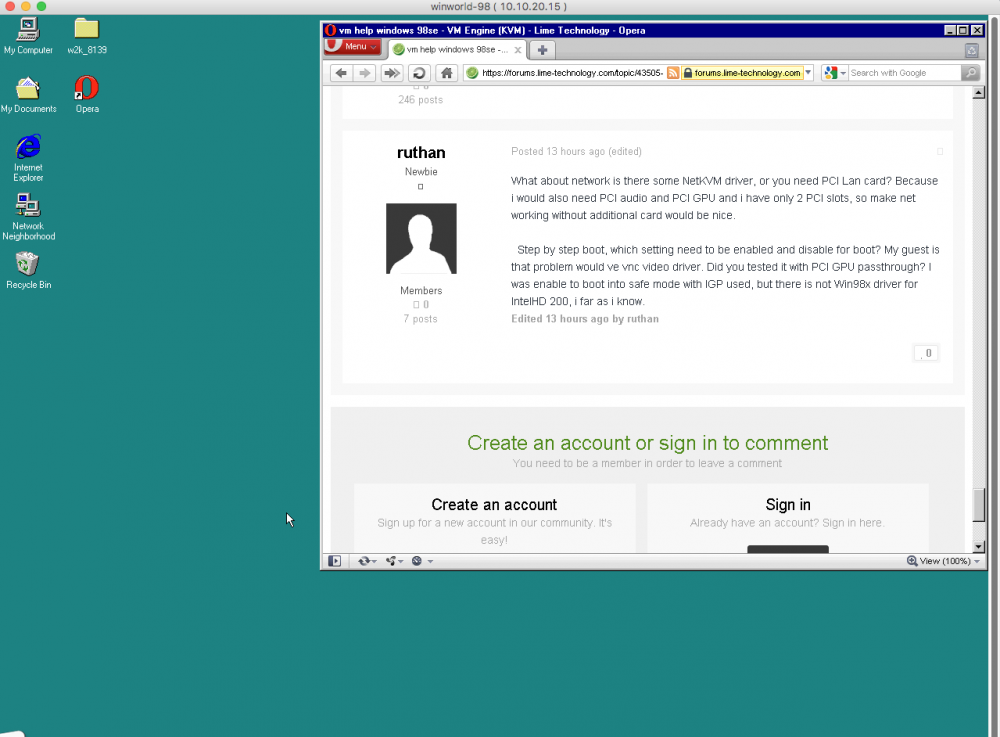
Ha someone else wanting a win 98 vm! Well i did eventually manage to get working but always had to do the step by step boot. Easiest install is to download the .vmdk version from here https://winworldpc.com/download/3DD43CC6-18DA-11E4-99E5-7054D21A8599 You dont need to convert it just run it as is. After install remove the vmware tools I used cirrus graphics vnc when i setup my win98 vm <video> <model type='cirrus' vram='16384' heads='1' primary='yes'/> <address type='pci' domain='0x0000' bus='0x00' slot='0x02' function='0x0'/> </video> For network use rtl8139 in the xml <model type='rtl8139'/> Then use the win 98 driver to get it to work. I have mine running from the vmware image with 1024 meg ram
-
Yes you certainly can. You can use --include or --exclude. So try first using rclone ls to test For example rclone ls --include *.jpg secure: will just list the jpegs in that rclone mount. once you have tested use that with rclone sync, move, copy etc Have a read here for details http://rclone.org/filtering/
-
Thankyou Rob.
-
Hi Guys, This Video is a tutorial on how to setup Rclone on unRAID. You will see how to install it then connect to 3 different cloud storage providers. Amazon, dropbox and google drive. You will see how to encrypt and decrypt files in the cloud. You will see how to connect a docker container to rclone and even stream and encrypted media file to emby or plex. You will then see how to make the rclone mount into a network share. Finally, you will see how to easily sync a folder to the cloud. How to setup and use rclone. Copy sync and encrypt files to the cloud. Even stream media
-
Hi guys Heres a tutorial on how to setup the excellent Rclone plugin on unRAID. You will see how to install it then connect to 3 different cloud storage providers. Amazon, dropbox and google drive. You will see how to encrypt and decrypt files in the cloud. You will see how to connect a docker container to rclone and even stream and encrypted media file to emby or plex. You will then see how to make the rclone mount into a network share. Finally, you will see how to easily sync a folder to the cloud.
-
Ah best of luck. I would hate to have to do that! What GPU do you use. Maybe someone else here has the same who has already dumped the rom? Would save a lot of hastle?
-
@hblockx I don't know of a way of booting the system with a graphics card present in the machine and for the card not to be shadowed. If you cant move the cards I see you have two options. 1. Post what GPU you have here and hopefully someone with the same GPU as you would dump the rom for you to use. 2 Un seat both GPUs. Use a PCIe riser cable to be able to plug the primary card into the secondary slot. Then use another cable to plug any other card into the first slot. This way you wouldn't have to move the cards much at all. No idea if it would work but maybe?




