





foraye
Members
-
Joined
-
Last visited
Everything posted by foraye
-
Hey Everyone, I've just completed a full server rebuild and have upgraded to 6.12.13. I have a 10 Drive system totaling 21TB, one parity, one Cache and 8 Data disks. Before starting and verifying the array, I could not find a place to assign the cache drive from before so it remains unassigned. I do not have the Cache Device Option in my MAIN screen. Am I missing something?? Thanks
-
did you call them or chat? The chat has not worked for me to date...
-
Hey! I picked up this board last week. I'm having a very difficult time getting ANY documentation on it. Past the English sales website, I've had to weed through a Chinese support site for several hours and have not even found the Q670 product files. At his point i'm considering pulling it and getting a better supported brand. LB
-
Hey, what type of CPU cooler are you using with the Q670 MB?
-
Excellent!!
-
DIagnostic attached, I have more on the USB Flash but I'm not home at the moment I don't trust myself to replace caps on a PC board and have it last for another 15 years :-). That said, if i was to build a new box do I need to align the disks to the same SATA channel or will the array detect their new locations and align themselves? tower-diagnostics-20240822-1011.zip
-
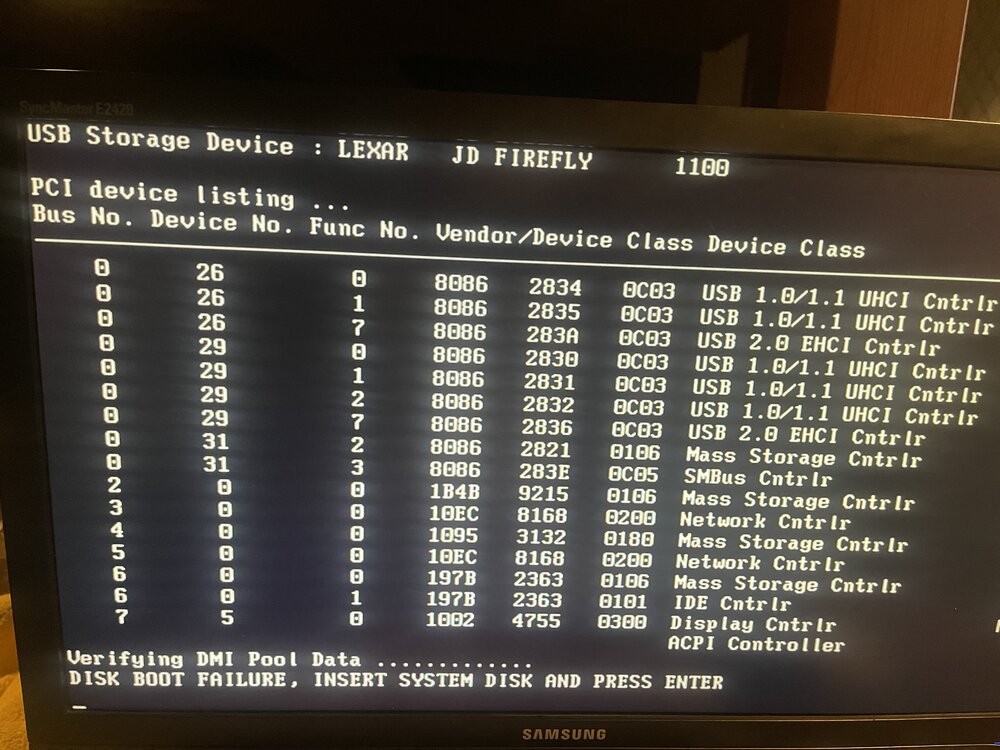
I'm seeking direction on my next move to restore my old server. I was able to upgrade to the very latest release 6.12. Before doing this I was getting frequent lockup and automatic reboots. Server would run for a few minutes - Hours. Following the upgrade, I got immediate lockups when i started the server, then the current state where I now get a Disk Boot Failure before i get to the UnRaid Boot menu. Could this be a MB or other Hardware issue? I'm open to just building a new server and need to retain my array. Thought? Thanks in advance!
-
Yes it did. Trying to figure out if its the flash or PC hardware. This box has been together for about 15 years and may need a refresh. I just dont want to lose any data.
-
It has been crashing for the past few days. I just found the GUI unresponsive. I shut it down and pulled the flash. Logs are attached. It seem to boot fine then just lock up. I hadn't even started the array. I have the syslog server enabled but I dont thing it had the opportunity to write before the lockup. syslog syslog-previous
-
Guys, I was able to upgrade to the latest version, but I still have the same issues of crashing when I spin up the drives and parity check begins. I enabled the syslog server and have it writing to the flash drive I also have the latest diagnostics from yesterday and this morning. Today I found the server frozen and had to do a hard reboot. After that reboot, I had no ethernet connectivity and while going through the GUI Menus, the PC restarted itself and stopped at the previously posted command line. After another restart I ran the Fix Common Problems and this jumped out at me... Your flash drive has possible corruption on /boot/config/network-rules-old.cfg. Post your diagnostics in the forum for more assistance I'm posting all the relevant logs that I captured. please review and comment syslog syslog-previous tower-syslog-20240822-0137.zip tower-syslog-20240822-1404.zip tower-diagnostics-20240822-1011.zip
-
Thanks, I didn't try a different USB Stick. I rebooted and selected GUI option, it booted into the local splash screen..a big plus from 6.3.5. I had to switch network ports for some reason and also supply a static IP address. Initial boot didn't have network working I'm up to date now! I just checked and my initial install was back in 2008! LOL
-
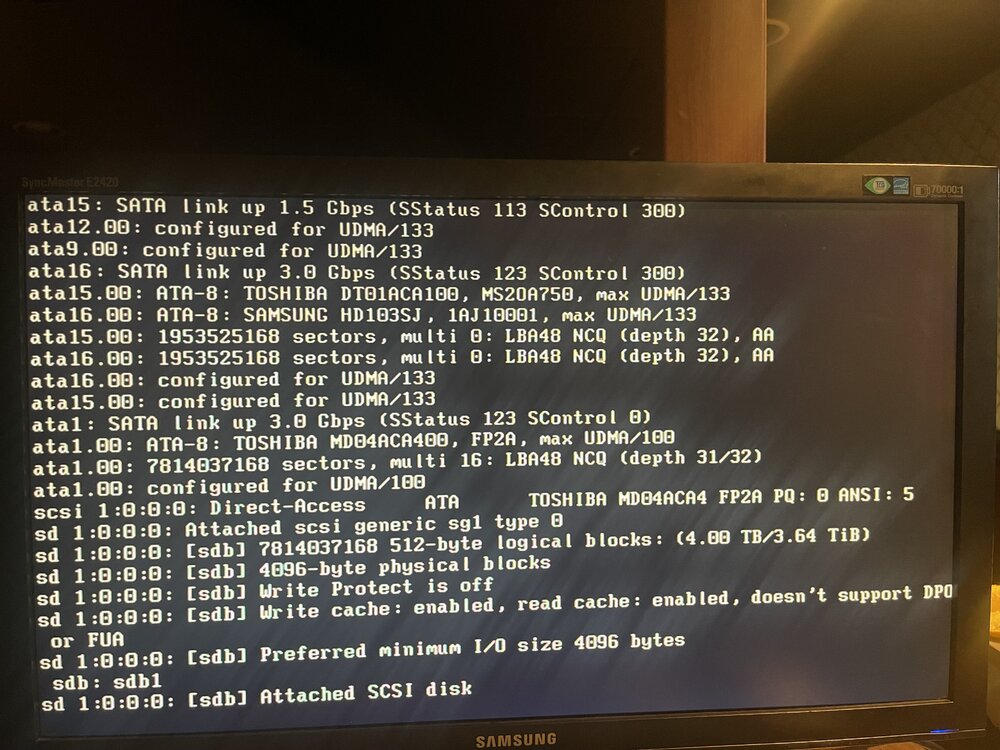
I moved and copied BZ* files as instructed. Upon reboot I only got as far as the attached image. Any advice is welcome.
-
Thank you!
-
I have those files already. I thought I had to do incremental upgrades before going to the current release. Please confirm.
-
Thanks Man!
-
I dont see a syslog server option in my network settings...6.3.5 Should I attempt a manual update at this point? Where do I get the update files?
-
I've been having a series of issues with my legacy setup. The system seeming locks up when I start a parity check after a reboot. It initially came back with 2 disks missing. I rebooted from the GUI and the disks reappeared. I then got the diagnostics and syslog files and started the server. Within a few minutes I lost all connectivity from the GUI and the PC display is also blank. I also cannot update to 6.5.3 - throws a cannot find download server error. Thanks. tower-syslog-20240820-0929.zip tower-diagnostics-20240820-0929.zip
-
I renamed network.cfg and network-rules then rebooted. It defaulted to DHCP and got new credentials from the new router! I then accessed the Web GUI and all my files were in-tact ! Thanks again.
-
Hey! Thanks for your help in steering me in the right direction I renamed network.cfg and network-rules then rebooted. It defaulted to DHCP and got new credentials from the new router! I then accessed the Web GUI and all my files were in-tact ! Thanks again.
-
Memory is coming back...Edit the NETWORK.CFG file? Will changing DHCP to 'YES' fix things? # Generated settings: USE_DHCP="no" IPADDR="192.168.1.8" NETMASK="255.255.255.0" GATEWAY="192.168.1.1" DHCP_KEEPRESOLV="yes" DNS_SERVER1="192.168.1.1" DNS_SERVER2="" DNS_SERVER3="" tower-diagnostics-20240206-2037.zip
-
I changed my router and it came up with 192.168.4.xxx. It was previously 192.168.1.xxx. All previous devices that were DHCP connected fine. My unraid is static at 192.168.1.8. should I force the new router to assign 192.168.1.xxx addresses or is there a way for me to change the IP address on my USB ? This server has been running for years , OS 6.3.5
-
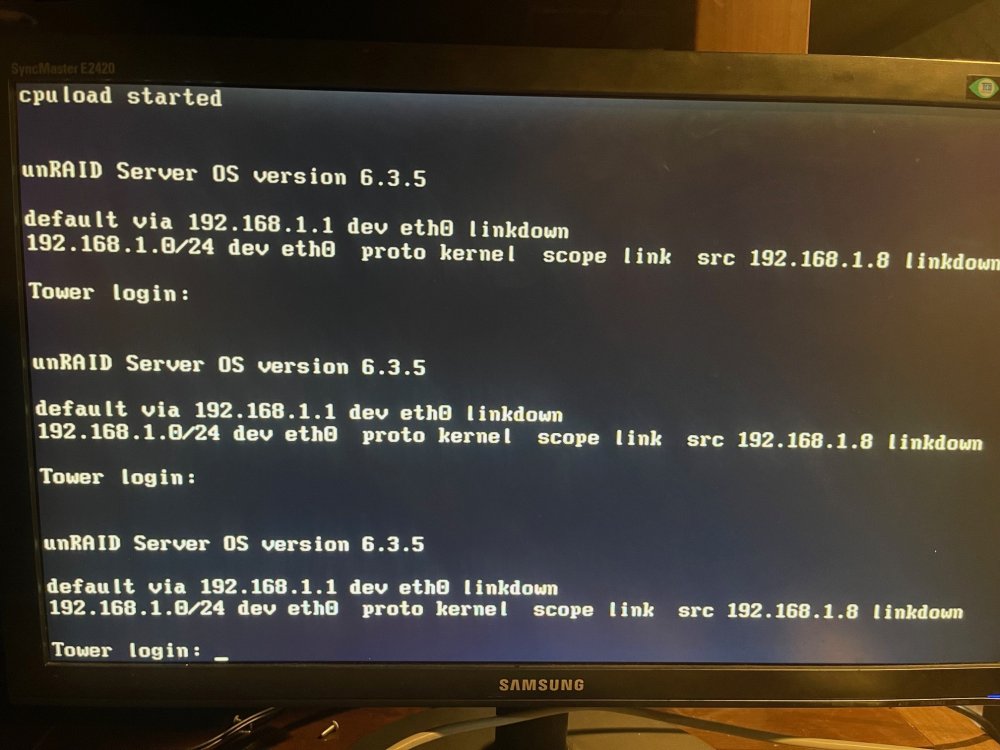
did everything in the write-up but im stuck at this point. In addition to the password situation, I also changed routers and the server has a static IP. I 'm stuck , please see screen shot attached and advise...
-
Its been several years since I've had to touch this. Recently I found my UPS and server powered down. Upon re-start I noticed that I could not connect via the WebGUI. I realized that I had upgraded my entire network to an EERO 7 setup and all the IP addresses has changed. In addition it now asks for a Tower Login and Password. Both has been long forgotten. Running 6.3.5 with over 20TB. I read in one of the wikis... Delete these files: config/passwd - I did not delete due to conflicting instructions in another wiki config/shadow - Deleted config/smbpasswd - Could not find After reboot it still asked for Login and Password Please Help!!!





