





Lien1454
Members
-
Joined
-
Last visited
Everything posted by Lien1454
-
Thanks. So when moving files on the same drive on Unraid. You can expect lengthy move times or is it just this plugin?
-
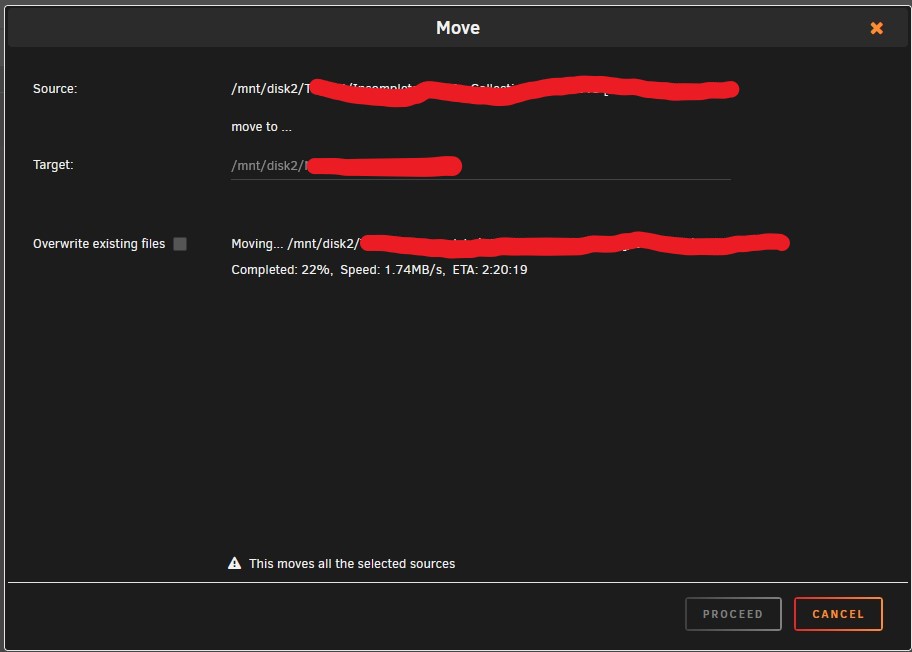
When using the File Manager to move files on the same disk to different folders with the MOVE option. Is it normal for it to take a long time? Almost feels like it is copying to another drive.
-
Can anyone please advise what I need to do with ruTorrent v3.10 GUI so that it is accessible when remotely accessing ruTorrent via Wireguard. I can access other Dockers but nothing will show up with ruTorrent. Thanks in advance.
-
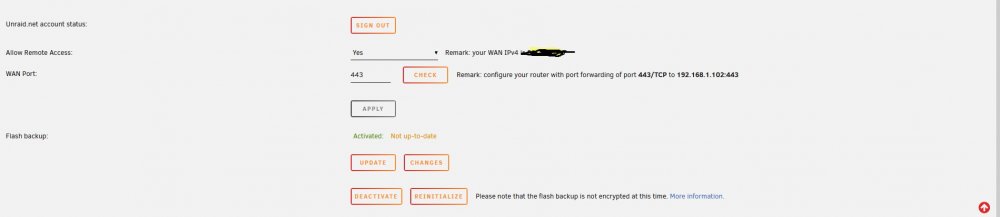
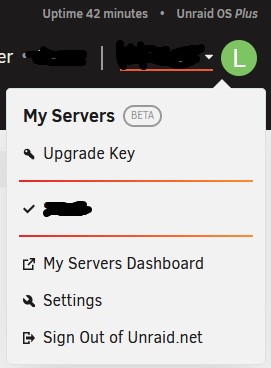
Version: 6.10.3 I have followed the steps to activating my server to enable flash backups. The port has been forwarded on my router and the WAN port check comes back as reachable. I've tried to also set my IP address to static and use the Google DNS servers as I've seen this helped another member. Did not work for me. I've also tried the UPDATE button and also re-initializing the server but this did not help either. Shows as 'Flash backup unavailable' on the my servers page even after waiting for some time. I've tried finding solutions to this on the forum. Any suggestions what the problem could be please?
-
I get this also. using new PIA files from the server... 4 files in folder including creditals.conf with user and pass on each line. openvpn.ovpn all files are.... ca.rsa.2048.crt, credentials.conf, crl.rsa.2048.pem, and openvpn.ovpn I get the "Connection in progress, wait 10" 2 times and the docker exits. Help please someone? Thanks
-
So is wireguard the best way to go for speed with PIA? Thanks
-
Thank you for helping. Think i'll do the same
-
Hi, I'm using PIA and I understand somethings have changed now. I am unable to log into delugevpn unless I disable VPN. I am on an older version (arch-delugevpn:1.3.15_18_ge050905b2-1-04) because before the PIA issues started I was experiencing the same issue as allot of other people on the latest version of delugeVPN where the speeds dropped. Is there a fix to this issue using PIA? Many thanks. Neil
-
DEBG 'start-script' stdout output: [warn] Response code 000 from curl != 2xx [warn] Exit code 52 from curl != 0 Using PIA.... seen there are issues around this but in the sea of replies here I cannot seem to find a solution. I was using sweden now using france. When switching the error went away but france is giving the same error now. Any help on this one please?
-
Hi, I'm trying to enable htpasswd on letsencrypt. So far I've created the htpasswd file and edited each conf file I'm using in... appdata\letsencrypt\nginx\proxy-confs These 2 lines... auth_basic "Restricted"; auth_basic_user_file /config/nginx/.htpasswd; removing the # in notepad++ I have not edited any other files. When restarting letsencrypt and browsing the URL to a docker. I am doing this either on my phones IP (not wifi) or testing on a VPN on my PC. For example both sonarr and radarr. I get the htaccess user/password prompt. When entering the correct details another prompt comes up but the password is not accepted. fail2ban is banning. Is there anything else I need to do or missed to get this working correctly? Thanks
-
I'm trying this in the console for the letsencrypt docker. I must be doing something wrong... root@27g4c5326171:/# docker exec -it letsencrypt htpasswd -c /config/nginx/.htpasswd sh: docker: not found root@27g4c5326171:/# exec -it letsencrypt htpasswd -c /config/nginx/.htpasswd sh: exec: illegal option -i root@27g4c5326171:/#
-
Hi, Can anyone please explain how I can htaccess protect my sites. I've tried docker exec -it letsencrypt htpasswd -c /config/nginx/.htpasswd In the console area for letsencrypt and no joy. Thanks
-
Do you know at what time the cron job runs or how I can find out? Thanks
-
Yes. that is where I was noticing that they had expired. In the lock in the browser. The certificate expired on 02 June 2019, 11:01. The current time is 06 July 2019, 15:17. Error code: SEC_ERROR_EXPIRED_CERTIFICATE No activity in the log file for a while it seems. This is the contents of the file... I've edited and removed my domain and replaced with "private".
-
Hi, I thought letscrypt renews certificates as they expire. I'm getting a message saying my certificate expired on the 2nd june. Is there a way to fix this ? Also getting the LUA errors which from what I can see I can ignore? But the bottom bit regarding the variables_hash ? Thanks
-
I'm using the swedish server. I've tried various torrents. All with many many seeders. None go above 1.5MB. If I disable VPN speeds are max. Also tried another their DE server which supports port forwarding. Speeds hit the same 1.5MB and won't go higher. Rolled back to previous version of delugeVPN keeping the same settings. Full VPN speeds.. This is with ltConfig-0.3.1-py2.7 enabled. If I Disable ltConfig-0.3.1-py2.7 and speeds drop. But if I disable ltConfig-0.3.1-py2.7 and add the following lines into core.conf. Speeds are bad. "enable_outgoing_utp": false, "enable_incoming_utp": false, "enable_incoming_tcp": false, "rate_limit_ip_overhead": false, So based on that... what I'm doing differently and how others are able to get full speeds by adding those lines I've no idea. I've added the lines using Notepad++ and also using nano.
-
Did this but made no difference. Speeds are still very much slower.
-
Yep... full speeds. Always use same VPN server. Always fast. Upgraded... and been bad speeds since. I get 1.2mb (approx) max. When you say "attach supervisor and run command.". What do you mean?
-
Hi. Yes I removed it and also it's conf file. But made no difference.
-
Hi, Did the same. No luck I'm using PIA and using a server with port forwarding enabled. Have this set in the docker config. No changes up until the update and I maxed out speed wise. I've attached my core.conf file. core.conf
-
Since most plugins are broke at the moment. Does anyone know how I can fix the issue where VPN downloads are very slow? I used ltConfig v0.3.1 specifically for that reason and it works extremely well. Downloads are terrible at the moment
-
Same for me.. AutoRemovePlus-0.6.1-py2.7.egg and ltConfig v0.3.1 have stopped working since the latest update Nothing changed before update.
-
Where could that be? In Sonarr GUI ?
-
On Sonarr if I go into Console then into Data folder I can access the competed folder and see the folders with the episode in.
-
Yes. They are moved to the completed folder after they have finished downloading.

