





Xxharry
Members
-
Joined
-
Last visited
-
if I disable bridge, what will happen to my br2.11 network? I need it to route traffic for vlan11.
-
Hello Folks, I upgraded from 7.2.4 to 7.3.1 and my frigate does not connect to the custom network (br2.11). My cameras are on the same network (VLAN11) and it's not connecting to them. I have macvlan enabled. After upgrade, I tried switching to ipvlan and enabling Host access to custom networks. AI suggested that I run the command modprobe br_netfilter in terminal but that did nothing too. I rolled back to 7.2.4 and everything works fine. Any suggestions would be appreciated. I have attached the diagnostics that I got unraid-diagnostics-20260609-1103.zipafter I upgraded to 7.3.1
-
when I try to update the plugin, its forever stuck on the below log . Please suggest how to fix it? Unraid API v4.25.3 If no additional messages appear within 30 seconds, it is safe to refresh the page. Added bundled plugin unraid-api-plugin-connect Starting Unraid API service... Starting flash backup service... Starting the Unraid API unraid-diagnostics-20251113-1347.zip
-
I am using 1TB nvme with the plugin but that is now full. Can I somehow use 3 disks in raid 5 with this plugin? Thanks
-
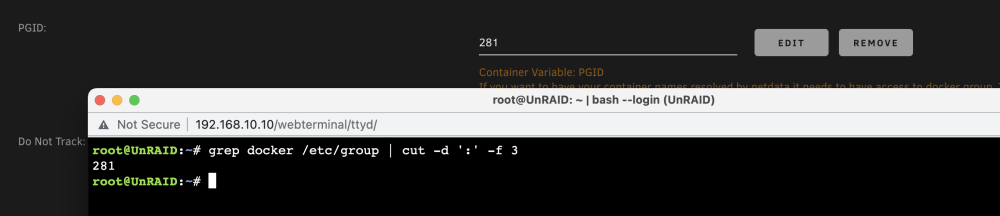
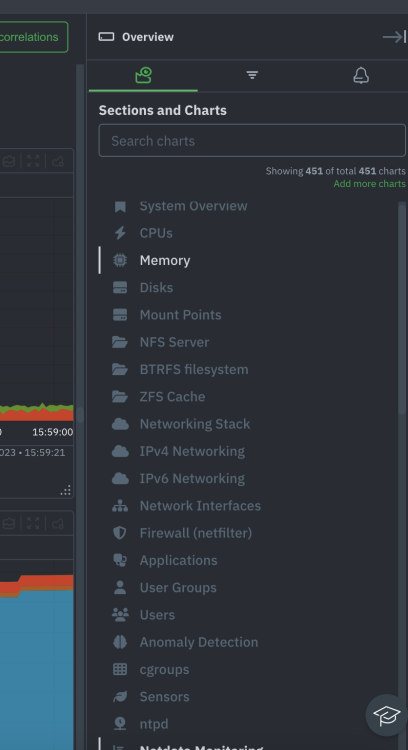
I can not see any of my containers on the right side menu. I have the correct PGID input when creating the container. what am I missing? edit: I found out that if I go to the local address of the container http://unraid:19999, I can see the containers but if I go to https://app.netdata.cloud/, I cant see them. how do I fix that?
-
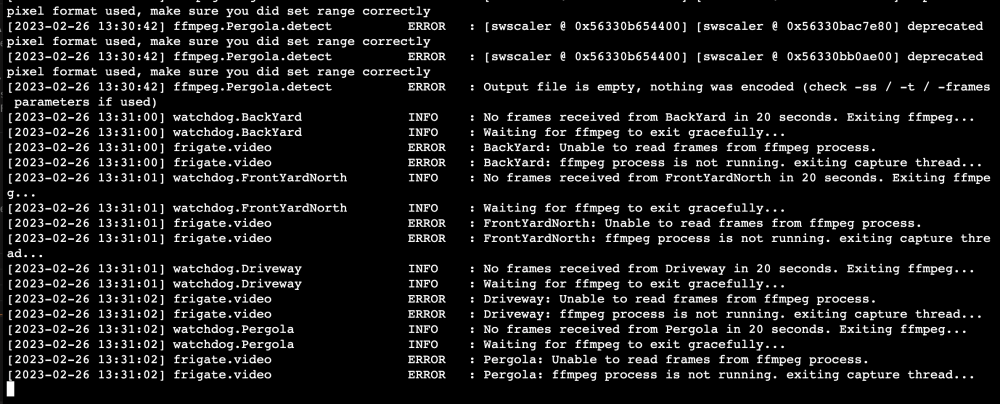
I have moved to i5-13600k and tried to enable hardware acceleration. However, I get the below error. I have tried repliacing qsv with vaapi but no luck. I am passing through the device /dev/dri/renderD128 to the container. My config is in here https://pastebin.com/RcNE9dff I have 4 cameras but the config file has been truncated and only shows one. Any help is appreciated
-
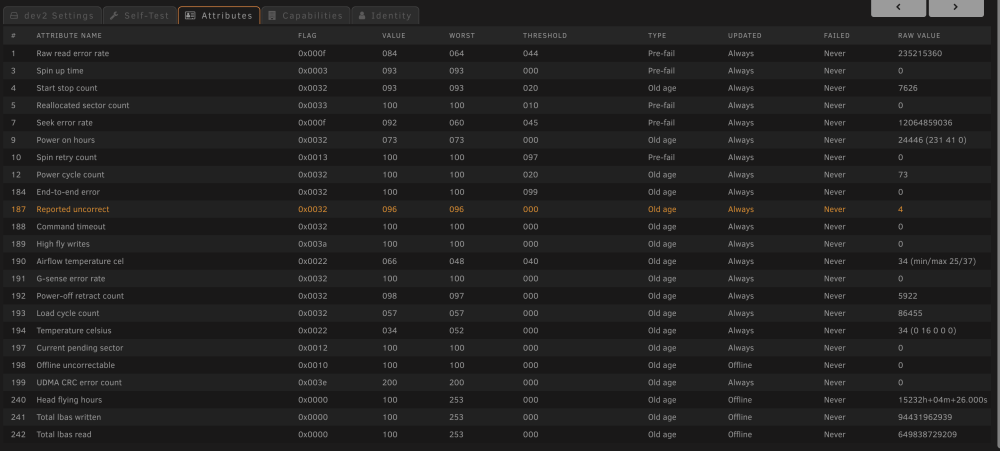
This is from the SMART test. does that yellow line mean the disk is buggered?
-
Hey Guys, how do I fix this? happened after the server went down due to sudden power loss. root@UnRAID:~# zpool status pool: citadel state: ONLINE status: One or more devices has experienced an unrecoverable error. An attempt was made to correct the error. Applications are unaffected. action: Determine if the device needs to be replaced, and clear the errors using 'zpool clear' or replace the device with 'zpool replace'. see: https://openzfs.github.io/openzfs-docs/msg/ZFS-8000-9P scan: scrub repaired 0B in 05:25:00 with 0 errors on Fri Feb 17 21:23:57 2023 config: NAME STATE READ WRITE CKSUM citadel ONLINE 0 0 0 raidz1-0 ONLINE 0 0 0 ata-ST4000VN008-2DR166_ZGY98G8E ONLINE 0 0 0 ata-ST4000VN008-2DR166_ZM40MTRB ONLINE 0 0 0 ata-ST4000VN008-2DR166_ZM40VDNZ ONLINE 0 0 77 ata-WDC_WD40EFRX-68N32N0_WD-WCC7K1XK022N ONLINE 0 0 0
-
I want to update to frigate 0.11.0. I understand that I have to delete the existing app and recreate it with the new image. Do I lose all the old footage by doing so? Thanks
-
did you have to reconfigure iscsi? or just uninstall and reinstall the plugin does the job?
-
I am running on poweredge t430 with 2 x E5-2630 v3, 80gb ram. encryption is enabled. The real use case of this would be to run a vsphere datastore so not massive files being written all the time. controller is perc h330. this is output of command root@UnRAID:~# zpool get all NAME PROPERTY VALUE SOURCE citadel size 14.5T - citadel capacity 40% - citadel altroot - default citadel health ONLINE - citadel guid 14517773413838527564 - citadel version - default citadel bootfs - default citadel delegation on default citadel autoreplace off default citadel cachefile - default citadel failmode wait default citadel listsnapshots off default citadel autoexpand off default citadel dedupratio 1.00x - citadel free 8.64T - citadel allocated 5.91T - citadel readonly off - citadel ashift 0 default citadel comment - default citadel expandsize - - citadel freeing 0 - citadel fragmentation 2% - citadel leaked 0 - citadel multihost off default citadel checkpoint - - citadel load_guid 9965434910978594573 - citadel autotrim off default citadel compatibility off default citadel feature@async_destroy enabled local citadel feature@empty_bpobj active local citadel feature@lz4_compress active local citadel feature@multi_vdev_crash_dump enabled local citadel feature@spacemap_histogram active local citadel feature@enabled_txg active local citadel feature@hole_birth active local citadel feature@extensible_dataset active local citadel feature@embedded_data active local citadel feature@bookmarks enabled local citadel feature@filesystem_limits enabled local citadel feature@large_blocks enabled local citadel feature@large_dnode enabled local citadel feature@sha512 enabled local citadel feature@skein enabled local citadel feature@edonr enabled local citadel feature@userobj_accounting active local citadel feature@encryption enabled local citadel feature@project_quota active local citadel feature@device_removal enabled local citadel feature@obsolete_counts enabled local citadel feature@zpool_checkpoint enabled local citadel feature@spacemap_v2 active local citadel feature@allocation_classes enabled local citadel feature@resilver_defer enabled local citadel feature@bookmark_v2 enabled local citadel feature@redaction_bookmarks enabled local citadel feature@redacted_datasets enabled local citadel feature@bookmark_written enabled local citadel feature@log_spacemap active local citadel feature@livelist enabled local citadel feature@device_rebuild enabled local citadel feature@zstd_compress enabled local citadel feature@draid disabled local
-
for this test, I tried a 7gb ISO file.
-
I have 4 x 4tb ironwolf drives in raidz0. my upload speed to the share is max 25 MB/s and download is max 130 MB/s over a 10gb link. I have checked with iperf that I can saturate the link from unraid and towards unraid. can someone please suggest what I can do to isolate the issue? Thanks
-
I am getting "cannot destroy: dataset is busy" when I run the command zfs destroy dataset -r, does anyone know why this happens? I have tried zfs unmount but that doesnt work. reboot didnt help either
-
ok so I followed that and this is below is what my share looks like. I can mount the nfs share from the networks listed in there but I can not place any files in it. what did I miss? root@UnRAID:~# zfs get sharenfs citadel/vsphere NAME PROPERTY VALUE SOURCE citadel/vsphere sharenfs [email protected]/24,[email protected]/24,fsid=1,anongid=100,anonuid=99,all_squash local


