dmoney517
Members
-
Joined
-
Last visited
Everything posted by dmoney517
-
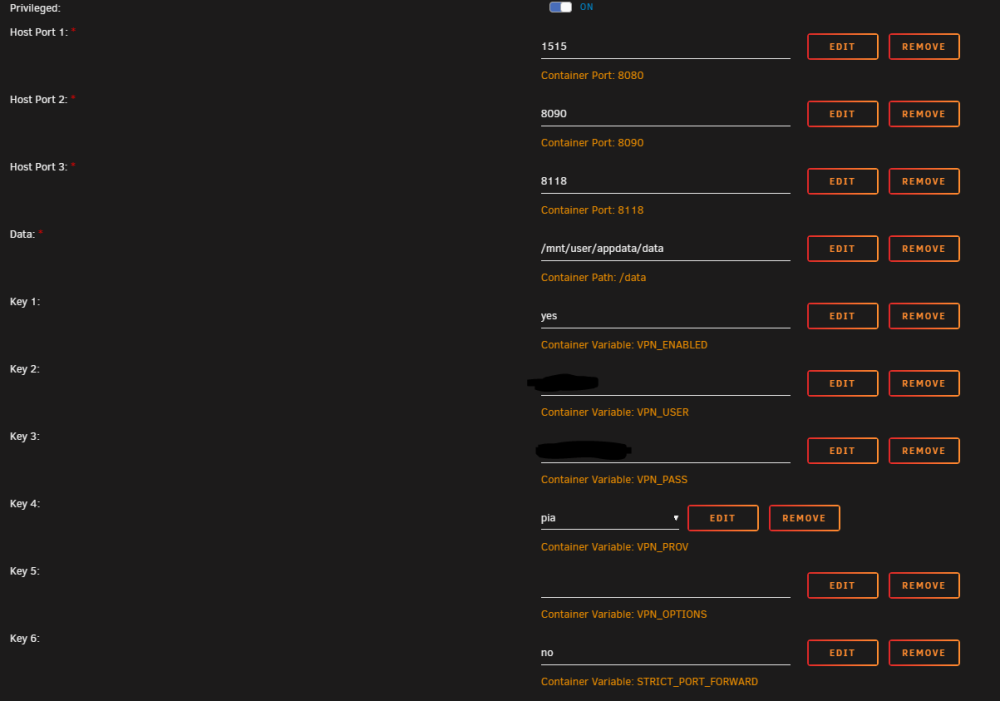
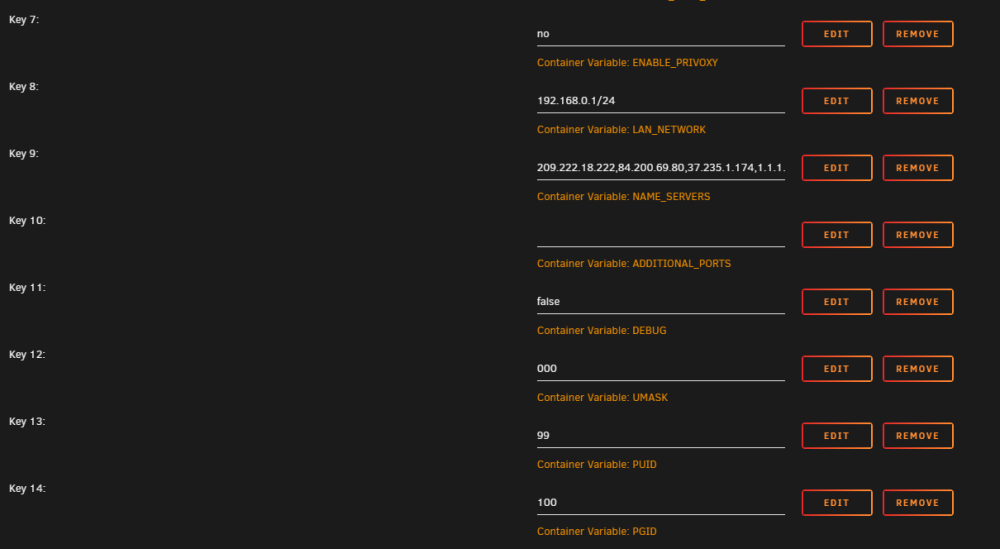
For awhile now I have not been able to consistently load the SabNZB GUI on my Unraid. It still starts, and downloads and works. But getting the UI to load is very inconsistent. I would say it works 1 out of 10 tries. I barely every need to look at it, so not a major hindrance. I noticed today when I tried to launch it, I got this error in my Server log - TCP: request_sock_TCP: Possible SYN flooding on port 8080. Sending cookies. Check SNMP counters. Nothing on my server is exposed to the internet. It used to work flawlessly, so I am guessing a docker update did something that I never really noticed. As I said, I dont try to access it often. Appreciate any guidance.
-
I would like to see this other thread as well. I am ok 6.9.2 and ready to leap to the latest, 6.12.8. I am a bit nervous.
-
Hmm, Ill look into that. Thanks. For now, Thank you @JorgeB! I was able to pre-clear one of my disks as well to confirm it is good. My final disk seems to be dead. SMART shows below. When i tried to pre clear it had a ton of errors in the logs and smart shows below. SMART Attributes Data Structure revision number: 10 Vendor Specific SMART Attributes with Thresholds: ID# ATTRIBUTE_NAME FLAGS VALUE WORST THRESH FAIL RAW_VALUE 1 Raw_Read_Error_Rate POSR-- 069 064 006 - 163877417 3 Spin_Up_Time PO---- 097 096 000 - 0 4 Start_Stop_Count -O--CK 084 084 020 - 16546 5 Reallocated_Sector_Ct PO--CK 100 100 010 - 0 7 Seek_Error_Rate POSR-- 083 060 045 - 213584792 9 Power_On_Hours -O--CK 082 082 000 - 15876 (164 223 0) 10 Spin_Retry_Count PO--C- 100 100 097 - 0 12 Power_Cycle_Count -O--CK 092 092 020 - 8295 183 Runtime_Bad_Block -O--CK 100 100 000 - 0 184 End-to-End_Error -O--CK 100 100 099 - 0 187 Reported_Uncorrect -O--CK 081 081 000 - 19 188 Command_Timeout -O--CK 100 100 000 - 0 0 8 189 High_Fly_Writes -O-RCK 100 100 000 - 0 190 Airflow_Temperature_Cel -O---K 073 063 040 - 27 (Min/Max 20/28) 191 G-Sense_Error_Rate -O--CK 100 100 000 - 0 192 Power-Off_Retract_Count -O--CK 096 096 000 - 8234 193 Load_Cycle_Count -O--CK 089 089 000 - 23081 194 Temperature_Celsius -O---K 027 040 000 - 27 (0 17 0 0 0) 195 Hardware_ECC_Recovered -O-RC- 082 064 000 - 163877417 197 Current_Pending_Sector -O--C- 100 100 000 - 40 198 Offline_Uncorrectable ----C- 100 100 000 - 40 199 UDMA_CRC_Error_Count -OSRCK 200 200 000 - 0 240 Head_Flying_Hours ------ 100 253 000 - 3027h+32m+37.751s 241 Total_LBAs_Written ------ 100 253 000 - 55058677784 242 Total_LBAs_Read ------ 100 253 000 - 277759799893 ||||||_ K auto-keep Thanks everyone for helping!
-
This is what they should be, based on the listing. LSI Avago IT mode firmware version P20 (20.00.07.00) Is there a better firmware version? In my old setup I flashed myself. I wanted to avoid that step this time so bought pre-flashed.
-
Im not one to mess with BIOS a ton. So I didn't change any settings for the CPU. I had read that system was a power hog, so I assumed (incorrectly) that my PSU would be fine with the new hardware. and my UPS even said it could power my old system for 5 minutes, and the new one for 20+ minutes. It does seem to me that the new setup is using less power, but regardless here we are. I am very happy it is a PSU issue. Fairly easy, and not overly expensive fix (cheaper than getting 2 new HBAs or multiple new disks). I have since all this started plugged the new system into a power calculator, and it called for 500-599 w. So, I should have done my homework first and checked the power requirements for the new setup instead of making an assumption.
-
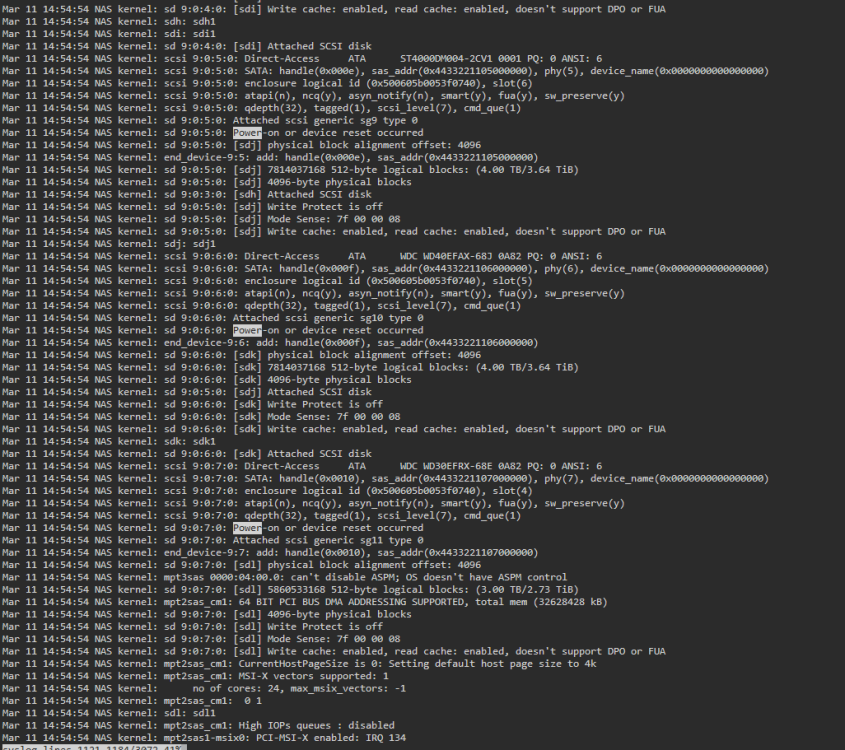
Holy moly - No errors in syslog like were coming on previous tries. Rebuild is cruising at 160 MB/s. Attached one last diags...But I am hopeful that the new PSU is fixing this problem! Note - I did see some Power On Failures in the start up when i booted the system. nas-diagnostics-20240311-1532.zip
-
Should I leave P1 in dsbl and add a new disk to P2?
-
New PSU hooked up. Re-cabled and seated everythjing again while attaching the new PSU (750w). All drives are online again. Have not started the array. Diagnostics attached. Should I reassign Parity and start the array? nas-diagnostics-20240311-1458.zip
-
All the error counts for read error and seek error rate don't matter? I just ran to best buy and bought a new psu. Currently using the 500w that powered my old dual xeon 5650 setup. Just grabbed a 750w.
-
Restarted server. I did not touch any cables or cards. Did not start array. Diagnostics attached. I really appreciate your help! I am in a bit of a panic right now. nas-diagnostics-20240311-1107.zip
-
Disks both crashed during parity... 1 of them was plugged directly into a SATA port on the motherboard. The other is plugged into an HBA. I feel like the disks are bad? Could that be the issue? Or is it more likely power supply / cable related? Im afraid to do anything now. All my dockers are off and I am not writing anything to the array. If I power down, and a drive comes up missing, Im no longer protected by Parity correct? What is the safest way forward?

-
At this point I am not sure of the issue...I have reseated the HBAs and switched to all new cables. If the HBAs are bad, I wont get new ones until wednesday. I dont have anything near me I can pick them up from. I am going to get a new PSU as well. It wont be here until tomorrow. I am currently on a 500w. I assumed it would be enough as it was powering my previous system with no issues. I am getting a 750w. The board is brand new. If it is a bad board, I can get it replaced on Thursday, after I test the new HBAs and PSUs. Also going to get new drives in case they are a problem. My simple, straight forward upgrade has become very expensive and a huge headache. Tempted to put my old board back and return everything.
-
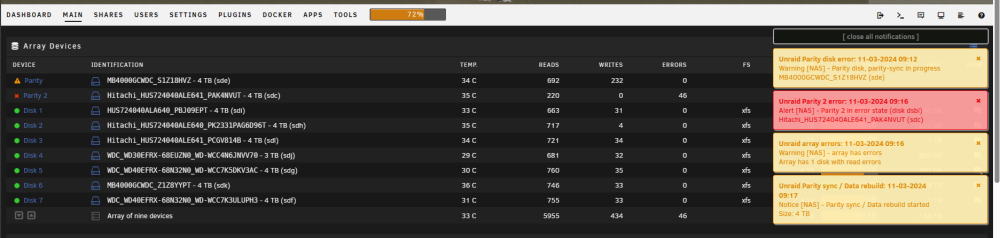
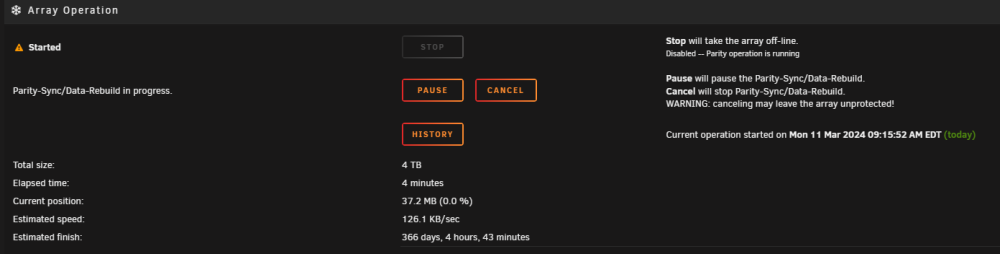
Things went from bad to worse. I switched to brand new cables, pulled the disks that were throwing errors. Restarted, tried to rebuild using a new disk from unassigned. Now both my parity are in a bad state, and I am still seeing very slow rebuild times. I do not know how to recover from here at this point...Both my parity disks were plugged directly into the motherboard. nas-diagnostics-20240311-0921.zip
-
I'm using the same PSU I was using on my previous build. I went from a dual xeon system on an E-ATX board to an i9 on micro itx. The existing psu I would think would work.
-
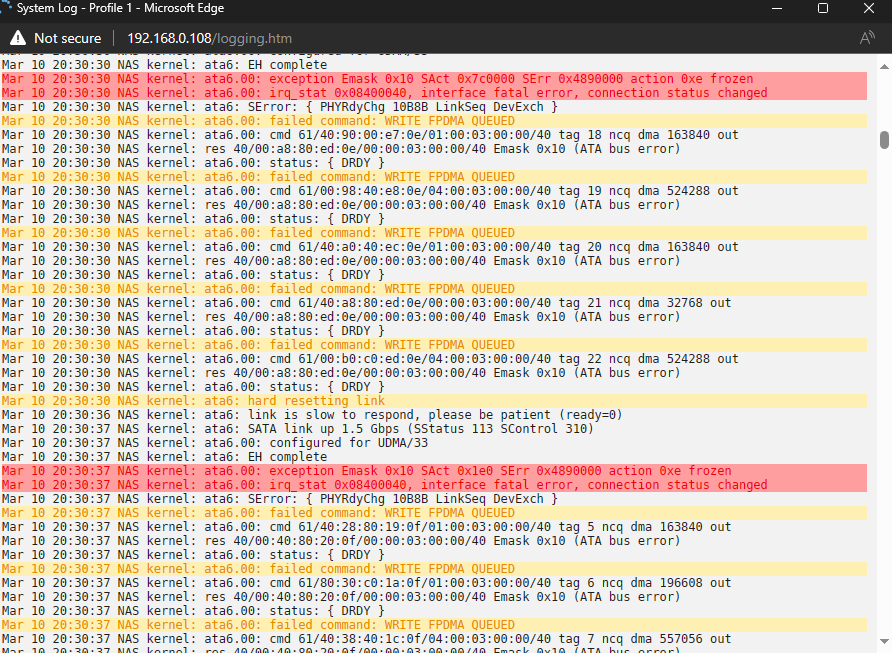
I needed to rebuild my P1 disk after it was in DSBL Mode after migrating to new hardware. It has been running 5 hours now and is averaging 1 MB/s. Logs are filled with the below. Diagnostics attached. Please help! nas-diagnostics-20240310-2035.zip
-
I initiated the Parity build of my P1. Still seeing alot of odd stuff in the logs, Not sure what it means. Latest Diagnostics here. nas-diagnostics-20240310-1424.zip
-
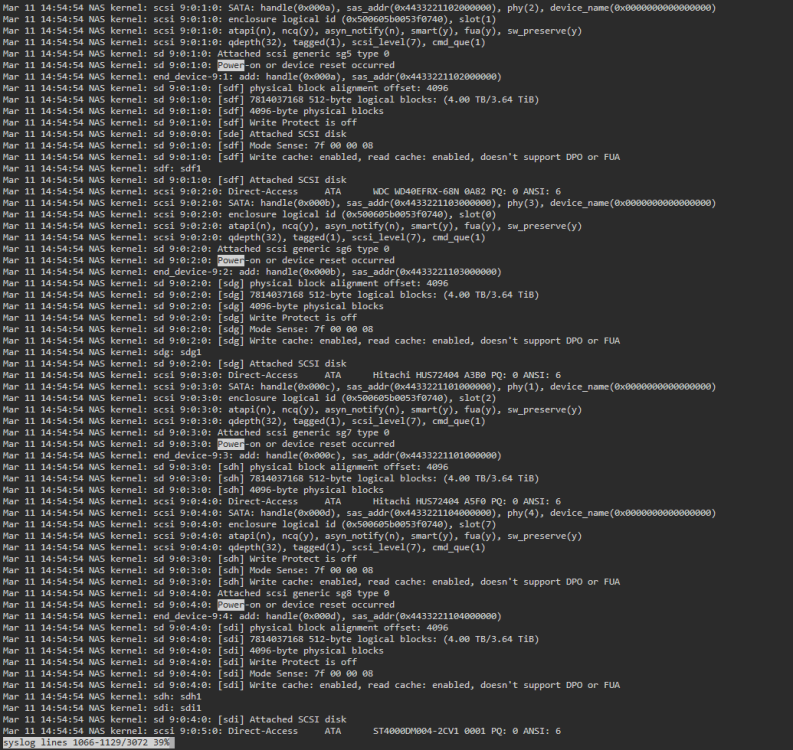
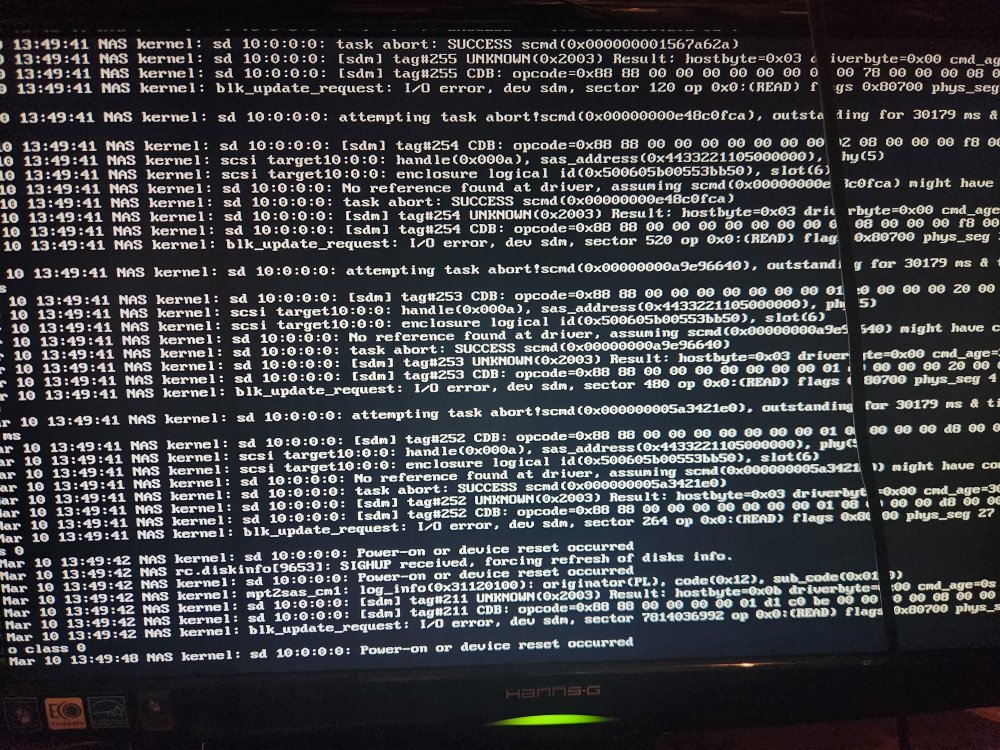
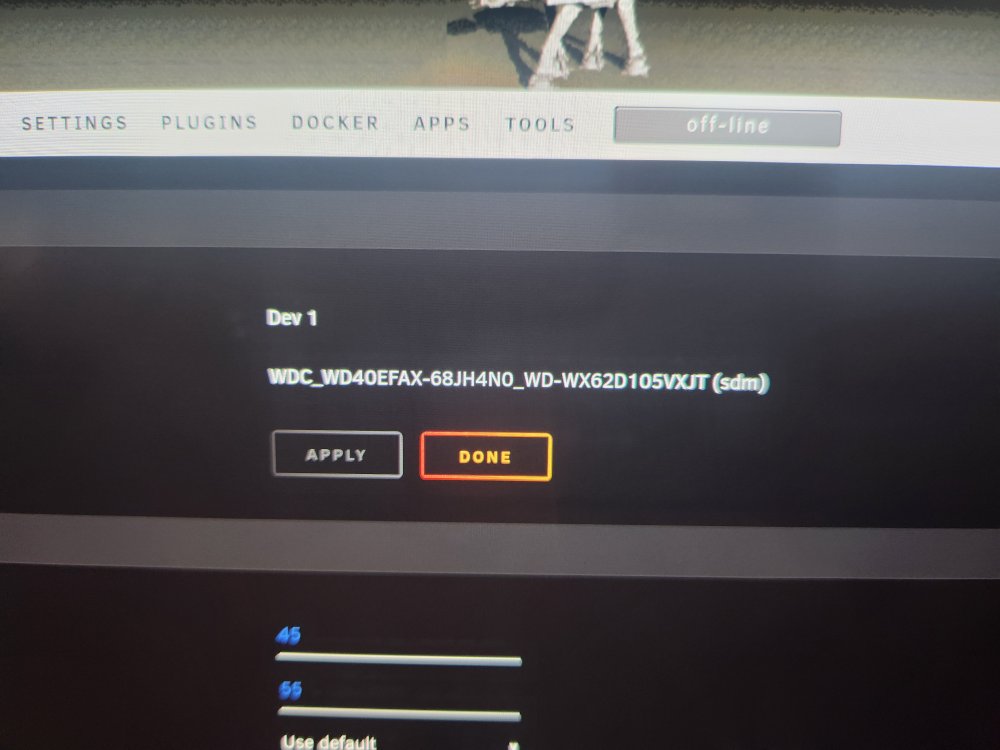
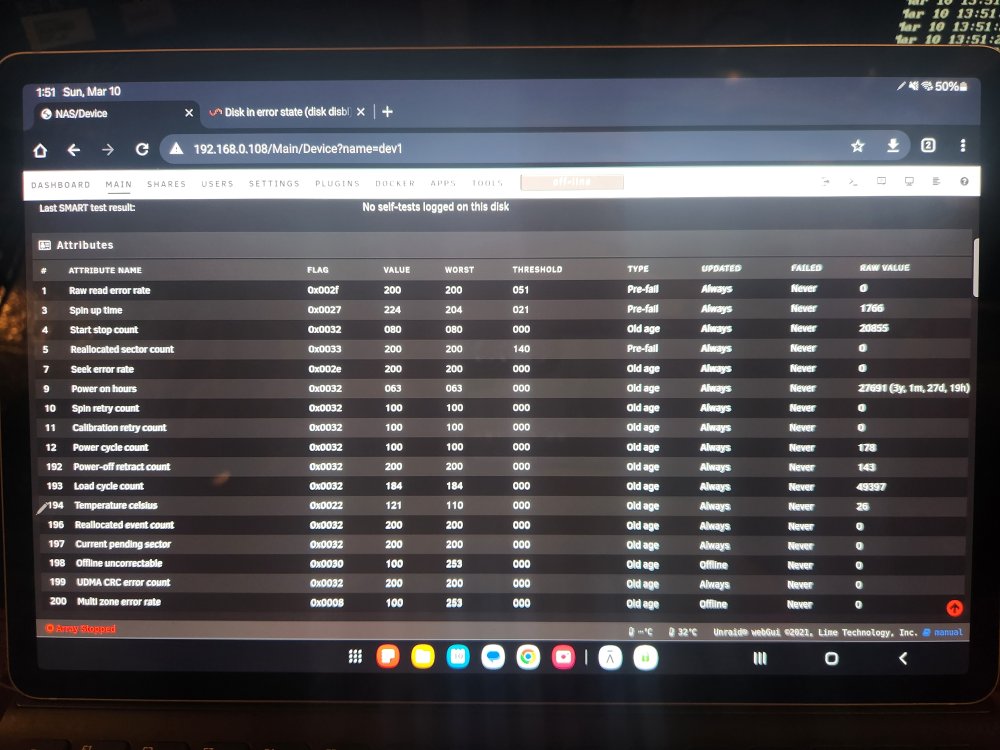
Screen shots of error on console and sdm smart report attached.
-
Rebuild finished. After messing around with cables and the seating of the hba, I was able to get everything in a usable state, all drives being recognized. However. Tailing the log I am still seeing the power on error repeatedly for drive sdm. This drive is currently part of unassigned devices. I am ready to rebuild the dsbled parity disk. Should I shut down and pull sdm before I start the parity build? Latest diagnostics attached. nas-diagnostics-20240310-1347.zip
-
Thanks, I will do that!
-
Update again - P2 Seek error rates have disappeared. If I check the drive details, it is no longer in a failing state, and seek error raw value is at 0 (it had climbed to like 31457. I don't know what that means. Rebuild speed climbed up to 150MB/s. Which seems about normal. I went to sleep, but looks like my parity tuning paused overnight. I resumed this morning, and it is running at 90 MB/s, to complete in 4 hours. My plan is to let the rebuild finish. Shut down the array, reseat the HBA and check the cables, start back up and rebuild P1. I'm going to buy a few new drives to replace the P2 that is acting strangely.
-
Update - my "good" parity disk is now failing with seek error rates. Am I going to lose data?
-
I am in the process of upgrading my build. New Hardware, Asus PRIME Z790-V WIFI Intel i9 12900k 32GB GSkill Ripjaws DDR5 2x LSI 9201-8i 6Gbps SAS PCI-E HBA P20 IT Mode ZFS Once I got everything hooked up, I couldnt boot to my flash drive, so fter some digging I saw that I needed to chagne my Flash drive from EFI- to EFI. Saved, and I finally got to boot. During the boot I noticed alot of "Power-On or Device Reset Occured" errors in the startup logs. And sure enough, once the array came up, I noticed that a disk was missing. I had to disks unassiged on standby, so I decided to just run a rebuild, and I would sort out the missing disk another day (Its late, I want my array up, and I am tired). Well after about 5 minutes of waiting on "Array Starting, Mounting in Progress..." it came up, but now one of my Parity disks is also in disable state. both disks are on the same HBA, so, I think there is an issue with the HBA. But I am also seeing incredibly slow parity. around 1 MB/s. I know the HBAs I have arent top of the line, but based on my math and research, I thought they would be faster than that. What options do I have? I know I need to check the HBA, but now with potentially a missing parity disk and a missing data disk, I am afraid to do anything. I also dont like the idea of parity build running for 30 days! I would love some guidance - Diagnostics attached. Please let me know if there are any questions or more info needed. nas-diagnostics-20240309-1846.zip
-
I think Ive been running the below for about 5 years now. I have had a few small issues, nothing catastrophic. Motherboard is throwing a 0200: Failure Fixed Disk. System also randomly crashes on occasion (rarely, every couple of months for the last few years. I think I have tied it to times when it was under heavy load and potentially overheating). Primary use is a Media server (Plex), storage, VPN. I do have multiple plex streams running and transcoding, some outside of my network. I notice issues/buffering whenever something is trying to play 10-bit x265 sources. Current System - GIGABYTE GA-7TESM, Version 00000001 Phoenix Technologies LTD, Version F9 2x Intel® Xeon® CPU X5650 @ 2.67GHz 12 GB ECC DDR3 Potential Upgrade - Desktop Motherboard, LGA 2011-3 Dual Socket Desktop Mainboard for Intel x99 Chipset, Support 8 DDR4 DIMM(Single Memory 16G), 6 SATA3.0 Port and 2 NVME M.2 Port (Here) 2x Intel Xeon E5-2697A v4 (Here) 4x8GB RAM DDR4 2400 (Here) Prices seem pretty good. CPU looks to be a major upgrade, as is the RAM. Biggest question is the motherboard. Any advice would be greatly appreciated!
-
Thank you again! I was able to flash and get back online with out any issues!
-
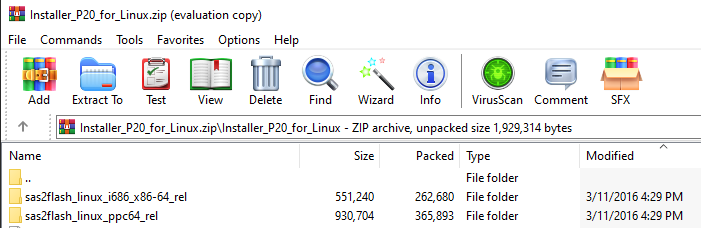
Thanks! Also - Could be a dumb question - but how do I know which version of sas2flash to use (Im thinking x86-64, but want to be sure. I'm not sure what 'ppc64' is referring to, and do not want to do the wrong package.). Edit - Looks like the ppc64 is for PowerPc. So It looks like I need x86-64 as I was thinking. Would still appreciate confirmation this all looks correct. Thanks! I am using 9211-8i P20 to for LSI SAS2008 B2 Appreciate the guidance and experience!