dorgan
Community Developer
-
Joined
-
Last visited
Everything posted by dorgan
-
Pushed out a new update, so that the streams, the existing streams will get their time played, transcoding and other status updated on the fly. I will have new streams added to the page in a future release.
-
Oooo, oh no, guess it would help if i pushed the packages out there. Should be working now.
-
this is now fixed with 2020.06.20a
-
This is now fixed in 2020.06.20a
-
What screen are you on when seeing this error? Dashboard, settings or streams?
-
I will look into this as well. Have to run some errands, but will take a look later today.
-
This is now fixed by version 2020.06.20
-
Ok I will look into this today
-
Big update, plugin now supports multiple servers and displaying all of them at the same time.
-
Yeah, now that I have it pulling devices the right way and not slowing down loading of the dashboard and streams page, let me see about displaying streams from any combination of servers. Keep the feedback and suggests coming!
-
Maybe, honestly i never thought about pausing a docker container, i think that just introduces too much risk
-
@bunkermagnus did a quick stop of plexmediaserver on the dedicated server and unraid still operates as expected. Let me know if you experience the problem with the latest version.
-
So a couple of things, are you running the most recent version? Does it still happen? I did adjust some timeout. Second the ajax.php file is called every 5 seconds when you are on the dashboard so technically the longer you sit on the dashboard the more hits you'll see. Unfortunately I recently moved to having my plex install run on a different dedicated machine, but let me see what happens when i shut down the plex server.
-
-
OK was able to track this down and make it work the way that Tautulli works. Version 2020.06.10 should be other there now. Once installed, go to plex stream settings if Use SSL Connection is not set to "On" set it hit save, then select a server and hit save again. I'll eventually circle back to this to not require the second save...
-
Can you send me a screenshot of your Tautulli plex settings??
-
I pushed out 2020.06.09c which has a setting to force https. You'll need to select this, hit save and then select a default server from the list and hit save again. I have been unable to recreate this issue locally, so this is kind of a guess. Do you know if you have Plex requiring secure connections?
-
Live Streaming is fix with 2020.06.09b. I will now look into DVR recordings...
-
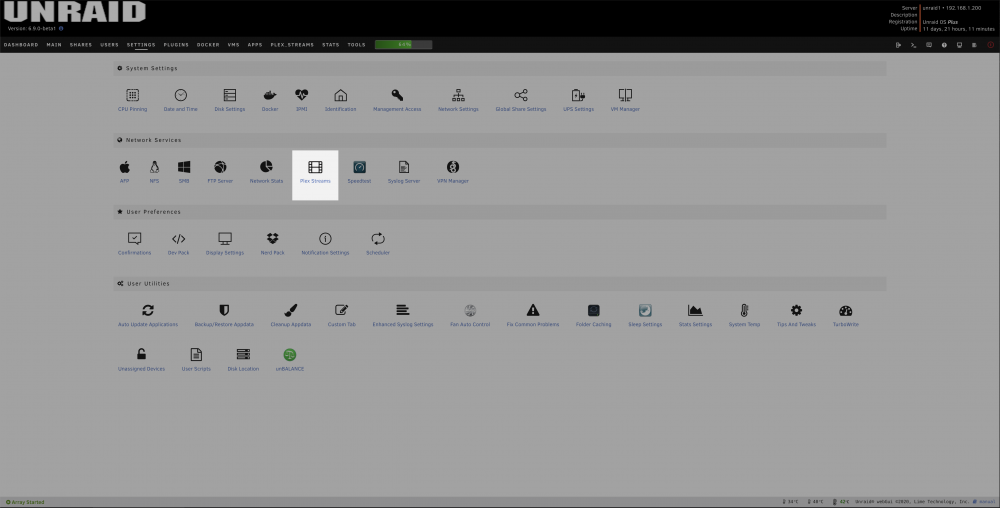
in the Plex Nav click settings, then click Plex Streams under the Network Services section
-
Interesting, can you please show me your settings page. I pull the list of servers from Plex, also besides the screenshot of the Settings page, add ?dbg=1 to that URL as well and then navigate to the plex.tv URL that it outputs, and could you DM me the output of that file??
-
So http url returns no content, but https returns content?
-
It does currently support Movies, TV & Audio. Hadnt thought about Live TV, so since i Have a tuner and utilize this functionality from time time, let me debug this.
-
On the Settings page please add ?dbg=1 to the URL, then navigate to the plex.tv URL that is output on the page, and would it be possible to send be the output of that?
-
yeah looks like its having a problem identifying the server as that /status/ url should have an IP in front of it....What version of Plex are you running?
-
Go so settings page and try changing/setting the server.