dorgan
Community Developer
-
Joined
-
Last visited
Everything posted by dorgan
-
I've started working on this fix, should have something out within a week or so.
-
Good idea, give me a couple of days, as I've got some home renovation stuff I am doing, to get a new version out with this approach.
-
What about nightly snapshots? Is it not possible to do the snapshots without hibernating or shutting down the VM?
-
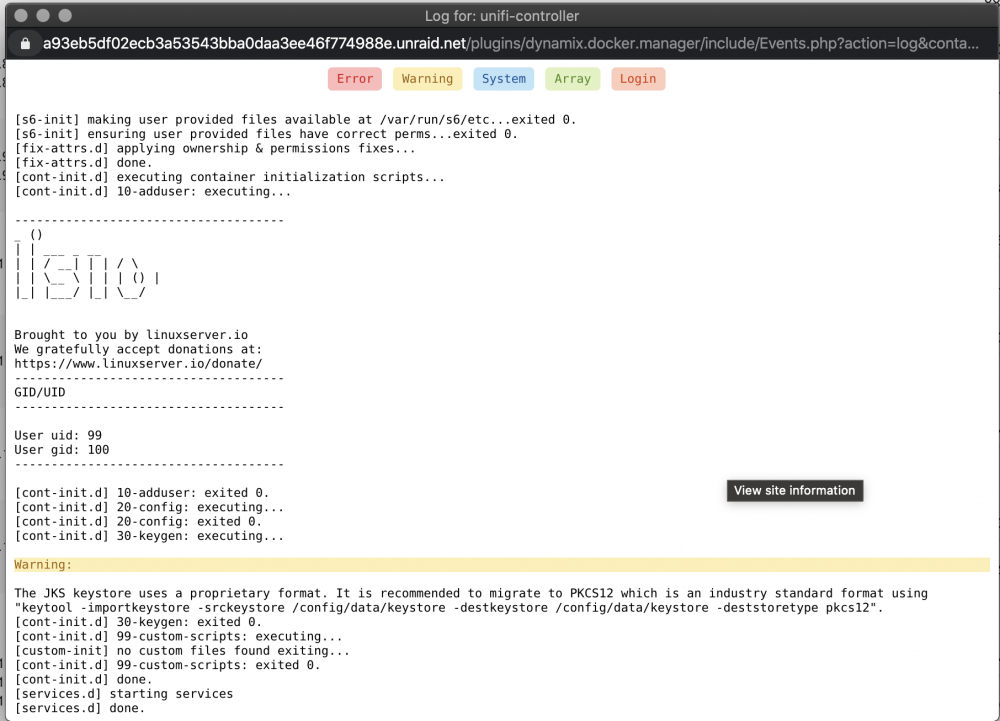
Waited until everything says it started...
-
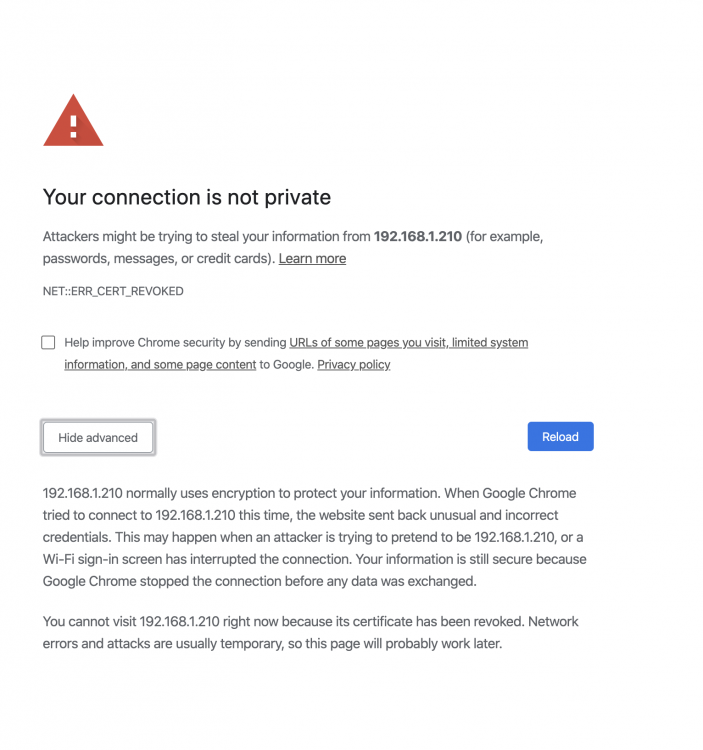
Trying to setup unifi controller and try load the UI and I am getting the following error:
-
This is now fixed. Sorry for the delay.
-
Love my unraid server!
-
yeah i am sitting in LA now after business hours and my flight is delay, so I have another 3-4 hours before I have to be at the airport
-
The only main difference I see is the lowercase/uppercase "u" in Unraid-networkstarts. Am I missing something?
-
-
This is controlled by Community Applications. I would recommend removing the plugin and reinstalling via Community Applications.
-
The issue of displaying the images has been corrected. Something must have changed in PHP.
-
I do apologize for not being active in responding. I have been in the processed of moving and have not had a chance to take a look at things. Regarding losing data on restart, yes that is currently known and stated in the thread. I am still determining the best way to copy the data to the usb, or another location between restarts.
-
New version released that fixes the log spamming and removes the dependency on Dynamix.System.Stats
-
Correct, I just need to do some final testing and I will be releasing a new version.
-
I’ll make this update and the other on above tomorrow. Sorry life has been hectic lately.
-
This is spammed in the syslog every time I have something download on my windows VM. Anyway to fix? Yes, actually meant to fix this. I’ll get it updated this week.
-
If I include this it looks like there is a config path hardcoded into this page file, i wouldnt want to do that as it could then conflict with that plugin if installed.... Suggestions??
-
New version release 2018.10.10 this reverts to the old path to store the vnstat db(/var/lib/vnstat) that will not persist across reboots. This should solve any of the unintended issues i have cause with peoples unRaid setups. I'll work on a future release to copy the vnstat db in/out of memory and will utilize emhttp events on when to do this, and not impact array functions.
-
Ok it looks like it’s trying to output an image. What web browser are you using?
-
Can you open the image source in a new tan and add “&debug=true” to the URL?
-
Only a pair of broken images, or images for eth0 and then the broken images?
-
But no data showing in the graphs?
-
Understood. I’ll look into resolving this, and come up with a better plan.
-
Is Docker.cfg never present if you don’t setup Docker? If that’s the case I can research other approaches....