





jebusfreek666
Members
-
Joined
-
Last visited
Everything posted by jebusfreek666
-
Is this a fake knock off then? Amazon has it listed for $671. This thing looks just about perfect for what I want.
-
I am having an issue where my DL speeds fluctuate wildly. bouncing around between 30 Mib/s and a few Kib/s. It fluctuates a lot, which I can live with. The biggest issue is that it will look like it is running well, then all of the sudden drop to 0. Then all of the torrents have to build speed back up again. Any thoughts on where to start looking?
-
Recheck your credentials for the vpn first. Are you using PIA?
-
@itimpi I do not know if what I want to do is possible, but it was suggested to me in another post that this plugin might allow it. I would like to schedule a parity check every 4 weeks on Saturdays. This would allow me to set it up on a schedule that would not interfere with duplicati's upload schedule. I know they can both run at the same time, but I have been having issues with duplicati hanging, and am trying to reduce any possible interferences. I know there is options for weekly that I can set up as first, last, second, third, fourth, but I think that is referring to the weeks in the month not the number from the last run. What I mean is that if I select weekly and 2nd week it would be the second week of each month, not every 2 weeks. I want it to run specifically on Saturday every 28 days. Is this possible?
-
Yeah, I bit the bullet and just did it. I got stuck on adding the plex info, but read through the other guys issue here and reverted back to just my local ip and it went through after a few tries. it is now doing the library scan. Might want to add the possibility of having to put just the ip in the readme, as all the examples given show the web/index.html and nothing about just using the ip. Unless I just missed it several times.
-
I'm stuck on the first part of setting up gaps. Is getting an API code really this complicated with tmdb? I have to give them my name and address, an application name and url, etc? That seems a bit extreme.
-
I have kind of been wondering about his original question too. I currently have a define R5 stuffed to the gills with drives. Right now I am swapping for larger capacity drives. But it got me wondering, if I fill these is there a way to fill another tower and add them to my original unraid server? I mean, I guess I could just drill holes for the sata cables and run a separate PSU, but that doesn't seem very elegant.
-
This could be a cool add on to the web ui. While Krusader is useful, it does have its kinks. A file manage with the ability to open text docs, pics, video, etc would be cool. But even baring something that heavy, just the ability to move files or at the very least rename them would be great. Having to fire up Krusader just to rename files that I had to source elsewhere just so sonarr/radarr can then rename them again so plex can see them is a pain with how finicky krusader can be.
-
Not yet, but it has been set on the back burner at the moment. I am currently swapping all my HDD for larger ones and looking at a rebuild of about a week. If I do find anything out, I will post it here. I had read somewhere that someone else was having a similar problem and they got around it by ignoring the first tab, the global settings, and just made specific rules for each label they had on the second tab. That was what I was going to try next.
-
I think that is what I am running.... The latest binhex is deluge 2 right? Also, I did get it to show up in the preferences. But after selecting it to remove torrent and data after seed ratio was reached it still did nothing.
-
Is there a function in ombi to request artist for music (lidarr) instead of making people request individual albums? That way, when it shoots over to lidarr everything in my metadata profile would be monitored instead of just the one album.
-
Autoremoveplus plugin: What settings are you using for this? I tried to use 0.6.1, 0.6.6, and 0.6.8 for 2.7 python and none would show up after restarting. I then tried the one you compiled, and it shows up and lets me select things (though it looks completely different). But no matter what settings I use, it does not remove anything ever.
-
Dumb question, but have you tried just refreshing the page? For some reason, I get the same thing popping up for me until I refresh like 3 times after I have started the docker.
-
This problem has persisted for years. On large backups, duplicati always hangs multiple times. When backing up less than 1TB, it works perfect. But multi TB backups will just stop. It looks good for a few days, then the upload just stops and never starts up again. Stopping the docker and restarting it allows the upload to restart where it left off after if verifies the backend, and checks each individual file (which also takes a while). I have looked on the duplicati site, and no one seems to know why this happens. Any thoughts?
-
I am not able to add any new series. When I type anything in, it immediately pops up with "There was an error searching for....." Checking the log shows: SkyHookProxyError: ConnectFailure (Connection refused): 'http://skyhook.sonarr.tv/v1/tvdb/search/en/?term=fate': Error: ConnectFailure (Connection refused): 'http://skyhook.sonarr.tv/v1/tvdb/search/en/?term=fate' Any ideas how to fix? Edit: Tried rolling back to binhex/arch-sonarr:2.0.0.5322-1-01, still same issue. Reverted back to current release. Edit 2: Found proxy settings in the general tab was set to yes with my server IP and port 8118. I don't remember ever doing this, nor do I know what is on that port. I toggled it to no, and everything is working. I know I did not set this up. Is this something that it defaulted to? Do I need this? Edit 3: I'm dumb. Just rewatched spaceinvaders videos on deluge, sonarr, and privoxy. I realized now that I have privoxy running through deluge. I did not have the deluge container running. Started it back up and all is well. Sorry for the nonissue...
-
Thanks. oddly enough, it works on binhex/arch-delugevpn:2.0.3-1-01 for me. didnt have to go to v1
-
I was hoping someone could walk me through rolling back to a previous release. I recently update my docker, and now autoremoveplus no longer works. From reading the last few pages, it's clear I need to roll back to a previous version in order to get this to work again. The trouble is, I have no idea how to do that. A detailed guid would be greatly apreaciated!
-
Need some quick help. I originally set up openvpn with spaceinvaderones youtube video about a year ago. I have now purchased a new router. I upgraded from the asus rt-ac68p to the rt-ac86u. I copied over all of the previous settings in the router, but can not connect via openvpn. On the general settings tab in the router settings there is an exclamation mark next to the DDNS connection status, so I think the problem is with that. The settings in the new router are identical. Do I need to do something on the openvpn docker side? I'm sure it's something stupid that I am just missing...
-
@dmacias Is it possible to add the ability to separate the graph into 2, one for upload and one for download speed? Spectrum gig internet is 940 down, 35 up. Since it extremely asymmetric, it makes seeing changes in upload speed very hard since a change from 35 to 10 is tiny when the scale goes up to 1,000.
-
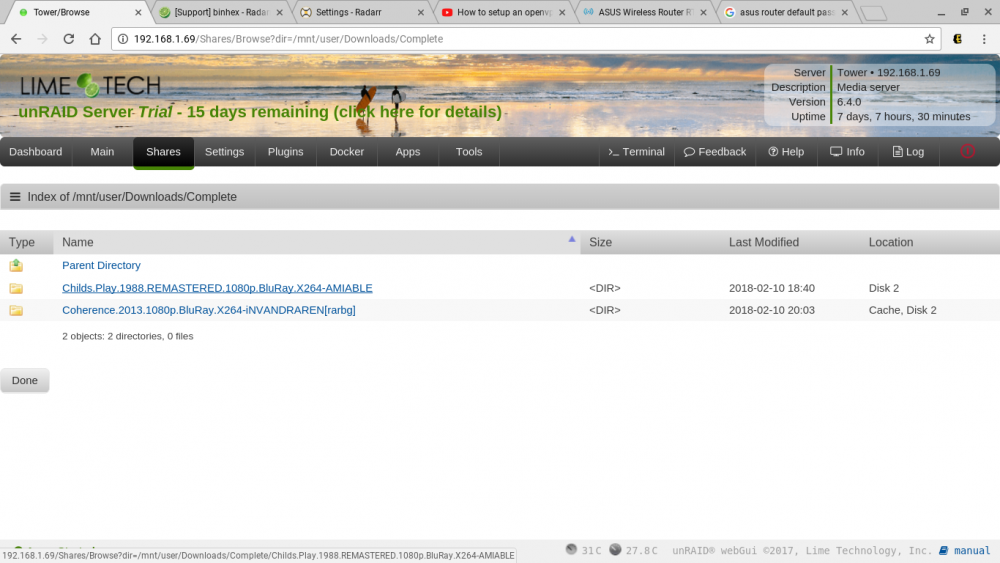
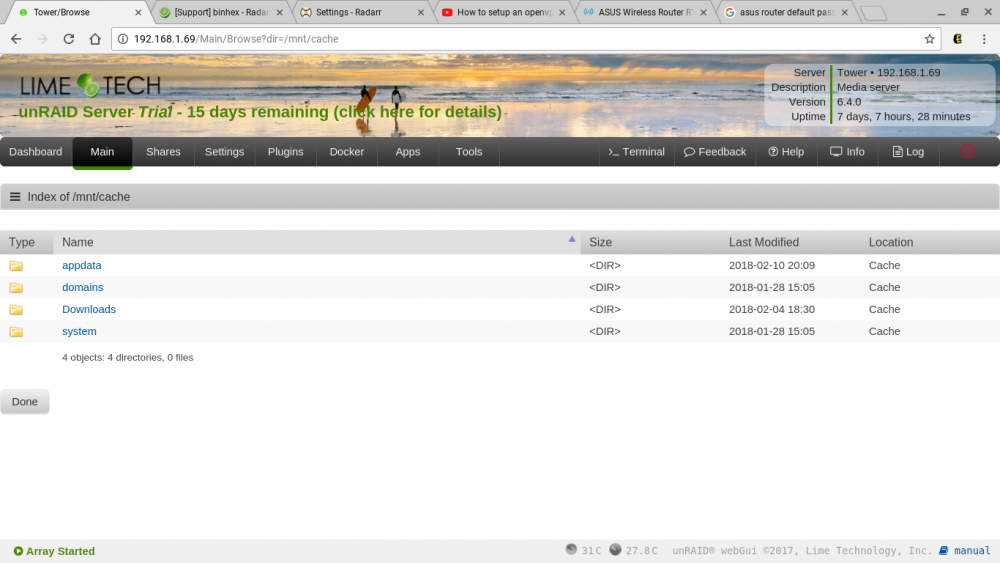
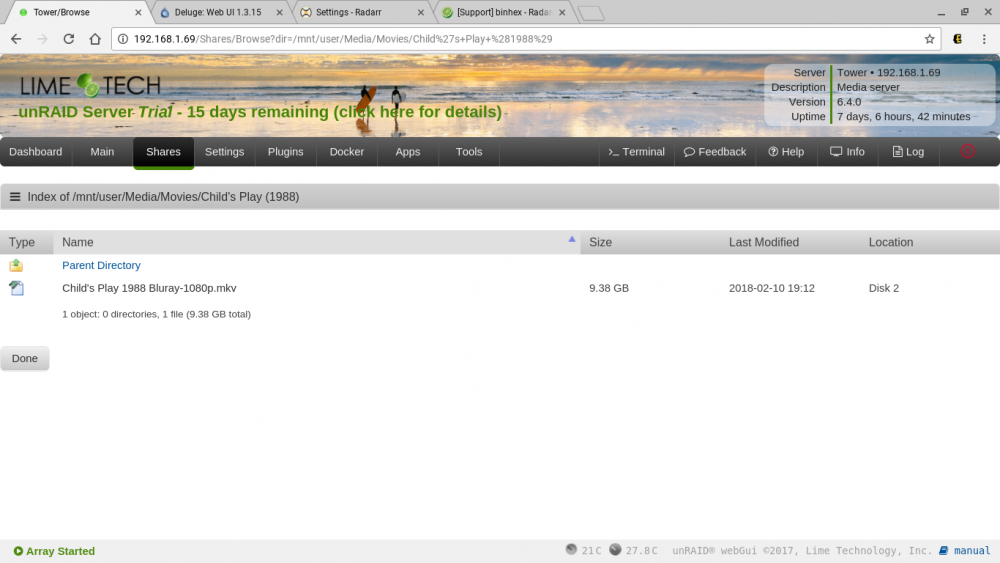
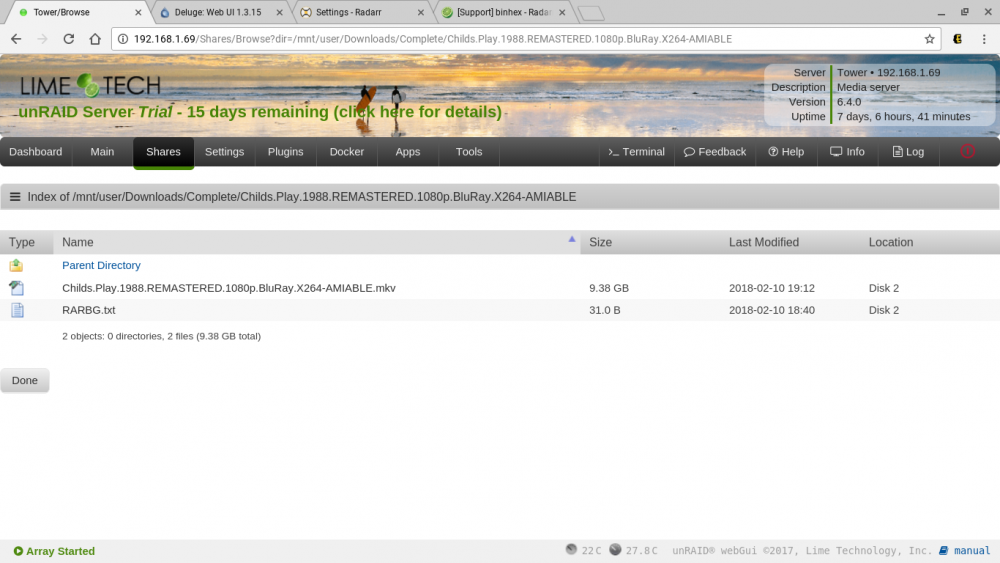
Yes, it is a torrent. so the seed ratio makes sense (although, i don't really understand seed ratios yet). In screenshot 3 and 4 above, it states that both files (original and renamed) are both on disk 2. That is what is making me think that it is not on the cache. Sometimes it says it is on the cache, and an array disk. Why would it be on both? Shouldn't it sit on cache until 3:30 am, and then mover take it from cache to the array? The Download share is set to use cache, but the Media share is not. I don't know if it makes a difference, but I am using radarr currently to upgrade movie files I already have on the array. I previously had small 800mb yify DL, due to using them from an external HDD. But since I built the server, I am upgrading. So the original small file, is already on the array.
-
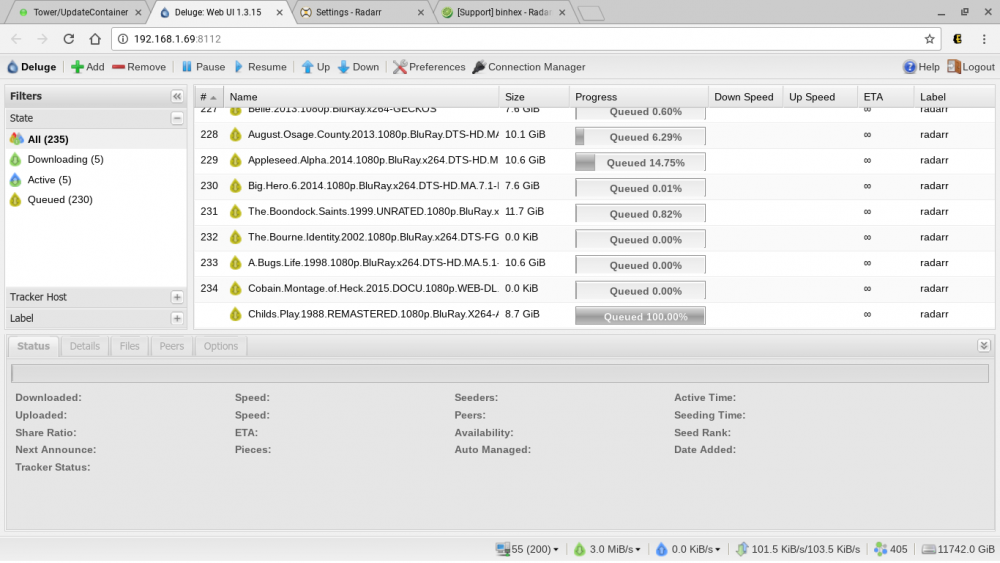
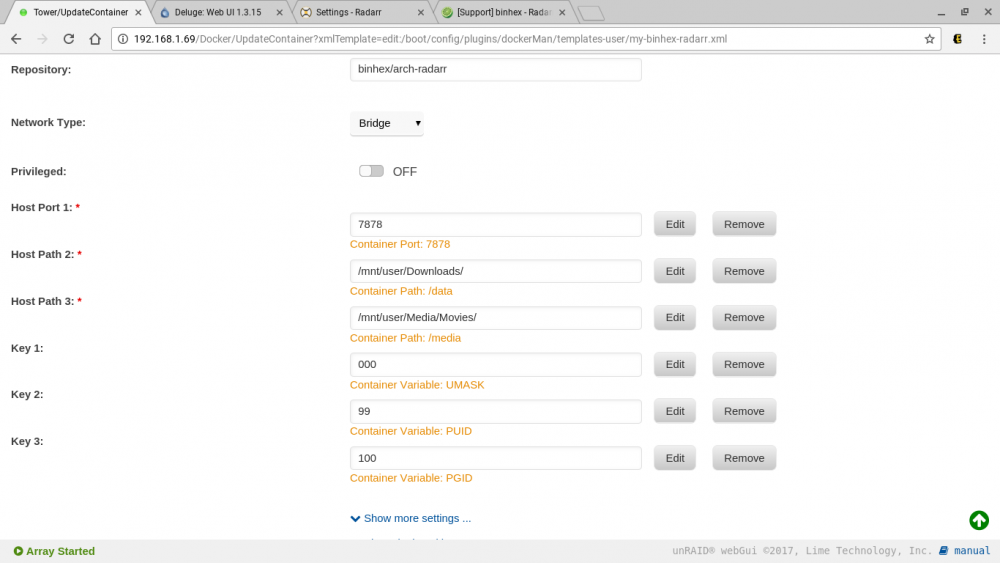
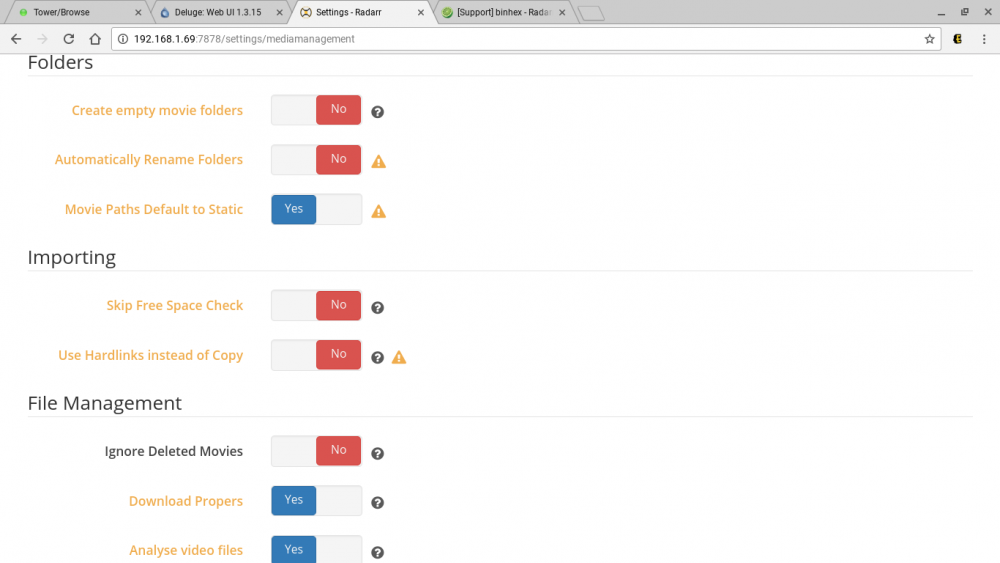
Ok, so I am definitely still doing something wrong here. I turned hard links off, but everything still looks the same. It still is making a copy, renaming it, but leaving the original until I delete it. It is also leaving it on the deluge list after finishing downloading. On top of that, I am not sure what the point of a cache drive is. I thought it was supposed to DL to my cache, then have mover put it where it is supposed to go in the middle of the night. Instead, it seem as though it is renaming and moving it immediately, and also moving the original to the same disk? Am I just reading this wrong?
-
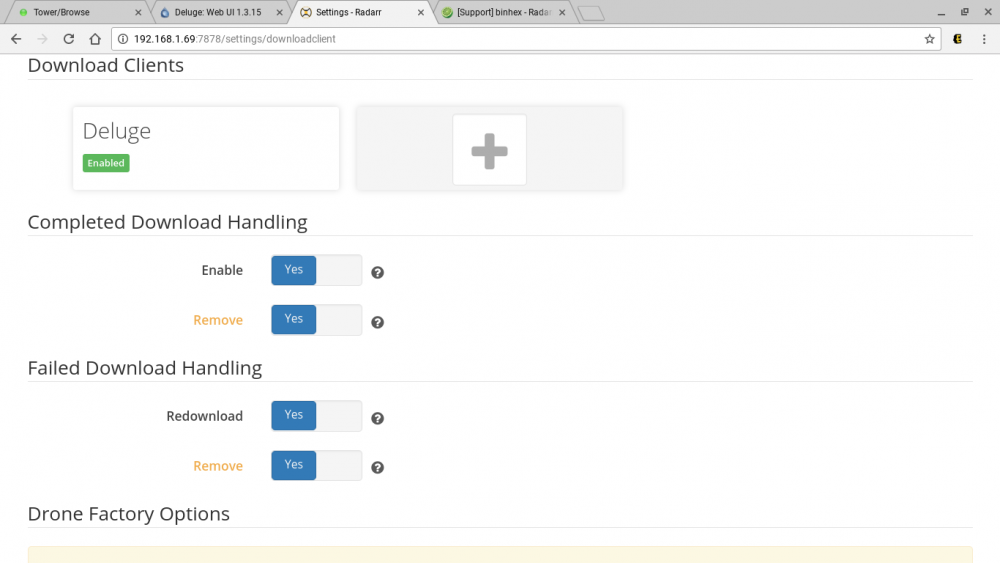
Will that remove the hard links that are already there from previous downloads, or will I have to go manually to the share mnt/downloads/completed and just delete everything there? My settings currently in download client are the same as the pic above, except I have completed download handling "remove" set to yes. And for media management I have rename folders, and hard links set to yes. All others set to no from the picture above.
-
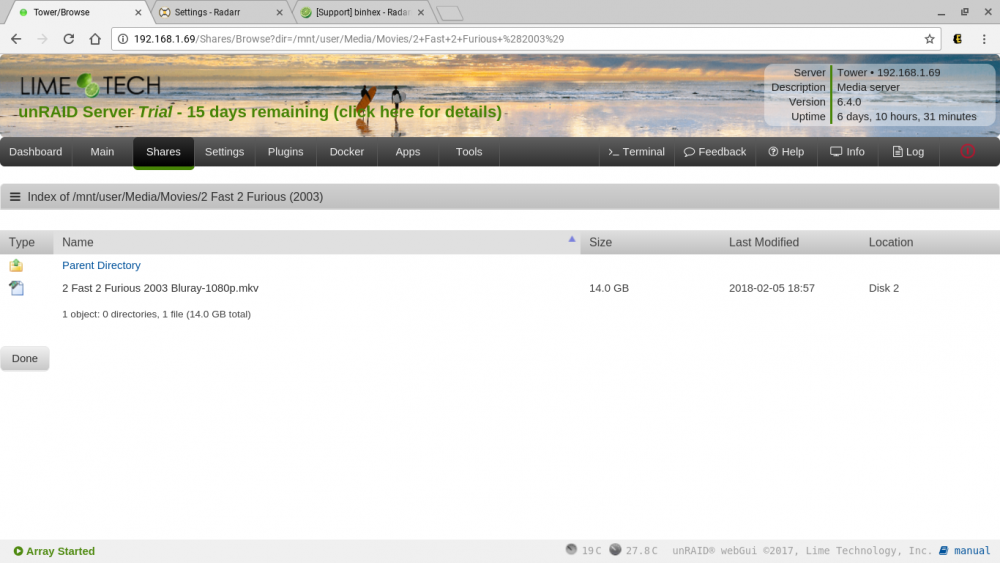
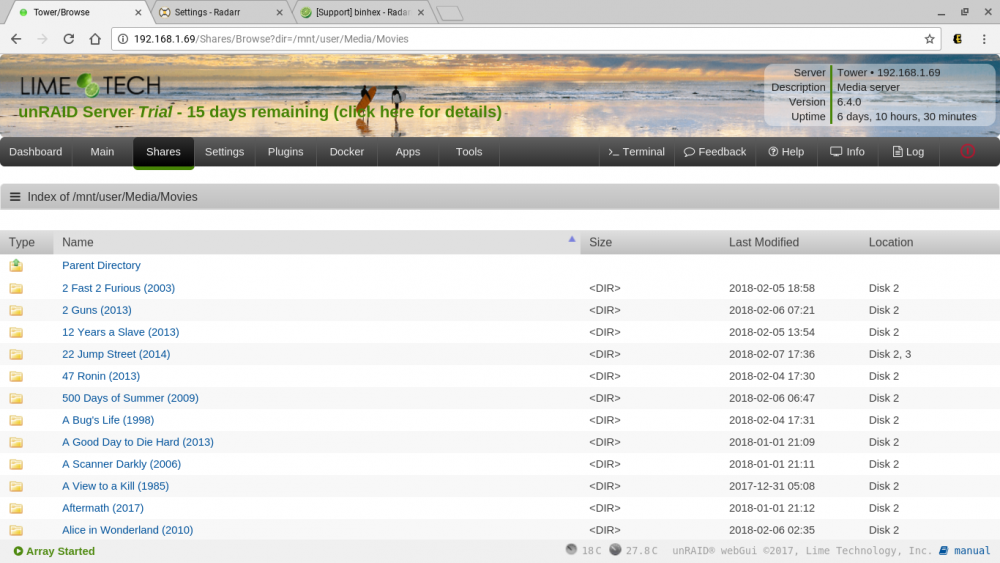
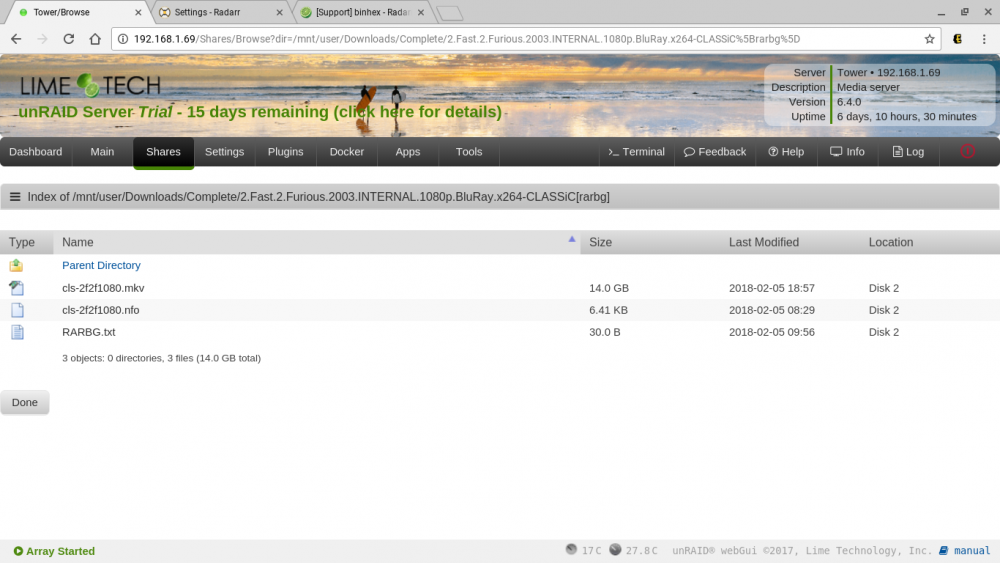
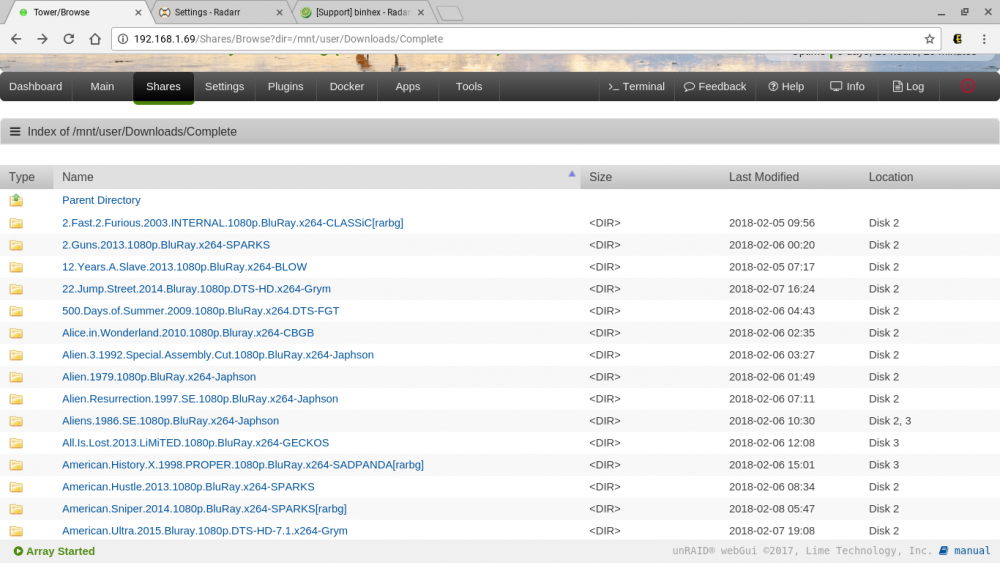
Ok, So now I think what is really happening is that it is creating hardlinks with the files original name. Here is what I am seeing: As you can see, in my media share everything is renamed correctly and placed in the correct place. But in my downloads share, it still remains with the downloaded torrent name. Both say they are on disk 2. Both are the "same size". my understanding is that they both point to the same file, but only use up the stated 14Gb once. The issue comes in that I want to clean up the download folder. How do I get rid of these? Can I just delete them? If so, how to I do this? Is it as simple as navigating to mnt/download/completed and deleting everything in there or will this mess something else up? Also, do I change the option from hardlink to copy, and then just manually delete the second copy periodically? I originally left this option on because it said it may not be able to move/rename if it wasn't on. Which would create a different problem....
-
Wonderful. I will check it when I get home. Thanks again!
-
I'm sure this is just something dumb that I am missing, a button not clicked somewhere or something. But I have looked through it for a bit and can't seem to figure it out. Radarr is downloading to "incomplete" folder via deluge When DL is finished, it moves it to "complete" folder via deluge setting Radarr is then renaming to the correct format, and placing in my media->movies folder (or, I guess mover is actually moving them?) The problem lies in the fact that it doesn't seem to just be renaming and moving the file, it seems to be copying and renaming, leaving the original file in the "complete" folder. Like I said, I am sure I just missed a setting somewhere to delete this, or possibly I am messing it up by removing the torrent from deluge when the completed ones start to pile up. Or, maybe it is copying the file and renaming due to the fact that the original is seeding at that point? Just a couple ideas, none of which I am certain how to solve. Can anyone point me in the right direction? Don't want to mess with the settings and mess something else up.



