tamito
Members
-
Joined
-
Last visited
Everything posted by tamito
-
@JorgeB XFS. Luckily I have Windows11 install on my VM. Thus I boot it instead boot to unRaid. After I use Recovery Explorer to recover the file back. It is still in progress. At least, I have some of my family photo back.
-
I accidentally delete all folder inside immich where photo and video are inside using krusader. I do not have information which physical drive is located. How can I recover it?
-
Update! It solved the warning message. It did not show any more. Solution. 1. Move all data out of drive 2. Stop array and format 3. Put drive back to array and start array. Done.
-
I will give a try tonight. In process of moving data to other drive.
-
Which command do I need to run for formatting if I don't need to stop array?
-
@JorgeB I have the same problem. So the procedure is to 1. stop array. 2. Take down the failure drive. 3. Format the drive. 4. Add drive back to array and rebuild the parity Am I correct?
-
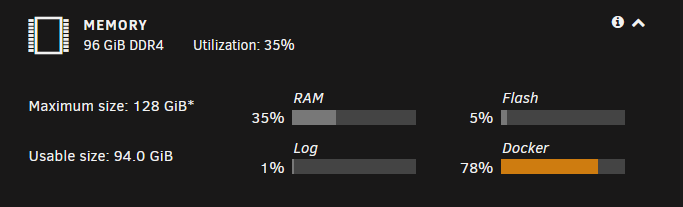
@Squid I hover my mouse over "Maximum size" or bar chart or "*". It does not show any message. My motherboard is Z590 Tachi which support memory up to 128G. Is it because of I am on 6.10 rc2 version.
-
I upgrade my ram. However I see "*" next to it. What does it mean?
-
Yes. I follow that link without any issue. Still have question regarding disk number skipping after shrinking the drive.
-
@Squid Thanks. I update template to default and work fine. @Vr2Io Do you mean I basically shift up drive after apply new-config? Is there any doc I can go through? I am afraid of losing data.
-
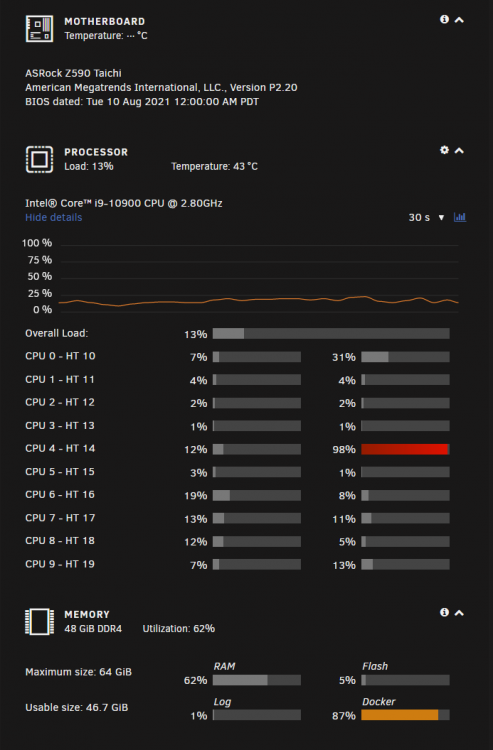
I am wondering where I miss. My board is Asrock Z590 Tachi with i9-10900. Both CPU and motherboard are able to support up to 128G ram. Why does unraid only report 64G max?
-
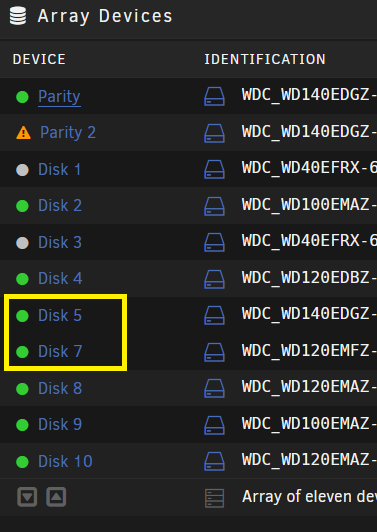
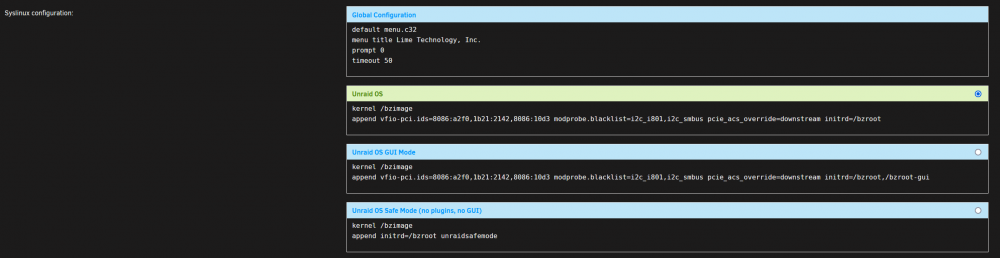
I got two questions on Shrink array and config Syslinux. 1. I shrink the array by removing one drive. How can I make disk name to have consecutive number? 2. I just got new CPU and motherboard. So I guess previous syslinux configuration is not valid anymore. What is the default one?
-
I also experience the same issue as you. All android device can't connect to plex. ios can.
-
If you have edu, can you create service account to upload > 750GB?
-
@timmyx I tagged the wrong person. Thank you for the solution. Do you encounter similar issue on downloading subtitle and cause too many connection error? ERROR: Unable to download webpage: HTTP Error 429: Too Many Requests (caused by ); please report this issue on https://yt-dl.org/bug . Make sure you are using the latest version; type youtube-dl -U to update. Be sure to call youtube-dl with the --verbose flag and include its complete output. WARNING: video doesn't have subtitles WARNING: No subtitle format found matching "srt" for language en, using vtt ERROR: unable to download video data: WARNING: video doesn't have subtitles
-
@Timmex Thank you for writing it up. I am able to follow you step and make it work. Do you have solution if some channel you want to download only couple of video instead of entire channels?
-
After I restart and redo again, I am able to use without any issue.
-
I think the problem is rclone_unmount script not unmount gdrive_media_vfs folder. If I ran, fusermount -u /mnt/user/mount_rclone/gdrive_media_vfs I can rerun the rclone_mount after rclound_unmount again. Anybody see this issue. unRaid version: 6.9.0-rc2
-
I have an issue when running rclone_mount script. It can't create gdrive_media_vfs inside mount_rclone folder. I check mount_rclone from krusade. It has ghost gdrive_media_vfs existed. What should I do? Script location: /tmp/user.scripts/tmpScripts/rclone_mount/script Note that closing this window will abort the execution of this script 21.01.2021 10:12:03 INFO: Creating local folders. mkdir: cannot stat '/mnt/user/mount_rclone/gdrive_media_vfs': Transport endpoint is not connected 21.01.2021 10:12:03 INFO: Creating MergerFS folders. 21.01.2021 10:12:03 INFO: *** Starting mount of remote gdrive_media_vfs 21.01.2021 10:12:03 INFO: Checking if this script is already running. 21.01.2021 10:12:03 INFO: Script not running - proceeding. 21.01.2021 10:12:03 INFO: *** Checking if online 21.01.2021 10:12:04 PASSED: *** Internet online 21.01.2021 10:12:04 INFO: Mount not running. Will now mount gdrive_media_vfs remote. 21.01.2021 10:12:04 INFO: Recreating mountcheck file for gdrive_media_vfs remote. 2021/01/21 10:12:04 DEBUG : rclone: Version "v1.53.4" starting with parameters ["rcloneorig" "--config" "/boot/config/plugins/rclone/.rclone.conf" "copy" "mountcheck" "gdrive_media_vfs:" "-vv" "--no-traverse"] 2021/01/21 10:12:04 DEBUG : Creating backend with remote "mountcheck" 2021/01/21 10:12:04 DEBUG : Using config file from "/boot/config/plugins/rclone/.rclone.conf" 2021/01/21 10:12:04 DEBUG : fs cache: adding new entry for parent of "mountcheck", "/" 2021/01/21 10:12:04 DEBUG : Creating backend with remote "gdrive_media_vfs:" 2021/01/21 10:12:04 DEBUG : Creating backend with remote "gdrive:crypt" 2021/01/21 10:12:05 DEBUG : mountcheck: Modification times differ by -5m13.245271688s: 2021-01-21 10:12:04.210271688 -0800 PST, 2021-01-21 18:06:50.965 +0000 UTC 2021/01/21 10:12:06 INFO : mountcheck: Copied (replaced existing) 2021/01/21 10:12:06 INFO : Transferred: 32 / 32 Bytes, 100%, 23 Bytes/s, ETA 0s Transferred: 1 / 1, 100% Elapsed time: 2.4s 2021/01/21 10:12:06 DEBUG : 4 go routines active 21.01.2021 10:12:06 INFO: *** Creating mount for remote gdrive_media_vfs 21.01.2021 10:12:06 INFO: sleeping for 5 seconds 2021/01/21 10:12:06 NOTICE: Serving remote control on http://127.0.0.1:5572/ 2021/01/21 10:12:07 Fatal error: Can not open: /mnt/user/mount_rclone/gdrive_media_vfs: open /mnt/user/mount_rclone/gdrive_media_vfs: transport endpoint is not connected 21.01.2021 10:12:11 INFO: continuing... 21.01.2021 10:12:11 CRITICAL: gdrive_media_vfs mount failed - please check for problems. Stopping dockers plex
-
Thx Kru-x for supporting such a great docker.
-
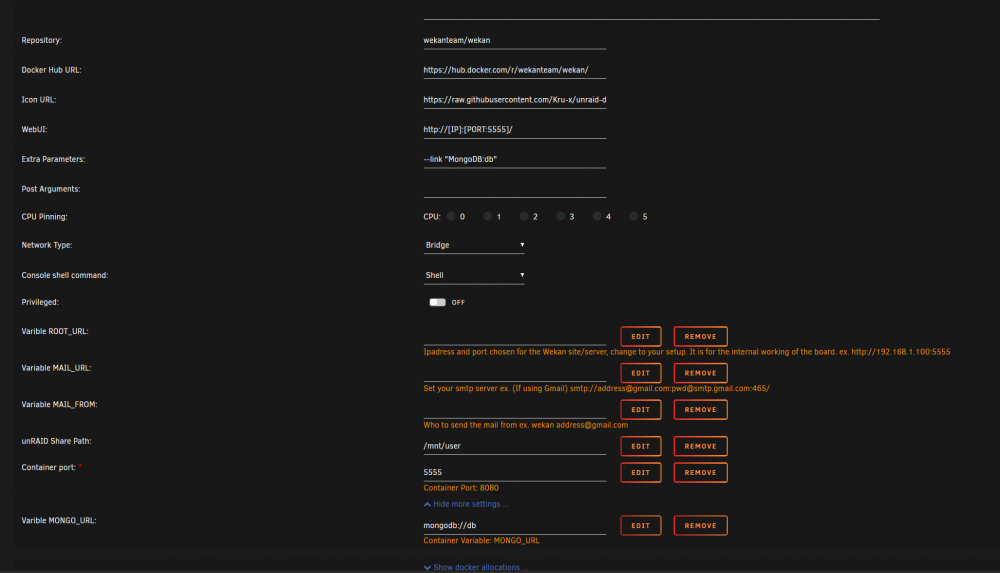
Hi Kru-x, I got it. It is database name that is incorrect. After I changed to mongodb://192.168.1.121:27017/db, it worked. I have one question for you. Where does configuration location? I check in my appdata folder but nothing there. What does "unRAID Share Path:" in docker setup mean? Thanks,
-
Hi Kru-x It installed successfully. However, when I run it, log file shows MongoError: database name must be a string at Function.create (/build/programs/server/npm/node_modules/meteor/npm-mongo/node_modules/mongodb-core/lib/error.js:43:12) at validateDatabaseName (/build/programs/server/npm/node_modules/meteor/npm-mongo/node_modules/mongodb/lib/operations/db_ops.js:720:22) at new Db (/build/programs/server/npm/node_modules/meteor/npm-mongo/node_modules/mongodb/lib/db.js:182:3) at MongoClient.db (/build/programs/server/npm/node_modules/meteor/npm-mongo/node_modules/mongodb/lib/mongo_client.js:237:14) at packages/mongo/mongo_driver.js:186:25 at runWithEnvironment (packages/meteor.js:1286:24)
-
I try to install this docker follow you guide. However, I get The command failed at the end. Any idea how can i fix it. I am on unraid 6.8.

-
@itimpi I use Pro 6.7.2. @Squid Yes. I have rclone beta as plug in. I try to update via plug in tab but I can't. It said currect rclon is in used.
-
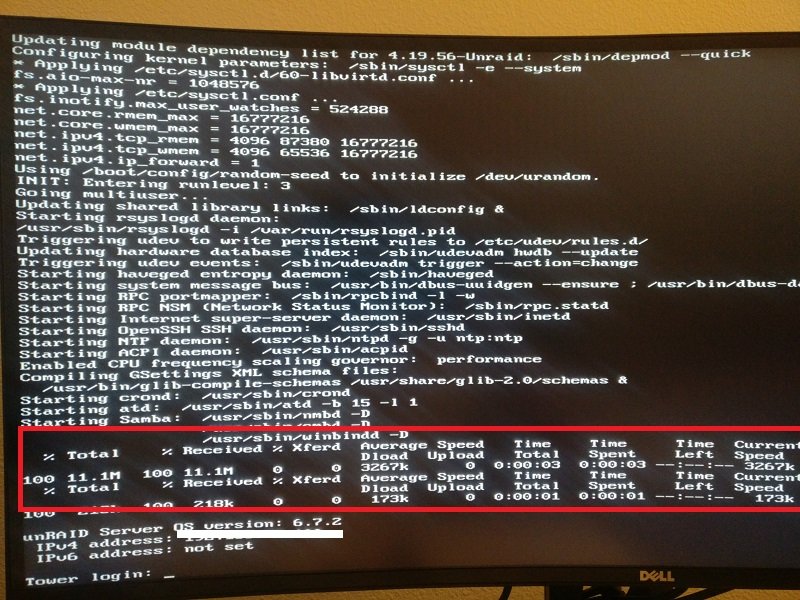
I observe that unraid download something every time after reboot. How can I find what it downloads?