





David13858
Members
-
Joined
-
Last visited
Everything posted by David13858
-
Issue has magically resolved its self... I haven't touched anything so I have no idea why it is fixed.

-
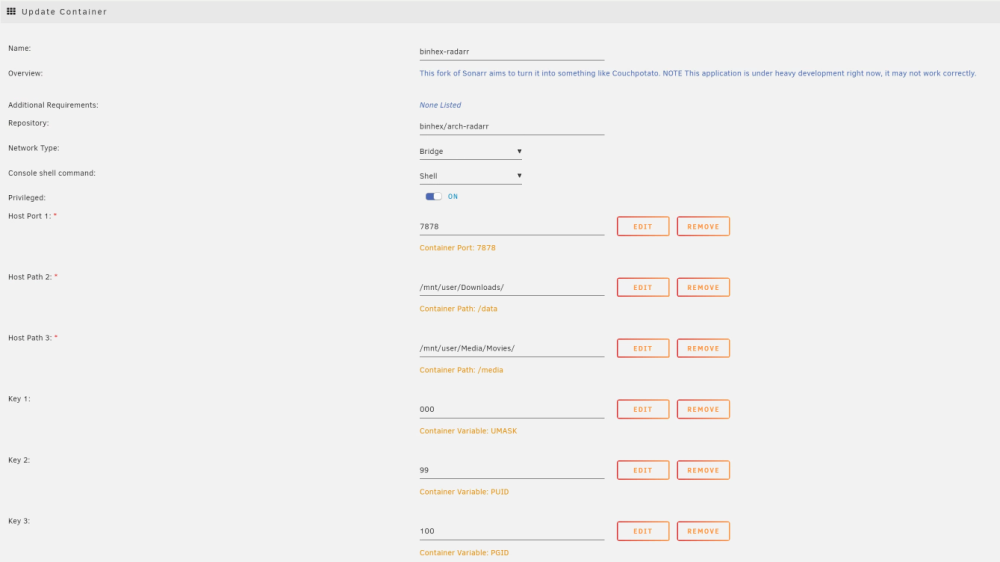
I have been having some issues with the container over the past few weeks (it has been running fine for years) so I decided to give it a reinstall. I have set it up exactly the same way as before and everything works fine until I try to import existing media. I have tried the following commands but none have worked. ```docker exec -it binhex-radarr /bin/bash``` ```chown -R nobody:nobody media``` ```chmod -R 777 /media/``` When I run ls -la on the media folder every file returns drwxrwxrwx 1 nobody nobody <size> <date> <folder name>
-
Knew I was in the wrong place. I will post there, thanks.
-
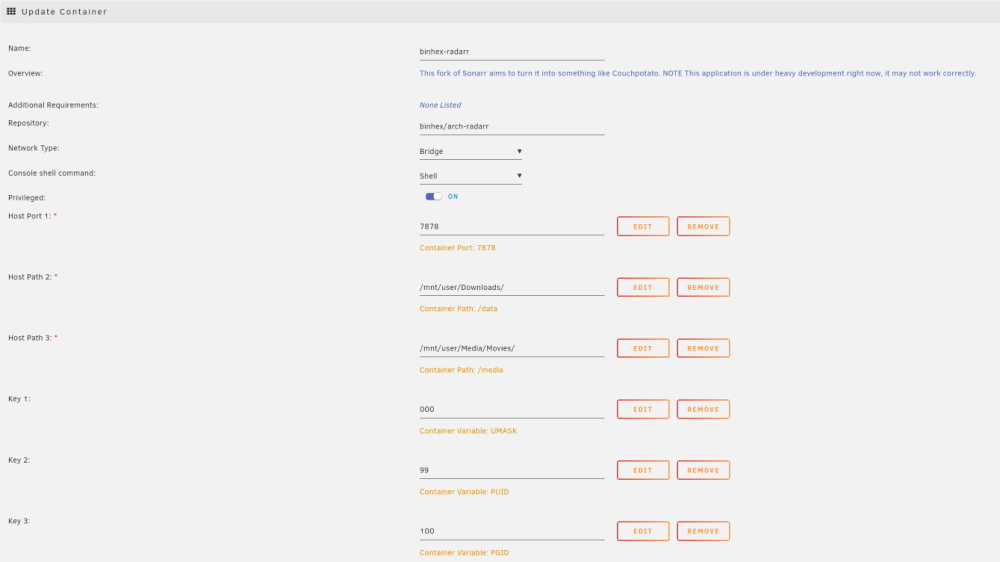
Hi All, I have been having some issues with the binhex-radarr docker container over the past few weeks so I decided to give it a reinstall. I have set it up exactly the same way as before and everything works fine until I try to import existing media. This is above my understanding so I am a bit lost about what to do. I have tried the following commands but none have worked. ```docker exec -it binhex-radarr /bin/bash``` ```chown -R nobody:nobody media``` ```chmod -R 777 /media/``` When I run ls -la on the media folder every file returns drwxrwxrwx 1 nobody nobody <size> <date> <folder name> See below for the docker container setup

-
Ah, that works. I had no idea the device name changed. It looks like that is me up and running again, Thank you.
-
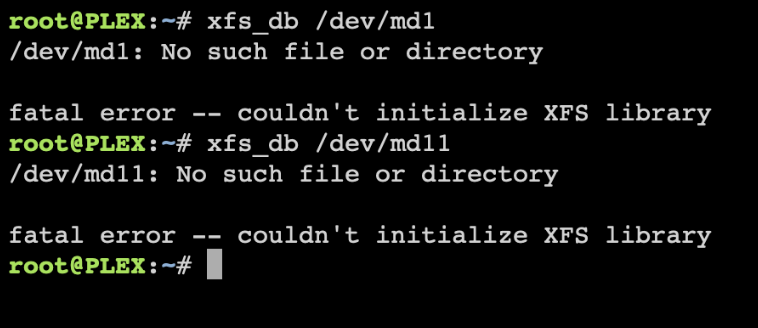
Ok so I guess you guys were right, both the drives I tried appeared to be DOA (Inherited from a few old machines). Inserted another new drive and rebuilt the data. I am now back to 23 drives all functional. The part I still don't understand is the responses I get when I type the below command. I know Defragging doesn't matter that much (if at all) but It's still something that makes me think there are some issues. Is this something irrelevant or should I be worried about it ? I have attached the most recent diagnostics. plex-diagnostics-20230827-1957.zip
-
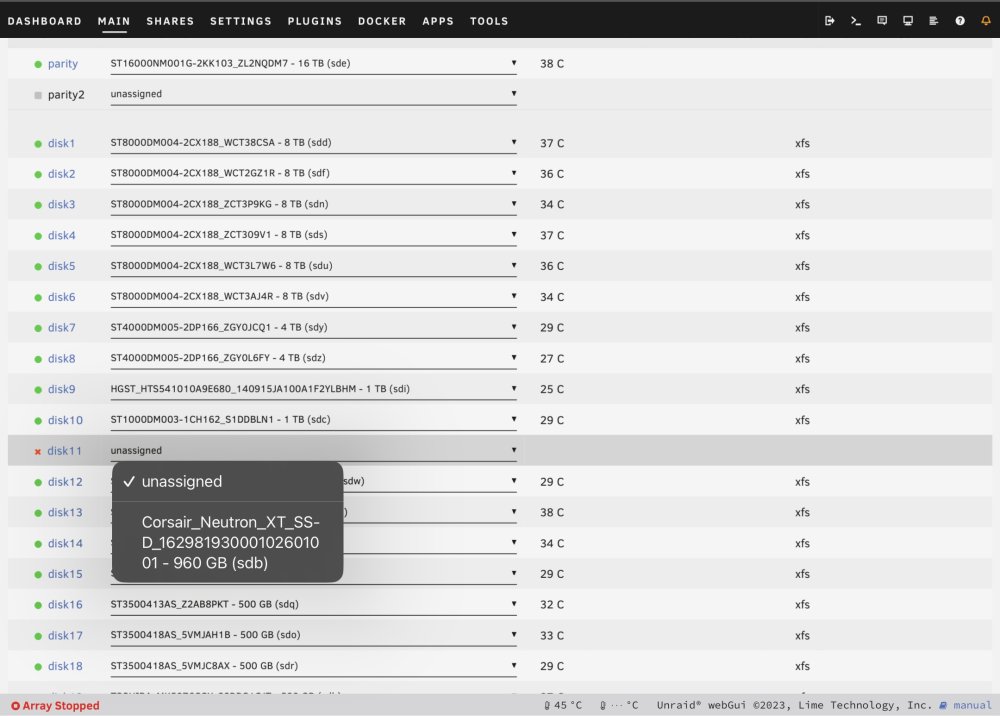
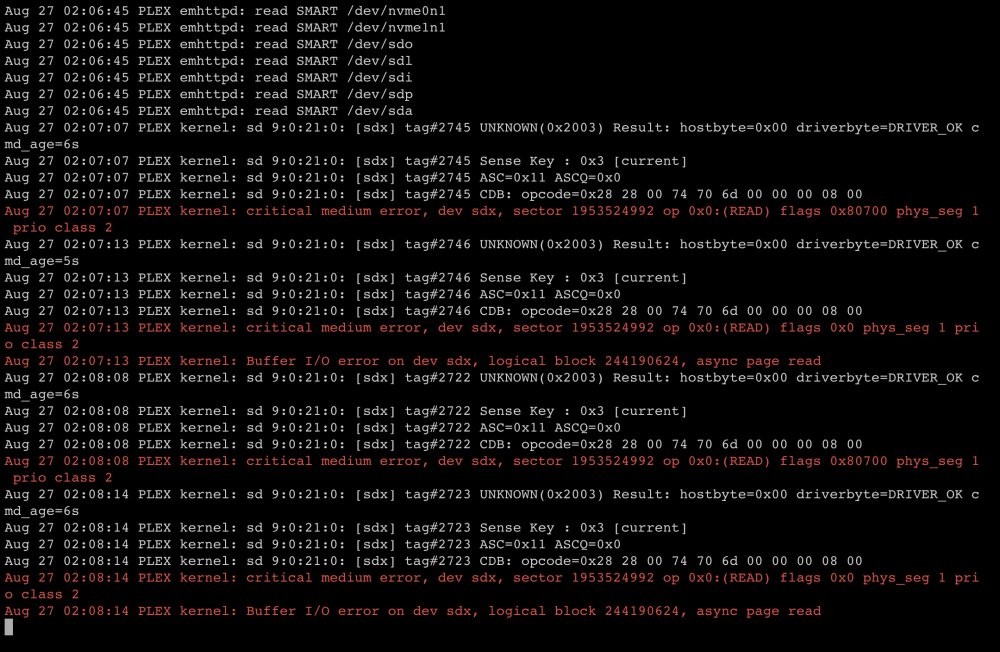
I forgot to include more information that is probably important. Yesterday I ran into an LZMA error, data is corrupted. I followed a forum post reinstalling UNRAID and copying the config files. That got the server back up and running again. The drive you mentioned above ending in 45 is the drive that has just been put in the server. That should be in full working order. When I stop the array and try to select the drive the option suddenly disappears (As seen in the screenshot). This is the second drive I have tried as well so it is unlikely that both ‘new’ drives would be failing. (That said they are technically used so it is possible)
-
Hi All, I'm not quite sure what issues I am having but my system isn't behaving as it should, I think it could be an issue with a drive or the file system. A few weeks ago I had a drive failure, did the standard procedure and replaced the failed drive. No issues from what I could see. This week I had another failure. Stopped the array and replaced the drive. When I turn the server on the array automatically starts and the array says I am missing disk 11 (The failed drive) I cannot stop the array as it will just error out indefinitely. When I enter the command : xfs_db /dev/md1 I get the response /dev/md1: No such file or directory fatal error -- couldn't initialize XFS library I tried to run the xfs_repair command today and the only response I got back was something like "no secondary super blocks found" I forgot to note down the exact message... Diagnostics are attached below. plex-diagnostics-20230826-1925.zip
-
Thanks Jorge, That seems to be solving the issue.
-
plex-diagnostics-20230308-0929.zip Hi All, I'm was having some issues with a docker container setup last night and thought It would be a good idea to give the server a restart. When It came back online docker had not loaded. I have tried to have a look through the diagnostics but I am not sure what I am looking for and if I am looking in the correct place.
-
plex-diagnostics-20230224-1456.zip Development: Tried to reseat the drive for the 5th time and this time it appears everything has fired up correctly. Going to replace the drive anyway but it would be interesting to see what went wrong.
-
Reseated the drive and it failed again, this time failing to find the device... I will attempt a few more times but realistically all the signs are pointing to a failed drive, bit of a bummer the drive is only 277 days old.
-
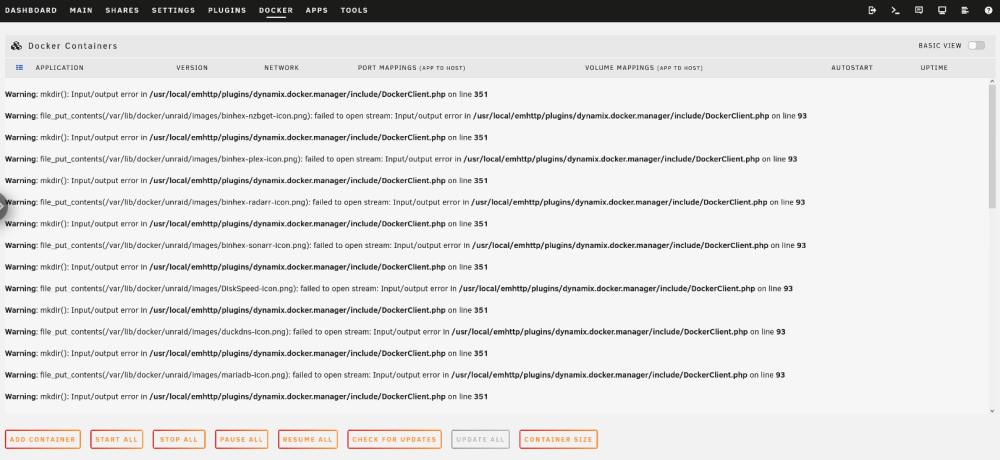
plex-diagnostics-20230218-1340.zip It appears that has mostly worked. The docker containers are back online but the docker tab in the UI is looking different.
-
plex-diagnostics-20230218-1138.zip
-
Hi All, Interesting issue has developed over the past few days. I have been unable to access my server due to an Error 500 code, inconvenient but not the end of the world so I just left it. Today it appeared that the docker containers failed (Plex stopped working). I decided to try the good old turn it off and on again, in hindsight this was not the best idea. Server booted up and went into Unraid as normal, drives automatically re-mounted themselves and I thought we were back up and running. Then I looked and noticed docker is no longer running and a grey dot has appeared next to the 'cache' label instead of the usual green and now the drive has a reported capacity of 0 B (It should be 2 TB) My first instinct tells me that the drive has failed, although it is a reasonably new drive (6 months old). I thought It was worth a post here to see if anyone has any ideas on how to proceed.

-
No, I misunderstood the situation. I thought you meant my my case I would need to recover those files in order for it to work, so I was making large assumptions. Yes, I didn't explain myself very well. I know what was causing the log to fill up. I had a docker container writing to the Cache drive which at the time was only 250G. Data was being taken off the cache drive and moved to the array whilst also being written to, so it was pinging an error saying Maximum capacity reached every couple of seconds. I'm not proud but basically most of that img is probably a log saying drive is full. However, GREAT NEWS ! We are back up and running now. Manually moved the folders you said to the cache and then restarted docker. I really appreciate all the help from you and the other mods. I've learnt a lot from this whole debacle and I know there is a lot of stuff I need to sort out moving forward.
-
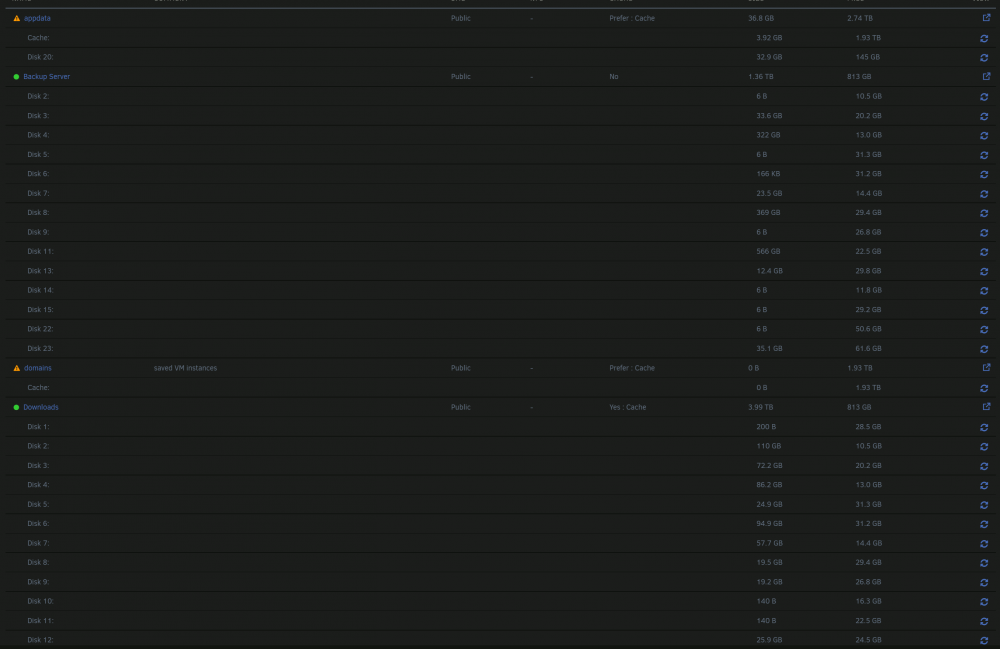
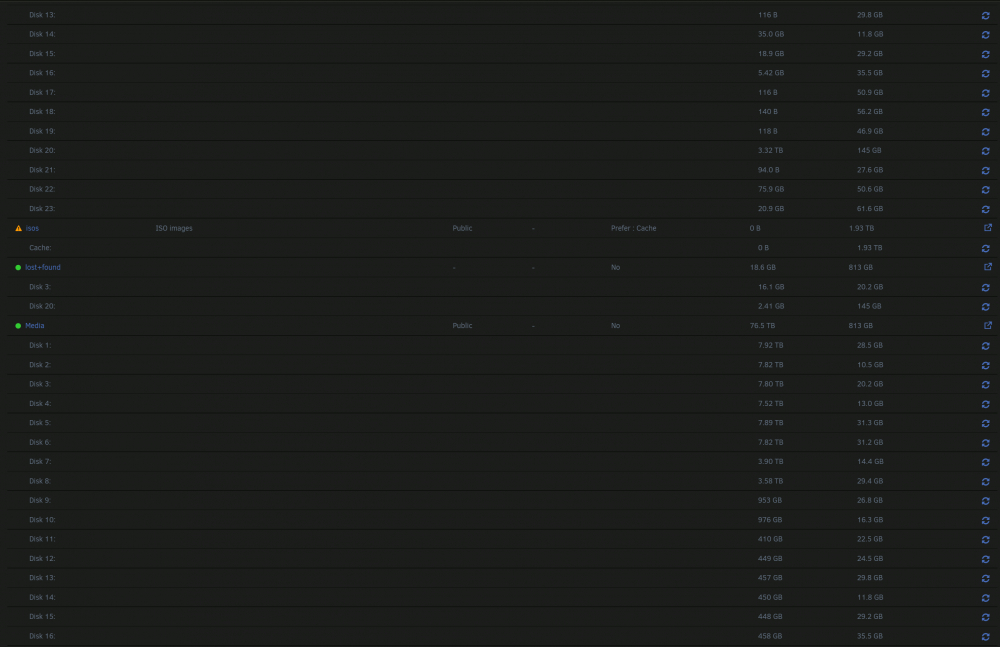
I had a look in the folders but it all looks like gibberish from a far. Most of the data isn't important and can be replaced from other sources. The one file that will be a hellish experience trying to rebuild if I lost all the data would be the "Backup server" share but it appears 99% of the stuff I care about is in there. Loosely looking at the lost+found, the majority of that looks like its from the app data, but I know anything pre 2020 is from the "Backup server" so I can safely move that. How do I find out where all the appdata files go ? or do I just move the rest of the files from the lost+found to app data and it sorts its self out ? The 50G docker img is a problem, I was having some issues with one of the containers and I knew they would resolve themselves quickly so the quickest option was to just make the img bigger and now I'm a bit scared to make it smaller encase things get messed up. After I get it all fixed the CA Backup sounds like a good idea, I will also add minimum space requirements to avoid this issue in future.
-
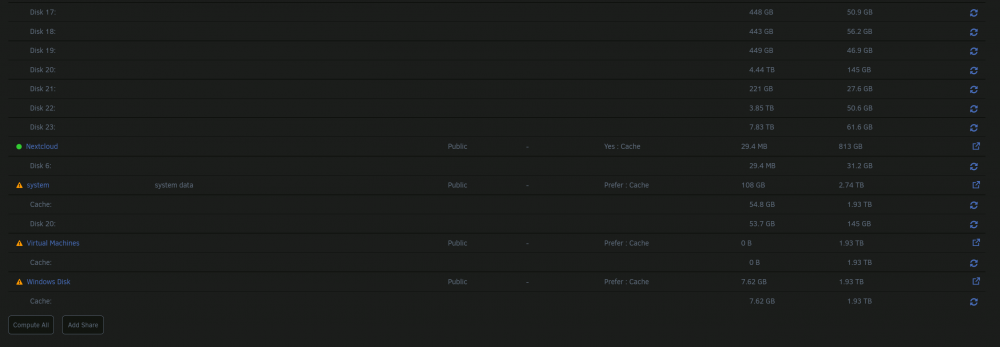
I couldn't agree more, Once I am back up and running I will be replacing one of the smaller drives and doing some major housekeeping. Out of curiosity what should the recommended 'fullness' be ?
-
Whoops, clearly I can't read. 🙂 Ok, so the disk has been mounted again and it appears that I can access all the files. None of the docker apps have loaded, I'm presuming a restart will fix it. The restart had no effect, still the same message "No Docker Container Installed" Added new diagnostics as I assume they will be required plex-diagnostics-20220817-1352.zip
-
It won't let me run it. xfs repair log.txt
-
xfs repair log.txt
-
plex-diagnostics-20220817-0927.zip
-
The array has been started in normal mode and I have found the lost+found folder. The disk is still unmountable. I think I may have messed up though, I double checked the serial numbers and the drive that is in there now is the new empty disk. It hasn't been formatted so I'm guessing it won't work and I will need to put in the other 8TB.
-
xfs repair log.txt Seems to be no change, do I need to restart array or reboot or something like that ?
-
Check Filesystem Disk 3.rtf Attached are the results from the Filesystem Check. So would the next step be to run xfs_repair -v /dev/md3 or are the logs saying something different ?





