





Magic815
Members
-
Joined
-
Last visited
Everything posted by Magic815
-
I noticed recently that this unifi-controller docker is filling up my appdata folder (and thus my cache drive) with seemingly garbage 100MB log files. I basically have the same issue that someone described here: Does someone have a fix on how to stop this from occuring? Was this a bug re-introduced in a recent docker update? D
-
I think they're might be an issue with your Adguard Home template. You have the WebUI defined as port 3000 here: But then in advanced mode, the WebUI is set to port 6052: Shouldn't they both be set to 3000?


-
Try leaving the 'cipher aes-128-cbc' line in just above the line you added, maybe? That's the only thing I can see different between my final image and your paste. Otherwise, maybe it's an intermittent issue on PIAs end? Not sure.
-
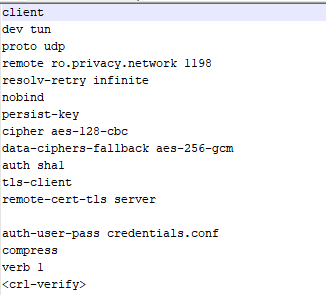
Interesting. So I just tried it with Romania - but had no luck. But then I went in and added the line from the FAQs A22, to the Romania file. And now it works! I'm not sure if certain locations are just not working, or if it had to do with where I put the cipher-fallback line, but it's working for me now! Very curious that you didn't need to add the line, but oh well! Appreciate your help @binhex and @diditstart!
-
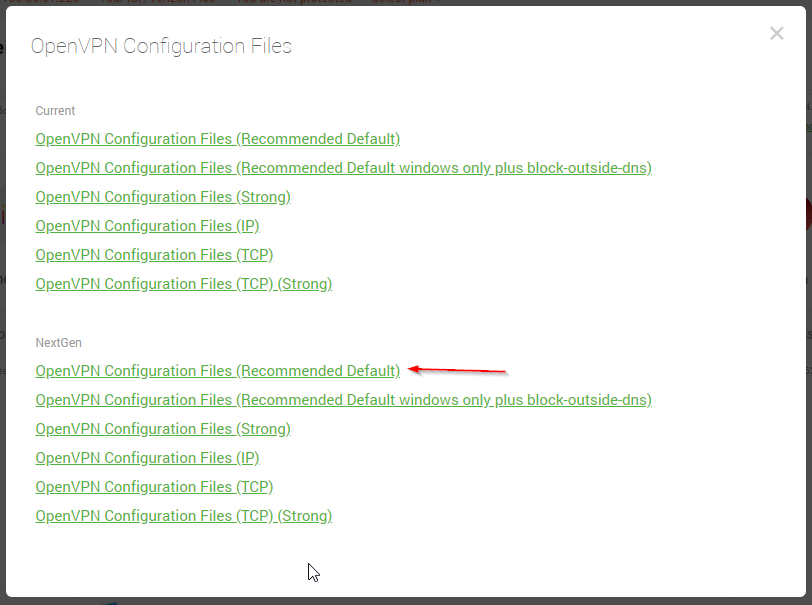
Hmm. Is the config you grabbed, this one? I just tried it again, copying all 3 (cert, pem, and one .ovpn) and still the same cipher error. Which .ovpn file did you choose?
-
Did you have to add the extra line in the opvn file per answer 22 in his FAQ?
-
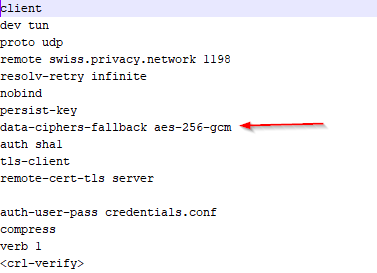
Huh, so I tried replacing the cipher line with the new one, but same error. "Failed to negotiate cipher." And I tried making this edit in the Switzerland.ovpn and Spain.opvn files - both to no avail. (And I made sure only one .opvn file was in the openvpn folder at a time). Appreciate you sticking with me here.
-
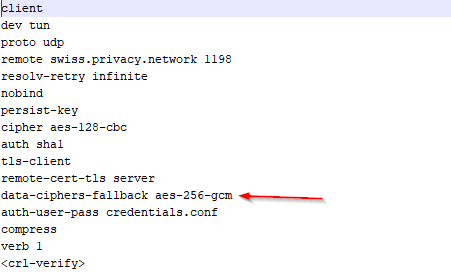
Hmm, I seem to keep having the same error message, even with this being my .ovpn file: And I used Notepad++ to make the edit. Should I try a different .ovpn? (I'm currently using Switzerland.ovpn).
-
Does the below line have to get added to any particular spot in the file? data-ciphers-fallback aes-256-gcm
-
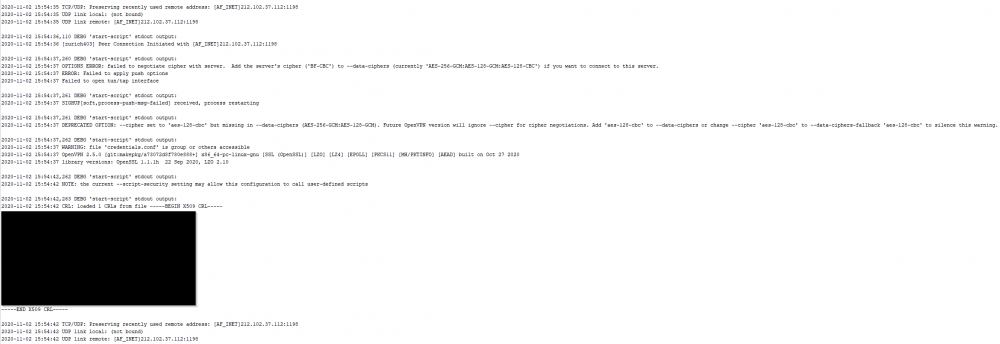
Ah, gotcha. I, in-fact, did a password reset on PIA earlier, and had not changed it in the docker settings. However, I just now confirmed that my PIA subscription is active, my docker settings match the username/pw needed to log in, and the credentials.conf file inside the 'openvpn' folder matches it as well. I don't see an AUTH_FAILED anymore, but the webUI still doesn't load. Can you glean anything from the following? Looks like something with the cipher? EDIT: Ah, is this related to Q22? I'll do some digging.
-
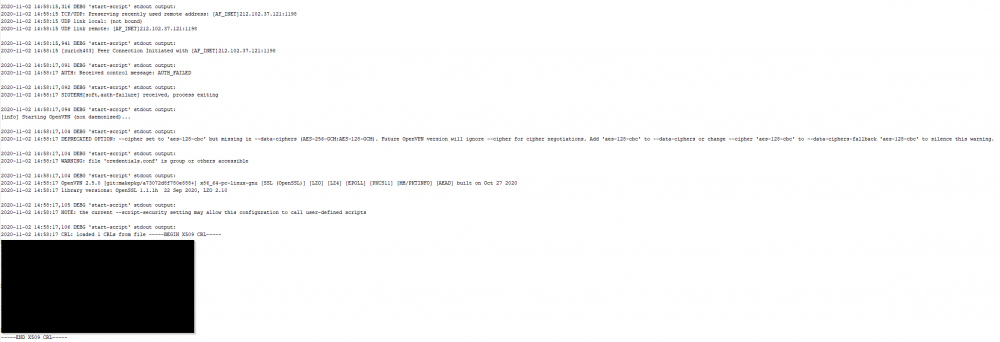
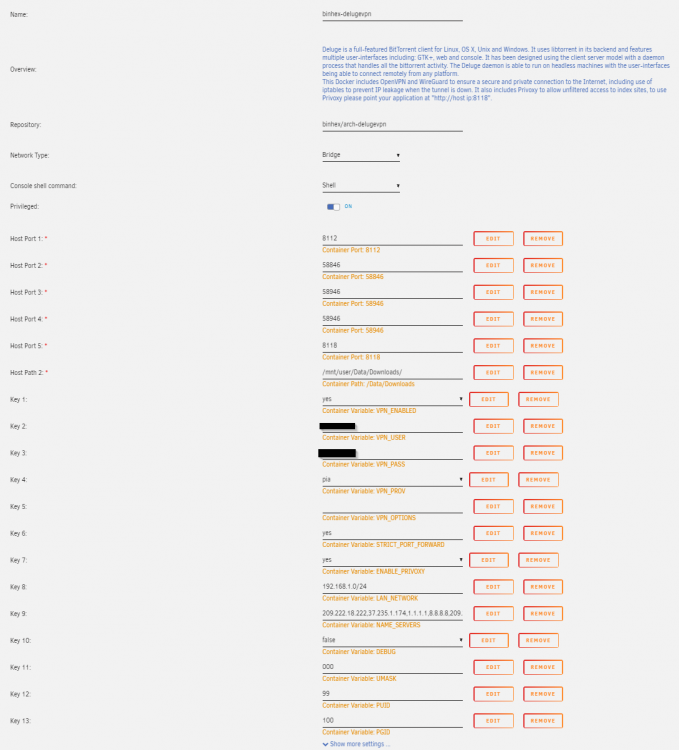
Hi there - so I just tried updating to the next gen servers (following the answer to Q19), but I seem to be having issues. This is what the log says when I try to start the docker container: This is what the docker container settings look like: And this is what the openvpn folder looks like (the certs and .opvn files where extracted from the nextgen zip link): Any ideas on what I'm doing wrong?

-
How does the line "Delete backups if they are this many days old:" work exactly? If I left that at it's default of 1, and set up a scheduled backup frequency of weekly, is that saying that the backup would be deleted a day later after it's creation, and I would go 6 days without a backup being saved anywhere until the next scheduled backup occurred? Does that apply to the appdata backup, USB backup, and libvirt backup? I noticed that only the appdata backup is held in a dated/timestamped folder. I take that to mean that every backup will overwrite the USB and libvirt folders? Is it just the appdata backup that is "kept" until the deletion date is reached? Does anyone have any ideas on how to best copy off the backup folders to the cloud (Google Drive, etc.) on a recurring basis? I'm thinking something that uses the "Path to Custom Start (or Pre-Start?) Script" field, so that it always makes a copy to the cloud once a new set of backups have been placed on my UnRaid 'backup' share? My goal is to ensure I can reach these backups, even if there is a more catastrophic failure of my server that makes reaching the 'backup' share difficult/impossible.
-
To your earlier question (which you may have edited out), I use the plugin "CA User Scripts," which you can install from the Community Applications section. Once you have it installed, you just make another script called "NZBGet Restart" and have it say: #!/bin/bash docker restart binhex-nzbget And then you can set it to whatever frequency you want.
-
Just adding my voice to the mix. I also have noticed the "stuck at unpacking" issue with this docker container. I've just always manually restarted, which would fix the issue. For now, I've gone ahead and set up an hourly cron job to restart the docker, but I'll keep an eye on this thread to see if any more developments occur!
-
Ah, I see. So I tried unchecking the blocklist plugin, but whenever I restart this docker, it comes back as checked/active. Do you know how I can permanently de-activate the blocklist plugin in my deluge setup?
-
Can anyone tell me how to enable 'debug' mode with this docker? I'm having an issue with the BlockList plugin inside Deluge, and I'm being told that step one is to enable 'debug' mode. Thanks!
-
Are you sure? All research I've done seems to indicate hardlinking can never work across drives. And multiple drives in a share (which is what UnRAID does) is going to have that problem. In looking at my downloads, I see two copies of every torrent downloaded. One in the "Downloads" share, and one in the "Media" share. Maybe symlinking would work with UnRAID? It definitely is copying on my end, when I have the setting set to 'hardlink instead of copy.'
-
Does anyone know how well this works with the 'Hardlink instead of copy' option found in Sonarr and Radarr? I only have one torrent tracker attached to Sonarr/Radarr, and it's a private tracker that I want to be permaseeding on. I just wasn't sure if anyone has confirmed that it will keep seeding in deluge in this setup, after Sonarr/Radarr have ingested it on their end. Edit: Also, I'm curious to know if it actually hardlinks, or if it's going to resort to copying between folders on the unraid server, which would mean taking double the space for every torrent downloaded.
-
So I'm attempting to get this set up while still using Cloudflare as my DNS. In the docker set up fields, it asks for the following (among other things): - Subdomains: I put "wildcard" here without the quotes, since CF has all the CNAME breakouts and everything - Validation Type: I've put "dns" without the quotes - dns-plugin: Not sure what to put for this one? Thoughts? Any help is appreciated!





