





sersh
Members
-
Joined
-
Last visited
-
The problem with usb flash drive did the problem with the backup, load previous backup solve the problem. Unraid starts. Thanks.
-
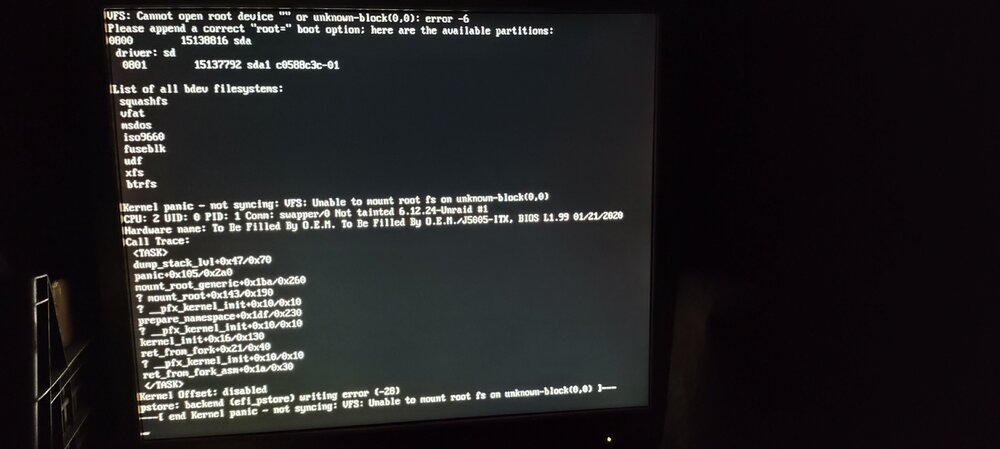
Need help. Created flash backup and start update from 7.1.4 to 7.2.0 In gui got usb flash drive error and system hanged. Replaced usb flash drive and wrote backup and system hanges up on boot with... see picture. Img
-
I have same problem. Can you explain where and how to set umask 000 @thany
-
Which indicator is responsible for what?
-
I use default settings 1000. Ok. I changed it to 30000 and the load of the processor become normal.
-
This partially solves my problem described above. If I change the settings from .500 .600 to 2 2, the information starts to be displayed. It appears and then disappears. If I change the settings to 6 6, it no longer disappears. But the load on the processor increases from 50-60% to 70-100%.
-
Yes, it works.
-
Nothing, only [.
-
Updated post above.
-
Plugin writes: And don't work. Unraid 6.12.4, gpu statistics 2023.10.29d gpujson nas-unraid-diagnostics-20231031-0855.zip
-
After last docker update 16 hours ago can not reach web ui...
-
This application template has been deprecated?!?!?!
-
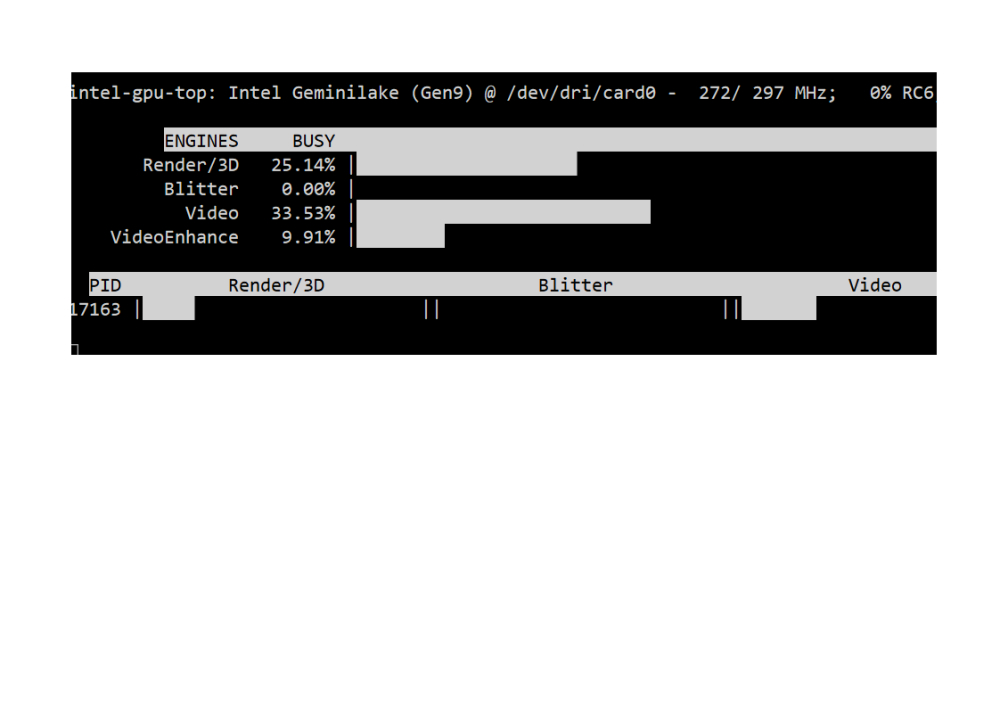
After update 6.11 won't work. 1. the result of 'timeout -k .500 .400 intel_gpu_top -J -s 250': 2. the result of 'cd /usr/local/emhttp/plugins/gpustat/ && php ./gpustatus.php': 3. 4. But 'intel_gpu_top' work intel-gpu-top: Intel Geminilake (Gen9) @ /dev/dri/card0 - 647/ 802 MHz; 0% RC6; 9.45/ 9.33 W; 670 irqs/s ENGINES BUSY MI_SEMA MI_WAIT Render/3D 97.78% |████████████████████████████████████████████████████████████████████████████████▎ | 0% 0% Blitter 0.00% | | 0% 0% Video 69.87% |█████████████████████████████████████████████████████████▍ | 0% 0% VideoEnhance 95.99% |██████████████████████████████████████████████████████████████████████████████▊ | 73% 0% PID NAME Render/3D Blitter Video VideoEnhance 25747 ffmpeg |███████████████████████|| ||███████████████████▋ ||███████████████████████|
.png.357386cff7440d897ef51f29d5fba560.png)
-
flash drive... not a very good solution...
-
primeval_god, is it possible to make setting where to store docker-compose.yml?



.png.357386cff7440d897ef51f29d5fba560.png)