





LeGreatMaxiking
Members
-
Joined
-
Last visited
Everything posted by LeGreatMaxiking
-
i changed the docker from macvlan to ipvlan and it fixed the problem
-
Docker started Docker service stopped

-
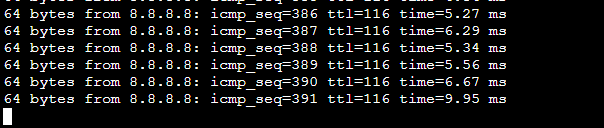
I have got still a problem with my server, when docker service is turned off i can ping to any site - and also update plugins and install plugins etc. When I start the docker Service unraid can´t access anything over the internet. sooo update service isnt working for any docker or plugin, and also can´t install any docker apps. None of the docker apps are started yet, still no connection to outside world from unraid. I can access it over the internet tho. i really dont get it why it does that. Thanks for you help!!!! maxisnas-diagnostics-20220224-1115.zip
-
Thats the log before shutting down Ram is not overclocked. a syslog.2.txt syslog.1.txt
-
Hey guys. I pretty much reset my complete docker stuff, to fix some stuff and make no errors. Now my unraid nas just isnt available anymore after a day or so. nor with ssh or web gui. Got a hetrixmonitor running. Nas last time just shut down at 02 am. and had to hard reboot it with power button. maxisnas-diagnostics-20220220-2214.zip
-
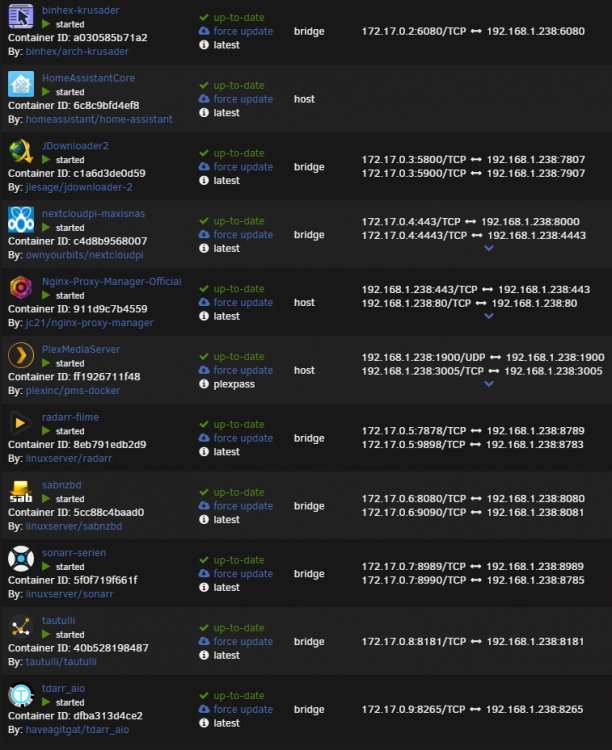
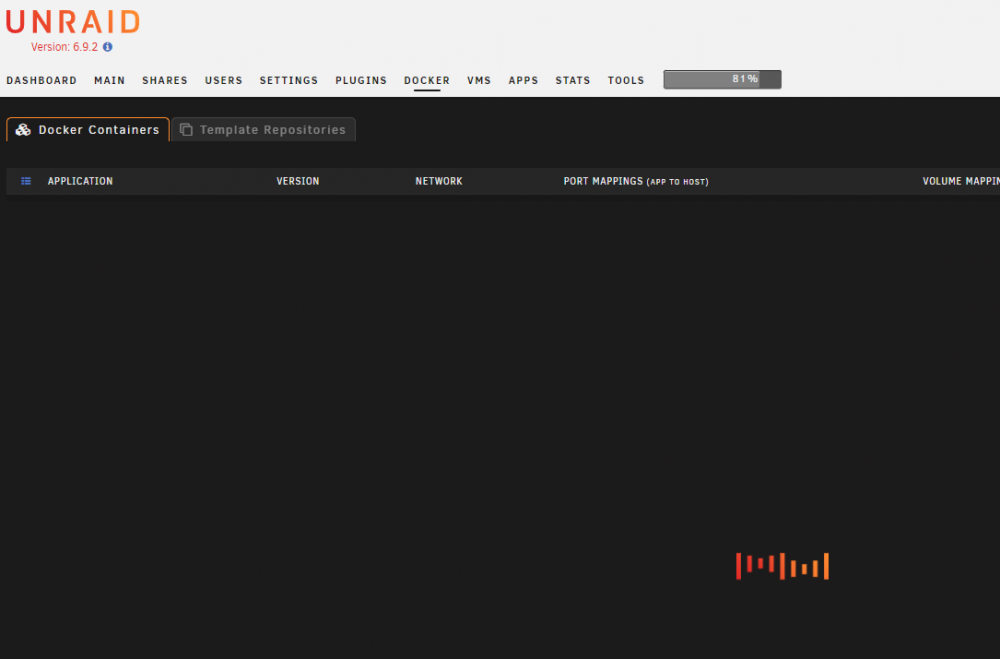
After several restarts and trying to do a bit of troubleshooting im still stuck Docker Tab won´t load ... Now one Docker isn´t starting probably and i can´t check why. Most of my applications are working fine tho. maxisnas-diagnostics-20220209-1617.zip
-
Hey guys. since a few days i get always a kernel: traps int3 error every few seconds on my server. everything works just fine. no vms are started just a few dockers. Anybody got an idea? Thanks maxisnas-diagnostics-20210919-0932.zip
-
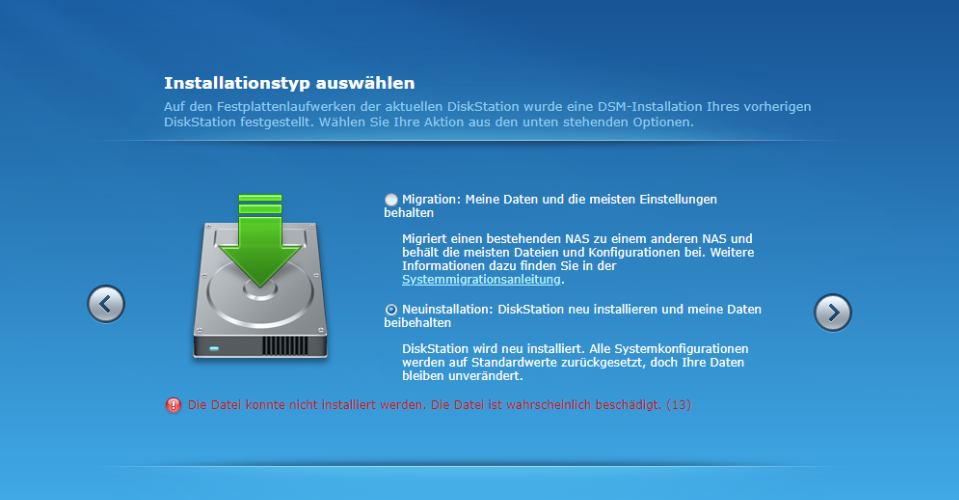
Hab das geändert und in der "grub" datei auch noch die MAC adresse hinzugefügt. geht leider immer noch nicht selber fehler
-
Hm vielen Dank schon mal für euren Input. Leider kann ich die Xpen VM nicht finden... Habe 2 Netzwerkadapter und auf beiden kann ich die VM nicht ausmachen, Syn Assistant findet auch nix... Im Router wird auch nix angezeigt.. <?xml version='1.0' encoding='UTF-8'?> <domain type='kvm' id='4'> <name>Xpenology</name> <uuid>3b8c3bcd-3265-2758-867a-50791902ccc9</uuid> <metadata> <vmtemplate xmlns="unraid" name="CentOS" icon="centos.png" os="centos"/> </metadata> <memory unit='KiB'>8388608</memory> <currentMemory unit='KiB'>8388608</currentMemory> <memoryBacking> <nosharepages/> </memoryBacking> <vcpu placement='static'>16</vcpu> <cputune> <vcpupin vcpu='0' cpuset='0'/> <vcpupin vcpu='1' cpuset='16'/> <vcpupin vcpu='2' cpuset='2'/> <vcpupin vcpu='3' cpuset='18'/> <vcpupin vcpu='4' cpuset='4'/> <vcpupin vcpu='5' cpuset='20'/> <vcpupin vcpu='6' cpuset='6'/> <vcpupin vcpu='7' cpuset='22'/> <vcpupin vcpu='8' cpuset='8'/> <vcpupin vcpu='9' cpuset='24'/> <vcpupin vcpu='10' cpuset='10'/> <vcpupin vcpu='11' cpuset='26'/> <vcpupin vcpu='12' cpuset='12'/> <vcpupin vcpu='13' cpuset='28'/> <vcpupin vcpu='14' cpuset='14'/> <vcpupin vcpu='15' cpuset='30'/> </cputune> <resource> <partition>/machine</partition> </resource> <os> <type arch='x86_64' machine='pc-q35-5.1'>hvm</type> </os> <features> <acpi/> <apic/> </features> <cpu mode='host-passthrough' check='none' migratable='on'> <topology sockets='1' dies='1' cores='8' threads='2'/> <cache mode='passthrough'/> <feature policy='require' name='topoext'/> </cpu> <clock offset='utc'> <timer name='rtc' tickpolicy='catchup'/> <timer name='pit' tickpolicy='delay'/> <timer name='hpet' present='no'/> </clock> <on_poweroff>destroy</on_poweroff> <on_reboot>restart</on_reboot> <on_crash>restart</on_crash> <devices> <emulator>/usr/local/sbin/qemu</emulator> <disk type='file' device='disk'> <driver name='qemu' type='raw' cache='writeback'/> <source file='/mnt/cache/domains/xpenology/synoboot.img' index='2'/> <backingStore/> <target dev='hdc' bus='usb'/> <boot order='1'/> <alias name='usb-disk2'/> <address type='usb' bus='0' port='1'/> </disk> <disk type='file' device='disk'> <driver name='qemu' type='qcow2' cache='writeback'/> <source file='/mnt/cache/domains/xpenology/vdisk.img' index='1'/> <backingStore/> <target dev='hdd' bus='sata'/> <alias name='sata0-0-3'/> <address type='drive' controller='0' bus='0' target='0' unit='3'/> </disk> <controller type='sata' index='0'> <alias name='ide'/> <address type='pci' domain='0x0000' bus='0x00' slot='0x1f' function='0x2'/> </controller> <controller type='sata' index='1'> <alias name='sata1'/> <address type='pci' domain='0x0000' bus='0x06' slot='0x01' function='0x0'/> </controller> <controller type='pci' index='0' model='pcie-root'> <alias name='pcie.0'/> </controller> <controller type='pci' index='1' model='pcie-root-port'> <model name='pcie-root-port'/> <target chassis='1' port='0x10'/> <alias name='pci.1'/> <address type='pci' domain='0x0000' bus='0x00' slot='0x02' function='0x0' multifunction='on'/> </controller> <controller type='pci' index='2' model='pcie-root-port'> <model name='pcie-root-port'/> <target chassis='2' port='0x11'/> <alias name='pci.2'/> <address type='pci' domain='0x0000' bus='0x00' slot='0x02' function='0x1'/> </controller> <controller type='pci' index='3' model='pcie-root-port'> <model name='pcie-root-port'/> <target chassis='3' port='0x12'/> <alias name='pci.3'/> <address type='pci' domain='0x0000' bus='0x00' slot='0x02' function='0x2'/> </controller> <controller type='pci' index='4' model='pcie-root-port'> <model name='pcie-root-port'/> <target chassis='4' port='0x13'/> <alias name='pci.4'/> <address type='pci' domain='0x0000' bus='0x00' slot='0x02' function='0x3'/> </controller> <controller type='pci' index='5' model='pcie-root-port'> <model name='pcie-root-port'/> <target chassis='5' port='0x14'/> <alias name='pci.5'/> <address type='pci' domain='0x0000' bus='0x00' slot='0x02' function='0x4'/> </controller> <controller type='pci' index='6' model='pcie-to-pci-bridge'> <model name='pcie-pci-bridge'/> <alias name='pci.6'/> <address type='pci' domain='0x0000' bus='0x04' slot='0x00' function='0x0'/> </controller> <controller type='virtio-serial' index='0'> <alias name='virtio-serial0'/> <address type='pci' domain='0x0000' bus='0x02' slot='0x00' function='0x0'/> </controller> <controller type='usb' index='0' model='ich9-ehci1'> <alias name='usb'/> <address type='pci' domain='0x0000' bus='0x00' slot='0x07' function='0x7'/> </controller> <controller type='usb' index='0' model='ich9-uhci1'> <alias name='usb'/> <master startport='0'/> <address type='pci' domain='0x0000' bus='0x00' slot='0x07' function='0x0' multifunction='on'/> </controller> <controller type='usb' index='0' model='ich9-uhci2'> <alias name='usb'/> <master startport='2'/> <address type='pci' domain='0x0000' bus='0x00' slot='0x07' function='0x1'/> </controller> <controller type='usb' index='0' model='ich9-uhci3'> <alias name='usb'/> <master startport='4'/> <address type='pci' domain='0x0000' bus='0x00' slot='0x07' function='0x2'/> </controller> <interface type='bridge'> <mac address='52:54:00:18:a7:ea'/> <source bridge='br1'/> <target dev='vnet0'/> <model type='e1000e'/> <alias name='net0'/> <address type='pci' domain='0x0000' bus='0x01' slot='0x00' function='0x0'/> </interface> <interface type='bridge'> <mac address='52:54:00:f0:86:d3'/> <source bridge='br0'/> <target dev='vnet1'/> <model type='e1000e'/> <alias name='net1'/> <address type='pci' domain='0x0000' bus='0x05' slot='0x00' function='0x0'/> </interface> <serial type='pty'> <source path='/dev/pts/0'/> <target type='isa-serial' port='0'> <model name='isa-serial'/> </target> <alias name='serial0'/> </serial> <console type='pty' tty='/dev/pts/0'> <source path='/dev/pts/0'/> <target type='serial' port='0'/> <alias name='serial0'/> </console> <channel type='unix'> <source mode='bind' path='/var/lib/libvirt/qemu/channel/target/domain-4-Xpenology/org.qemu.guest_agent.0'/> <target type='virtio' name='org.qemu.guest_agent.0' state='disconnected'/> <alias name='channel0'/> <address type='virtio-serial' controller='0' bus='0' port='1'/> </channel> <input type='tablet' bus='usb'> <alias name='input0'/> <address type='usb' bus='0' port='2'/> </input> <input type='mouse' bus='ps2'> <alias name='input1'/> </input> <input type='keyboard' bus='ps2'> <alias name='input2'/> </input> <graphics type='vnc' port='5900' autoport='yes' websocket='5700' listen='0.0.0.0' keymap='en-us'> <listen type='address' address='0.0.0.0'/> </graphics> <video> <model type='qxl' ram='65536' vram='65536' vgamem='16384' heads='1' primary='yes'/> <alias name='video0'/> <address type='pci' domain='0x0000' bus='0x00' slot='0x01' function='0x0'/> </video> <memballoon model='virtio'> <alias name='balloon0'/> <address type='pci' domain='0x0000' bus='0x03' slot='0x00' function='0x0'/> </memballoon> </devices> <seclabel type='dynamic' model='dac' relabel='yes'> <label>+0:+100</label> <imagelabel>+0:+100</imagelabel> </seclabel> </domain>
-
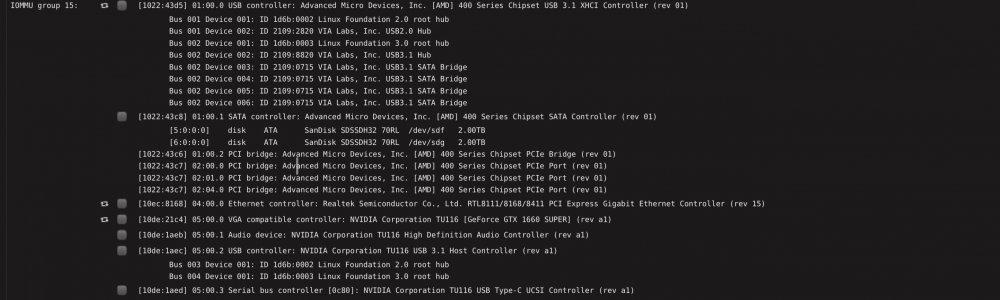
Is it possible to use the VM also while have this plugin installed? Can`t split the IOMMU Group while this plugin is installed or? Any other way to forward my 1660 Super to my Win 10 VM?
-
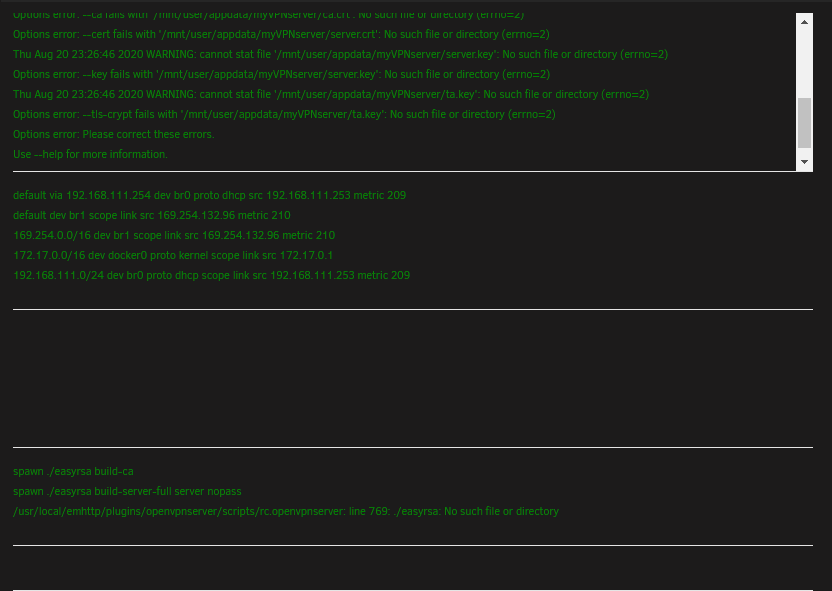
Hey I´m stuck. Wanted to redo my VPN after wiping my cache drive. When i click on "Install RSA Key..." nothing happens

-
Hey! I want to use unbalance to tranfer all files off my cache, ast it should be faster than normal mover, but dry run is ticked and greyed out. I stopped docker and VM Service but it is still not working. Any help?


