Marauder
Members
-
Joined
-
Last visited
-
with that process should I do each drive 1 at a time, or can I repair both at the same time?
-
overview of all drives. How do I tell it to rebuild, on those drives? Will they system see data on them and just do a parity check, or does it wipe them and restart? Can it do both drives at the same time?
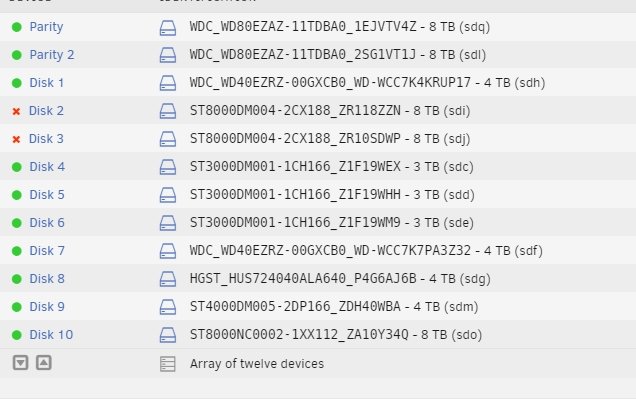
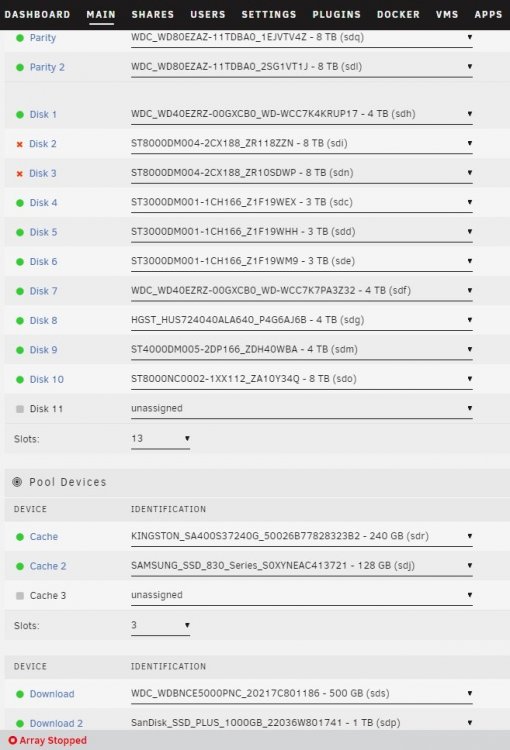 thanks, here are the diagnotistcs. My last reboot I moved the ZR118ZZN serial device to another sata port. So if you see that in the diag, that's why. Eitherway they all get read. unraid-diagnostics-20220516-1412.zipI added another drive to my machine. When I went to the UI to stop the array and to add the device, I saw that 2 of my devices are now showing as offline and contents being emulated. I restarted the server, no change. I checked all the cables and I don't see an issue with any of them. I started the array in maintenance mode, and ran a quick smartctl scan and an filesystem check on both the drives. they both passed and came back clear. But Unraid is still showing the drives as missing.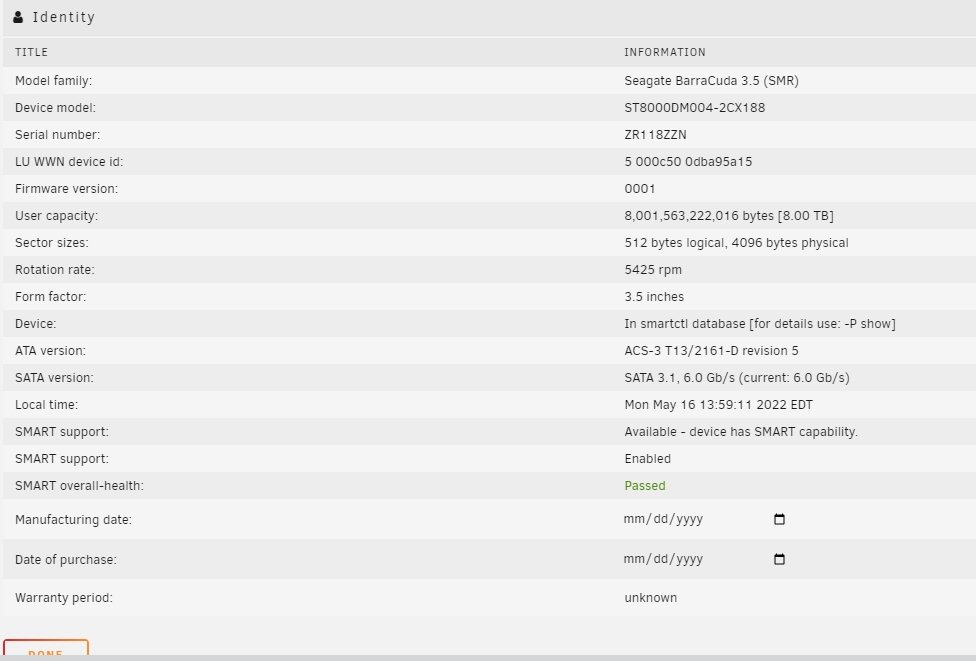
 good to know, the pages happened to be correct step, by step, but never know if that'll change. so good to have it here for anyone that comes looking in the future.Resolved: PHEW. Unmounted array, remounted in maintenance mode. Than ran file system check on each drive. Then restarted server. I first tried just remounting the array not in maintenance mode, and that didn't work. Before doing the file system check, I tried unmounting and remounting the array and rebooting, neither worked. I also tried remounting after the file system check and that didn't work either, I had to do a full reboot. Pages used: https://wiki.unraid.net/Check_Disk_Filesystems#Checking_and_fixing_drives_in_the_webGui https://wiki.unraid.net/Check_Disk_FilesystemsThis morning I went and updated some of my plugins as I saw I had an update. I updated Nvtop, unassigned drivers, and ublalance. After that, my docker containers crashed, and when I went to start them I'd get an error. Trying to access my share I get this error. I tried unmounting and rebooting. root@unraid:/mnt# ls /bin/ls: cannot access 'user': Transport endpoint is not connected cache/ disk1/ disk2/ disk3/ disk4/ disk5/ disk6/ disk7/ disk8/ disk9/ disks/ download/ remotes/ rootshare/ user/ user0/ root@unraid:/mnt# cd user -bash: cd: user: Transport endpoint is not connected root@unraid:/mnt# Panicing a bit here, thinking I've broken my system, any help would be appreciated.Thanks, again. I had Minimum free space: 0kb as the drive still had a 200kb of space left, I assume thats why it didn't trigger. So i corrected the free space min to 100mb.Thanks, I'll switch it now, and see what happens. I saw the drive reporting as 1.5tb when I had it as raid0, so I thought it was right.I noticed another issue, I have the cache setup as Prefer. Though the drive is full, my current downloads have all failed. They're not being transferred over to the array, like they're supposed to.I setup a cache drive using a 500gb and 1tb SSD. I then set the data portion of the cache to be RADI0. On The main screen it shows 1.5tb size, but under used space when I hit 1tb the free space is 0. How can I correct this to have the proper 1.5tb of space?
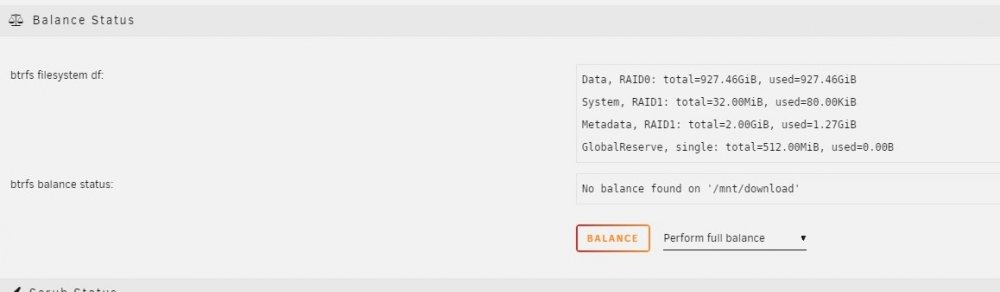 Under balance I converted it to raid0. Raid0 is no parity and basically just combines the disks together as 1 large disk.
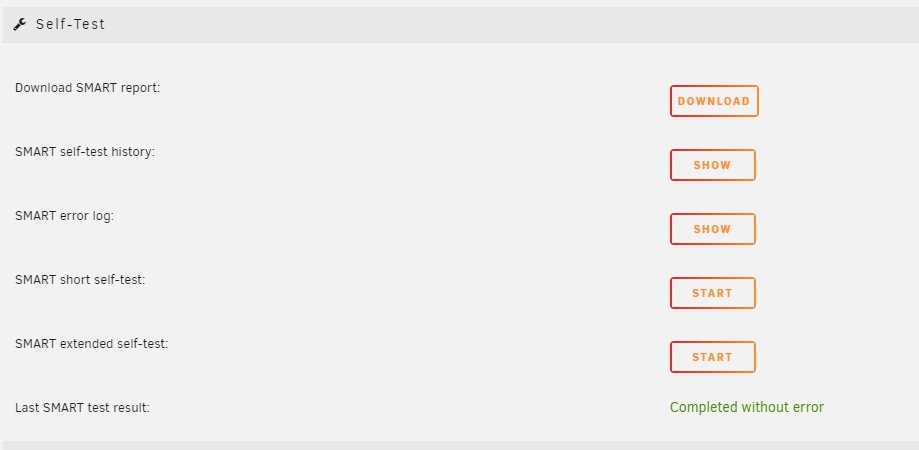
 Figured out how to change it, it was under the cage settings and balance. I set it to raid0So I changed out my motherboard(same CPU) from a MSI z77a-g43 to an ASROCK Fatal1ty Z77. They both use the came chipsets. When going to boot, on the new ASROCK board, unraid gets through majority of the boot process and then kernel panics. I swapped motherboards back and machine boots right up. Any suggestions?