





PanteraGSTK
Members
-
Joined
-
Last visited
-
Thank you. I ran the check and got a CRC warning. Repair fixed that so I'll keep an eye on things and report back.
-
Hi everyone. I've had a bad crash last night that corrupted my Plex appdata folder and am not sure what the cause could be. I was able to restore the bad file, but am not sure what the issue is. I had the Dynamix System Temp plugin installed previously and that used to be the issue, but I've since removed it and was great until yesterday. I've attached daignostics to see if anyone can spot what my issue could be. This install was migrated from an older supermicro board to my current Asrock Ryzen setup. diagnostics.zip Thanks
-
This server is my backup undraid server, so the drives in it are from the main server. When I upgrade a drive for more capacity, they go in the backup server if needed. This is the third drive I've used as a parity 2 drive in this server, but it did live it's entire life in my main server before being tasked as a parity drive. The other drives are older, but this is the only one I've had "fail" repeatedly. The Reported uncorrect count hasn't gone up in a long time, but this drive randomly has errors, then it'll be fine for a long time. 150 days at this point.
-
I've replaced my parity 2 drive a few times because it keeps getting offline uncorrectable errors. I've changed ports and cables, but still seem to be having this issue. Not sure what to look for, but diagnostics are attached. diagnostics.zip
-
Yes, I got new cards to replace the 3ware one. Sorry that doesn't help you. Performance is better with my cheap LSI flashed cards too, so you might consider going that route.
-
Sorry, probably should have included that. plugin: updating: open.files.plg plugin: run failed: /bin/bash retval: 2 No issues with any other plugins. What can I look for if the issue is on my end? EDIT: uninstall/reinstall fixed it. I was just trying to see if it was something outside my setup. Doesn't seem that it was. Thanks
-
Anyone else having issues updating this plugin?
-
Yep. Won't be making that mistake again. Ubiquiti has been doing some weird stuff to the controller that has broken things a few times for me in the last few months. Should have realized I had it set to update to the latest version.
-
So far, that's what I've seen (if you make any changes to the template). If you simply restart the docker, it goes through some setup, but my test camera is still showing up.
-
That's exactly what I'm trying to do. I'm probably missing something as to how to add that variable to the docker template.
-
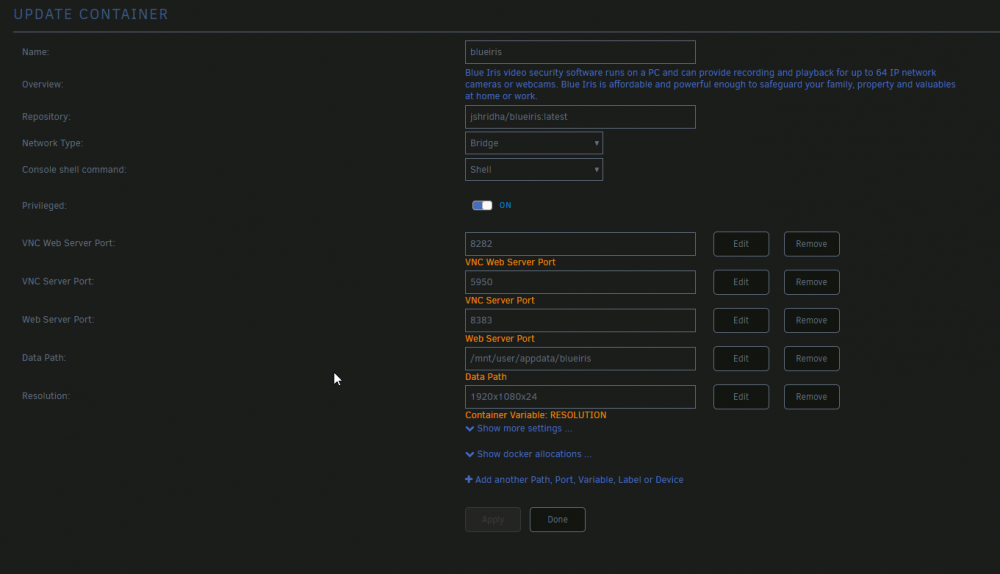
How would I go about using the RESOLUTION variable for changing the VNC resolution? I've tried adding the variable manually, but it doesn't seem to be working.
-
Yes, that should be all you have to do. It worked for me moving from a much older docker to this one.
-
I had that problem until I changed the Controller Host Name to its IP address.
-
That's what I had been doing and it was working. Now it sort of isn't. When I create the .json I actually save it on the USG then pull it according to this. https://larskleeblatt.net/?p=36 It was working just fine. Thought I'd done something wrong in the syntax, but that wasn't it. It really seems like it's ignoring the file.
-
I seem to be having the same issue. Settings are not being honored. When I SSH back into the USG, the firewall is still enabled.

