





adolfotregosa
Members
-
Joined
-
Last visited
-
Maybe I explained it badly... Playback caches the season folder. When someone watches something, playback cache, caches everything on the folder with possibility for exceptions using "Never cache these".
-
New option to skip previous episodes for tvshows. The idea is to only cache the current episode and the following ones.
-
No, it caches the whole season, or with the new option only the playing episode and the ones after it, from the array. Basically whatever is in that folder at the time. New episodes don’t need caching: Unraid already writes them to the pool, as long as the share’s “Primary storage (for new files and folders)” is the same pool that Playback Cache uses.
-
Original version no longer works with jellyfin 12. Honestly at this point it's almost a new project. I touched so much stuff.
-
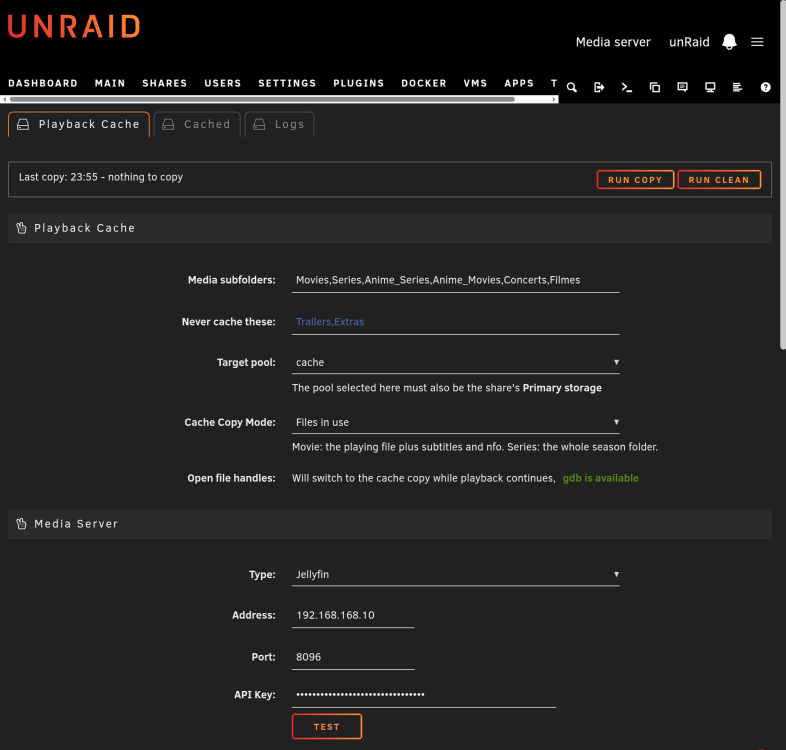
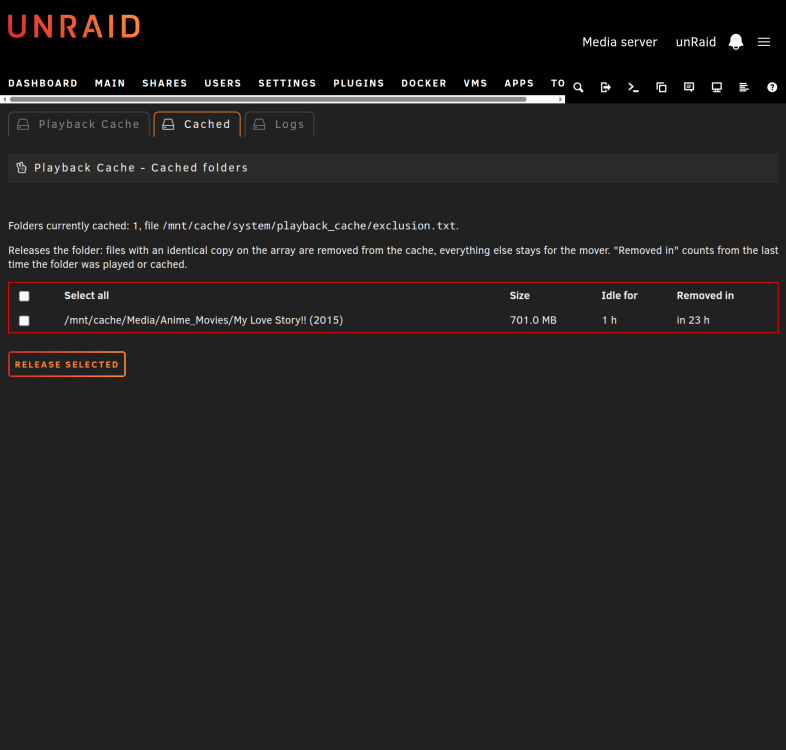
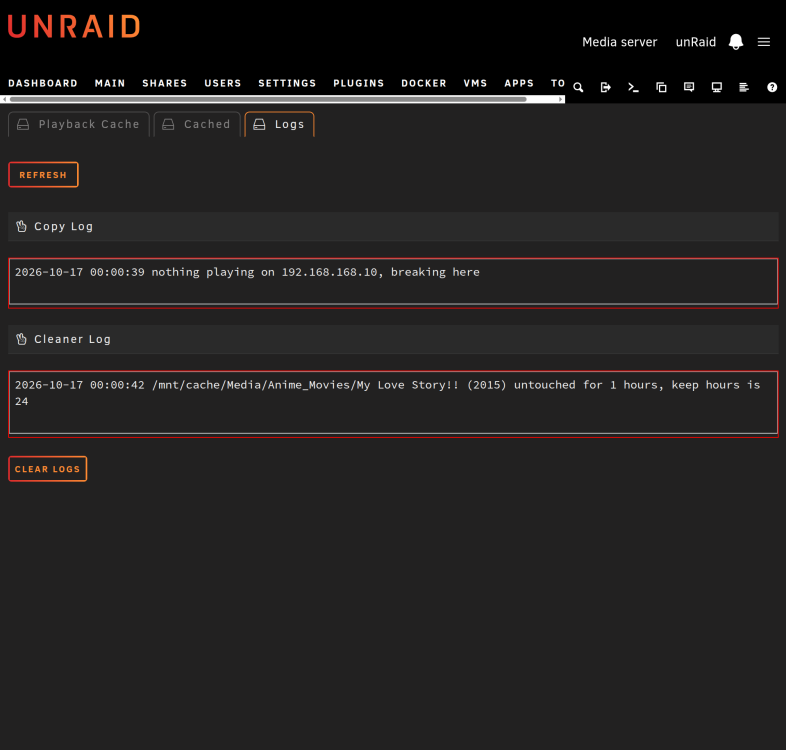
Hi everyone! Let me begin by saying I'm not a developer so I had to rely on our AI overlords to help build this. It's based on Alturismo's cache-mover, just a improved version. With that out of the way, I hope you guys find this plugin useful! It's updated to work with Jellyfin 12, but I’ve tested it on Emby and Plex. What it does? I'll quote the github page. Watches what your media server (Jellyfin, Emby or Plex) is playing through its API. Copies the playing file or folder from the array onto your cache pool with option to skip previous episodes. Switches the media server's open file handles to the cache copy while playback continues, so the array disks can spin down. Keeps cached folders on the mover exclusion list, so the mover does not undo the work. Requires CA Mover Tuning. A scheduled cleaner releases folders that have been idle long enough: files with an identical copy on the array are removed from the cache, everything else stays for the mover. Everything runs on your own schedule (copy every N minutes, clean daily/weekly), can be started by hand from the webui, and is logged to a quiet plugin log with a live status strip and cancel button. Playback Cache
-
Aaaahhhh, come on guys... surely you can come up with something! Having the USB controller free would make life so much easier. I understand you're covering your arses, but what’s stopping unRAID from pairing to the motherboard's physical TPM on a bare metal boot but continuing to work afterward in a VM with that same TPM passed through? What's the problem with this approach if any?
-
Yes and your point is?
-
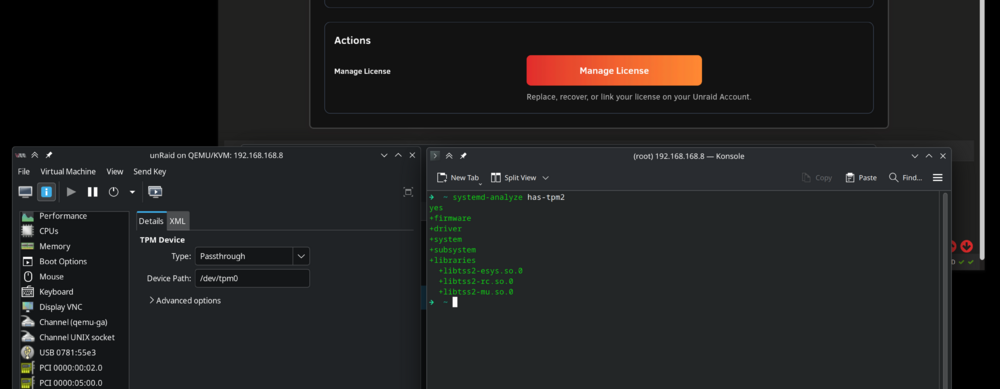
No, I show that on my print. I'm passing through the motherboard TPM, I'm not emulating one of course. Freeing up the usb controller would be absolutely useful...
-
Chaps, what am I missing ? I really want to be able to finally free up the motherboard usb controller for my VMs !!
-
Well, honestly, after looking more closely at what’s missing or not, it’s really not a big deal. ZFS Master gives me a much better overview of sizes than unRAID does, since I can see the size of each dataset individually. unRAID’s share management still works fine, so not supporting partitions feels a bit shortsighted or maybe just an oversight. I mean, there are only so many NVMe slots and SATA ports available… c’mon. I personally prefer the benefits of having mirrored NVMe partitions and special vdevs available for my pools. But honestly, guys, at least consider adding an option to display a manually imported ZFS pool and just show it as-is. Having a “Format” option with a checkbox and just one click standing between me and total data destruction is a pretty scary sight, lol.
-
Hi, I'm in a similar situation. What was your solution? Did you just keep using 7.0? That’s a bit of a nuisance because of the ZFS version that 7.0 provides, but I’ll manage. Did you find any workaround? I can import the ZFS pool manually without any problem, but then nothing else in the Unraid GUI recognizes it. Having to manage everything manually kind of defeats the purpose of running Unraid... sigh...
-
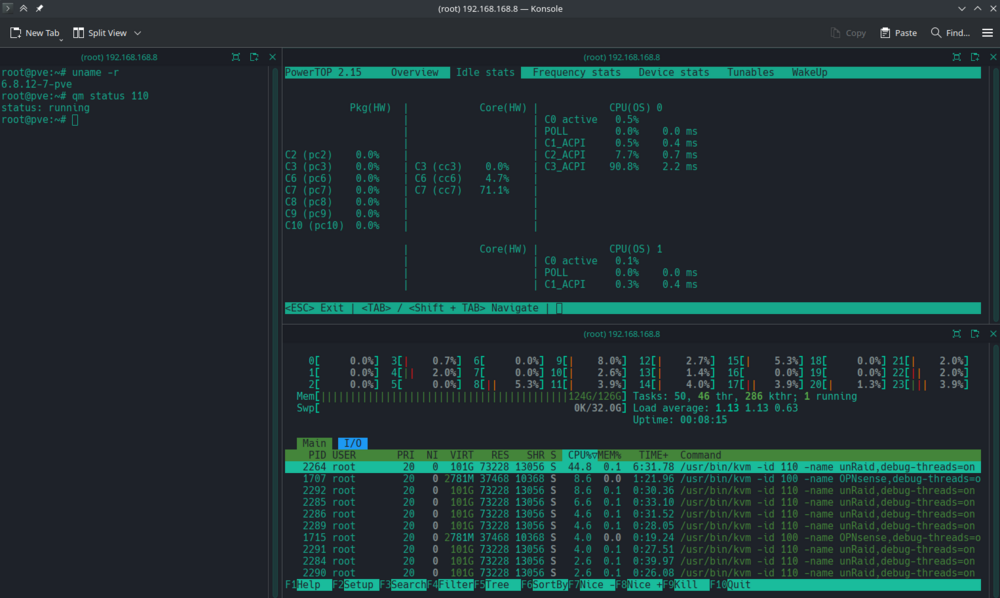
Hi. I have a unexpected behaviour, at least to me, to report. I manage to achieve on powertop cpu package level C10 with disks spun up but only C8 with disks spun down. I’ve already reported that when running Unraid as a guest in Proxmox, I observed in Proxmox htop that unraid vm CPU utilisation goes up when the disks spin down. This time, I tested on bare metal and found the same behaviour. Something happens when the disks spin down that triggers higher CPU usage. These tests were done on version 7.0.1. I also tried 7.1.0 beta 1 with the same results — higher CPU usage with the disks spun down. Disks spun up, package at C10: Disks spun down, package at C8:
-
Does anyone here have an NVIDIA GPU in their system that can reach a C-State higher than C3, or am I searching for unicorns?
-
While unraid VM is running ?? I have a Nvidia gpu on the system. The max I will get will always be C3 (with nvidia drivers installed) but I lose any C state when I start the unraid VM. Is it the same for you ? EDIT: This image pretty much sums it all. Unraid does not "idle", ever.. I tried your kernel. Same result.
-
It's related to emhttpd. If I kill the process cpu usage goes down. Of course I can't use unraid correctly afterwards but why does that process use more cpu when the disks spindown??



