





toolmanz
Members
-
Joined
-
Last visited
Everything posted by toolmanz
-
Glad you got it sorted.👍 I remember having the same problems when I set mine up. Cheers Toolmanz
-
Where exactly are you getting these errors. Nextcloud? SWAG? Would be helpful to know. Sounds like Nextcloud is in the mix? Cheers
-
You can reconnect, simply by restarting the docker container.. Cheers Sent from my SM-G930W8 using Tapatalk
-
You can absolutely use a different VPN. Just fill in your VPN credentials when you download and select custom. Don't forget to put your. ovpn file from your VPN of choice (choose your endpoint) in the correct appdata directory for delugevpn as instructed. The reason most people select PIA is that they offer port forwarding that many others don't. Cheers
-
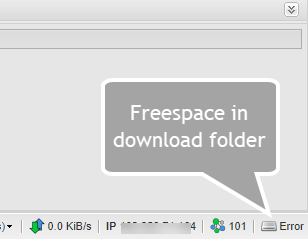
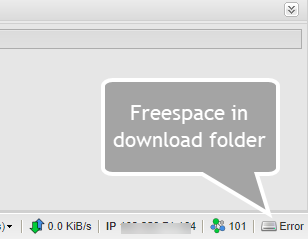
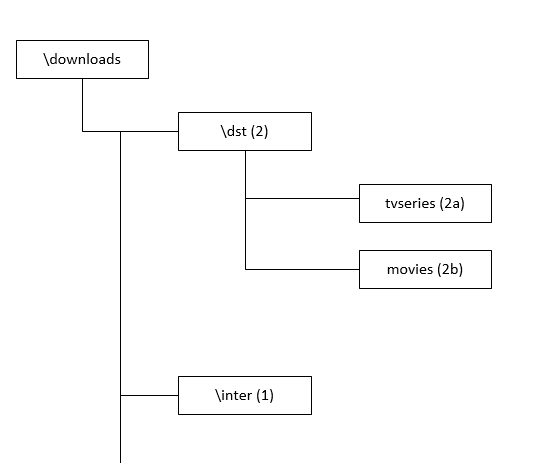
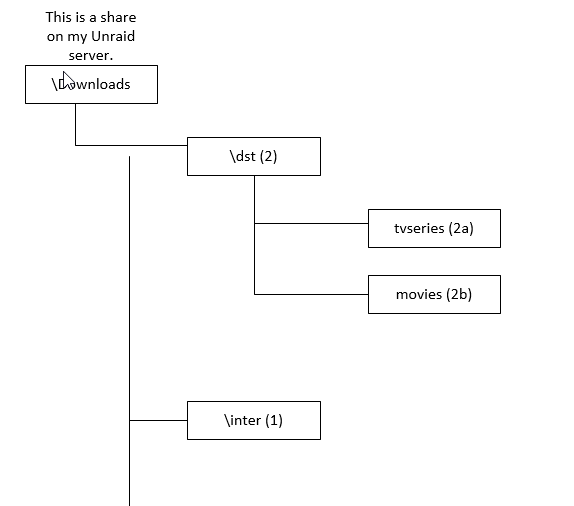
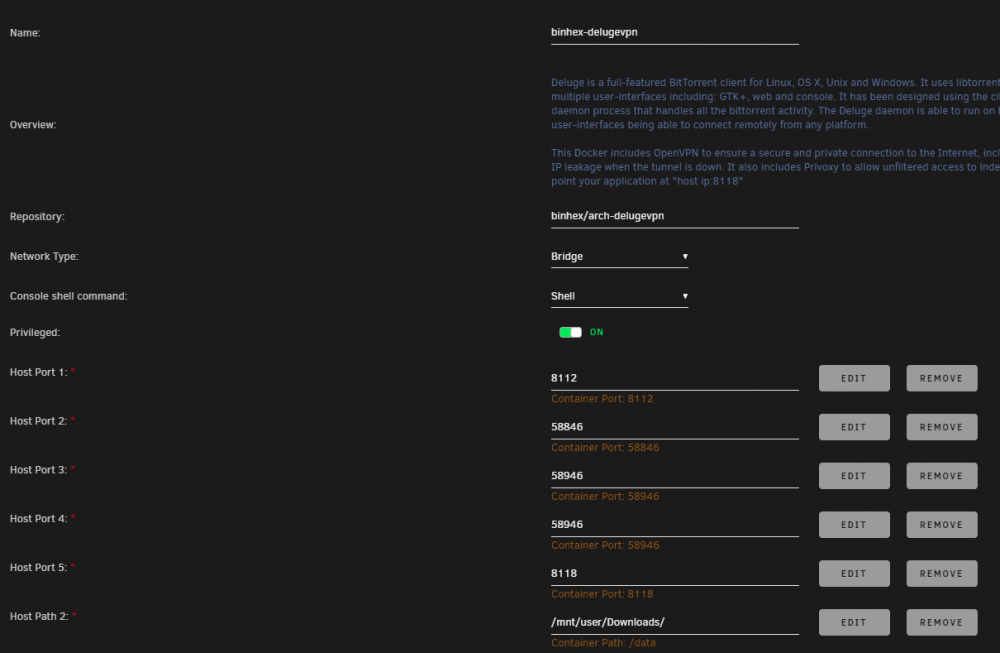
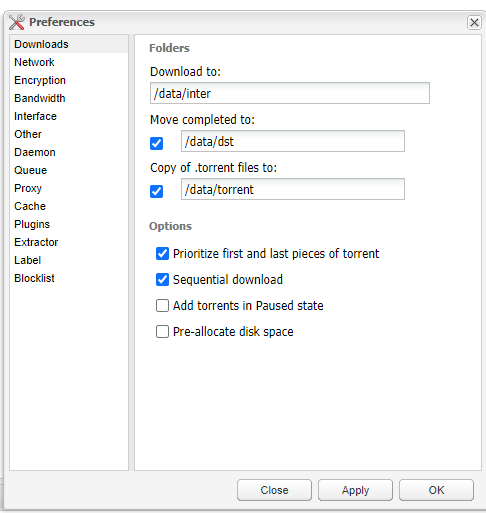
All, I seem to be having problems with my download directory. I can't seem to get the directory right. This shows at the bottom of the delugevpn page.... When I add a torrent it starts ok and then slowly dies off (because it seems it has nowhere to store the files???). I think its one of those "I'm lookin' at it but ain't seeing it"🤔. How does the path provided in the docker property sheet match with the setup in the actual Deluge preferences? Does the docker property sheet = the /data directory and go from there in the actual deluge Preferences? I guess I still have Sonarr or Radarr setup in my head..... This is the structure of my Downloads folder: Could someone point me to a detailed explanation of how this works? (I think I have a flat spot on my head from banging it against the wall--ow!) Thanks in advance.
-
ok thanks Ill do that.
-
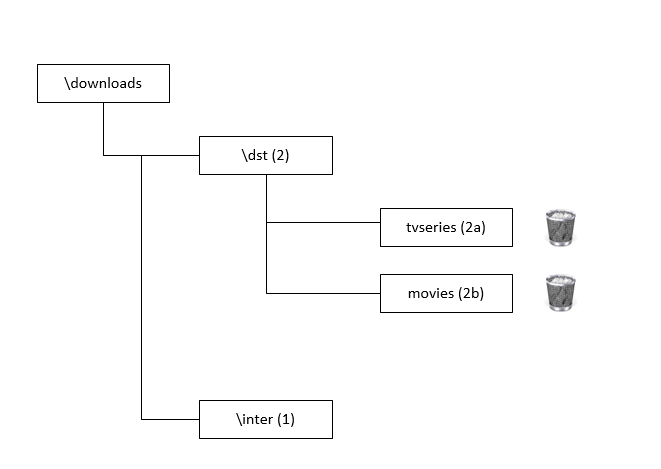
All, I have a general question on binhex-nzbget and how it deals with leftover files after a successful download. Directory Layout on my server (partial): I download to \inter directory (1) and then when the files are sorted and unpacked it moves the video file plus any other files such as .nfo files to the final directory \downloads\dst\tvseries (2a) or \movie (2b)based on category name. I leaves nothing behind in the \inter directory. But when Sonarr moves the completed file to its final resting place in media, it leaves behind all of the files in the \Downloads\dst\tvseries (2a) or \movie (2b) directory after a successful transfer. Is there a setting or script that regularly deletes these files from the final \Downloads\dst\tvseries or \movie directory? OR is there a function that does this later? I would imagine that the directory would get fairly large if you download a lot. Thanks in advance for any info. Cheers
-
I have also used FTP to transfer files and it is very fast!
-
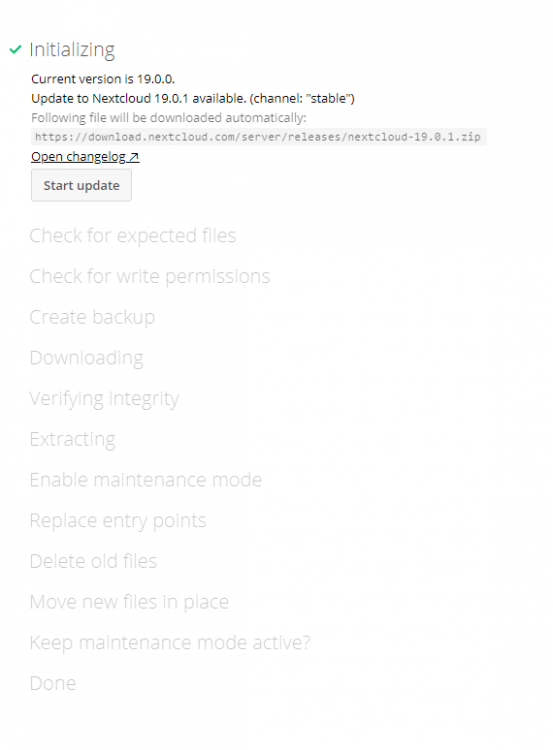
Well the updater command worked!! Thanks alturismo!! In case others are wondering - this is actually a "fullsome" update since it updates (and disables those apps that can't be upgraded) everything in nextcloud. This is a partial pic of the output: >>>>>>>>>>>>>>>>>>>>>>>>>>>>>>>>>>>>>>>>>>>>>>>>>>>>>>>>>>>>>>>>>>>>>>>>>>>>>>>>>>>>>>>>>>>> root@Tower:~# docker exec -it nextcloud bash root@21f58053c2fa:/# sudo -u abc php /config/www/nextcloud/updater/updater.phar Nextcloud Updater - version: v16.0.3-3-ga0c2b25 dirty Current version is 19.0.0. Update to Nextcloud 19.0.1 available. (channel: "stable") Following file will be downloaded automatically: https://download.nextcloud.com/server/releases/nextcloud-19.0.1.zip Open changelog ↗ Steps that will be executed: [ ] Check for expected files [ ] Check for write permissions [ ] Create backup [ ] Downloading [ ] Verify integrity [ ] Extracting [ ] Enable maintenance mode [ ] Replace entry points [ ] Delete old files [ ] Move new files in place [ ] Done Start update? [y/N] y Info: Pressing Ctrl-C will finish the currently running step and then stops the updater. [✔] Check for expected files [✔] Check for write permissions [✔] Create backup [✔] Downloading [✔] Verify integrity [✔] Extracting [✔] Enable maintenance mode [✔] Replace entry points [✔] Delete old files [✔] Move new files in place [✔] Done Update of code successful. Should the "occ upgrade" command be executed? [Y/n] y ...... >>>>>>>>>>>>>>>>>>>>>>>>>>>>>>>>>>>>>>>>>>>>>>>>>>>>>>>>>>>>>>>>>>>>>>>>>>>>>>>>>>>>>>>>> Much easier and doesn't hang. Cheers
-
Thanks alturismo I will give this a whirl.... Cheers saarg I didn't know that - good thing to know for future Thanks
-
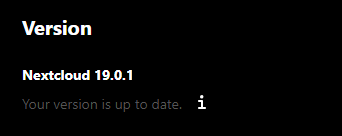
Well I decided to do an appdata restore and nextcloud is up and running using the 19.0.0 version. On the question of the internal updater is this what you mean? Unless there has been changes made to the updater, it does not work very well. Hangs part way thru. Thus is why I use the manual process. Also note the versions in the screen shot. Cheers
-
Thanks saarg for the response. It has been my experience that the webui update process in nextcloud does not work. Either hangs in process or can't be continued. Unless that has changed. I was updating from ver 19.0.0.12 to 19.1 (not sure on the exact versions but it was close to that). The file I downloaded with the command "wget https://download.nextcloud.com/server/releases/latest.tar.bz2" was this "nextcloud-10.0.0.tar.bz2". Did I somehow get the wrong version? I received a notification in the Nextcloud webgui when I went in last saying a new version was available. I used the instructions as explained in my OP and when it came time to do the update, I got that error code. Now I can't turn on or off the maintenance mode. Get same error. I did hit the update function in the menu in Unraid docker - but I didn't realize that it actually did anything. That was AFTER I ran into this problem. Perhaps that's where the new PHP version came from? Anyway Nextcloud is dead in the water currently. Could I restore the appdata for nextcloud and get me back to the old version (I backup appdata every day)? Would that do it? Anyway, if you can suggest a direction to head in for resolution that would be appreciated. I will continue to go through the files and see what that reveals. I guess if all else fails I can restore the day before appdata..... or copy the backup into the nextcloud directory..... Cheers
-
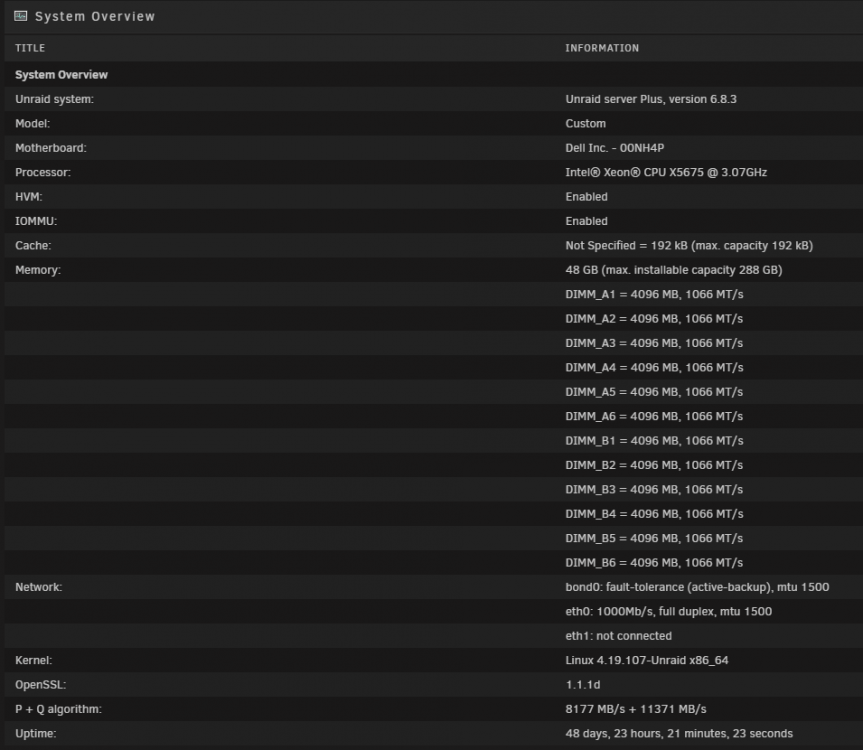
Hello all, I am currently running Nextcloud in the linuxserver docker. It is running on a Dell R710 server under Unraid. I have been upgrading the versions (I am on current -1) using the instructions found here: It has been working fine up until this update. When I try to do the upgrade I get this error: An unhandled exception has been thrown: OC\HintException: [0]: Downgrading is not supported and is likely to cause unpredictable issues (from 19.0.0.12 to 9.1.0.16) () When I try to turn on or off maintenance mode I get the same error??? I tried to go into the Nextcloud container through the Webui and this is the error I get: This version of Nextcloud is not compatible with PHP 7.1. You are currently running 7.3.20. The messages, to me, don't make sense - at all. Anyone else run into this or maybe I screwed up the coding. This is a manual upgrade process. I have tried several things with no joy. There is no search find in this forum for this particular error. If anyone has a suggestion of where to go next I'm all ears. Thanks in advance
-
Just saw this and I was stuck for a long time. The solution was to follow the instructions found in this forum - All hail CHBMB! 😉 The problem is that a lot of folks don't use the container from linuxserver.io method of installing Nextcloud - therefore most trying to help assume it is a manual docker install or some other method and provide fixes based on that. Especially if you are using some other forum (ie Nextcloud forum). It's important to make sure when asking a question in any forum with regards to this container is to state what and how you have installed. This method has worked for me every time - on Nextcloud latest. Be careful, some of the commands don't work if you copy and paste from the forum. If you copy and paste a command and it doesn't work - enter it in manually. Or, enter them all manually. Hope this helps.
-
Folks, I return with glad tidings - it works! Because I had messed around with the configuration files so much trying to follow the instructions from a couple of different sources, I just blew away my nextcloud and mariadb dockers and started from scratch. It was very painful but I am glad to say it was much easier starting from scratch. As was said earlier there is just one line to add to the appdata/nextcloud/www/nginx/config/config.php file: This is what mine looks like under the trusted proxies section (about line 8 of the file): 'trusted_domains' => array ( 0 => 'your local address 192....', 1 => 'your subdomain on duckdns.org', ), An example of second line could be: 1 => 'mydomain.duckdns.org', Thats it and it worked!!! Don't forget to restart your dockers after the change is made. All good and thanks for the assist. Now on to bitwarden - but not until I have a beer or 2 - code lube! Cheers
-
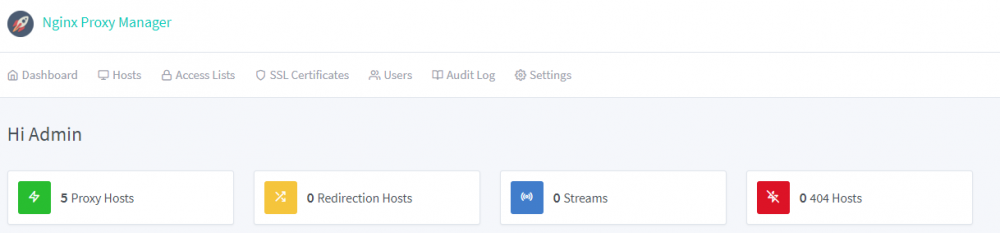
Newbie(s) I went through the same thing and I finally got it to work. Been there done that (this is one of the most difficult aspects of unraid 😵) There is another option though - much easier, intuitive and up and running in 10 - 15 minutes. I use duckdns and this is a great docker. No writing code (except for nextcloud configuration which is straight forward and there are lots of assists on the forum). I use it for nextcloud, sonarr, radarr and netdata. All work flawlessly. Haven't figured out Bitwarden yet - that is a little more complicated and a number of folks are working on it. For somebody starting out this is an good way to just get up and running. You can always come back to this if you wish. Check this out ....https://nginxproxymanager.jc21.com/ The instructions are virtually non-existent but the set up is intuitive. Cheers PS: I just posted up the coding to get nextcloud working on the NGINX Proxy Manager help thread.
-
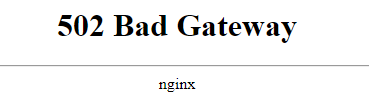
All, I have to admit that it didn't take long to get this set up and working for http: sites. Excellent docker that suits me right down to the ground. Djoss you da man....👍 I struggled with this nginx reverse proxy thing for weeks and weeks....tried about 4 different methods and none of them worked. This worked on first try and is working for sonarr, radarr and nzbget and netdata. I am using duckdns and subdomains. I have a problem with Nextcloud though. No matter what I try it doesn't work. I have received and an interesting message around internal server error: Internal Server Error The server encountered an internal error and was unable to complete your request. Please contact the server administrator if this error reappears multiple times, please include the technical details below in your report. More details can be found in the webserver log. Anyway I suspect it is something I did with the various config files while trying the other methods to get this working....default, config.php etc. I can't even access it locally!!! Not to mention it is the only https:// site. Would it be better if I "blew away" my nextcloud docker and re-installed? I'm thinking yes. But do I risk my nextcloud data? Or anything else? Thoughts? Has anyone had any luck getting the https:// nextcloud reverse proxy to work? Did you have to change any config files? I would appreciate it if someone could help out or give me a nudge in the right direction. Thanks in Advance 😊

-
First thanks for the responses.... The part I am struggling with is the final instructions in the guide called Services (Proxy_Pass). Why are those pages included at all? I think I understand what it is trying to do. But, what do I do with them? Do I add them to the default file under the folder called letsencrypt then nginx then site-conf? Or is this just confirming what it should look like in the default file? There is no context on that final page. Not sure if that is any clearer....I think the question is "why is the services (proxy_pass) pages of the guide even included ?" Just can't get it through my thick skull....it is apparent I have a lot more to learn. Oh, forgot to include that the set up is not currently working for me at all. Just get "page not working". I'll read the blog previously suggested just to see if there is a clue. I will post up my default file later on. Thanks again
-
All, I have gone over this thread many times - still can't get this to work. 😫 Tested with sonarr, radarr etc. just get the NGINX 404 page. I think the problem is the section on PROXY_PASS. I don't understand what this is and what file I should be adding those lines to.....☹️ Can somebody tell me what file(s) I need to add these lines to?? I can't find anything on what this stuff is.... I am using the duckdns site and have a typical unraid installation. Thought I knew a lot about unraid - apparently that isn't the case....😖 If anyone is around I would appreciate a "nudge" in the right direction. Thanks in advance
-
I am setting up a reverse proxy on my Unraid server. I followed all the steps in the OP video and currently have Sonarr working. 😀 I used the duckdns method as I dont have my own domain. The video is excellent as always but for the Sonarr implementation it does instruct if you are using duckdns. The nextcloud portion just speaks to instruction if you have your own domain name - not if you used duckdns. What are the edit changes to the config.php (this is where I think the problem is) file to get this working with duckdns? Do you include the full duckdns domain name xxxxxx.duckdns.org or just the xxxxxx without the suffix? Or something different? Current config.php: $CONFIG = array ( 'memcache.local' => '\\OC\\Memcache\\APCu', 'datadirectory' => '/data', 'instanceid' => 'xxxxxxxxxx', 'passwordsalt' => '/xxxxxxxxxxxxxxx', 'secret' => 'xx+xxxxxxxx+xxxxxxxxx', 'trusted_domains' => array ( 0 => 'xxx.xxx.xxx.xxx:444', 1 => 'xxxxxx.duckdns.org', ), 'dbtype' => 'mysql', 'version' => '16.0.1.1', 'overwrite.cli.url' => 'https://xxxxxx.duckdns.org', 'overwritehost' => 'xxxxxx.duckdns.org' 'overwriteprotocol' => 'https', 'dbname' => 'nextcloud', 'dbhost' => 'xxx.xxx.xxx.xxx:3306', 'dbport' => '', 'dbtableprefix' => 'oc_', 'mysql.utf8mb4' => true, 'dbuser' => 'nextcloud', 'dbpassword' => 'xxxxxx', 'installed' => true, ); * I have xx'd out the private bits. Any help with this would be most appreciated.... ☺️ Thanks in advance


