kolofotias
Members
-
Joined
-
Last visited
Everything posted by kolofotias
-
Thanks a lot! 💯
-
Thank you for the docker image! Default pass for admin? From the logs User 'admin' initialize wth user-provided passwordNever provided anything during the installation.
-
Same thing! Any workaround?
-
You didn't enable privoxy and shadowsocks....enable them even if you don't use them for now
-
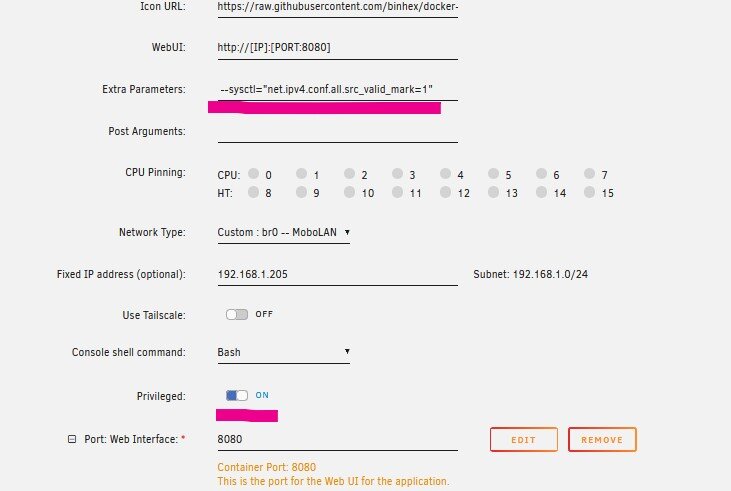
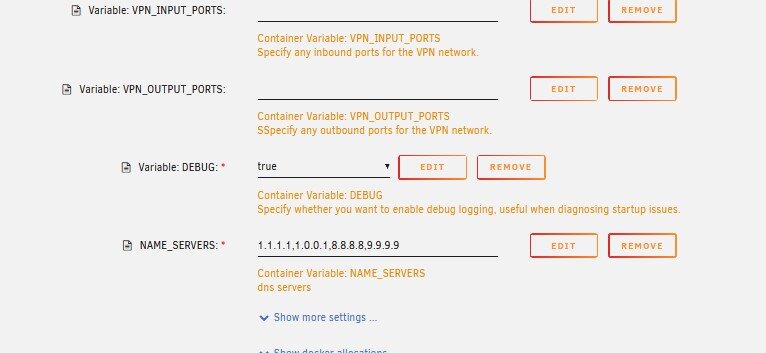
Just to make sure you got all the settings as I have set with wireguard connected to swiis server.... try different server as well Try adding a NAME_SERVERS var...
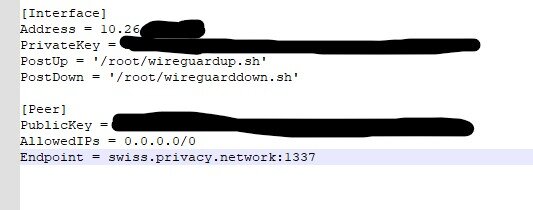
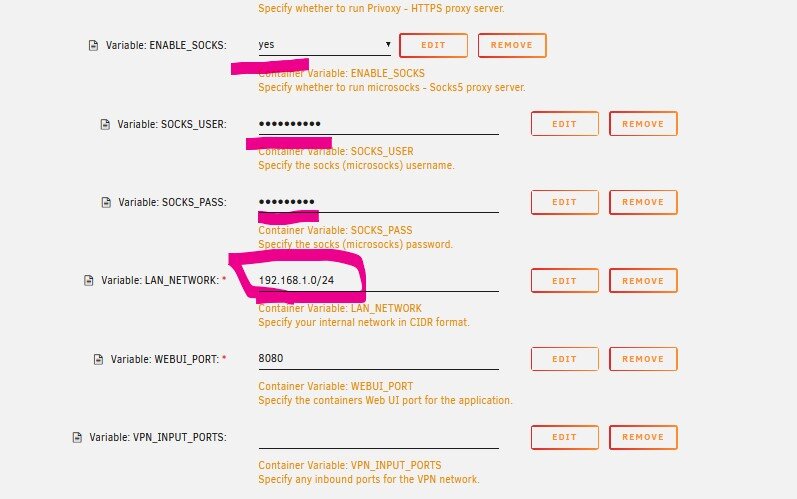
-
Just to mention that I am behind a cgnat with a static ip at the end of my network for me! And I work with macvlan as well. Recently changed for better dhcp compatibility in my network! I hope at least!
-
Still not working for me with OpenVPN But, wg worked fine after I enabled both proxy and shadosocks....Everything enabled. Then, after a couple of restarts it worked and configured wg0.conf just fine.
-
I forgot I have an exception for local IPs on foxyproxy. That means that if the request pass thruogh the proxy and allocated as non proxied traffic it will lead to webui....Direct connection to local IP won't work.
-
Nop - Called it too early I can see the webui when I use local ip with my proxy on!!!!!!! 129.168.1.205:8080 with proxy on 192.168.1.205:8118 and then I can load the webui No proxy on brower -> no webui on local ip
-
Magically after a reinstall it started working again.... I don't know for how long....but I will let you know Thank you
-
VPN - netherlands IP
-
Isn't it weard that privoxy works though and at the same time I can't see the webui?
-
WIth VPN on I lose the webui...
-
please remove the quote as it contains my pia username and old pass
-
Yes
-
Ill get them changed thank you Without con it works. I will try with turning it back on with new password
-
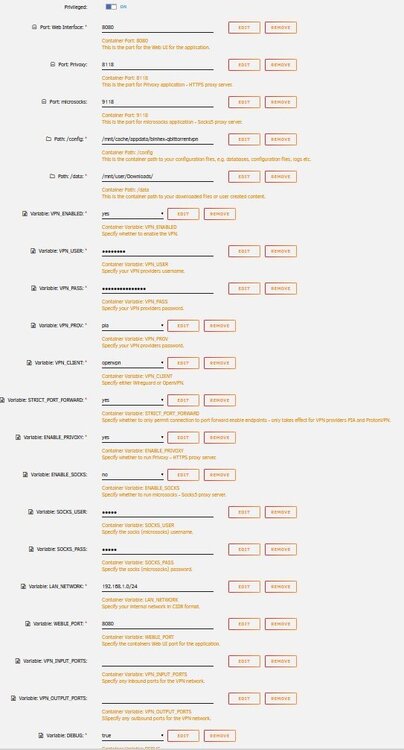
Lost access to webui today No matter what I do I cannot get to login page. Latest unraid with wireguard off for now Latest log \_ |__ |__| ____ | |__ ____ ___ ___ Resintalled - restarted multiple times. Privoxy works fine at 8118. Login at 8080 not once.... Same with all containers with a vpn - - - delugevpn etc. Maybe anetwork issue. [debug] VPN incoming port is 55234 [debug] qBittorrent incoming port is 55234 [debug] VPN IP is 10.7.110.17 [debug] qBittorrent IP is 10.7.110.17 waht's that IP range?
-
Changed MAC address a few times. Updated drivers. Restored the windows system Still nothing. Others PCs have access with the same account.
-
sfc no errors all services restored to default nothing
-
3 times....
-
chkdsk and dism with no issues.... Deleted entries in regedit for my netdrives also. Still there...with red X. cannot remove them. Just got destroyed by a simple reboot.... Will probably have to make a new vm with same disk hoping that i won't lose my setups and try again. If it's windows I will format and do a fresh install. If it's unraid network setup it may be resolved. What else should i check before?
-
MacOS vm has normal access with guest and user account in my shares. Windows rebooted but still no luck. will run dism and chdisk now...
-
Strange net use * /delete gives me: C:\WINDOWS\system32>net use * /delete There are no entries in the list. Cannot right click the netdrives to delete them \\TOWER gives me same error 0x80070035 Complete meltdown of samba access and it's something to do with the VM. Will fire up macOS vm to see if I can get access from there.
-
Firewall off enabled netbios in ipv4 settings No luck error code is 0x80070035 Tried to remap drive - no access to \\192.168.1.200\*
-
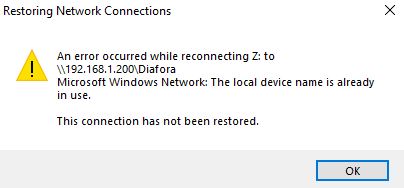
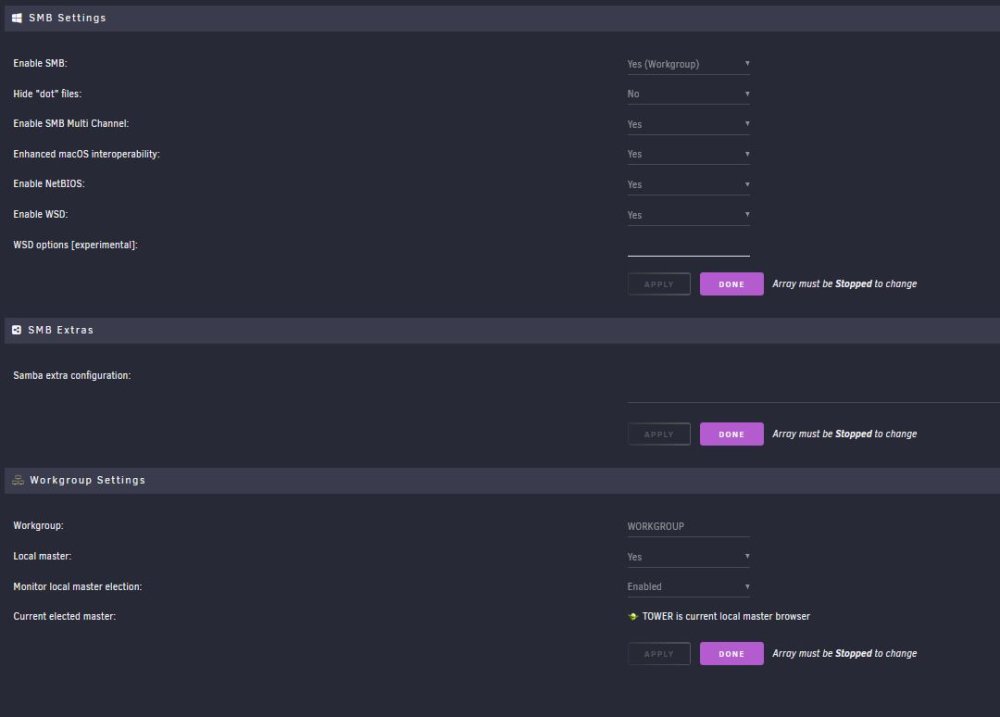
Windows error occurred while connecting to X: network drive as in screenshot Mapped drives with IPs, +1 symlink folder Tower is showing up in network discovery - not able to access it though Nothing with \\192.168.1.200 on address bar Yes it's set as LM as in screenshot Routing table seems a little weird to me but never checked it before Everything runs under opewnrt dhcp service that works fine for local clients. Tried to delete credentials and rebooted - No access - it won't even ask for my login credentials when trying to access. SMBv1 disabled - enabled no difference. ipconfig with either virtio or vmxnet3 Ethernet adapter Ethernet Instance 0 2: Connection-specific DNS Suffix . : Link-local IPv6 Address . . . . . : fe80::532e:22fb:4a9e:964%12 IPv4 Address. . . . . . . . . . . : 192.168.1.110 Subnet Mask . . . . . . . . . . . : 255.255.255.0 Default Gateway . . . . . . . . . : 192.168.1.1 Unknown adapter Local Area Connection: Media State . . . . . . . . . . . : Media disconnected Connection-specific DNS Suffix . :