





ONI
Members
-
Joined
Everything posted by ONI
-
Thanks the array is working now.
-
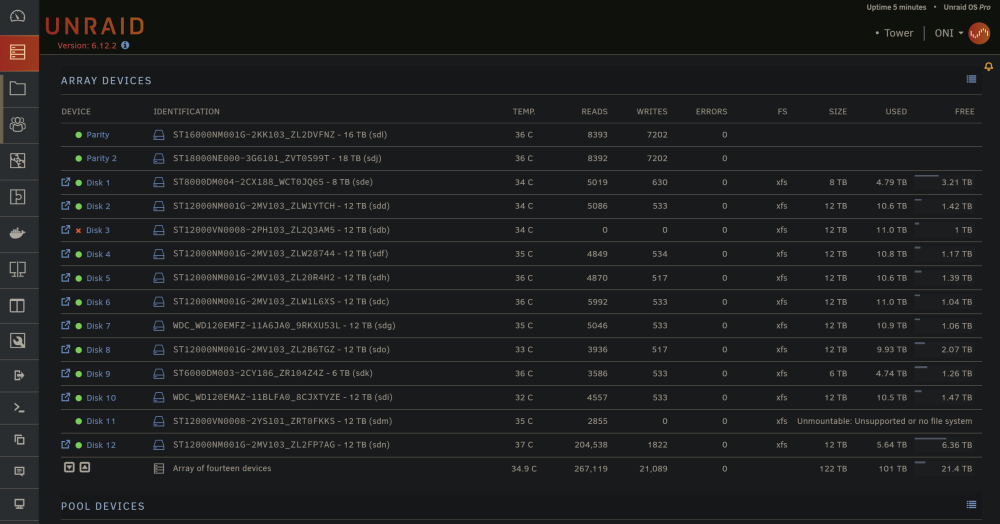
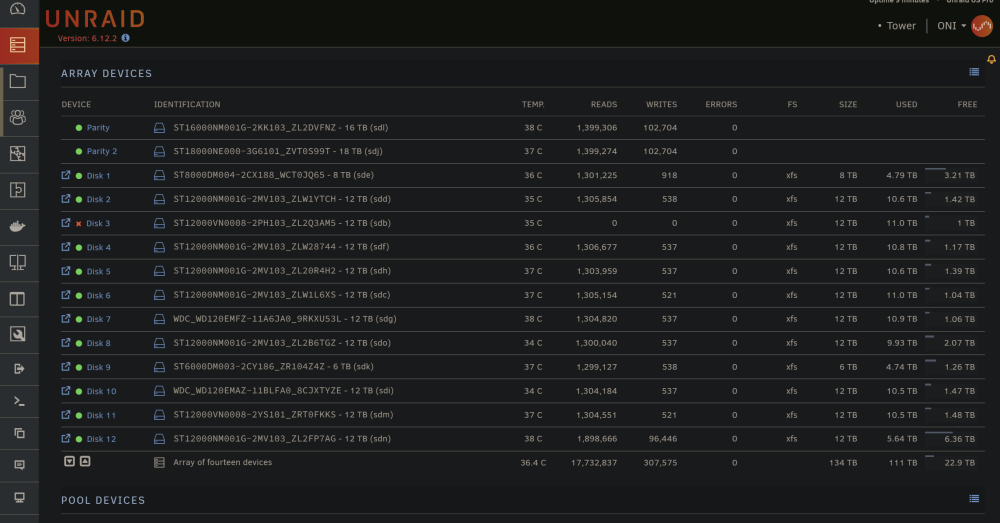
So I replaced the drive and had it rebuilt. It then showed as it had no file system so I did a repair on it. That resulted as the drive showing up and with a filesystem. I ended up doing a repair on all drives and but my current issue is that drive 3 is still not showing up. I have attached a fresh diag from the system and the affected drive. tower-smart-20230713-1031.zip tower-diagnostics-20230713-1234.zip
-
should I do this for each drive: xfs_repair -v -L (from the gui)?
-
I replaced all the cables (for the 3rd time). Because in my past posts it was recommendedI do, so I did that every time. I also replaced my SATA cards with hardware that was approved from the unraid posts. I am basically using nvme to sata drives for all the extra sata ports. My cpu is a rare one (AMD 64 core 128 threaded 3990x) so I should have enough PCIe lanes.
-
I did a fresh reboot and ran the diagnostics. tower-diagnostics-20230707-1922.zip
-
Thanks for all your help tower-diagnostics-20230706-1536.zip
-
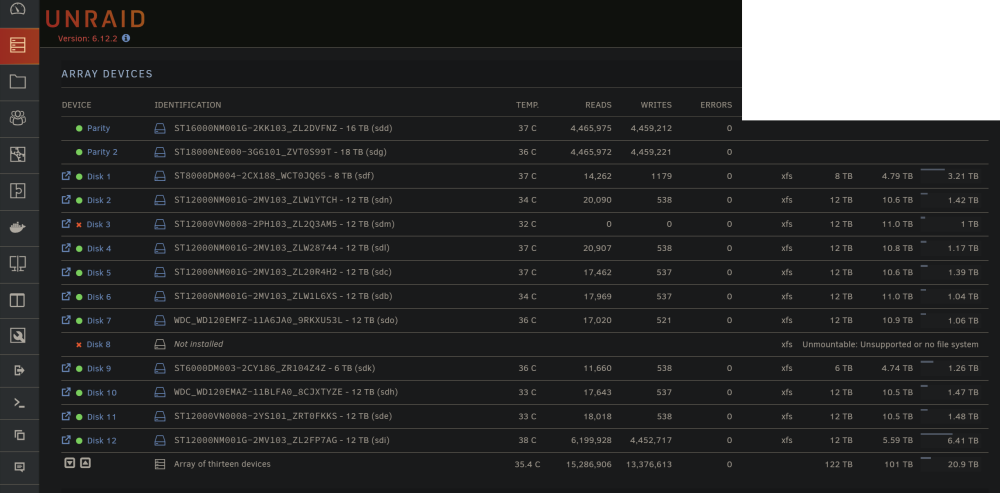
I managed to boot into it. For some reason the old NIC would not work so it defaulted to my backup. I am back in but it looks like a few disks have issues now. tower-smart-20230705-1527.zip
-
Anything else I can do because I cannot get into the gui from another pc. Sometimes it lets me log in command line but most the time it wont.
-
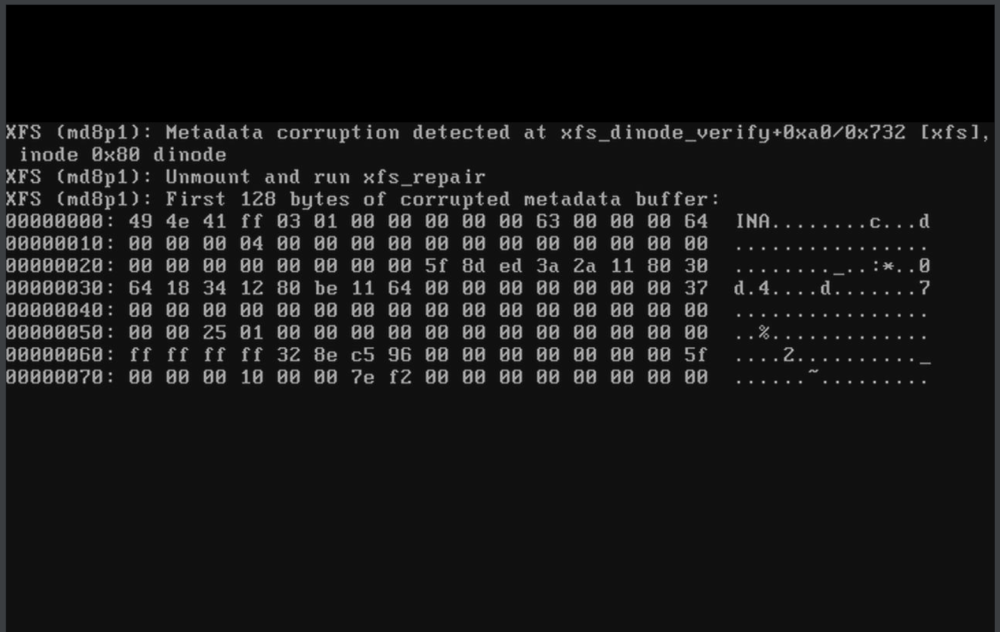
I cannot boot into unraid and all I can see is this screen. The OS does not fully load so I cannot access the array from the gui. What can I do to fix this?
-
Doing the steps here is to create the docker img from scratch. Is there a way I can recover all the dockers?
-
That drive is unassigned. I need to find it and remove it but I have not done that yet.

-
VM now shows up but dockers show as empty.


-
tower-diagnostics-20230505-1033.zip
-
I did that using xfs_repair -v -L (from the gui) and it found a bunch of things. After running it twice it finally found my shares but it did not find my dockers and vm's. Those are on my nvme-vm cache(vms) and optane cache (docker). checked them but no errors: [1/7] checking root items [2/7] checking extents [3/7] checking free space tree [4/7] checking fs roots [5/7] checking only csums items (without verifying data) [6/7] checking root refs [7/7] checking quota groups skipped (not enabled on this FS) Opening filesystem to check... Checking filesystem on /dev/nvme0n1p1 UUID: cfd619a8-4926-4872-93b8-8e3e08cd2927 found 8193474560 bytes used, no error found total csum bytes: 7607280 total tree bytes: 279101440 total fs tree bytes: 254164992 total extent tree bytes: 13877248 btree space waste bytes: 37617941 file data blocks allocated: 8239431680 referenced 7907540992
-
So I went ahead and removed some SSD's and HDD's also removed the GPU to see if my 1000watt PSU is the issue. Unfortunately that did not fix the issue. Luckily after I removed all the drives and checked each and every one I saw that the 18tb Parse drive that kept on being unmounted had a flimsy SATA connector. Not the cable but the drives connector was wobbly. So I removed that drive to get it replaced. Sadly I am still now stuck in the situation of nothing loading. The Array says it is working but docker, vms and shares don't run. tower-diagnostics-20230504-1414.zip Here is my latest diagnostics
-
I removed the drive from the array and added it again. the Parity sync started (albeit at a super slow pace (100kb/sec average) but now the docker and vm will not launch. I even stopped the sync removed the drive and started the array again but those services wont start. tower-diagnostics-20230504-0845.zip



-
Here you go. tower-diagnostics-20230430-1455.zip
-
I replaced the card with another one and the issue is the same. Different model with only 6 sata ports. So the issue is something else.
-
Even when I move the drive to the on board sata it does this. So in this case I believe the issue is something else. sure it’s not ideal to use a pcie sata card but I have 14 drives HDD’s plus some SSD with sata connections. Unfortunately the card is needed.
-
Here they are. tower-diagnostics-20230426-1601.zip
-
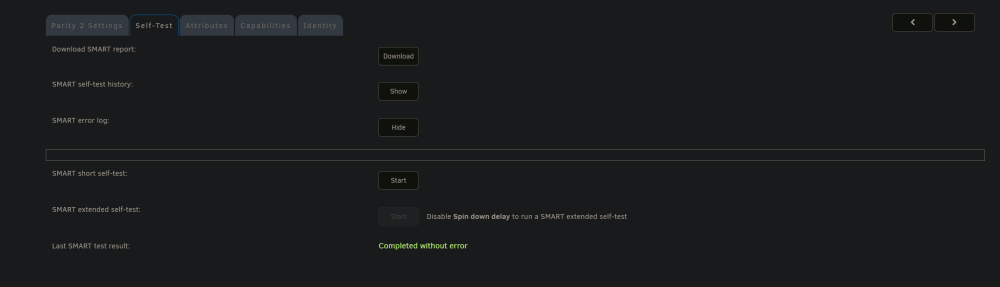
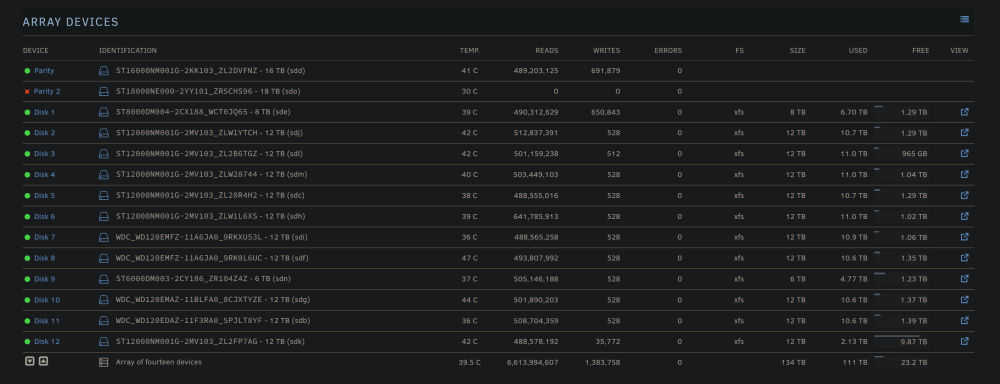
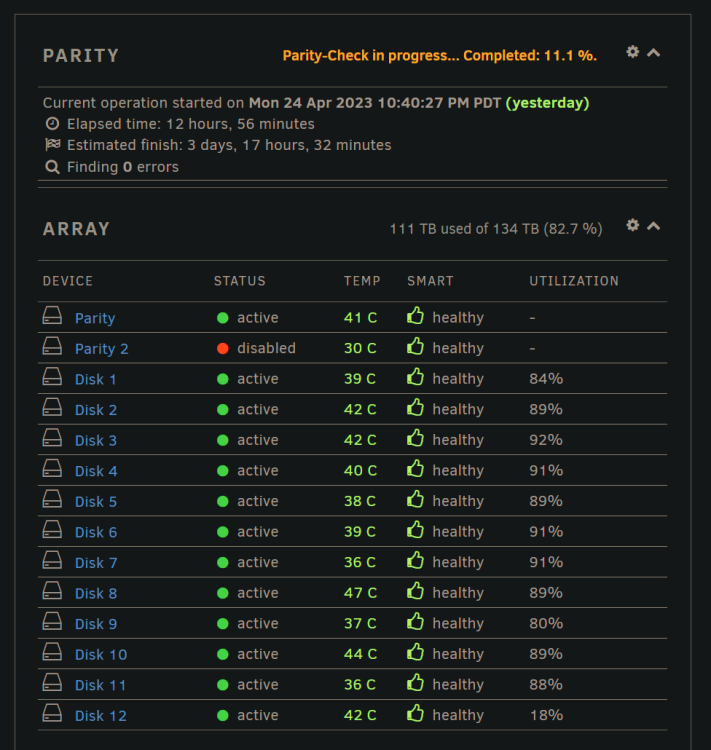
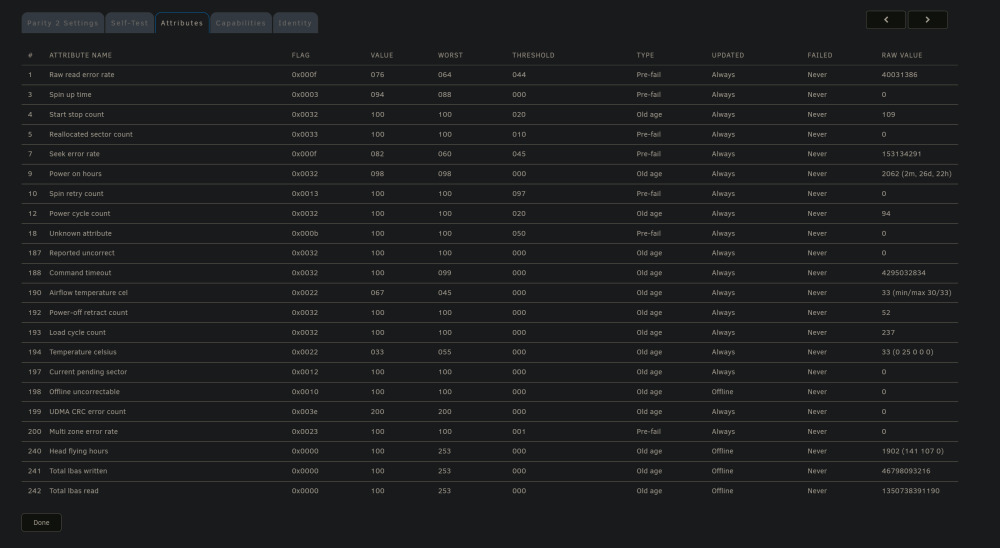
One of my Parity drives keeps showing up as disabled. I replaced the SATA and power cables three times. I also swapped out the PCIe adapter that has the SATA connections. The tests come back as good but I have no idea why the drive keeps getting disabled. Any help is appreciated. tower-smart-20230425-1126.zip
-
Does tdarr work with AV1 encoder? I ordered a Intel Arc A770 16GB gpu just to encode my entire unraid library (170tb) more efficiently and started configuring my tdarr docker pre-emptively. Sadly I don't see an AV1 encoder in the list but on reddit I see people using it with tdarr. So I am curious if there are codecs that the docker does not have access to yet or what I need to do to make it work. Any help is deeply appreciated.
-
I transferred the drives to a new computer and used the same thumb drive for unraid. Everything is currently working fine and my speeds went up to 70mb/s during check. The check usually lasts 2 days so I will watch my performance and reply back here if things go back to how they where.
-
Thank you, let me double check my settings and have it run again.
-
I swapped the controller and the issue remains. Looks like I need to replace the HDD. So I have two questions: 1) Will just swapping the drive kick off the rebuilt process or should I do something in advance? 2) I am planning on migrating the entire unraid server on another pc (newer hardware) will migrating the drives over and using the same thumbdrive for the license work or do I need to perform some special preparation?


