





MountainMining
Members
-
Joined
-
Last visited
-
I'm having trouble getting the latest version of CodeProject.AI to recognize and use my GPU. My current setup is Unraid 6.12.14. The CodeProject Docker container is using the codeproject/ai-server.gpu repository. Here is the System Info shown by the CodeProject WebUI: Server version: 2.2.4-Beta Operating System: Linux (Linux 6.1.118-Unraid #1 SMP PREEMPT_DYNAMIC Thu Nov 21 15:54:38 PST 2024) CPUs: Intel(R) Xeon(R) CPU E5-2690 v2 @ 3.00GHz (Intel) 1 CPU x 10 cores. 20 logical processors (x64) GPU: NVIDIA GeForce RTX 3060 (12 GiB) (NVIDIA) Driver: 565.57.01 CUDA: 12.7 (max supported: 12.7) Compute: 8.6 System RAM: 63 GiB Target: Linux BuildConfig: Release Execution Env: Docker Runtime Env: Production .NET framework: .NET 7.0.11 Video adapter info: System GPU info: GPU 3D Usage 0% GPU RAM Usage 1.3 GiB Global Environment variables: CPAI_APPROOTPATH = <root> CPAI_PORT = 32168 The object detection module being used is YOLOv5 6.2. I'm using CodeProject as the AI for Blue Iris that is running on a VM on Unraid. My current setup seems to be working ok. The CodeProject WebUI is showing that the 2.9.5 version of CodeProject is available. I've tried a number of things to update CodeProject to 2.9.5 (including changing the repository to codeproject/ai-server.cuda11_7, to codeproject/ai-server.cuda12_2 and changing the parameters in the deepstack container to the parameters used in the CodeProject container) but in each case, my GPU does not seem to be recognized and the new versions of CodeProject revert to using the CPU. Can anyone help me resolve this issue? Thank you.
-
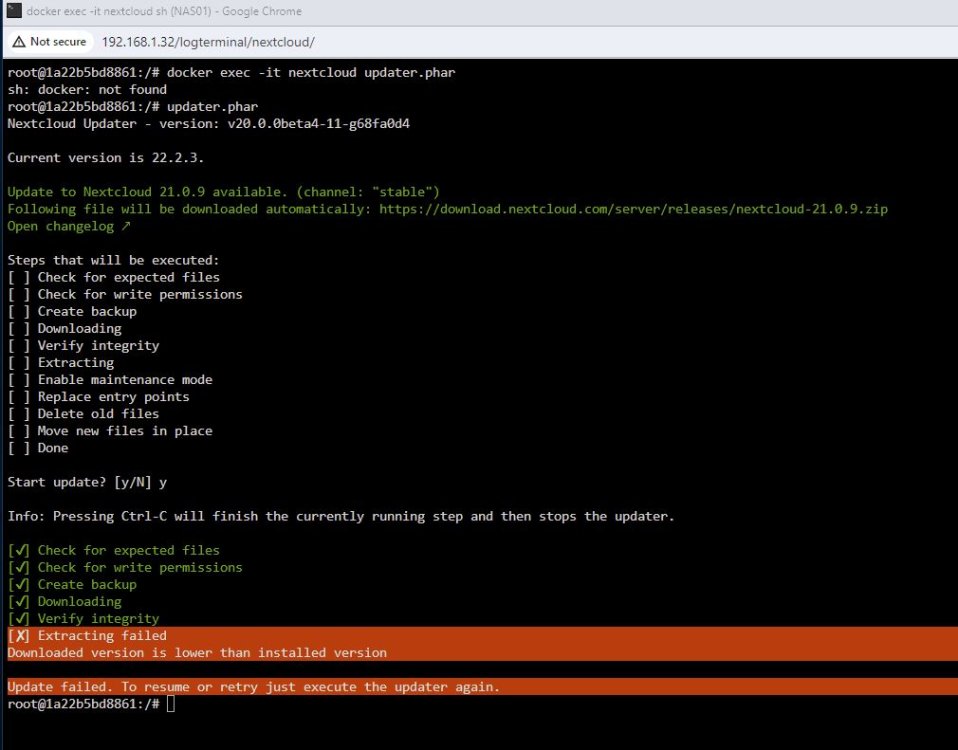
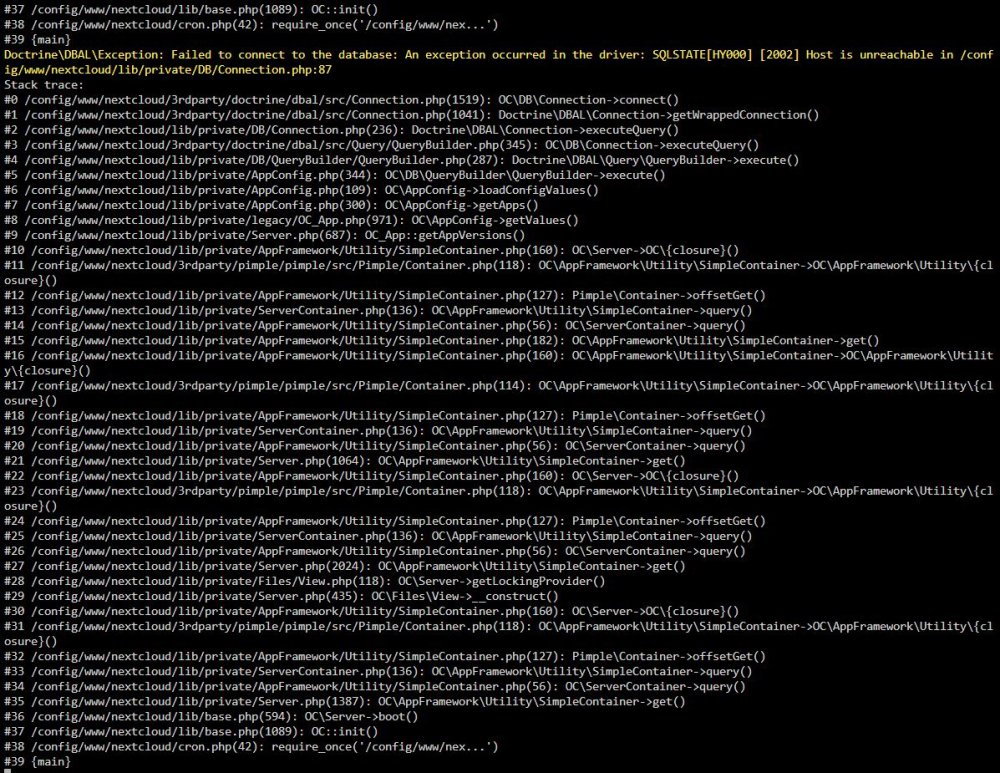
After I installed Nextcloud a long time ago, I did not get around to using it. So I might have been starting with something like version 17 or 18. I'd like to start using it now, so I tried to update the Docker container a couple of days ago. Now, when I try to start the webui of Nextcloud I get a 404 Not Found error. Previous to this, I tried to follow the suggestions from LinuxServer here and got the error in the first screenshot. (Perhaps I did not roll back far enough. The article does not have a version 17 or 18 listed.) I then tried to follow the advice here and get the error in the second screenshot. Since I have no data in Nextcloud, I'm not opposed to uninstalling it and re-installing it if that would be easier than trying to troubleshoot my current installation.
-
It seems that I've fouled up my Nextcloud install when updated the container from LinuxServer. I had not used NextCloud for a long time so it was very out of date. I've tried following a number of suggestions from various forums, but I think I should just uninstall and re-install NextCloud and MariaDB. to get a fresh start. What is the proper way to do this? Thank you for your help.
-
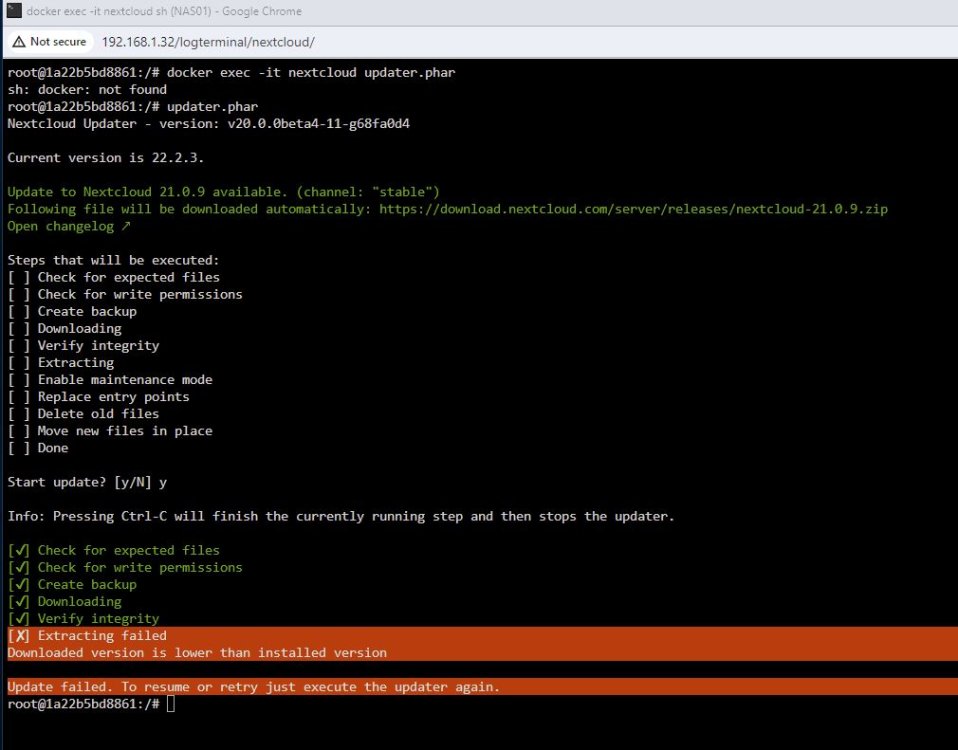
I'm having similar problems with NextCloud after I updated all of my Docker containers in UnRaid. I have not really used NextCloud after installing it a while ago. I suspect there is a problem because my Nextcloud installation was too old. I tried following the instructions from LinuxServer here and tried to follow the steps from @forder above. But, I have not been able to get NextCloud to start. Attached is a screenshot from the console. Can anyone point me in the right direction? Thanks.
-
I'm looking to get this set up on my Unraid box. What GPU did you use for this? Are you also using Blue Iris? If so, is Blue Iris installed on a VM in Unraid or on a separate Windows box? Thanks.
-
I was not aware of the AMD reset bug. I'll look into it. Thanks for the tip.
-
@Bullerwins and @ghost82 Thank you for your suggestions. I'm just playing around with installing macOS on Unraid to learn. So even an RX 570 is more than I'm willing to spend at this point. According to the Dortania GPU buyers guide, it seems an AMD HD 7750 will support up to Monterey. Since I can get that GPU for about $50, I'm thinking of getting one.
-
Thank you @ghost82. Following your instructions I have Big Sur installed. Now, I need to research the least expensive graphics card I could pass through to get reasonable performance for light use of Big Sur.
-
@ghost82 thanks for helping me. Since we're really talking about macinabox, I'm posting in this thread instead of the hackintosh tread. I'm still new to all of this. Do the 10 steps that you posted to me the other day apply your prs or do I have the apply the prs before following your 10 steps. If I need to apply the prs manually, how do I do that? I was not able to figure that out by looking at the closed prs on Github as you suggested.
-
I'm glad I stumbled upon this container. But, I'm having trouble using the container to upload videos to YouTube. I've tried different videos that are each around 8Gb in size. They all get stuck in the loading process at around 27% completed. What causes this and how can I resolve it? Thanks.
-
Is you post from a couple of weeks ago saying that we can manually install your contributions without waiting for Spaceinvaderone to merge them into macinabox? If yes, I followed your steps and still had problems like Monterey downloading instead of Big Sur and the system continually rebooting before I'm able to configure install the Mac operating system. My Unraid is running on an old Dell T7610 with an Intel Xeon E5-2520 v2 (Ivy Bridge EP) CPU. I think my hardware is more similar to a MacPro6,1 than the iMac Macinabox seems to create. Would my hardware cause these problems or am I doing something else wrong?
-
@ghost82 I'm a noob trying to learn by following along this thread and the macinabox thread. Since you seem to know what you are doing and spaceinvaderone might be busy, is it possible for you to fork the macinabox project and merge your contributions that seem to fix a number of issues I'm having trying to get this to work?


