Mattaton
Members
-
Joined
-
Last visited
Everything posted by Mattaton
-
Nothing you said is wrong. Agree with all of it. Definitely would love to use something other than USB for boot. Per my understanding (I could be wrong), the boot drive is only accessed at boot or when plugins are installed, updated, that sort of thing. So for 99% uptime servers, flash reliability from wear isn't really an issue.
-
I can only say USB3 works in my experience. 😄 As @adoucette says, keep backups of the flash. I use AppData Backup plugin and the unRAID Connect service for this.
-
I'd say any decent name-brand drive will do fine USB 2 or 3. I run two Samsung USB3 drives ( the same ones @SpaceInvaderOne listed in his video a while back, I believe - the ones with the all-metal bodies) and a Sandisk Cruzer USB2 drive on my 3 systems. All work great. I think I've only had to replace the drive on my first system from when I had no idea what I was doing and just grabbed a random drive when I was first trying unRAID. It worked fine for a while, but ended up swapping it out for a Samsung drive when I started getting some strange behavior.
-
If you make any change to the order (unlock first), save the changes (relock), then refresh the page, the lock should turn green. This is what sets the order of the autostart (the order that unRAID uses) to match what you're seeing on screen.
-
I use AppData Backup along with FolderView and have no issues with containers auto-starting in correct order as intended.
-
I recently disabled Crowdsec for completely unrelated reasons, but up until then I had SWAG, Crowdsec, and Immich working together just fine. Never got banned. I see you have it solved though. Sweet! 🙂
-
No. I let it go. Probably overkill anyway. But thanks!
-
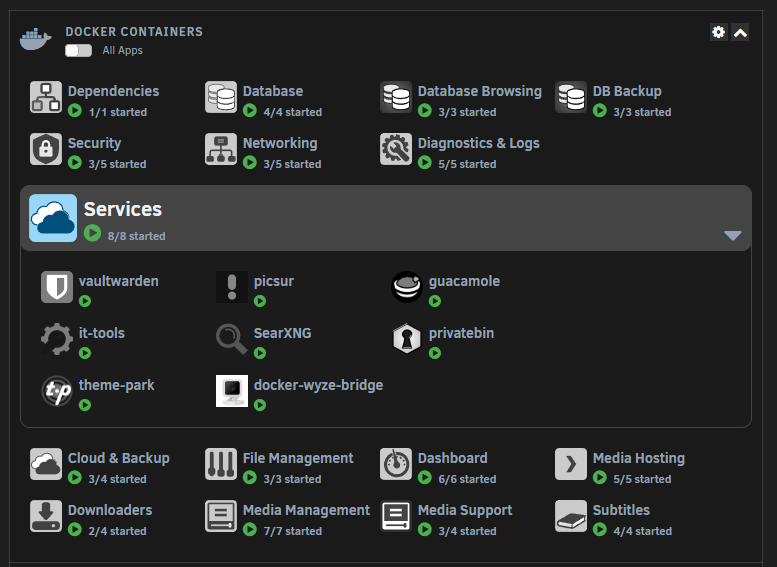
Gotcha. I'm pretty sure we've discussed this before when a user was trying to eliminate some clicks when opening the folders on the Dashboard. The pop-up menu is just the default unRAID interface's way of doing it. I would think some custom javascript, with some CSS sprinkled in to add in the arrow, could perhaps trigger the expand functionality without the pop-up menu. Since @scolcipitato has given us the ability to add custom javascript and CSS, this is probably not something that will be baked into the FolderView plugin. I'm pretty swamped at the moment or I'd give it a go. Maybe one of the smarties here can whip something up. 🙂
-
@ProphetSe7en You can use CSS to do things like this: Reading your post again, I think what you want is the little chevron icons on the Docker tab?
-
I'm still on 6.12.6 on my main rig and it is working. Another box has 6.12.8, but only one address in the extra origins field and it's working. @debit lagos @DougCube Are you guys putting in more than one address in the field? @elibosley, can you confirm if this is a bug in 6.12.8? Thanks!
-
Next request from @scolcipitato will likely be for a debug file: To enable the debug mode you have to type 'debug' and you should see a download starting. If you have a problem you will likely be asked to submit that file, the file is specific to the tab that you are on. If nothing happens, open the browser console and send a screenshot of that. Which version of unRAID? Did you recently update unRAID or FolderView? Also, just to make sure, you weren't originally using the old plugin, Docker Folders, and switched from unRAID 6.11.x to 6.12+?
-
Anyone been successful getting Fail2Ban setup with Immich?
-
Just a quick try at helping you, as it sounds like you have done what should work. After you reorder the folders and relock the order, did you refresh the page? I can't remember, but I think I usually have to refresh for the icon to change after a reorder. You've probably done so, just trying the easy stuff first.
-
Yeah, I knew it was 24 hour. So when I tried yesterday I added 12 to the PM hours. 🙂 But running it this morning I didn't need to since it was all AM times. When I first started trying to get the schedule to work, it wouldn't run at all. Someone suggested I turn on Console Mode and then it worked. So I thought I had to have that on. But you're getting it to work without. I have no clue what I'm doing. 😄
-
Sounds good. As long as the backup is running, I'm good. It's just an issue to puzzle over. 🙂 Thanks for all the help, everyone!
-
Sorry...using Windows Power Toys Text Extractor to pull the text from the VNC session since I can't copy and paste. It just swapped in an I for the /. It's correct I just missed that when I posted.
-
Sorry. Pump the brakes. I just restarted the container and checked the status of each task. Turns out it DID run at 11am, it just hadn't updated the status until I restarted. So, it still ran it at 6 hours after 5am. Checked the timezone and it still looks right. root@d841cef0c6d7:/# su - luckybackup luckybackup@d841cef0c6d7:~$ date Wed Jan 10 11:24:37 EST 2024 This is annoying, because this just worked with my test yesterday. 😕
-
I did so and it did not run. I don't understand why since the test yesterday ran fine. I have nuked all schedules and recreated. Cron now looks like this with the test schedule for a couple minutes ago: User: super user - crontab content #lnitial Cron luckybackup entries 0 5 * * * /usr/bin/luckybackup -c --no-questions --skip-critical /root/.luckyBackup/profiles/ daily-5am.profile > Iroot/.luckyBackup/logs/daily-5am-LastCronLog.log 2>&1 /usr/bin/luckybackup -c --no-questions --skip-critical /root/.luckyBackup/profiles/ 15 11 * * * /usr/bin/luckybackup -c --no-questions --skip-critical /root/.luckyBackup/profiles/ daily-5am.profile > /root/.luckyBackup/logs/daily-5am-LastCronLog.log 2>&1 end of luckybackup entries That looks correct, doesn't it? Should run at 5am and 11:15am according to that, right?
-
I am using it as root.
-
Yeah, that discussion is us. We just moved over here to keep it official 🙂
-
@cybrnook 11am just came and went and the schedule didn't fire the job. So, it's not the 6-hour offset issue. I removed the schedule. did the cronIT, checked that the entry was now blank. Then I set the schedule up again with console mode enabled as it was before. cronIT and the text for the schedule looks the same. Let's hope it works this time!
-
Yes, it was a new test profile and task. I could try that, but as far as I understood, the entire cron file gets overwritten each time you click CRON it. So, when I added the schedule for the new test profile, it overwrote the original, and then again when I removed the test profile and schedule. I'm all for giving it a shot, but I'd think the text within defining the schedule would, in a sense, be fresh if the file had been rewritten.
-
Update on the timezone scheduling... I have the cron for my main profile (daily-5am) set to run at 5am, which it did NOT. I checked the timezone and it still checks out as EST. So, we'll see if it runs at 11am and the 6-hour delay issue remains. 0 5 * * * /usr/bin/luckybackup -c --no-questions --skip-critical /root/.luckyBackup/profiles/ daily-5am.profile > /root/.luckyBackup/logs/daily-5am-LastCronLog.log 2>&1 Before yesterday, I had this cron job set to 0 0 * * * and it would run at 6am (6 hours later). With the timezone fix, I would think this should have run at 5am when set to 0 5 * * *. You guys see anything I'm doing wrong?
-
+1 here. Just saw the error shield and added two urls (comma separated) to the extra origins, but the shield is still there. If I just have one url, the shield icon goes away. Also tried changing the order of the urls. Still the error.
-
Same. Didn't work when I tried either.