





Rebel
Members
-
Joined
-
Last visited
-
Hi All, I currently have a separate proxmox server that I would like to power off for a while (UK electricity prices are a killer and going up again in April so I am trying to consolidate) and I've got a few quite important VMS that I want to keep running but don't want to fully migrate into unraids KVM engine (there are some reasons) so how practical would it be to back up the vms from the old machine, spin up a new cache pool with a pair of mirrored SSD's for the vm storage and spin up proxmox as a guest inside unraid? I have no worries about CPU capacity and I think I can squeak down the RAM to fit with some rationalisation between the exaisting proxmox vms and what I am moving over, if not I can transplant a couple of memory sticks although I take a performance hit on mobo to do so (and the other ram is smaller) - thoughts?
-
I will try to add it as a manual variable, I just wanted to make sure I wasn't losing my marbles.
-
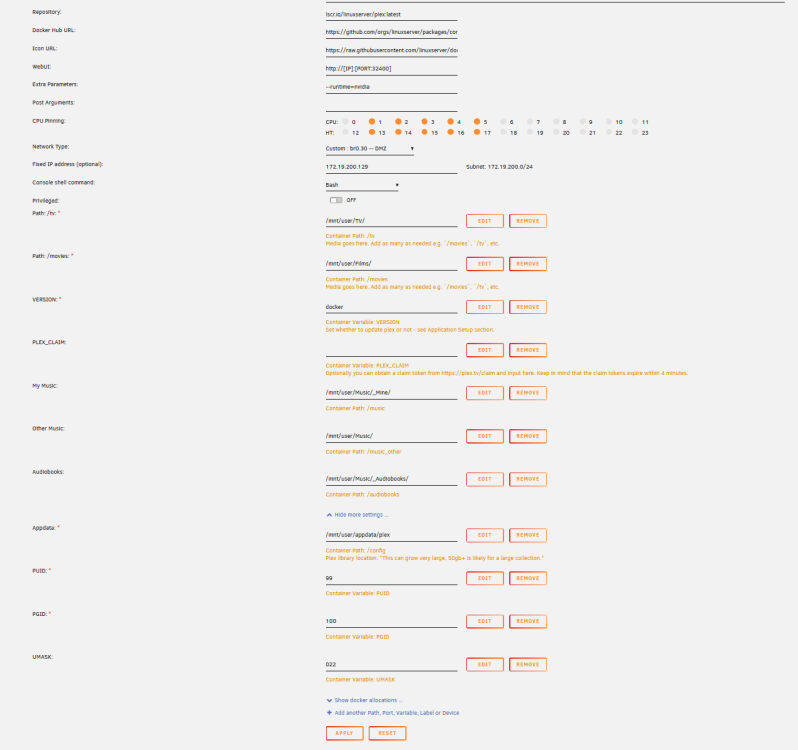
Hi all, I am trying to enable nvidia transcoding (following spaceinvader one guide) after installing a card in my NAS but can't find the nvidia visible device field, has the template changed?
-
Thank you sir, you are a god amongst us mere mortals. Disappointing in Code42 just throws that out and doesn't fix it, we can't be the only people in the world using custom keys.
-
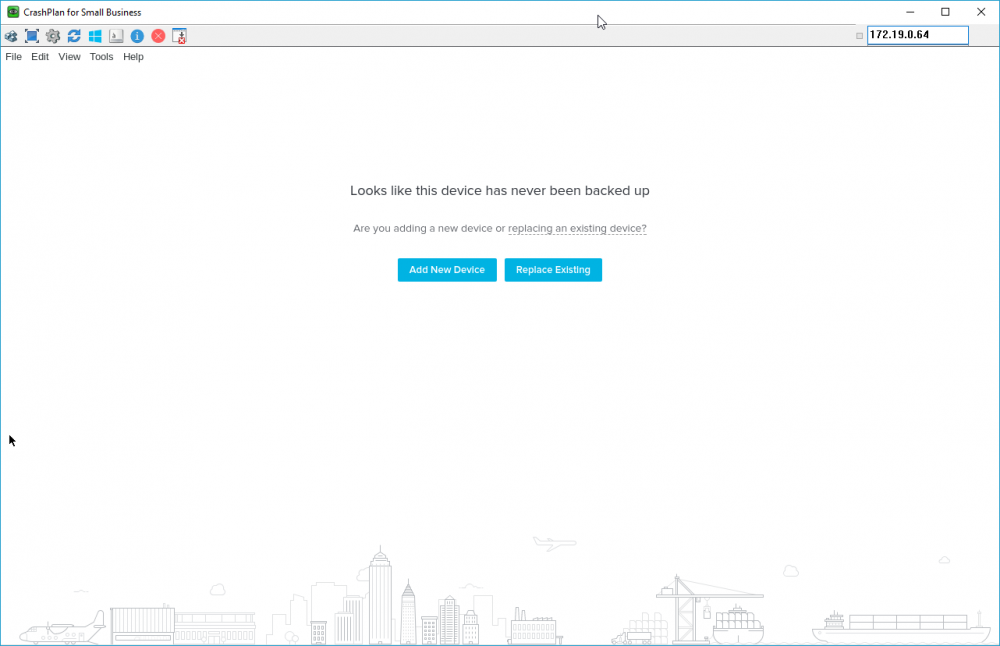
Hi, I installed the container using the app install (having migrated from the old home plug-in that stopped working last week.) it starts up but whenever I try and click on the "replace existing" option to adopt the backup it just goes back to the first screen after login. Running UR 6.6.0 Edit- I've tried the inbuilt console on Firefox and Chrome and VNC direct.
-
Tell me about it, a couple of week ago I had to rebuild couch potato for what seems like the 20th time after the DB got corrupted AGAIN after an updated (apparently DB corruption is an issue with it anyhow before you factor in running it as a docker on unraid )
-
Thanks for the idea! Yes, it seems it was that! After adding more RAM to Crashplan it seems to work fine again! Thank you!! My pleasure, I've got 10+ years of DSLR photos covering several TB and I hit the Java memory thing long ago (actually before migrating over to docker). Not wanting to be THAT guy but have you tried removing the container and the appdata files and just starting the config from scratch? you can adopt the old PC from the cloud and it will pick up from where it left off so it not a total loss (again you probably knew but I was just covering bases)
-
How big are your backup sets? Default is set to a Gig of ram which as a rule of thumb gives about 1TB backups / 1m files. http://crashplan.probackup.nl/remote-backup/support/q/keeps-stopping-and-starting.en.html
-
Hmm, I can't update, just keeps saying the repo is not tagged with latest
-
I: 2016/02/19 17:31:57 unbalance.go:28: unBALANCE v1.3.4-482.221ac38 starting up ... I: 2016/02/19 17:31:57 unbalance.go:38: No config file exists yet. Using app defaults ... I: 2016/02/19 17:31:57 server.go:45: Starting service Server ... I: 2016/02/19 17:31:57 server.go:62: Serving files from /usr/local/emhttp/plugins/unbalance I: 2016/02/19 17:31:57 server.go:93: Server started listening on :6237 I: 2016/02/19 17:31:57 core.go:76: starting service Core ... F: 2016/02/19 17:31:57 unbalance.go:46: Unable to find unRAID mdcmd (/usr/local/sbin, /root) root@LSpace:/boot/logs#
-
Hi, I don't get it, it just says stopped.
-
Hi, Selected enable but it doesn't start? Last few log lines.... Feb 19 00:08:07 LSpace php: /usr/local/emhttp/plugins/unbalance/scripts/start Feb 19 00:08:07 LSpace sudo: root : TTY=unknown ; PWD=/usr/local/emhttp ; USER=nobody ; COMMAND=/bin/bash -c /usr/local/emhttp/plugins/unbalance/unbalance -port 6237 Feb 19 00:08:41 LSpace kernel: mdcmd (88): spindown 2 Feb 19 00:13:14 LSpace emhttp: /usr/bin/tail -n 42 -f /var/log/syslog 2>&1

