





IKWeb
Members
-
Joined
-
Last visited
Everything posted by IKWeb
-
Sorry for the late reply, the key was created with Allow UEFI Boot ticked. The server itself is set to boot in UEFI mode. GUI Boot fails with the same as in the screenshot above.
-
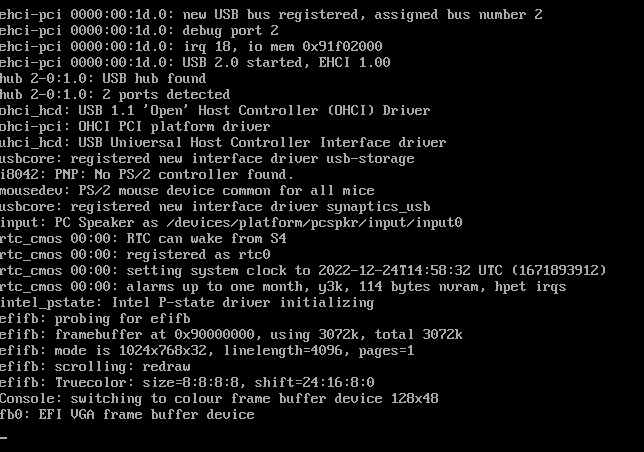
Hello All I have just created a new USB stick using the latest version. Put this into a Dell R430 and on boot it stops at the message below. Any ideas? TIA
-
Hello all I am new to Python and want to run some test scripts in a docker container. I am currently usying a website called Python Anywhere but I am finding myself hitting the CPU limits they have. What is a good docker that I can use to run scripts, and one better does any of them have a web GIU like Python Anywhere does?
-
Basically I cant get the installer to work over HTTPS so I have to do it over HTTP then when I Switch it after it breaks the WP install. Once I install the container if I go to https://IPADDRESS:PORT the installer doesnt come up - but if I go to HTTP://IPADDRESS:PORT the installer works.
-
Hello All I am after some help, as what ever I do ends up bricking my WP install and I end up removing it all and then having to start again. So I have NPM setup to forward to the IP and port I am using for the WP Docker, and to force SSL - Same settings as I would use for say NextClould. When I install WP I have to do it via the dockers IP over port 80, when I try and run the installer over HTTPS it errors. So when the install is done I end up with a wordpress site running but via port 80, and when I try and do https://IPADDRESS:PORT it fails. So I go back to http and login to WP. When I look to change any of these 2 URLS to either https://IPADDRESS:PORT or just IPADDRESS or even the external URL it just breaks the system. How the heck do I setup the external URL within WP, and switch it over to SSL so NPM can forward the traffic and work like NextCloud does... I am at a total loss. Thank you for anyone who can help / advise.

-
Hello All I am after some help please - I am using Nginx Proxy Manager as my reverse proxy. All is fine and I have next cloud working fine. But when I try and download files greater than 1GB the connection gets reset. From what I have read online I need to add the below to my config of Nginx but I am unsure what file to add it to The command is - Proxy_buffering off; If anyone could let me know what file I need to add this to that would be great. Or if I am completely on the wrong path any feedback would be welcome. Thank you
-
Hi @Djoss - Thank you for that information.
-
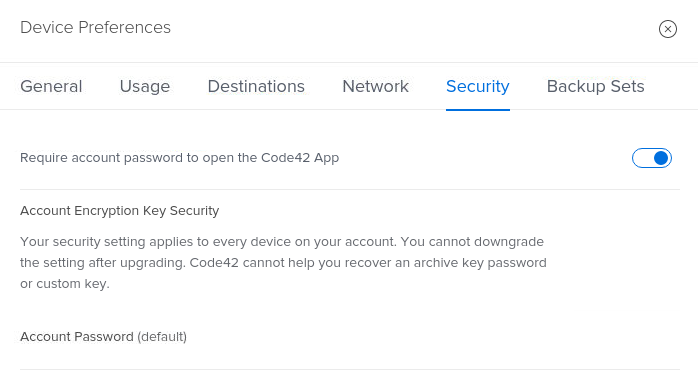
Hello All I am new to Crashplan and have just signed up to the basic $10 per month package of CrashPlan pro. I want to backup my files and use some kind of security to make sure they are safe. When I add the new destination I see in the tab an option for security - but I only get a toggle that askes me to use my password for opening the app. (screenshot below) If I want to add encryption to my files that are been uploaded - Where would I go to do this? Thank you
-
Hello @Djoss thank you for taking the time to reply. When I look at advance settings I cant see what option would be to make that location writable. Are you able to advise, or let me if I can find some help docs only to read though? Many Thanks
-
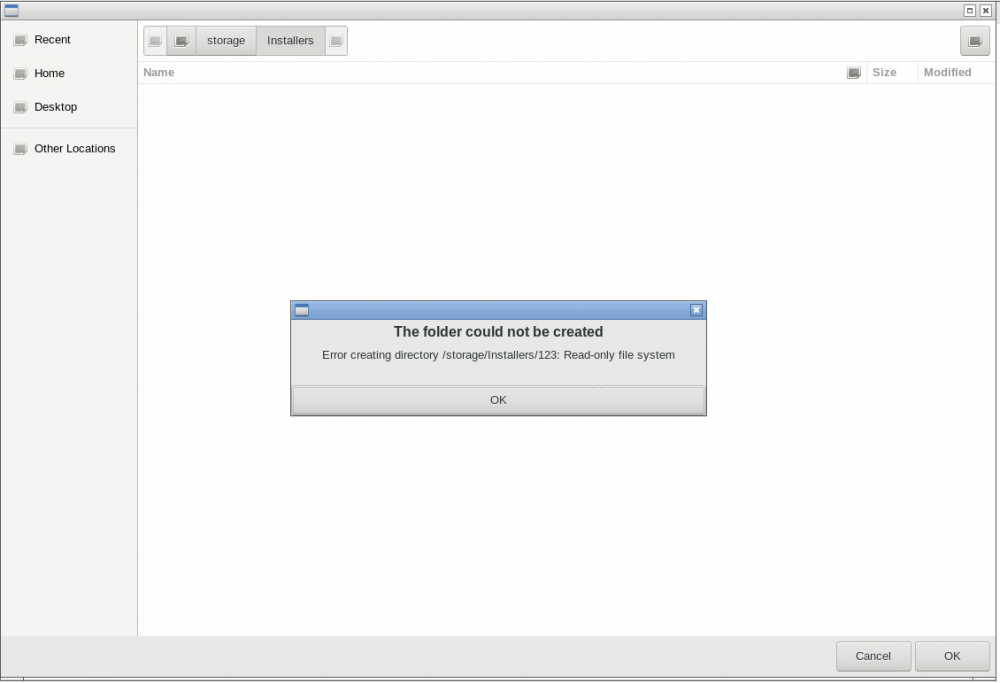
Hello All Quick question - I have re installed CrashPlan and set the storage location to /mnt/user/ When I try and do a restore even tho the share is open - CrashPlan says its read only. What am I missing? I assume a setting somewhere? Thanks
-
Hi @jonathanm - it is an old SSD its an - Crucial CT960 - M500
-
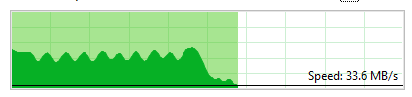
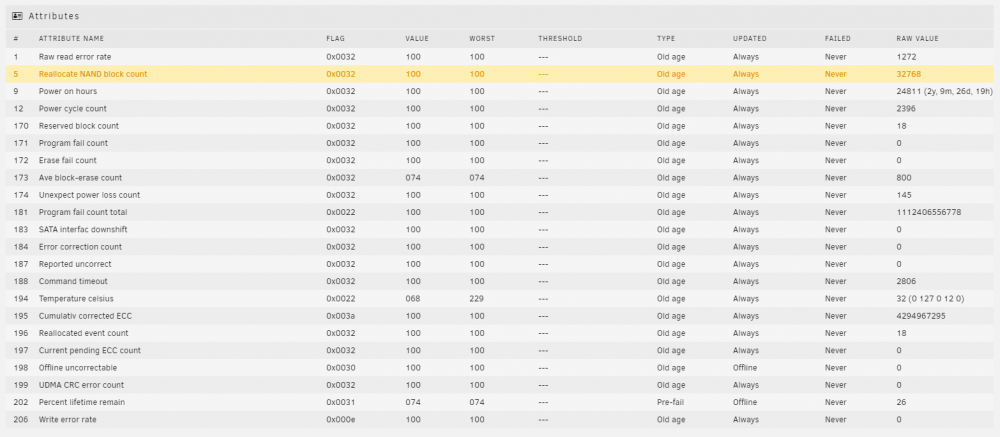
Quick update - When I copy a large amount of data from one share to another - Both shares set to use Cache - the copy starts off around 300mb/s or above, but after 5min drops down to 20mb/s and IOWAIT hits 10% I am wondering if its the cache drive? But its showing no issues. The SSD does show this - So maybe this is the cause

-
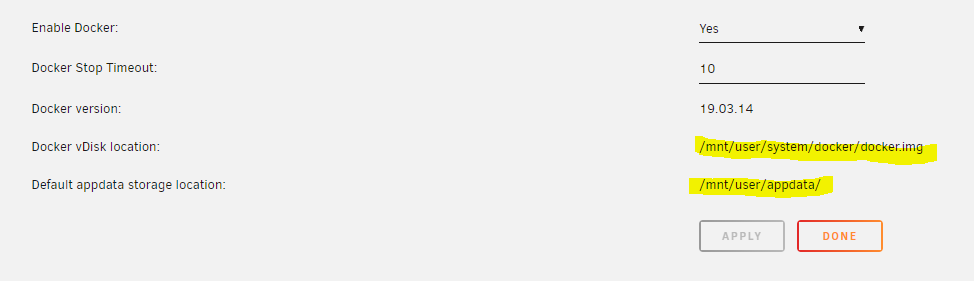
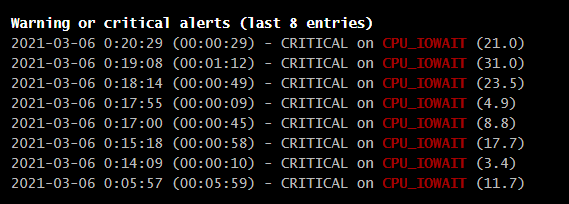
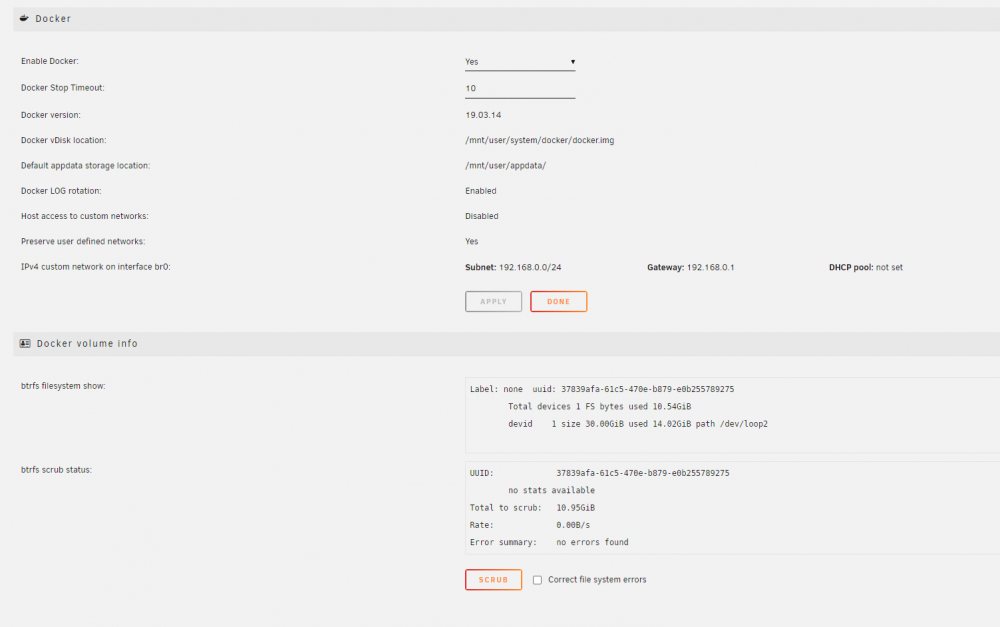
Evening all - So when I do anything with my active dockers I get CPU_IOWAIT errors showing up. (for example updating the containers) Posts on this forum say its a bug within unraid (but a few versions have been released between that post and now) but I also wanted to check with people that know more than me that my locations are correct. All my AppData paths witin the docker templates for things like Plex, Sonarr are all on the cache drive. But the docker.img looks like its on normal spinning disks (highlighted below) Do I need to update these paths to be the cache drive? Finally the behavour I am getting is when I copy a large amount of data to my cache drive, I loose all WebUI's for the server itself, and all dockers that have a webUI. until the copy is done. The copy is been done to a share that is on the cache drive (so its not copying direct to the array) These are the advance settings These are the errors I am getting
-
@Exilepc - Did you ever find a fix for this? I am getting the same issues, and while copying large amounts of data to the array it kills the WebUI's for the server itself, and all the docker containers.
-
Hello All Can I ask for confirmation? I assume I would either use NginxProxyManager or SWAG - you wouldnt use both? I assume NginxProxyManager has a copy of SWAG within it? TIA
-
Evening All Have a question I am not sure on the answer - I have nextcloud running, but on the overview page it tells me I am not using the most current version. I am on 17.0.7 and the latest is 17.0.10 Is this due to whoever keeps the docker image up to date? I have told the docker to check for updates and it cant find any. Is it just a case of me waiting for someone to update it? I am using linuxserver/nextcloud repo. Many Thanks
-
Thank you for the help with this - I am 90% done, I have one last issue. I have everything up and running, but I assume if I am running a WordPress docker for example for the proxy conf files I would need a WordPress site conf file? As its not a sub folder, or a subdomain its running from www.donmain.com The folder for this is empty, where as the other has templates - can these be downloaded from anywhere? At the moment the URL is hitting the SWAG docker as i am gettings its web GUI so I assume this just needs a conf file to tell it where to send the traffic onto? Or do I set something up in the default.conf file that says this domain is redirected some how? TIA
-
Thank you for taking the time to reply - so from that I need to ue -e EXTRA_DOMAINS= But what it doesnt make clear is what file I need to edit to add this into?
-
Hello All Unless I am been totally stupid here - I have installed Wordpress - But in the WebGUI for it where you advise the datbase password etc - I cant see anywhere where I can set the database name - when I look at the config file - its getting a default database as WordPress - But I want to change this. What am I missing?
-
Hello All Can SWAG look after more then one domain name? Can I use a , in the Domain field and add a 2nd, or 3rd domain name?
-
Hello I have moved from LetsEncrtpt to Swag not so long ago and I have a question around something I would like to setup, but not sure if its possible. I have 1 external IP, and I run around 3/4 VM's internally. So at the moment people who connect to those VM's have to use something like the below vm1 - remote1.domain.co.uk:8081 vm2 - remote2.domain.co.uk:8082 and so on with port numbers - The hardware firewall I have then port forwards the 8081 and 82 to the correct internal IP address for that VM and port for RDP. With SWAG is it possiable to set something up like the below (Without the port number) and then in a config file you would specifiy the URL so remote1.domain.co.uk and then the IP that goes with that URL and then it would know what internal server to pass the RDP request onto? vm1 - remote1.domain.co.uk vm2 - remote2.domain.co.uk Hope that make sense - It did in my head lol
-
Evening all I am new to User Scripts and wanted to know if the below is possible. When the UNRAID Server moves over to battery power and the UPS kicks in - is it possiable to create a script that will then trigger a URL? Then the same again when power is restored, a 2nd script that will trigger a 2nd URL?
-
Why would you want the UNRAID server to support Wifi?
-
Have I missed something here, what is the default username and password ?
-
Good evening all - When I login to my Plex Web portal - It shows I am running version 1.18, but it tells me 1.19 is out. I cant see anywhere on the docker tab to update this. How is an update handeled? Via the plex website it tells me to update manually. TIA


