




Sander0542
Members
-
Joined
-
Last visited
Everything posted by Sander0542
-
The uninstall plugin scripts keeps hanging on an unraid-api command. I ended up removing all the plugin config files and restarted the server. After that I installed the plugin, it worked for a week and now back to this problem
-
When I am trying to start the Unraid Connect plugin I am seeing the following error. SyntaxError: Unexpected end of JSON input at JSON.parse (<anonymous>) at Configuration.getAllSync (/usr/local/unraid-api/node_modules/pm2/lib/Configuration.js:304:17) at Configuration.getSync (/usr/local/unraid-api/node_modules/pm2/lib/Configuration.js:275:30) at new API (/usr/local/unraid-api/node_modules/pm2/lib/API.js:116:44) at Object.<anonymous> (/usr/local/unraid-api/node_modules/pm2/lib/binaries/CLI.js:27:11) at Module._compile (node:internal/modules/cjs/loader:1688:14) at Object..js (node:internal/modules/cjs/loader:1820:10) at Module.load (node:internal/modules/cjs/loader:1423:32) at Function._load (node:internal/modules/cjs/loader:1246:12) at TracingChannel.traceSync (node:diagnostics_channel:322:14)This is what I am seeing on the profile popup. This is what I am seeing on the settings page. I I tried restarting the API multiple times, I removed and installed the plugin multiple times, but for some reason is it not working anymore. Any clue as to why the JSON input is invalid and from which JSON files this coming? I check all the JSON files in the boot/config/plugins/dynamix.my.servers/configs folder, but they were all valid JSON.


-
After the latest Unraid version (7.1.0) I am unable to use my Quadro K420, because the last driver that supports this card is "470.256.02". How can I install this version of the NVIDIA driver?

-
Okay, that is good to know and will same me some time debugging. How about creating a plugin which installs K3D (D not S) and setups a cluster within Docker. https://k3d.io/
-
Adding K3S to Unraid in the form of a plugin would be a good solution too. Is there any documentation on how to create a custom plugin for Unraid which installs and upgrades software packages?
-
Would it be possible to have K3S running in Unraid. K3S would fit perfectly within the Unraid ecosystem. Below are some motivations for this feature request. - K3S is great for Homelabs - More competition with TrueNAS SCALE which has Kubernetes - The binary is less than 100 MB - The binary includes all depdencies - Could be enabled/disabled in the settings (like Docker and VM) This feature would allow the more technically advanced users of Unraid use it and run more complex applications on their homelab. https://docs.k3s.io
-
Yes, you need an additional docker container with MySQL. I am not sure whether the database is automatically created. Try creating it yourself to avoid any errors.
-
In what mode are you running the MySql container and Network Manager container?
-
Have you filled all the environmental variables for the MySQL database? It looks like the application is unable to connect to the database.
-
Is there any update on this? I would love to use this for some projects
-
Happy to hear it works now! Thank you very much!
-
@Hawk-N it looks like your database connection is not working. Please check the host, port, user and password. I am also releasing new builds which should give better error messages in the console. It will be available in a few hours.
-
Thanks for the feedback! It helps a lot! You can check the status of the release on this page. When everything is green its release and you can update the docker container on unraid. https://github.com/Sander0542/Network-Manager/runs/4629198832?check_suite_focus=true
-
I haven't tested the application in Firefox yet. I have a potential fix which could fix your problem. I'll make a release which should be available in about 15 minutes. I'll send you a message when it is available.
-
Could you open the docker terminal for the container (Icon -> Console) and execute this command `cp /var/www/html/storage/logs/swoole_http.log /var/www/html/public/err.log`. Then open the website and navigate to the `/err.log` location. It should download a file. Can you share that with me please?
-
Have you set the Application Key to a string with a length of 32? For example `DFzqBaqwAqgz4PCdpwqx48Cxr8Rsk3ku` (dont use this one)
-
This usually happens when you wait too long before submitting a form or restart the server after you have loaded a page. Could you try restarting the container and then refreshing the register page? After that, you should be able to create an account.
-
There is no default login or setup process yet. However you can go to the /register page to create an account Edit: Since version 0.1.1 the user will be redirected to the register page if there are no account in the database.
-
Support for the Network Manager docker container Application Name: Network Manager DockerHub: https://hub.docker.com/r/sander0542/network-manager GitHub: https://github.com/Sander0542/Network-Manager This container is still in beta and may not be stable yet. Post any questions or issues relating to this docker in this thread.
-
This would be a great feature for the Unraid 6.10 security update.
-
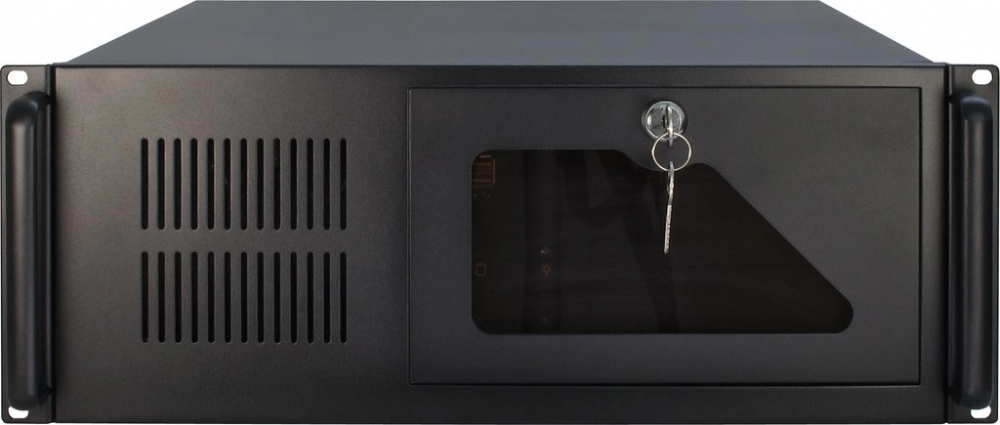
All of your images look amazing! Could you make one for the Inter-Tech IPC 4U-4088-S and one for the Cooler Master MasterBox Lite 5 RGB (Where the fans are visible), please?

-
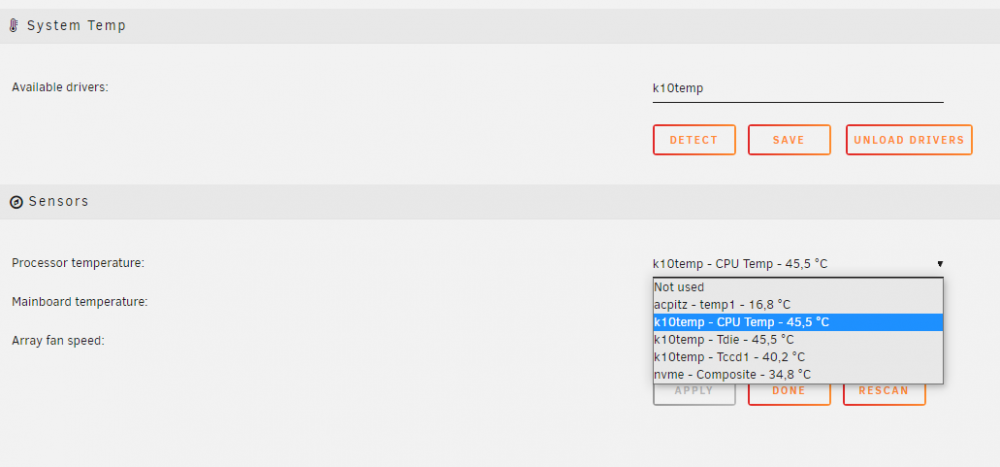
Thank you for the reply. I fixed it using one of your other solutions. The NCT6687 driver did not add any new temperatures to my list. Below is the solution that fixed my problem
-
I am running Unraid version 6.9.1, but I am only seeing CPU temps. My mainboard (Gigabyte B450 Gaming X) does not show up in the list. Does anyone know how I can see the Mainboard temperature in Unraid? CPU: Ryzen 5 3600