





brownsugar
Members
-
Joined
-
Last visited
-
Yes. The file system is repaired, and everything is running as it should. I reviewed the lost+found share, and there are 87 small files in the couple of hundred-byte to kilobyte range. Each file is labelled with a string of numbers. Should I be concerned about these remnants? Are they just the corrupted sections I can delete?
-
Hello JogreB, Thank you for getting back to me so promptly. I have run the file system repair as instructed and have attached the repair status update generated from the procedure in a text file for your review. I have run the mover process, and everything works properly. Meaning my shares are remaining intact. Thank you for your assistance. 20241124_Chk_filesystem_status_Disk1.txt
-
Hi there, I have run into an issue with my Unraid media server. My user shares have disappeared from my server. I stopped and stared at the server, and they reappeared. I thought it was a glitch, and the problem appeared to be solved. Then, it occurred a few more times. Rebooting or restarting the array does get the shares to reappear. After some digging, I found this was caused by the move operation I had scheduled to run in the late evening. I am unsure what is causing the problem and would appreciate any help I can get. Please let me know if you require any additional information to aid in resolving this issue. I have attached my diagnostic file for your review. Thank you. tower-diagnostics-20241124-0513.zip
-
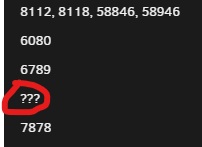
Hi there, I am experiencing a similar but different problem. My plex server (Binhex - plex) stopped working early this morning. When I checked unraid the docker had disappeared. The files were still in the AppData folder, so I went to the apps and reinstalled the container from the recent apps. All the setting looked good and the docker was running. When I tried to access the web UI, I got an error message, "This site can’t be reached" and "Connect refused." when I reexamined the docker container settings I noticed that under the docker allocations, the plex docker had three question marks "???", while all the other containers each have unique ports. Please refer to screen capture; Additionally, I noticed that under the dockers tab is no "port mapping"being displayed prior to this issue, please refer to screen capture ; I have attached the general diagnostic log, the plex server log, and a sample of the superord.log that references the crash. I hope that it helps with identifying the issue. If you have any suggestions on how I can fix this issue, I would greatly appreciate them. Thank you. tower-diagnostics-20240923-1144.zip Plex Crash Uploader.log 20240923 supevisord.log sample.txt

-
Thank you so much for your help. I will proceed with the rebuild process. Wish me luck.
-
Thank you for being so thorough. This information is very helpful. I think I will go with the rebuild on the self option. Just one thing: I cannot seem to find directions on how to check whether the "emulated disk" contents are okay. There are references to checking this check, including before running the rebuild procedure, but no specific directions on what this check entails. If you could provide a link to this information, I will review it before proceeding. Thank you.
-
Thank you for getting back to me so promptly. I apologize for not including the disk number. I appreciate the clarity of your instructions. I have followed your directions, checked the cabling, replaced the power cable connection, restarted the array, and run a new diagnostic, which is attached. Disk 1 is still disabled. I look forward to your assessment. tower-diagnostics-20240504-1353.zip
-
I'm having a similar issue: I have a drive now marked as disabled. The server has been running well for months without issue. I reviewed some of the documentation from the links provided in this thread. The two courses of action I see are to replace the drive or to do a rebuild on itself. Could an expert please review my attached diagnostics and suggest a course of action? I am still a noob to Unraid, so any advice would greatly appreciate it. Thank you. tower-smart-20240504-1134.zip tower-diagnostics-20240504-1140.zip
-
Hello all, I have the "Invalid folder rootshare contained within /mnt" error on my system. I have attached the diagnostic logs and a print screen of the FCP page. The funny thing is everything was working fine and this problem only occurred after a reboot of the system. Since this problem has occurred, Plex is not able to find the media on the drives. Any assistance you can provide to help me locate and fix this issue would be greatly appreciated. tower-diagnostics-20220311-1956.zip screenshot-Fix Common Problems 2022.03.11-20_01_35.pdf


