





Bjur
Members
-
Joined
-
Last visited
Everything posted by Bjur
-
I have made the following script: filebot.sh -script fn:amc /mnt/disks/WDC_WD30EZRX-00D8PB0_WD-WCC4N7VXZ3TR/downloads/complete/Film --output /mnt/user/Film/{n} ({y})/{n} ({y}){' CD'+pi}{'.'+lang} --action move --def "ut_label=movie" --def artwork=y --def subtitles=da,en --log-file amc.log --conflict override -non-strict 2 questions: 1. How do I test the script? I can't find any way to launch the filebot exec. 2. When the script is working I would like to put it in Sabnzbd script folder and launch the filebot from this container. I can't use the standard configuration because I have 2 types of movies folder (movies/kids) and the same with series. Hope someone can help!
-
-
Thanks for the help and suggestions. I will try to test what I have. Two questions though: 1. Where do I test if it's actually working? 2. Can I create scripts for movies and TV or will it standard use one?
-
Hi I have just installed the Filebot Docker on Unraid and I really need some help. I have also SABnzbd and Sonarr which I would like to use it with. My idea is that when Sab places DL in complete folder Filebot AMC should see these two folders (movies/tv) and then rename, move and find artwork for the items and place it in /mnt/user where I have Movies/Tv libraries. I had Filebot working on a W10 machine, but would like to have it working on Unraid instead and have just purchased both Unraid and Filebot License. How do I get these batch files into Filebot and automate it. Movies: filebot.jar -rename -r -non-strict COMPLETEMOVIEFOLDER --db TheMovieDB --format "NEWFOLDERMOVIES\{n} ({y})/{n} ({y}){' CD'+pi}{'.'+lang}" filebot.jar -script fn:suball "MOVIESFOLDER" -get-subtitles --lang da,en -non-strict --def maxAgeDays=7 TV: filebot.jar -rename -r -non-strict COMPLETETVFOLDER --db TheTVDB --format "FOLDERTV\{n}\Season {s}/{n} {sxe} {t}" filebot.jar -script fn:suball "TVFOLDER" -get-subtitles --lang da,en -non-strict --def maxAgeDays=7 Also how do UI make script for artwork and language da. Thanks for the great effort.
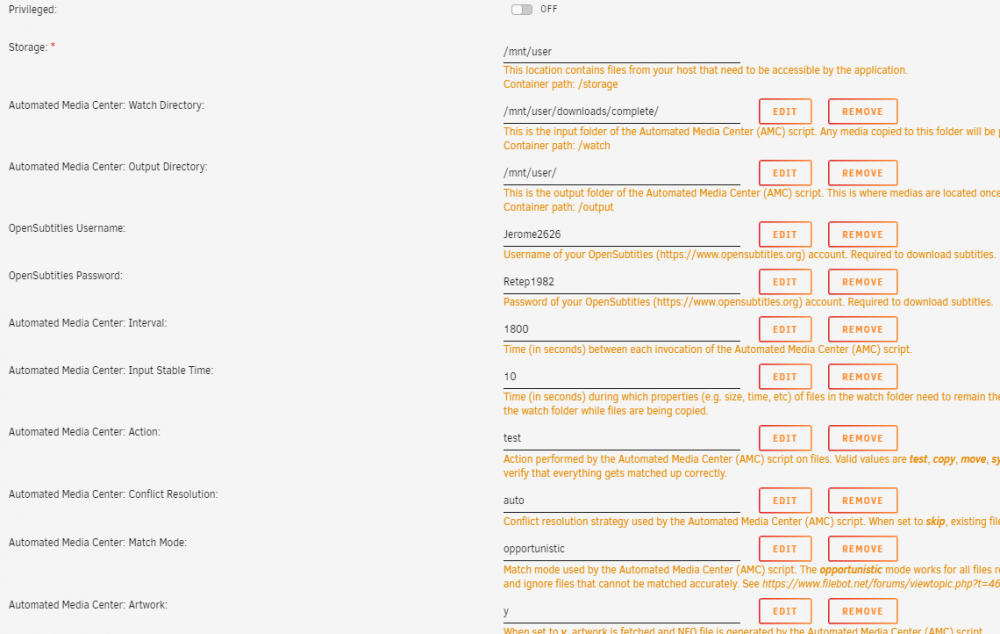
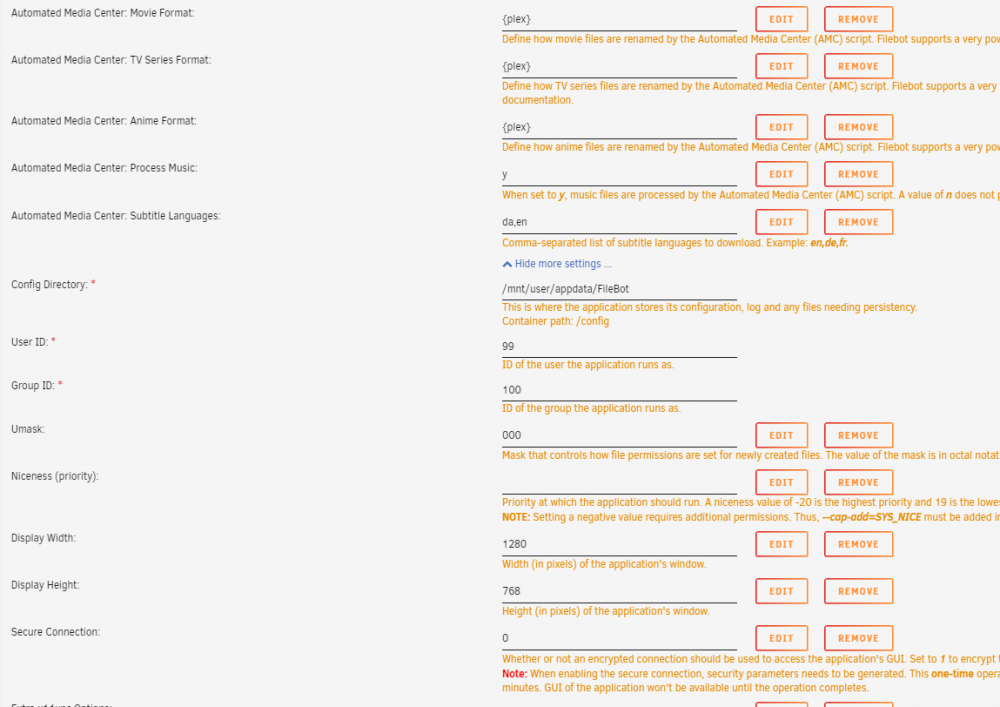
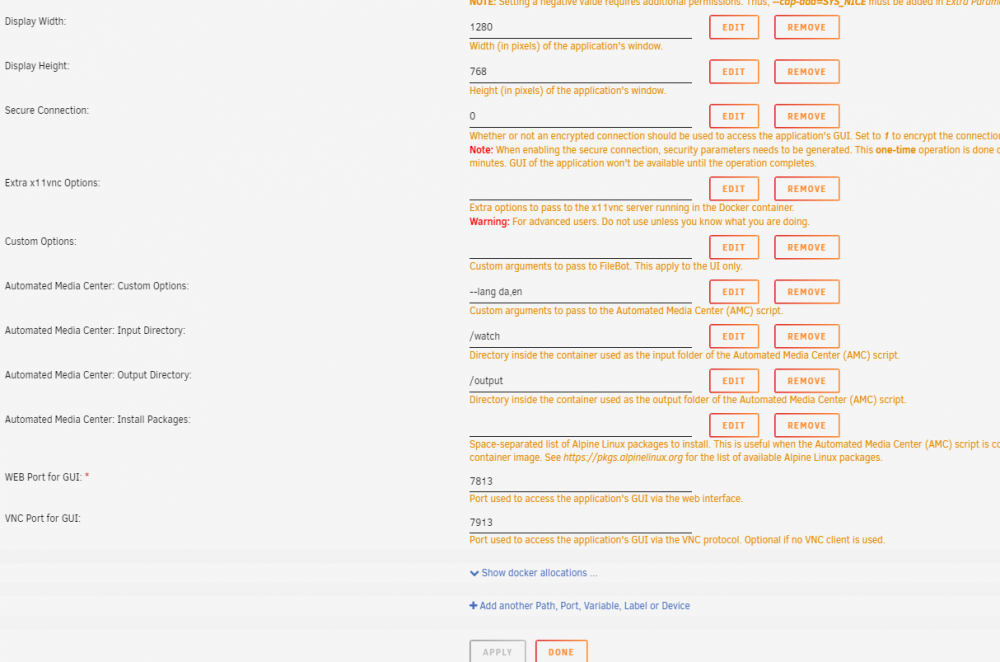
-
Have you tried changing path in settings for docker so both is /mnt/user and not only one.
-
I got it working by changing some settings in language. Thx.
-
Yes sorry the Linuxserver docker. The subtitles are named the same.
-
Server Version#: 4.22.2 Hi I've changed over to Unraid Plex docker Linux but I can't get external subtitles to show by default no matter what I try. It was working on my W10.
-
Hi if I want to use my existing .nfo files I need xbmcnfo bundle, and I wanted to install webtools but I can't get write access to the plugin folder. How do I fix that?
-
Yes have already seen this. I'm more interested in what the general recommendation is for "disk include". Should it be leaved to Unraid to split it or would it be best to assign manually? Also if I go this route and set disk 1 and 2 for TV Shows and 3+4 for Movies would it still put files in Disk 2 and 4 when 1 and 3 is half full if I use High Water with Disk Include.
-
Hi I'm completely new to Unraid. When I have shares like: TV shows/show/season Movies/movie I'm thinking of using level 1 split to have movies and show on the same disks. Would it make sense to use include disk 1 for movies and disk 2 for shows or should I leave it to Unraid. Have used some hours to go through it but I still see different options so what would be the best in my situation?
-
Found it now. Should I also flash the bios ROM or is it better without it?
-
Yes but nothing in the firmware mentioned before. 20.xx
-
If I search the first page I can't find that firmware if I search for it. Where do I find it.
-
Thanks. Should I upgrade it? I need to do it in uefi mode so should I remove the controller before or is it only crossflashing? I would like to update it easy.
-
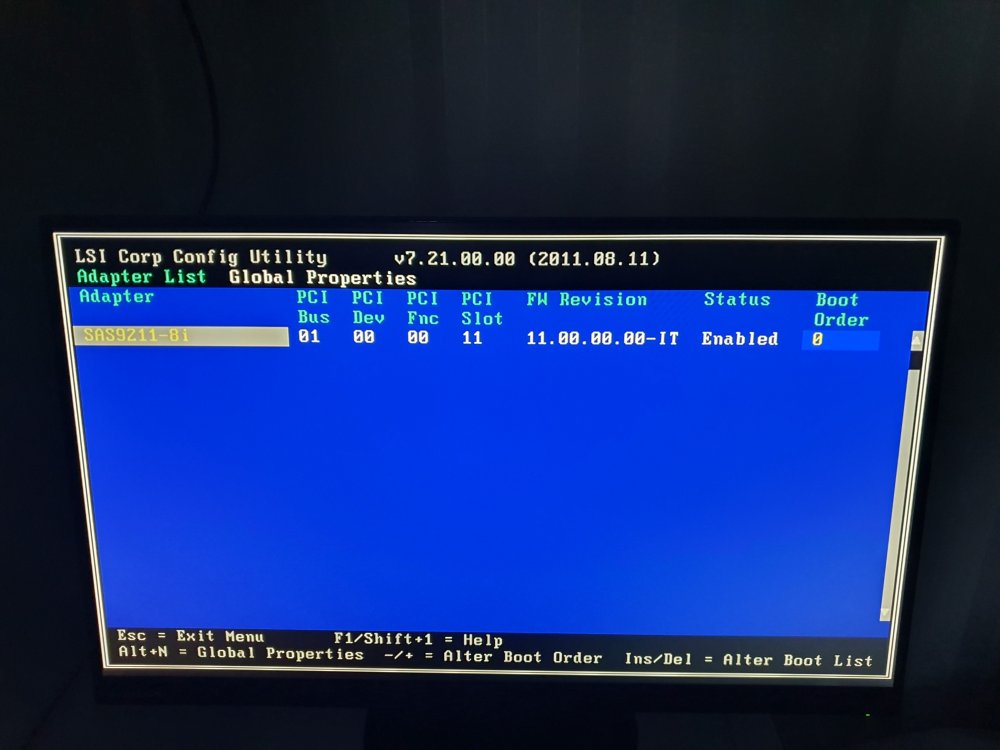
Thanks for the answer. I made a picture of it and I think it's It mode, correct? My question is also should I upgrade the firmware to a newer if there's something better before I start with Unraid or is it okay? If so which one should I use? Thanks for the help.
-
Hi I just purchased a IBM 1015 card and got the PAL issue. So tried the uefi method with same commands but didn't work, so I took and flashed the rom file first and bin file and now the card is recognized. But how do I check it is now converted correct and is in IT mode? Thanks for the great info on this forum.


