





Bjur
Members
-
Joined
-
Last visited
Everything posted by Bjur
-
Thank you both. Will keep an eye on it. Seagate won't honor the 5 years, since the store it was bought in bought it as OEM, so I need to take it with them.
-
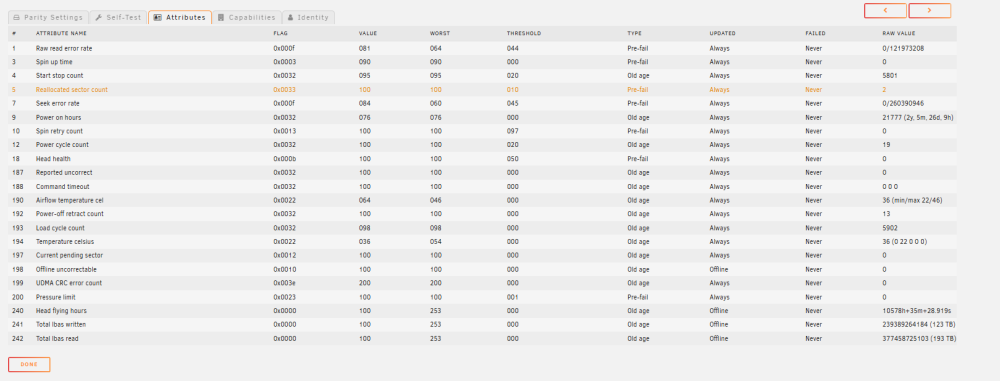
When I went to my Dashboard it said the Array has 1 smart error. It was shown at the parity drive. How long time do I have and what is the best option?
-
Thanks and I already have the array started just didnt want to spin up array drives all the time.
-
I have a Docker where I want to store some files that should be used for offline mode. Can I just create a customer folder in the root of the cache drive, since the cache drive is always running and I dont want my array drives to spin up all the time.
-
Have same problem.
-
-
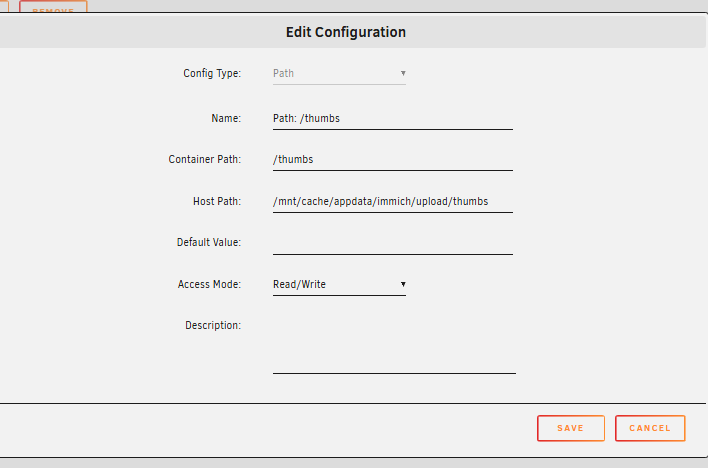
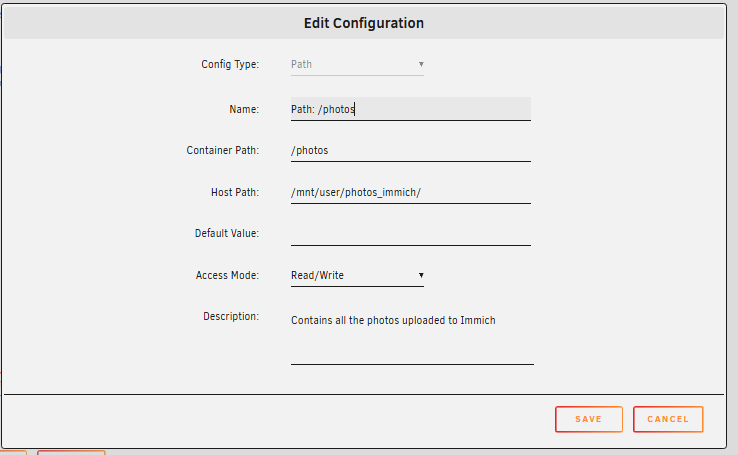
Sorry thought it was obvious because of the headline, but Immich docker template.
-
Hi I've tried to have Immich library run in Array and thumbs on SSD, but it always puts thumbs on array. What can I do to change it to SSD. This is my docker template.
-
Got it working. Used original Nginx conf without changing port.
-
Thanks for the answer. I have installed PostgreSQL-Immich and Immich dockers from community apps. Immich docker and SWAG are both on proxynetwork I created for SWAG. I think some of the problem is that I had to change port in Immich Docker from 8080 to 8081, but I had another service running at 8080. So any help would be appreciated.
-
Does anyone have a working SWAG conf file for Immich? I'm using port 8081 and it's working internally, but when I enable the sample file in SWAG I can't get it to work. I've changed upstream ports to 8080 instead of defaul 2283 eventhough I'm using 8081. It doesnt work.
-
Got it working, thanks!
-
Thanks but the password is the same.
-
-
I'm having the same error as the others. Where do I change it? I have the same PW on OS.com as I did on OS.org.
-
Thanks, is that the recommended approach going forward? Will try it out. Also how do I balance the drive where there are not a lot of space left on? Can I move data from disk1 to disk 4 etc?
-
I got it working. What I did was remove the share, remove the pool and start over again. Called the share another name and now it's showing correct. SSD unprotected and the other array share protected. Followup question: 1. I have another share where I moved two small metadata libraries from cache SSD to share. The 2 libraries are not on cache SSD anymore, but I can't delete them no matter what I try. Have tried mc, doublecommander, CLI and Total Commander. When I try and run a script where I change permissions on the share with the two libraries included it says: "cannot read directory xxx structure needs cleaning". How do I fix that so I can delete them. When I compute it shows the two libraries as cache. 2. With the new share it's called dls and maybe because it's on an SSD outside of the array it shows as /mnt/dls. When I use the share with dockers, - A) Should I use /mnt/dls or - B) /mnt/user/dls as mountpath in configuration of dockers and when I move files manually from SSD share dls to array shares? I want to be 100% sure to do it correctly, so I move it correctly.
-
Seriously I don't understand this. - I have now moved the SSD share to array with mover, still shows Download folder when I compute on the Array Share and shows unprotected. - I have now deleted the SSD Download share completely, still shows Download folder when I compute on the Array Share and shows unprotected. What is going on??? The Download share is not even there anymore...
-
@Frank1940: Hi Frank. Yes I agree there are a folder in downloads on the SSD with two small/empty files in it. But the problem is this SSD should have nothing to do with the array whatsoever which is was before and the array share was showing protected and the SSD was showing unprotected which was fine. Somehow eventhough I have browsed from the array shares arrow as you mentioned to the "download" location where the 22 bytes was supposed to be it doesnt show anything so Im not able to delete the 22 bytes and have it protected. How do I get it to show protected?
-
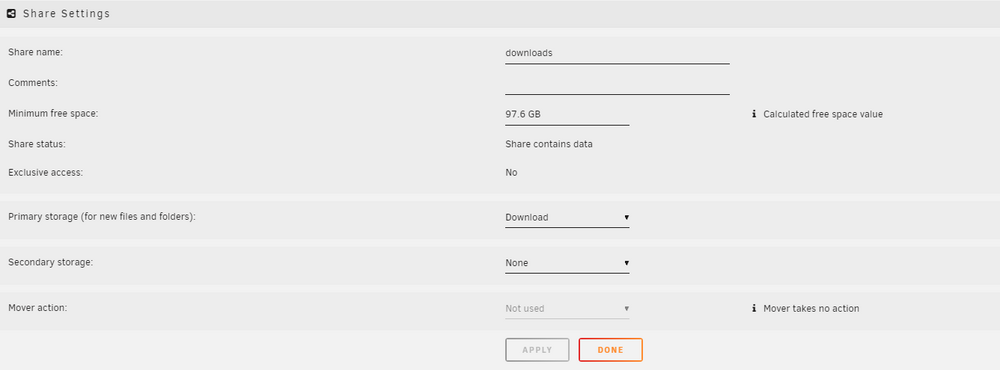
@Frank1940Thanks for the answer Frank. I have a spare SSD which I created a separate pool for and called download (Unraid made it with capital D) In that SSD I created a share called downloads: When computing the other share serier i get Download to show up with 22 bytes which makes is unprotected. I dont want that. I browsed the array share and didn't find Download in it. How can I get the 22 bytes to dissapear. It must be a directory name or something. Thanks for the help.


-
I have a share where I moved some files into from an unprotected drive, but they were not really moved but more like symbolic links. When I tried to move them back from array to the unprotected SSD it still shows share as unprotected because it shows a folder from SSD still available for a few bytes. When I browse the share and seach for the folder it doesn't show anymore but share is still unprotected. unraid-diagnostics-20240723-1938.zip Its the Download folder I have on a SSD that's causing the trouble but it doesn't show up anymore when I browse the share.

-
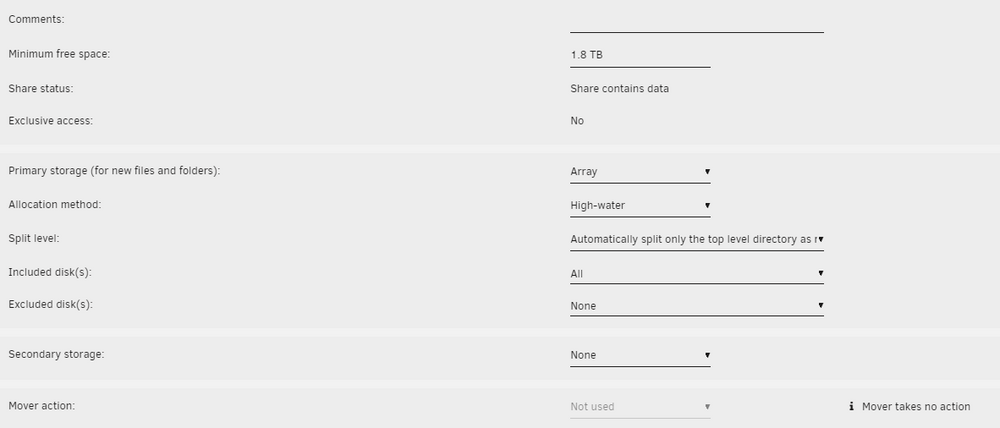
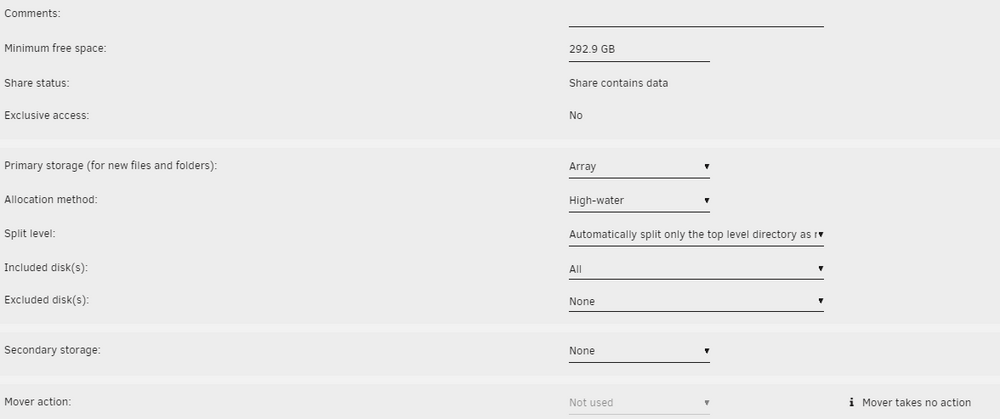
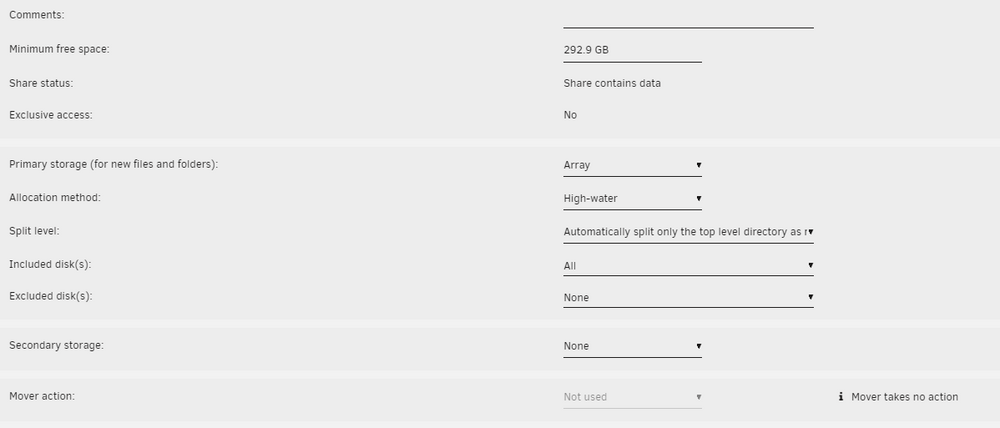
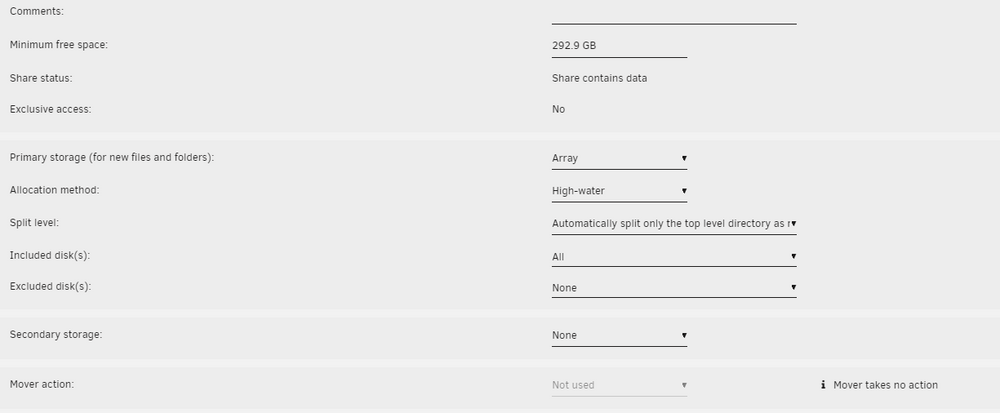
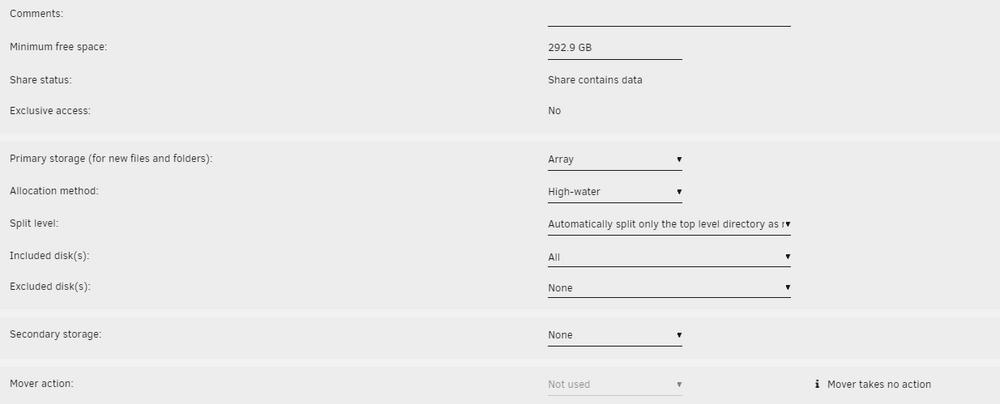
Have updated now to the latest, but how should I set it then to have it split correctly with high water?
-
Thanks. Please see diagnostics and attached screenshots. Share 1: Share 2: Share 3: Share 4: Share 5: unraid-diagnostics-20240723-1938.zip
-
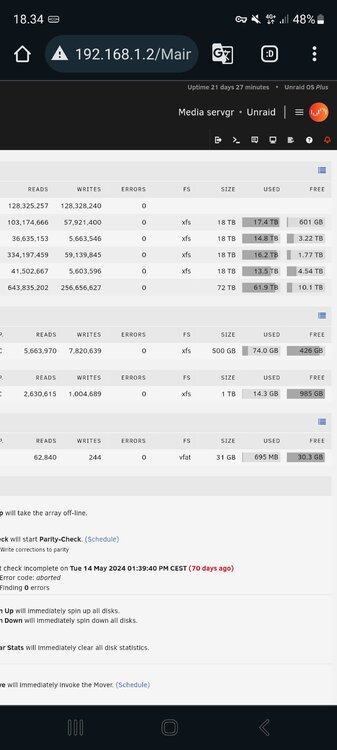
Hi I have high water enabled for all my drives but it doesn't seen to work correctly. See the picture how different the drives have filled up eventhough they are same size.
-
Thanks got it working. Now skipped UAD afterwards and created an extra pool. Thanks.




