






amateur_wizard
Members
-
Joined
-
Last visited
-
Hey there's I've encountered what someone told me was a known issue with the plugin. I have too many containers and it seems the PHP falls over and it starts to back up weird things (not necessarily everything just more than what was un-excluded). I've noticed a tell tale sign between my servers is the one that is experiencing the bug has no persistence for anything the user enters below "Custom scripts". Questions: Are there any workarounds? Can I help with a fix?
-
I would recommend if you haven't already. Install "CA Auto Update Applications" set it to search for updates for every container and plugin daily. Reinstall the MyServer/Unraid Connect plugin (doing a reboot inbetween). LMK how that works for you.
-
ca.backup2.plg - 2023.03.28c (Up to date) ca.cleanup.appdata.plg - 2022.10.21 (Up to date) ca.update.applications.plg - 2023.02.20 (Up to date) community.applications.plg - 2023.03.11 (Up to date) controlr.plg - v2022.12.30 (Up to date) docker.folder.plg - 2023.03.18 (Up to date) docker.patch.plg - 2023.01.28 (Up to date) dynamix.cache.dirs.plg - 2023.02.19 (Up to date) fix.common.problems.plg - 2023.03.22 (Up to date) nvidia-driver.plg - 2023.03.02 (Up to date) unRAIDServer.plg - 6.11.5 Good call on bazarr, I also have that installed. It would line up with when the errors were coming up too (every 6 hours roughly) Potential Solution Bazarr: Settings > Subtitles > Changed from _'mediainfo'_ _'Embedded subtitles video parser'_ to _'ffprobe'_ (The reason I selected mediainfo in the first place was because according to a reddit thread hotio's fork had it built into the container)
-
Same here, it's crashed my system on a few occasions. Now all the icons for docker containers are repeats of the docker folder plugin icon. I'm still diagnosing the cause, so far I've ruled out 80% of my containers and half of my plugins.
-
Before I type a mini thesis, do you still have this issue. I'm surprised there are no comments.
-
@sunbear By any chance is you MyServers plugin out of date? Mine was and I think it is related to the problem but I don't want to jump to any conclusion.
-
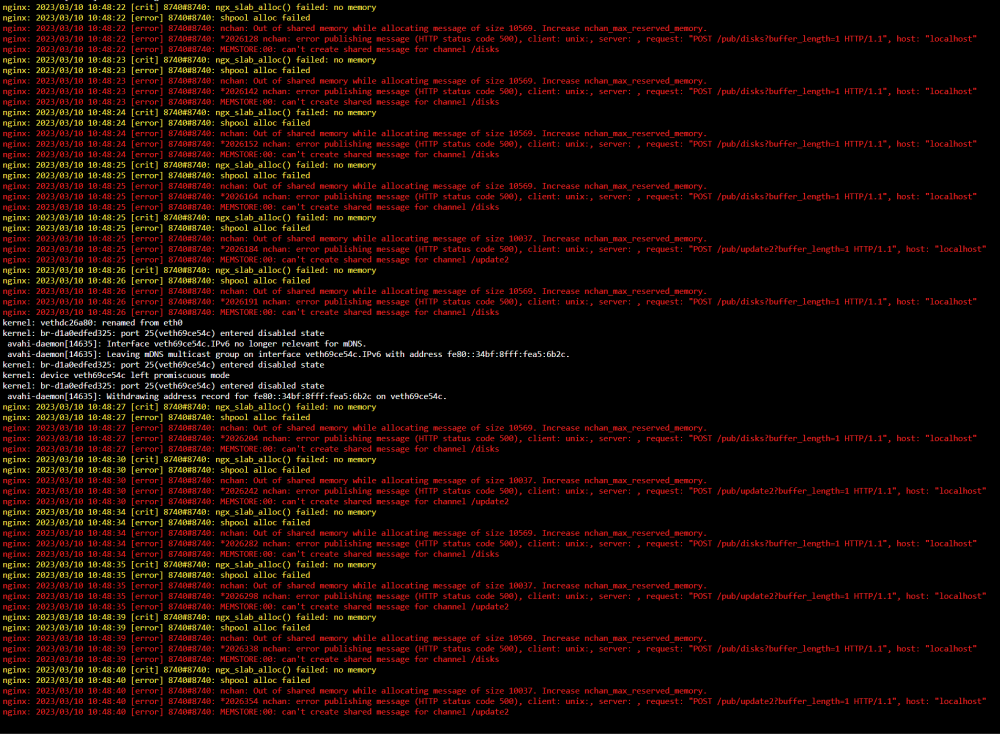
- Saw these errors so I ran "/etc/rc.d/rc.nginx restart" - The connection to system went down (as expected) took about 15 minutes to come back online on My Server but still wasn't reachable. - I VPN'd to the router, still wasn't able to get the WebUI with the LAN IP. - Ping returned a reply, SSH'd into the server, then did a 'sudo reboot' This is especially scary when you're working in another country 👀
-
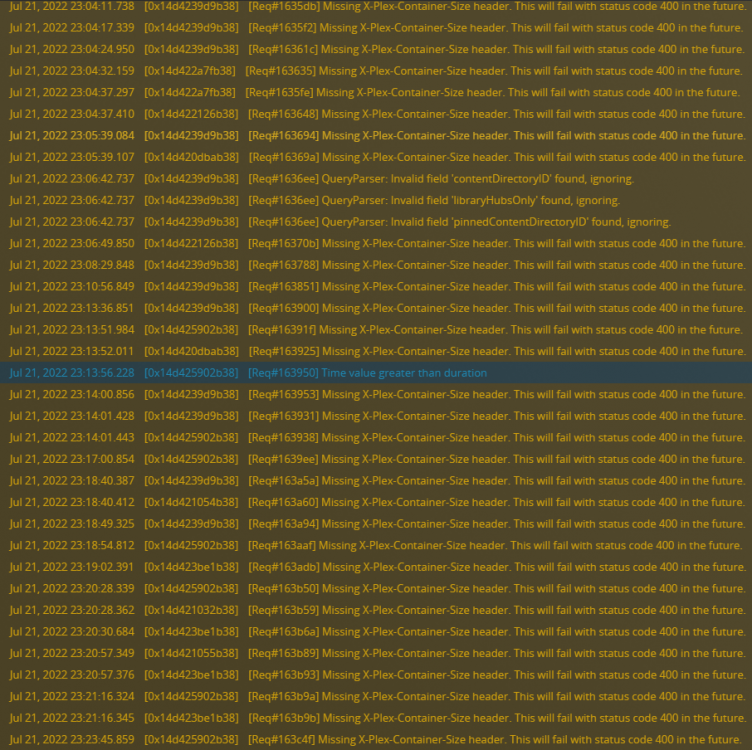
[Solved] Missing X-Plex-container-Size header. This will fail with status code 400 in the future. Found an issue may not have been the only issue that was causing problems. Network sharing the appdata share messes with the permissions of the files for the sake of SMB & NFS. Turning it off has removed 90% of this log jam.
-
I'm surprised that 'Obsidian' hasn't been mentioned yet. I've been expanding my use of Unraid and this is the perfect progression and something that could easily offer daily functionality. Not to mention it's finally gotten a big kick in uptake from Level1Techs. https://obsidian.md/
-
I ran into this, I've spent about 5 days now bug clearing and optimising my server. Understanding the diagnostics that has been spit out after this out of memory error is beyond me. I caught it within minutes because I had the log window open so I think that helps. Thanks in advance. arctvrvs-diagnostics-20211128-0432.zip

-
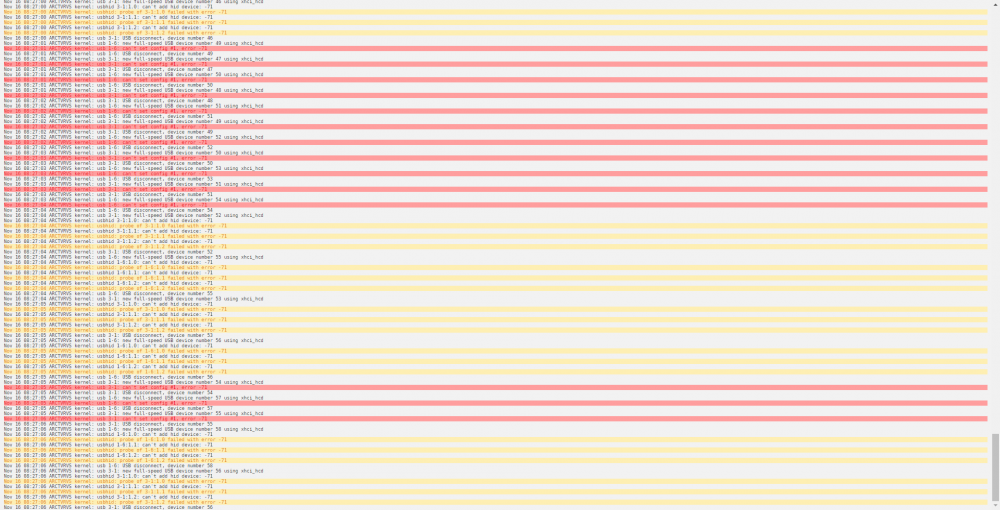
If you're getting this and you have a Logitech unifying receiver plugged in that's probably what's causing it. I don't have a solution other than unplugging it. You could try other ports but that didn't work for me.
-
I'm running Unraid on consumer hardware. I had to update my system because there was an update for Nvidia drivers. The system had nothing else changed to it, yet somehow on restart it did not boot to the Unraid just back into the BIOS with no visible boot media. It may look like nothing has changed but something has. Here was my root cause of the problem and the solution. Problem: Secure boot even though it has been disabled has had the default keys re-appear. Solution: Clear the boot keys save the settings and reboot. 👍 At least with ASUS (probably with others too) the deleting of secure boot keys is not registered as a change. This means that saving a profile for your system and loading it will change nothing in that regard.
-
My Servers, NextCloud (linuxserver), and Lancache (RedVex)/Lancache Bundle (Josh.5) all seem to go back to 443 even when another port is specified. I don't know how to rectify this, it sounds like I'm missing something obvious. Even when putting http://<ip_address>:<alternative_port> it just redirects me to the UnRAID home page which runs on port 443 now that I am using the My Servers addon.
-
I have a similar issue. I looked at the logs and couldn't find a clear reason for why. Taking a guess it might be something to do with the certs and now that people have HTTPS enabled for the web-UI.
-
In relation to the top post on this thread. I would like to see this replaced with something as follows if what follows isn't already implemented. When I spin up up my array, I would like for the disks too spin up individually or in groups of 2 or 3 as I don't want to risk the 12V rail sagging in voltage. Just a thought.




