





cYnIx
Members
-
Joined
-
Last visited
-
It's been a few months and I saw that 6.12 has progressed to minor version .8 and I had some time so thought I would give the update another go. To hedge my bets I moved any containers using a user created docker network off of its custom working network and onto "none" then removed the user network via cli 'docker network rm my-bridge' using 'docker network ls' revealed it worked and there are no remaining custom networks. I also unchecked preserve user networks in the config. Of course this broke my public dockers. All the other docker containers were set to bridge. Testing the 12.8 update AND . . . Same problem. . . I fiddled around with ipvlan and macvlan settings. IPv4 custom network on interface br0 settings. Nothing would get me to starting the docker service. Everything works pretty smooth on version 6.11.5 with iptables v1.8.8 and with all dockers and plugins up to date (except CA), upgrade to 6.12.8 with iptables v1.8.9 then the message docker service fails to start with the same log messages above, reverting to 6.11.5 and remaking the network so it works again. The saga continues. Gotta be honest, I'm feeling a bit let down here with community applications blocking app changes and the updates not working.
-
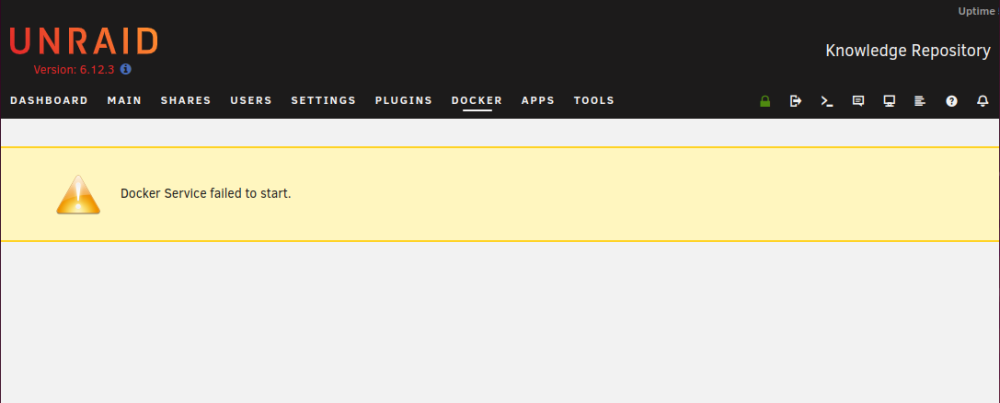
Hello, My docker service is not starting and is not returning much when it fails. It tries to start, acts like it's going to start, but then stops without much in the error messages. Looks like it may be an issue with "iptables v1.8.9 (legacy): can't initialize iptables table `nat': Table does not exist" based on the logs I could find but I am unsure how to overcome this. Server is a Dell R510 with 2*X5670 CPU, 128G RAM, and a DAS. It is not overclocked. Only a few dockers are publicly accessible on a bridge. I have tried UnRaid 6.12.2, 6.12.3 and lately 6.12.8. The problem started when I upgraded to 6.12.2 from 6.11.5. On 6.11.x the docker service ran many containers just fine but fails to start the docker service its-self on any 6.12.x upgrade. Symptoms: 1) On the Docker web GUI tab the message "Docker Service failed to start." is displayed in a yellow box without further errors. 2) appropriate snippet of Syslog says: 3) Attempting a CLI start returns '/etc/rc.d/rc.docker start no image mounted at /var/lib/docker' or 'docker network ls Cannot connect to the Docker daemon at unix:///var/run/docker.sock. Is the docker daemon running?' 4) /var/log/docker.log shows several identical messages 5) Running `iptables --wait -t nat -N DOCKER` does indeed fail with the error message above "iptables v1.8.9 (legacy): can't initialize iptables table `nat': Table does not exist (do you need to insmod?) Perhaps iptables or your kernel needs to be upgraded." Attempted fixes: 1) Removed docker.img and let the system recreate it. 2) Tried several GUI docker setting options like macvlan and ipvlan, not preserving user defined networks, a larger vdisk size, btrfs vs directory, and a 5 minutes timeout just so it may get over a hang. 3) Cleaned out my go file of things not needed due to various upgrades and plugins. 4) Rebooted. 5) Installed the newer update and rebooted. 6) Manually ran: `iptables --wait -N DOCKER` and attempted to start the docker service with cli /etc/rc.d/rc.docker start 7) I reset my network to default by moving /boot/custom/network.cfg to network.cfg.bak and rebooted the server. 8.) Reverted to 6.11.5 where docker works to move dockers off of my custom network and then removed the custom network in CLI, undid preserve custom network in the GUI, then updated unraid to 6.12.8 only to get the same error. However no matter what I attempt I am unable to make a difference in the symptom and unable to get docker to start in version 6.12.X. Reverting to 6.11.5 and docker starts again. Please advise, asgard-diagnostics-20240303-1321.zip
-
No, you can't use BitLocker on Unraid because that's a proprietary windows program and Unraid is a Linux OS. But there are Linux programs like LUKS and AES Crypt that could get you encrypted drives. I have not fiddled here because I want to access the server remotely which would mean I have to leave the key in the computer, which would not prevent access as well as just having a good password on the unraid OS. In my opinion if you have even basic physical security then your likely more exposed to information theft or information loss due to a bad configuration of your network/unraid.
-
after trying to boot and failing, maybe pull the usb to another computer and check if there is a diagnostics file in logs/ that has the current date? If so attaching that here would be helpful. Are you able to add some config files and not others to boot the system or does it freeze with any config present? Do you have to upgrade to 6.12.3 or can you run a previous working version until the next update?
-
Are you trying to add SAS hard drives to a SATA system? You may need a different HD controller to run these drives if so.
-
Any chance you grabbed a diagnostics file while you were experiencing the issue? Maybe try to install 6.11.5 and see if that gives any issues. 6.12.x seems to be a whole can of worms that maybe 6.11.5 would work for you.
-
Your syslog is flooded with: So disk 6 is having an issue and needs xfs_repair run. When disk 6 is fixed the array can start and you will see the dockers.
-
I too am having a bit of a hard time following you. The method I described should keep your dockers and containers running on the old server while the new one is getting the data moved over. When the copy is complete on the new server, if the apps are not already there then you would go to community apps and install the containers and plugins you want, with the appdata already being copied over the containers and VM's should have everything they need when the app is installed and configured, now you should be able to stop the array on the old server and with the appdata and apps installed and configured you start the containers on the new server with minimal downtime. To clarify this process: 1) install unraid on new usb. From your everyday computer. 2) copy /boot/config (and /boot/custom if you used it) to new usb. Either over the network or on the old server. 3) Install new usb to old server and old usb to new server. 4) On the NEW server go to Tools > New Config (this get the old Hard Drive hardware out of the config and new HD's in), 4b) there may be some other things to reset like network depending on your previous config but shares and everything else should be there. Verify that the Old server is running on the new usb as it was on the old usb. 5) Copy over your files. I would use rsync. 6) Setup containers and plugins with CA. 6b) Verify containers run and have copied configurations from the appdata share. 7) Stop old containers, 7b) Change any port forwarding, 7c) Start New containers, 7d) Verify operation. I hope the process above helps explain that the shares should be copied over with the usb move as they are in /boot/config/shares.cfg and would have been copied to the new usb, installed in the old server, running the exact same config and settings as the old usb.
-
Back when I did GPU mining I observed similar behavior when something went wrong with a computer using an Intel NIC. Eventually found it was broadcast flooding that was causing the network to bind up. Your issue may have nothing to do with my experience but thought I would mention it. One thing that helped to prevent the whole network from having issues was to enable storm control or broadcast flood protection on the managed switch. Not all switches offered this option (especially not on home switches) but it would isolate the issue to just the one computer. Alternatively a non intel Network Interface Card would not have the same fault. Alternatively maybe someone more familiar with UnRaid will be able to find out why 6.12 is giving so many people so many issues.
-
Hello, As an update, I remotely was able to downgrade from 6.12.3 multiple versions by using wget to download the version that last worked for me. 2) I unzipped the package in a directory /root/previous/ and removed the files not found in /boot/previous/ 3) I then moved /boot/previous/ to /boot/v6.12.2/ 4) Then moved /root/previous/ to /boot/previous/ 5) With all files in place I could now navigate to Unraids Tools > Update OS and restore the previous version. When the server rebooted to the last working version low and behold the docker service started. I stopped it and restored my backup docker.img. Restarting docker brought back all my containers and everything was working. This result means I am now convinced that there are some serious bugs with 6.12.0 through the current 6.12.3. My current stance is to avoid this update series until something changes.
-
Hello Raiever, I am no expert on unraid, but unless you highly customized your USB, the only thing I think you would need to copy between the USB sticks is /boot/config/. Maybe for peace of mind you could build the new system with the old USB? To do this just copy the /boot/config/ files to the new USB on the old system before running it. Then your old system should start up as normal with the the new USB, the new system will start but need a new configuration which sets you up to transfer things over. Now you do not have to worry about a USB switch after your files, dockers, and VM's are moved over and running. Best of luck on your new server,
-
Hello, Thank you for your suggestions and contributions JorgeB. Maybe I posted in the wrong forum. Is this the official Unraid support? Is there anyone else that can weigh in on this?
-
Hello, I am remotely managing the server so messing with the network settings are worrisome but here we go. Previously in attempted fix #2 I documented how I attempted to not preserve user defined networks with the GUI option in Settings > Docker. For this attempt I will try to delete any custom docker networks with the cli: But as you can see I was unable to proceed as the docker service is not starting. I reset my network to default by moving /boot/custom/network.cfg to network.cfg.bak and rebooted the server. Unfortunately the problem persists.
-
An update: I had a Fix common problem of having a share match the pool. Fixed that but the problem continues to persist. Awaiting response,
-
computers from the internet and computers from your local network will arrive at the server via two different addresses. To fix your local connection (assuming you use windows) open c:\windows\system32\drivers\etc\hosts.file with admin perms, then add your unraid servers local IP and the domain you use as a new line (IE: "192.168.1.100 nextcloud.mydomain.com"), save and close. Now when you put nextcloud.mydomain.com instead of windows looking on the internet for the public IP of your server windows will already know how to get you to your server.


