





suchamoneypit
Members
-
Joined
-
Last visited
Everything posted by suchamoneypit
-
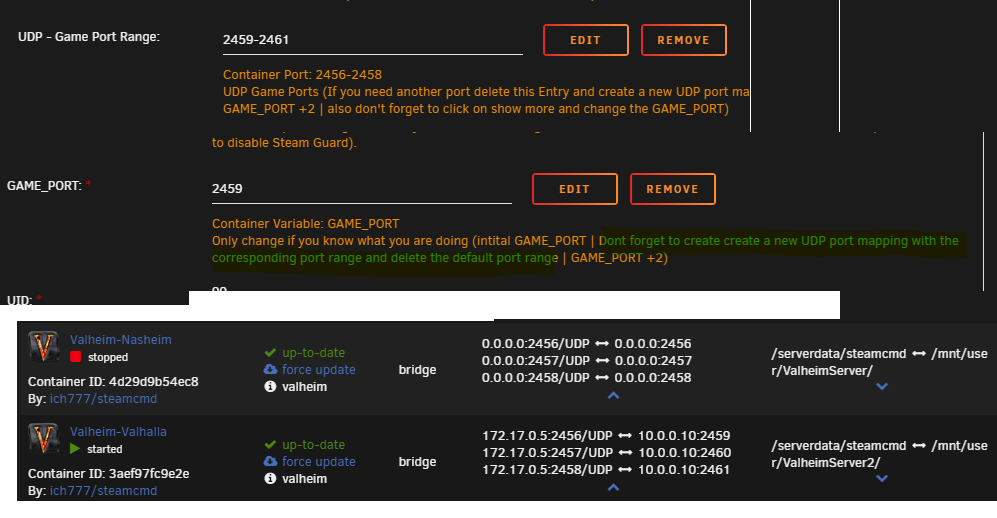
Im trying to run two Valheim servers at once, the first one runs fine. Is someone able to help find my mistake? I connect to server 1 using 10.0.0.10:2456 and it works fine. I setup a new share for server 2, and it seems to run fine, but I can't connect. Pretty sure its an issue with my ports. I'm trying to use the range 2456-2458 for server 1, and range 2459-2461 for server 2. I get connection errors trying to connect to server 2 currently. I think my issue is what's said and highlight in green in this screenshot, which also shows some key configuration: I can see that Server 1, Nasheim, is using 0.0.0.0, while Server 2, Valhalla, is using 172.17.0.5. I think this is the issue but I'm not exactly sure how to correct this properly.
-
Thank you for your help. I backed up my files just in case, then deleted everything but .config and my backups folder. I went a few levels deep checking the folders earlier looking for the worlds files but didn't go deep enough in .config to see the worlds folder. After deleting everything else and relaunching the docker, the server is back up and I managed to log into it on my first attempt and everything from many months ago was still there. Thanks again for the help, have a wonderful day/night. I sent you a $5 USD donation via paypal.
-
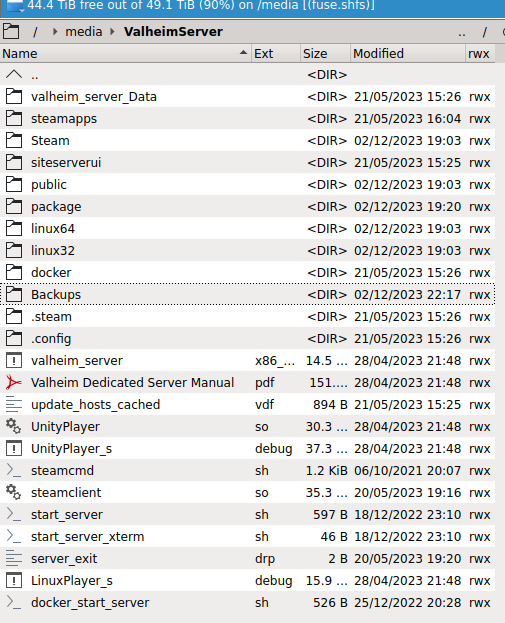
I appreciate the response. Validation is set to true and has been. I have only ever played Vanilla Valheim, and I'm very confident no mods are in use for my client and that I've never enabled mods on the server. I have a share setup specifically for the valheim server docker, inside that, I can't seem to find anything that would be the "save directory" (I searched for "save"). Using the search function in Krusader, it also finds nothing in this share. The backups folder seems like the obvious one to save (and it's full of backups as I had it keep like 72 of them), but I'm a bit wary of deleting everything else as I did do quite a bit of work on the server with friends a while back and I want to save that if at all possible.
-
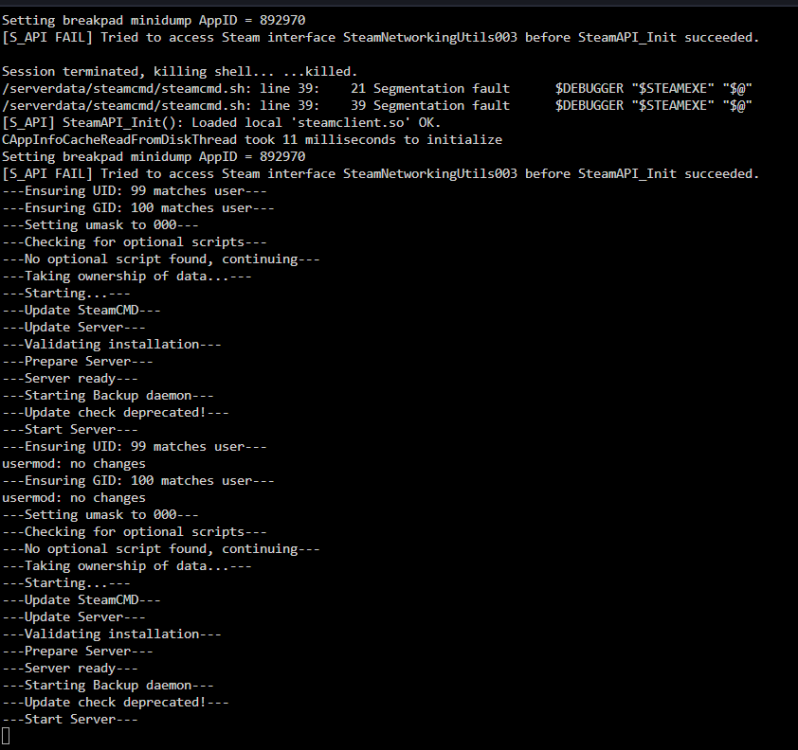
Hey guys, trying to access my valheim server which I havent used in a while but used extensively before. My log looks like this: I've restarted it like 10 times, previously it did do some updates. However, if I try to connect I get "Incompatible version". Im using no mods, client or server. Any idea why I can't get in? I also can't see to find out how to verify what version the server is to compare with my game. Anyone have any ideas why this won't work now?
-
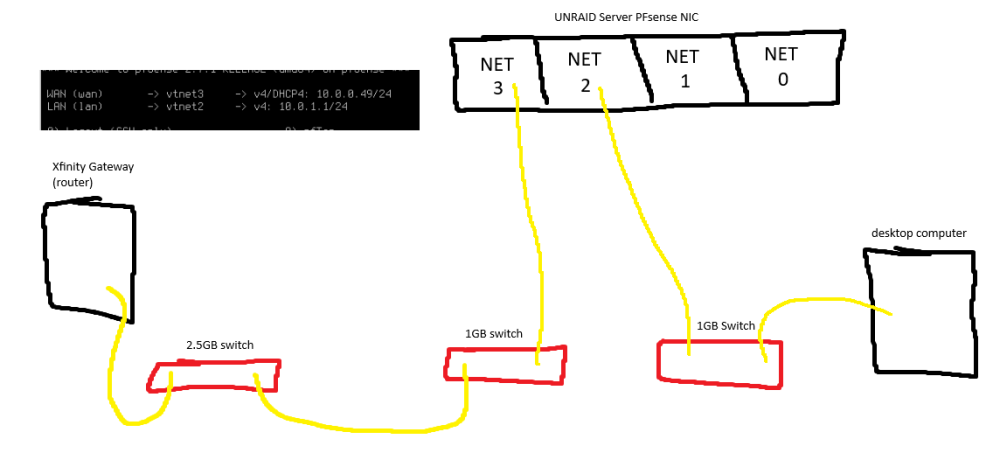
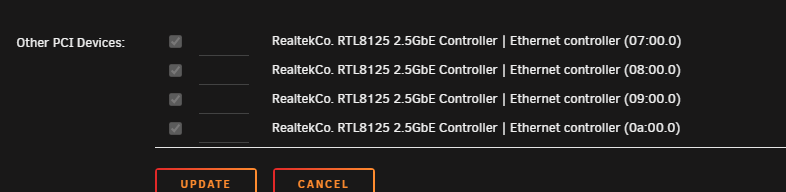
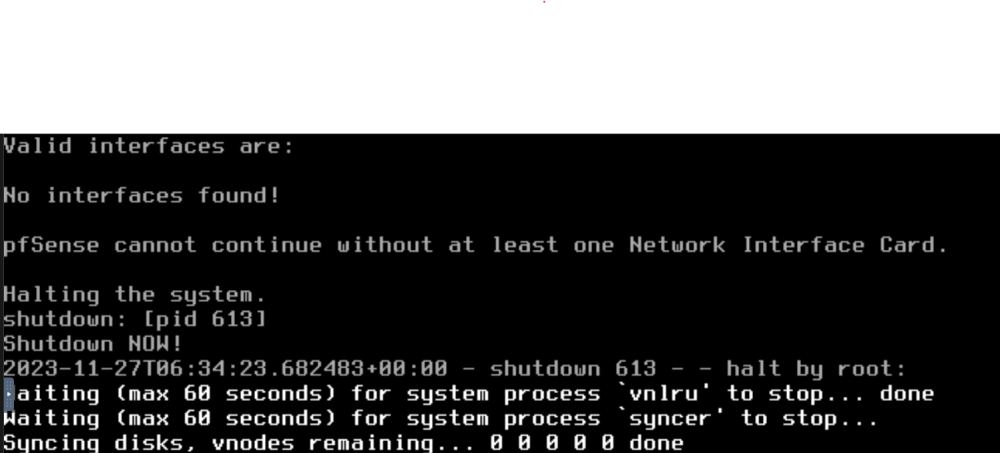
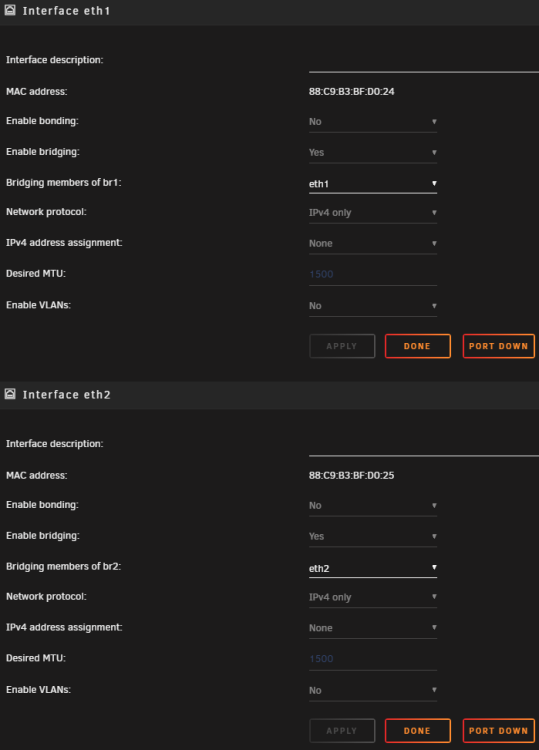
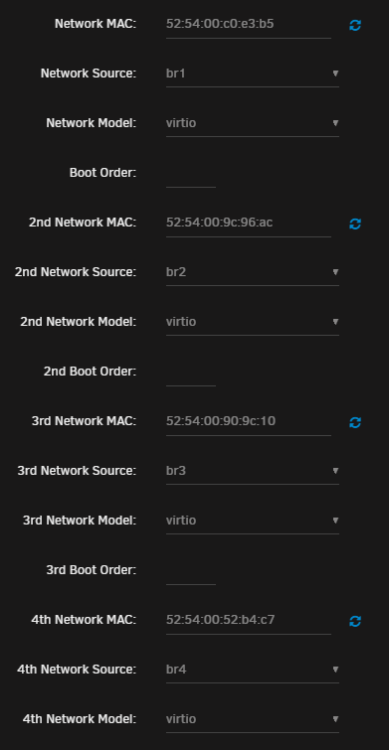
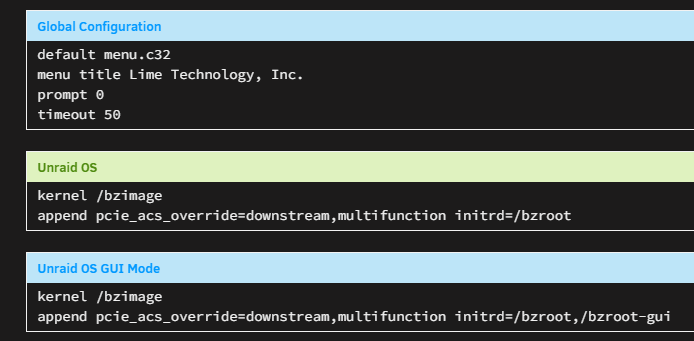
Tighten your seat belts fellas, this is a long post. Its long given I have spent probably 8+ hours and worked with several people and I cannot get my OPNsense or PFsense working. I wanted to provide as much info as I could in this post as I have spent a lot of time trying many things already. This is kinda driving me crazy at this point. In a nutshell, if I pass through the entire PCI devices, no interfaces will detect and I can't test anything. If I passthrough the NIC ports via a bridge, they detect and work, but only the WAN port will function, and the LAN port will not. The WAN port will instantly grab an IP on all 4 ports of my NIC, but no matter what is done, LAN will not work on any port, either with DHCP or static addresses. I cannot access the webUI or get an IP. The NIC is a quad port 2.5GB RTL8125 card. Everything Im seeing seems to indicate OPNsense and PFsense support this card, although years prior it did not. I am using the latest versions of OPNsense and PFsense. I have tried OVMF and Q35, and I440fx and Seabios on both. Multiple versions tested. This is the hardware setup. Note, I have also tried everything with a single cable from the gateway/router to the WAN/Net3 port, as well as the desktop computer directly to the LAN port. I tried the LAN port on all 4 ports. Same behavior on all setups, all cabling, all VM bios/settings. for LAN, I tried the 10.0.1.1 scheme and 192.168.1.1. Also note I am aware I am probably double NATing, but I don't care right now. I just wanted a proof of concept and confirm its functioning before putting the gateway into bridge mode and switching my entire network to my server. Trying PCI passthrough, it simply does not work. The VMs never see any interfaces. To get my IOMMU groups broken up, I have PCI ACS override enabled. I believe PCI passthrough is correctly done: Note: the motherboard itself has a 2.5GB ethernet port using RTL8125. This port is for unraid. It is group 33, used by unraid. When creating the VMs, the ethernet controllers properly show up and allow me to passthrough: OPNsense and PFsense say the same, no interfaces. I cannot proceed to setup. Trying the non-PCI passthrough route, the other thing I tried was disabling all the PCI stuff, and assigning them through bridges. This is where I got the interfaces detected, but only WAN would function and LAN would not. I did this, once for every port. Only 2 are shown in this screenshot: They were then assigned to the VMs (again, tried with both BIOS types, OPNsense and PFsense): note: for network model I tried every single one, same behavior. I am not sure why PCI passthrough doesn't work whatsoever. I am more confused why when using the bridges, WAN works and works great on all 4 ports of the NIC, but the LAN port refuses to work in any configuration on any port. I thought maybe I got a bad NIC (this is what I purchased), but WAN works perfect on every single port. Like I said, I have spent a significant amount of my time trying to get this working and have been unsuccessful. I am not an unraid or networking pro, so its possible I'm missing things and I won't understand complex responses fully. I am more than willing to learn and very grateful for any help provided. I had 2 people more experienced than me go through everything with me closely and they both were left confused as to why my setup was not working.


-
That turned out to be my exact problem, thank you for that! Sabnzbd had changed its local IPv4 address to be different and this made the configuration in radarr/sonarr wrong. I updated the "host" IP in the download client settings for sabnzbd to be the local IPv4 address shown in Sabnzbd in the status and interface options and they can now connect. Weird how that would just change, but turned out to be an easy fix. Thank you again for the answer, probably saved me a bunch of more time troubleshooting.
-
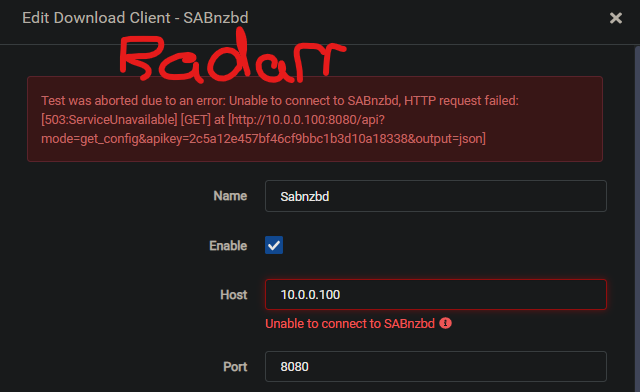
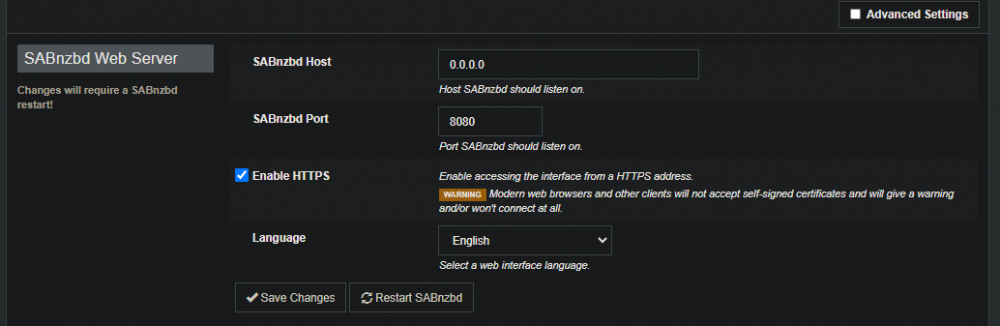
Sabnzbd has suddenly stopped talking to my Sonarr and Radarr for some reason. It was working for months before, nothing has been changed. My server running Unraid has an IP of 10.0.0.100 Radarr says "Test was aborted due to an error: Unable to connect to SABnzbd, HTTP request failed: [503:ServiceUnavailable] [GET] at [http://10.0.0.100:8080/api?mode=get_config&apikey=2c5a12e457bf46cf9bbc1b0000000038&output=json]" some numbers in API key changed in case that is sensitive info seems to be HTTP related but all my settings seem to be correct and have been the same. Any idea why suddenly sabnzbd cant be reached by anything? All dockers are the Binhex ones, and all are the most recent versions. I also noticed if I change any values under SABnzbd, it forces me to restart, and once I do, everything is reset back to default upon logging back in. Not sure why. I was trying to turn off HTTPS to check. SSL is off on Radarr/Sonarr. I've also tried changing my API key and no changes.
-
Ive got this running up to the point where my PC has it as my DNS, and if I run that powershell command for DNS, it returns the proper steam server name as it should, which the guide says means its working. But once I download a game, even multiple times, hundreds of gigabytes, none of the created shares increase in size. Can they not be private? Do I need to set them a certain way? Ive rebooted my server and my gaming PC im trying to use this with. Im using Unraid 6.8.0. Forgive me if its something simple as im new to this, but DNS is working, server is pinging, docker is running, why wouldn't it be working?



