dansushi
Members
-
Joined
-
Last visited
Everything posted by dansushi
-
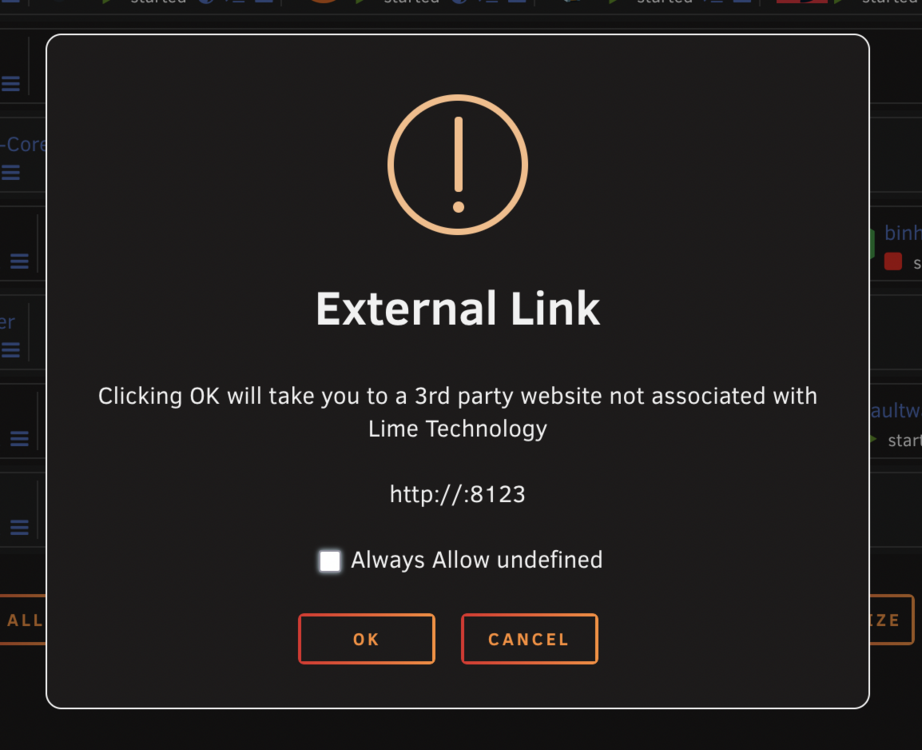
I recently did an update to 7.1.4 and now my docker containers are acting up in various ways. Sometimes when I click the WebUI link, it opens up a blank Chrome window with the following URL: about:blank#blocked And other times, I clock on the WebUI link, and I get this pop-up which I've never seeing before warning me about an external link. However, when I clock the "OK" button, nothing happens, it's just broken. I can't seem to find a rhyme or reason why these errors are happening. It happens in Chrome and Firefox and I've tried on two on different computers. I seems to be related to the FolderView2 plugin since the problem doesn't happen if I disable the FolderView2 Plugin.
-
How would this work if the target is a Windows Computer that is not running sshd? I'm using Filezilla on Windows to connect.
-
Thanks so much itimpi! Copying over the bz* type files and config.txt from a zip from the UnRaid website fixed the issue and allowed me to boot back up into UnRaid! Before copying the files over, I had Windows do a file error check on the drive but it found nothing. However, when copying over all the files on the drive to my computer as a backup, I did notice that the copy process froze on one of the bz files. My guess it that there was some corruption or other problem where that file was. Do you think that this a sign that my flash drive is on its way out?
-
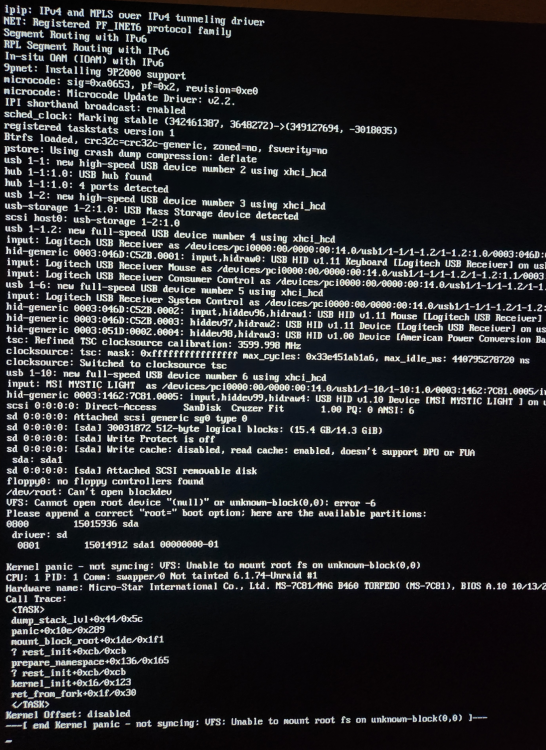
I did a clean reboot of my system an hour ago and now see this error. I didn't make any changes to the server config. I was just troubleshooting a fuse hidden file issue so I thought a reboot would fix that. I don't think that is related to this sync the fuse file was on a mount point, not the actual config for the flash drive. Any thoughts on what I should do to test? I assume I might need a new flash drive but before ordering a new one I'd like to try out other options.
-
You're the best! It worked like a charm. For any others who want to do the same, here's what I've done below. I've added the following line to the /boot/config/go file: /usr/local/emhttp/webGui/scripts/notify -i "alert" -s "Bootup" -d "Unraid is fully booted up" and created a file at /boot/config/stop with the following code: #!/bin/bash /usr/local/emhttp/webGui/scripts/notify -i "alert" -s "Shutdown" -d "Unraid is shutting down" Despite itimpi's concern that the shutdown notification might not get sent, it in fact does work!
-
Sorry for my ignorance, but what kind of text would I have to put in the config/go file to have it create a notification? Is there documentation for this somewhere? Thanks,
-
Is there a way to get notifications as UnRaid shuts down and also when it finishes its boot-up process? I'm using Pushover specifically though I imagine it's the same for all other notification agents.
-
OK, I'll give that a try, thanks for your help!
-
I have moved the mount to /mnt/addons. How do I now properly get /mnt/addons to be shared over SMB to my Windows computer? Can I turn it into a share somehow or is there another method?
-
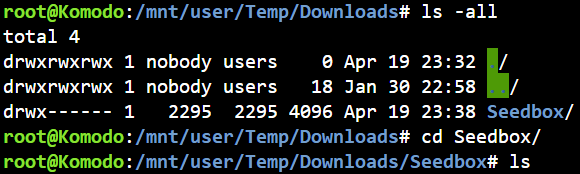
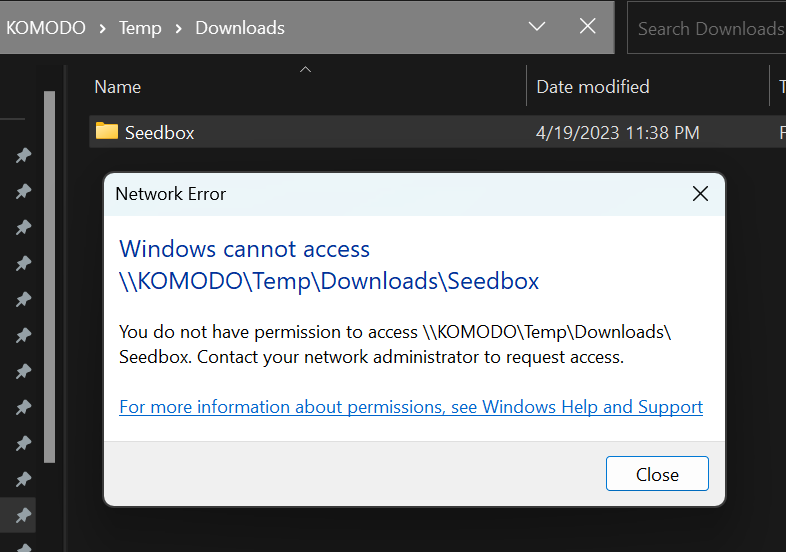
I have a share called Temp. I have mounted a remote share over sftp with sshfs (using user scripts), and had it mount at /mnt/user/Temp/Seedbox The user script is as follows: #!/bin/bash sshfs -o reconnect,ServerAliveInterval=15,ServerAliveCountMax=3,allow_other,ro,port=22,IdentityFile=/root/.ssh/seedbox/id_rsa [email protected]:/media/ /mnt/user/Temp/Downloads/Seedbox If I navigate to that directory within Unraid, I can get into that folder and see the files within it totally fine: However, if I try to access that folder through the share in my Windows computer, I get this error: I have tried to change permissions for the folder but am unable to and get the following error: chmod: changing permissions of 'Downloads/Seedbox/': Read-only file system I do want that directory to be Read-only, but I also want to be able to view it through my Windows computer which has mounted the Temp share. How to I make it so that I can access this folder properly through my Windows computer, and not just directly from the Unraid?
-
I keep hearing about how you can have a Gaming VM on Unraid. What are the methods that people are using to actually connect to this gaming VM? If I have my Unraid Server in one room of my house and want to use the Gaming VM in another room, do I have to buy a laptop to then remotely connect to it? Or if I have a spare keyboard/mouse + monitor, is there some sort of NUC or Raspberry Pi or other way cheaper device that I can use to actually access the Gaming VM?
-
It's working now, thanks very much! I really appreciate the follow up.
-
This is good to know. Any idea on how long that will be?
-
Awesome, thanks for your help!
-
Just tried it in Safe mode and it's working! So what would be the best way for me to determine the cause of this? Could it be a plugin or docker causing it?
-
I see, that makes sense. so this should begin to retain that Size and Action information going forward?
-
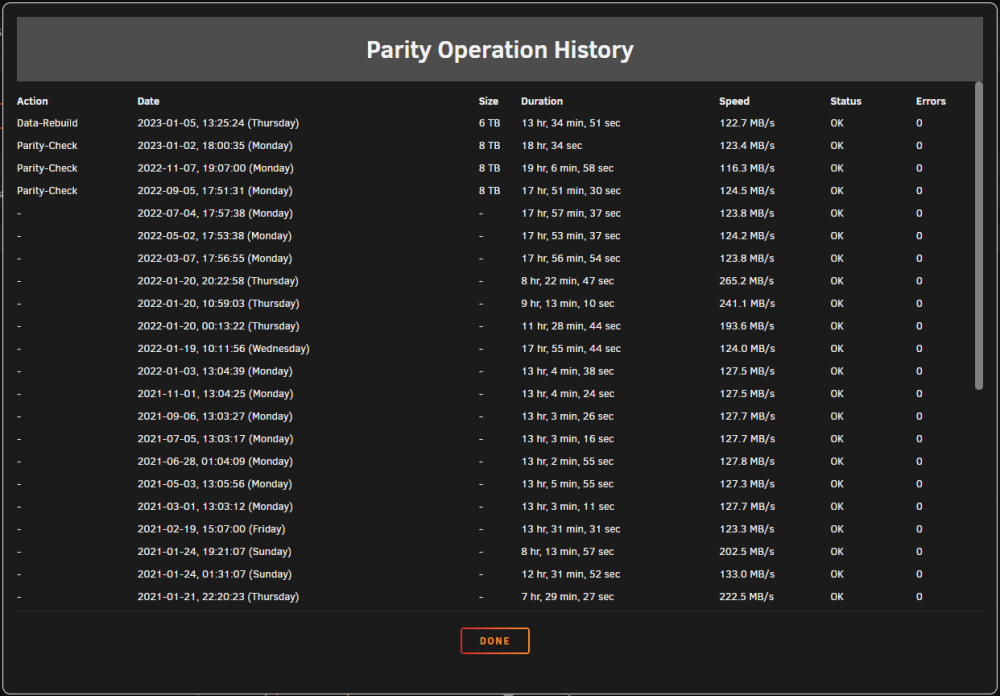
I'm wondering why the Action and Size columns don't have any information for more than 6 months ago. Is this intended, and if so, why? Is it possible to fix it?
-
Just checked in Chrome Incognito and Firefox and same issue there.
-
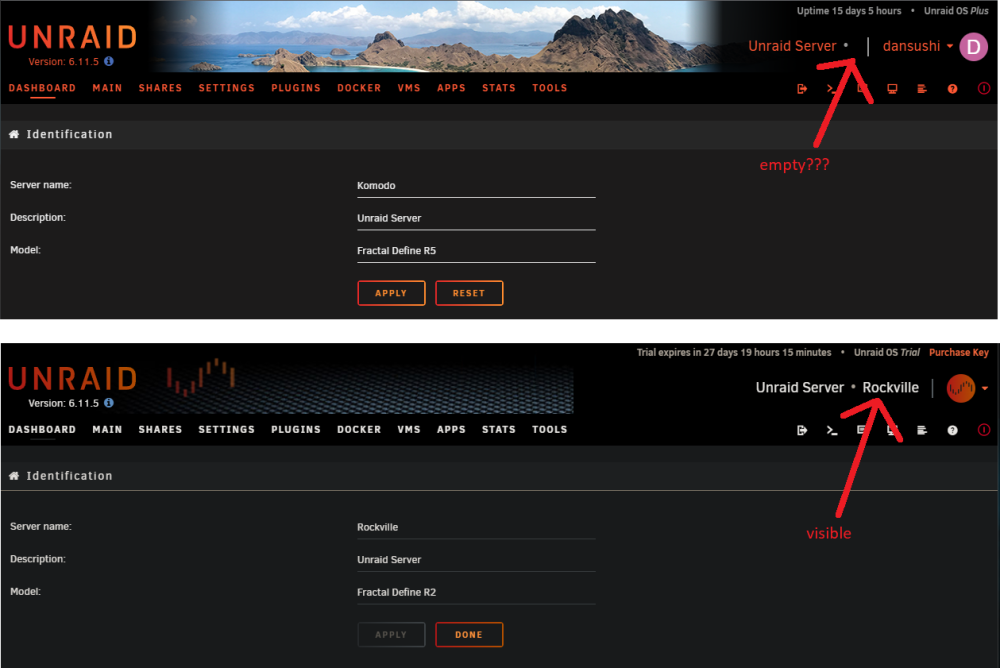
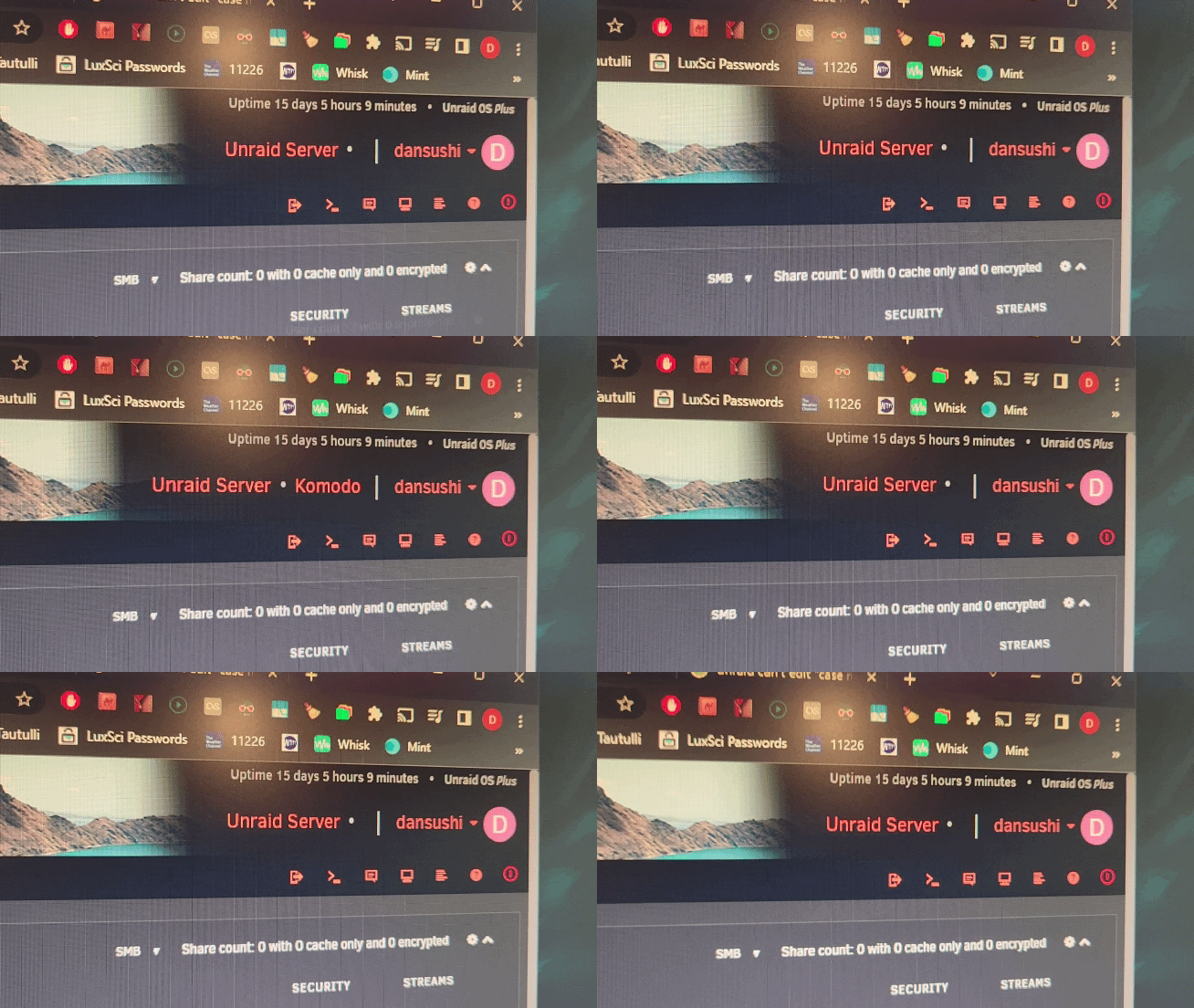
I just set up a 2nd Unraid system, and just noticed that the Server name and Description show up correctly on the top-right nav bar. I never noticed it because I only had one server before, but the server name never showed up properly on my original server. I didn't know it was even supposed to until I set up this second one. I changed the name from "Komodo" to "Komodo1" and then it shows up correctly. However, I want the name to actually be "Komodo" so I changed it back and lo and behold it disappears again. I then noticed upon hitting F5 a bunch of times, then "Komodo" DOES show up! But only for a fraction of a second and then disappears. Why would this be happening on one server and not the other?
-
Thanks for the clarification! This makes sense.
-
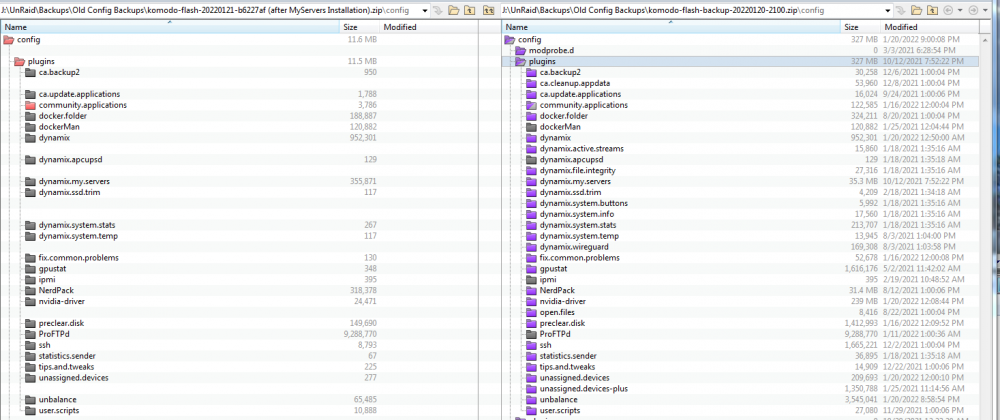
I just installed the "My Servers" Unraid.net plugin and downloaded a backup file of my config. I also did a regular config backup directly on my server. The regular one is 587MB and the cloud one is 264MB. Why is this half the size? I opened both zips up, and is looks like the main difference is that the cloud backup doesn't include all my plugins folders. Does this happen to anyone else? Is this to be expected? Thanks
-
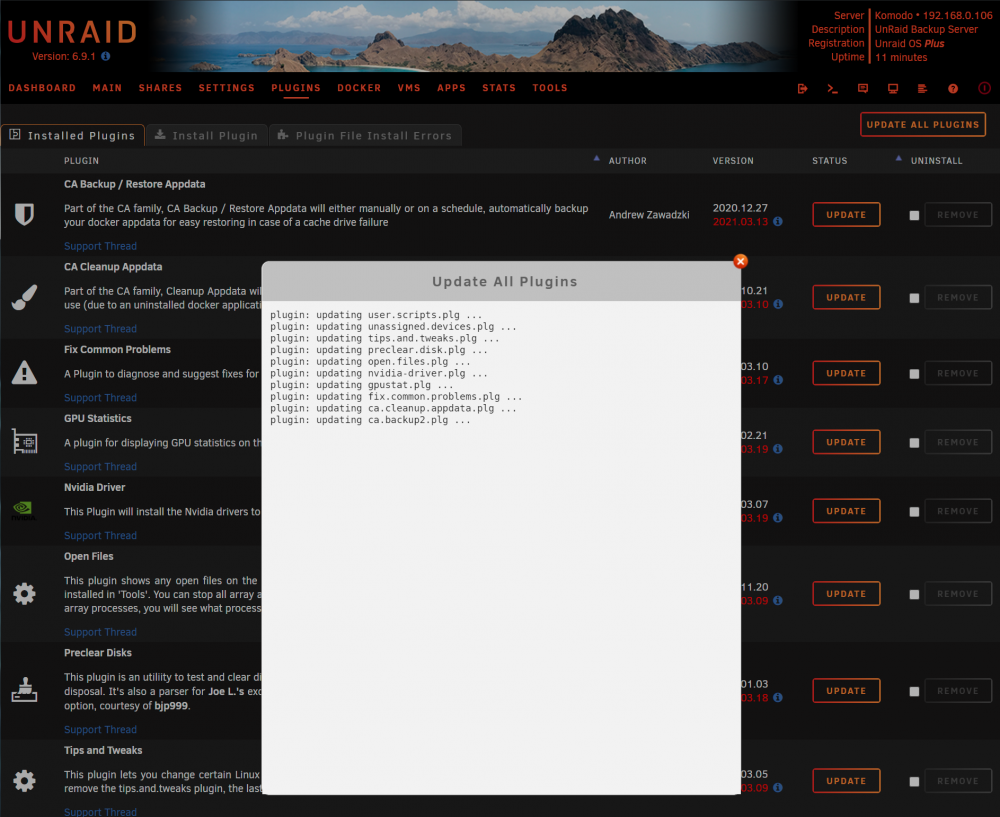
I just upgraded UnRaid from 6.9.0 to 6.9.1, and then went to update all the plugins, and it's stalling on this one. Is there something I could have done wrong? It know CA Appdata Backup v2 was working properly before the upgrade.
-
I should have been more clear. I *am* able to get the Web UI to work from my other computers on my network. But I can't get it to work on the computer running UnRaid, it just shows the blinking cursor. I prefer to have the GUI on the UnRaid itself for troubleshooting purposes.
-
I'm having the same issue as you, I just bought the exact same motherboard. I did the update to 6.9.0 RC2 and got the network issue fixed, but for some reason I can't get the GUI (Web UI) mode to work. I just get a blinking underscore. Did you have a similar issue?
-
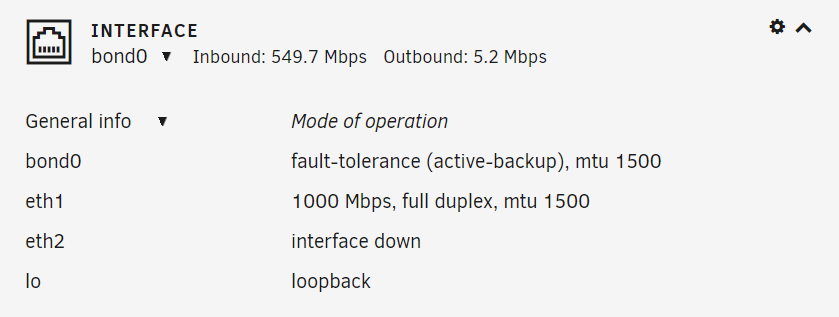
I have been trying to find a way to change the network speed that is shown in the below screenshot. Instead of displaying in megabits, I'd like it to show in megabytes. (So in this case, it's be around 68MBps) Is this possible? I haven't been able to find any network setting that can adjust this.