





TekDRu
Members
-
Joined
-
Last visited
Everything posted by TekDRu
-
Nothing changed. I'm starting to realize that it must be something with the drive. I've tried it on a mac and it did not mount there either. Looks like I'll have to replace. Thanks for the help.
-
Yes there is. I have used this drive to backup files from Unraid a few times before.
-
Hi @dlandon, any help with this: I just updated to the latest version of UD but still see "mount" grayed out. Thanks
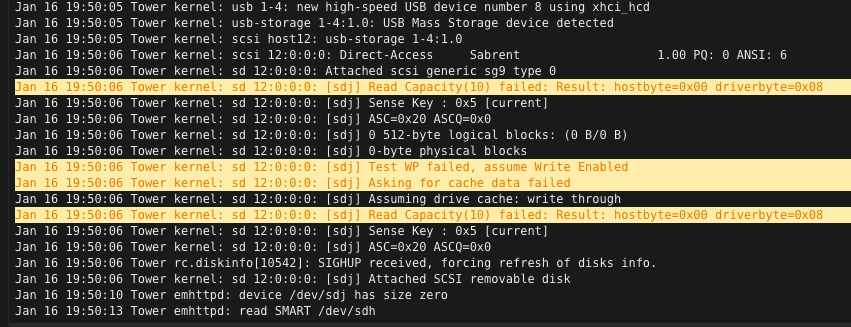 I'm trying to mount an external NVMe drive as an unassigned drive but the drive is not showing up, "MOUNT" is grayed out. This drive has mounted a few times before, but not in my last attempt. Screenshot of errors and diagnostics is attached. Looking for some help. Thanks tower-diagnostics-20220113-1800.zip
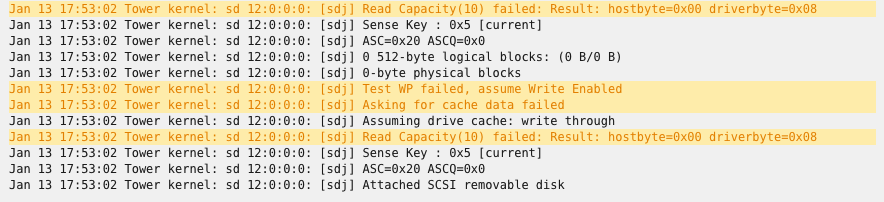 OK right! Will do. I thought the error was a general error.I'm trying to mount an external NVMe drive as an unassigned drive but the drive is not showing up, "MOUNT" is grayed out. This drive has mounted a few times before, but not in my last attempt. Screenshot of errors and diagnostics is attached. Looking for some help. Thanks tower-diagnostics-20220113-1800.zip
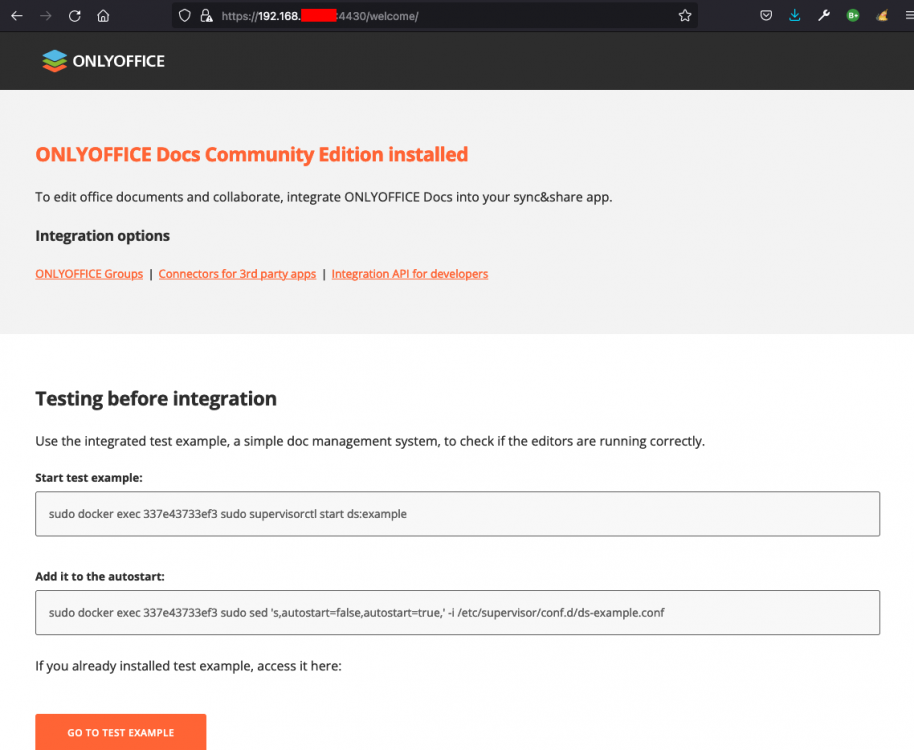
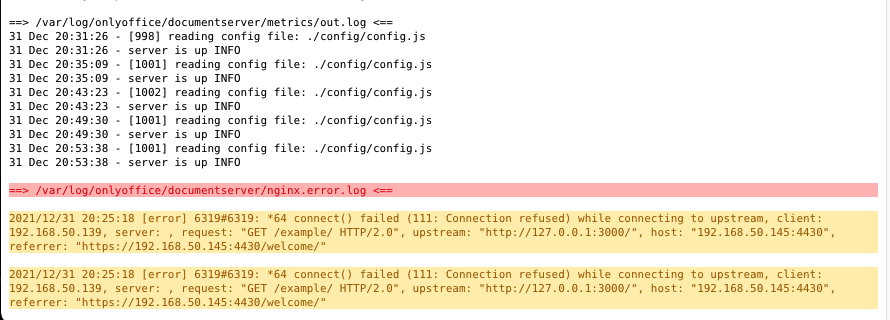
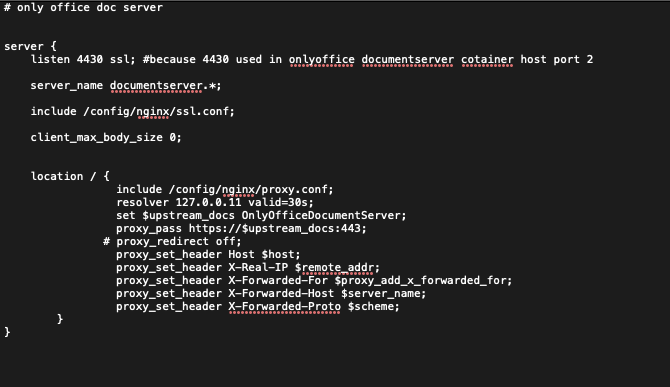
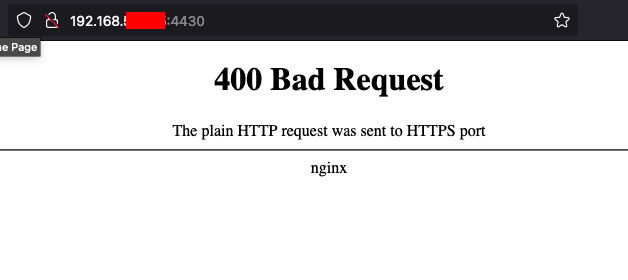
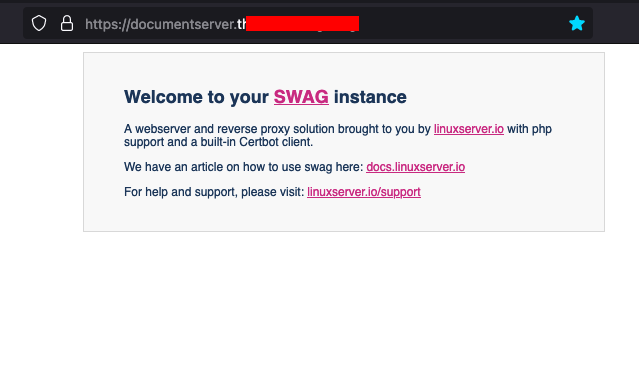
 Hey @Trick, yes. You can see the solution here: I just needed to change the config file. Let me know if this works for you too.@steve1977 I realize that you had your VM working at one point, so I can see why you wouldn't want to delete the VM or vdisk like I did. This was my first time ever in getting it to work, so I had nothing to loose in VM or vdisk. Maybe for your case, it just the new opencore img that you need, but I'm not an expert here. @ghost82 may be able to shed some light for you.For me, at the time that I cleaned out macinabox, I also removed the mac VM. I did so to make sure I went through all the steps properly, but I'm not sure if removing the VM is necessary. I did leave the old vdisk as-is but after successfully installing macos, I went back and deleted the old vdisk. I believe macinabox will create the VM and vdisk for you, so you can delete both before starting all over.Hey @steve1977 In spaceinvader's video between 3:44 - 4:58 he shows the steps: https://youtu.be/7OunFLG84Qs?t=225 Let me know if this helpsThis worked for me. I'm now running Monterey. Maybe it's the Opencore bootloader file that did the trick. Thanks @ghost82!Thanks @dbs179! This worked for me! Really appreciate it.That sounds like a plan. I'll try that. Thanks for the help. Much appreciated.I tried it again using the 'both' option as well as 'vfio allow unsafe interrupts' set to 'Yes' but nothing changed. I see that FLR icon is next to the audio device. What does that do and can it help? If not, what other options do I have with my setup, in order to be able to use volumio (even if I use snapcast server to send audio out to other Raspberry Pi devices)?Hi @Siwat2545, I'm having a difficult time finding a solution to get onlyoffice to work. I followed spaceinvaderone's video and have gone through many posts and suggestions but none gave a full solution. I'm really lost as to what I may be doing wrong, Can you help shed some light? My latest status: I can access onlyoffice uring local url using port 4430 If I have: "listen 4430 ssl;" (In the onlyoffixe.subdomain.conf) and try the subdomain URL, I get "Welcome to you SWAG instance" If I have: "listen 443 ssl;" (In the onlyoffixe.subdomain.conf) and try the subdomain URL, I get "400 Bad Request" Attached are some screenshots and diagnostics. Can you please look over and help me to know what I may be doing wrong? Thanks! tower-diagnostics-20211231-1557.zip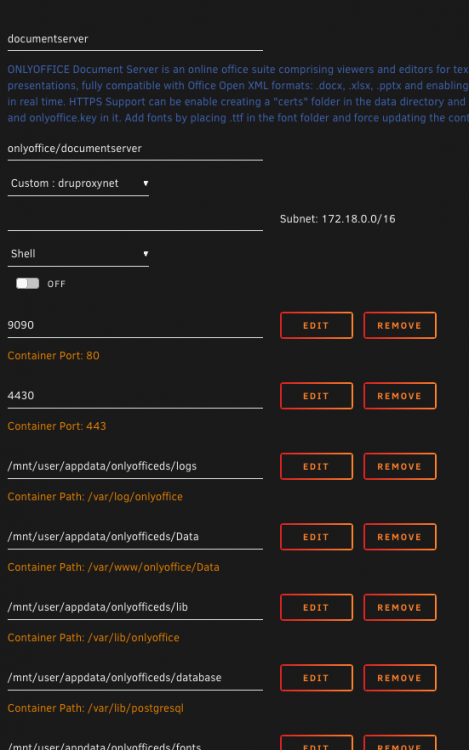
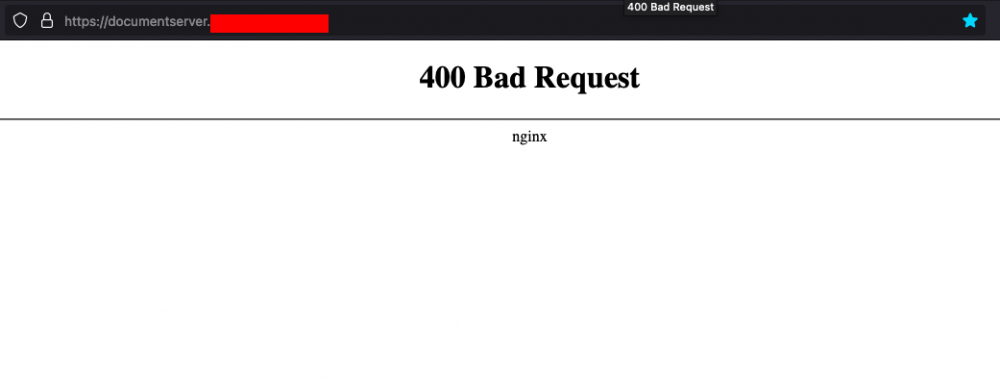
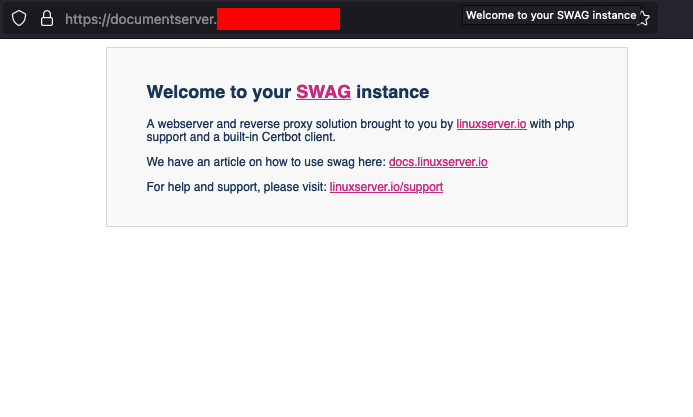
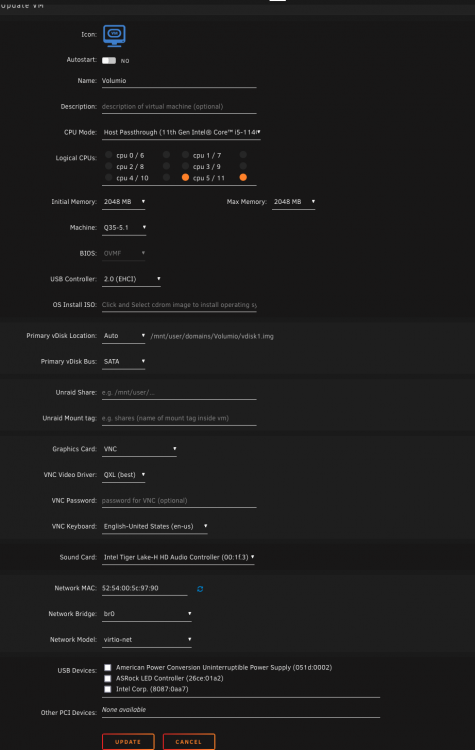
 Hi @jonp, attached is the screenshot of the vm settings, error and my system diagnostics. Thanks! tower-diagnostics-20211231-1133.zip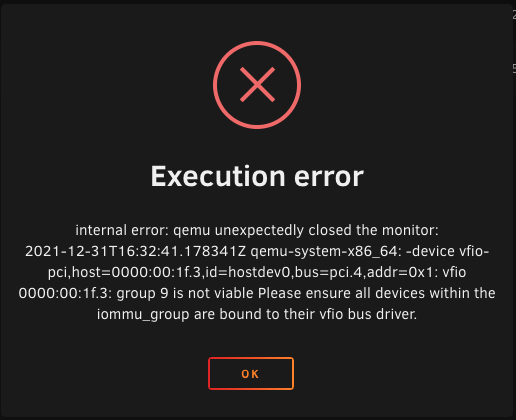
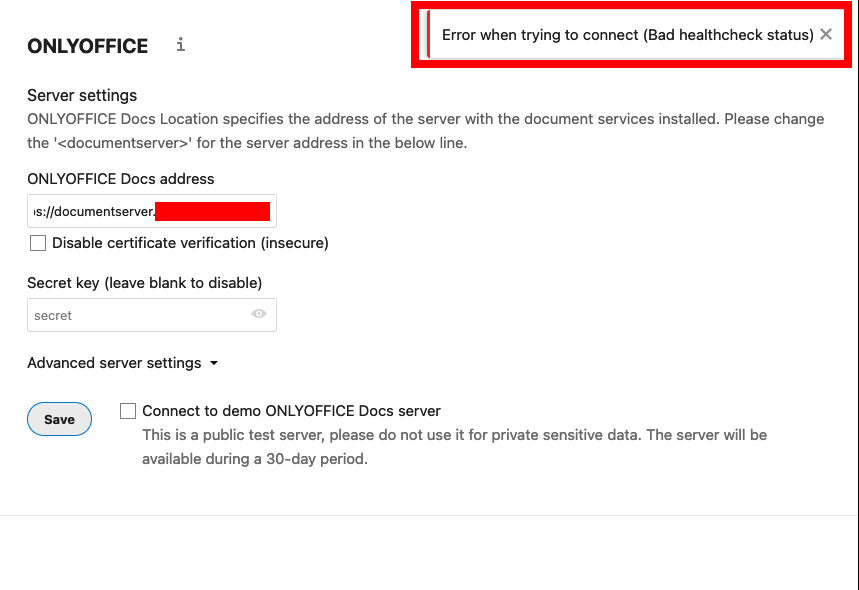
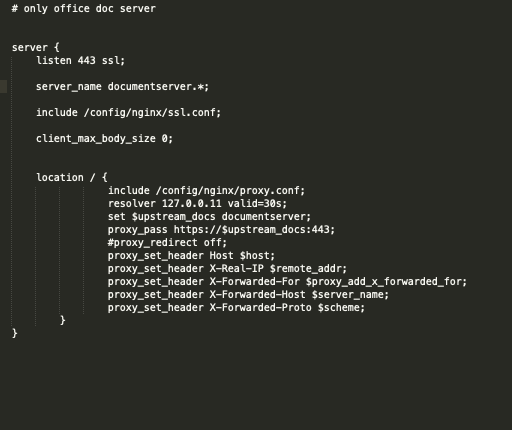
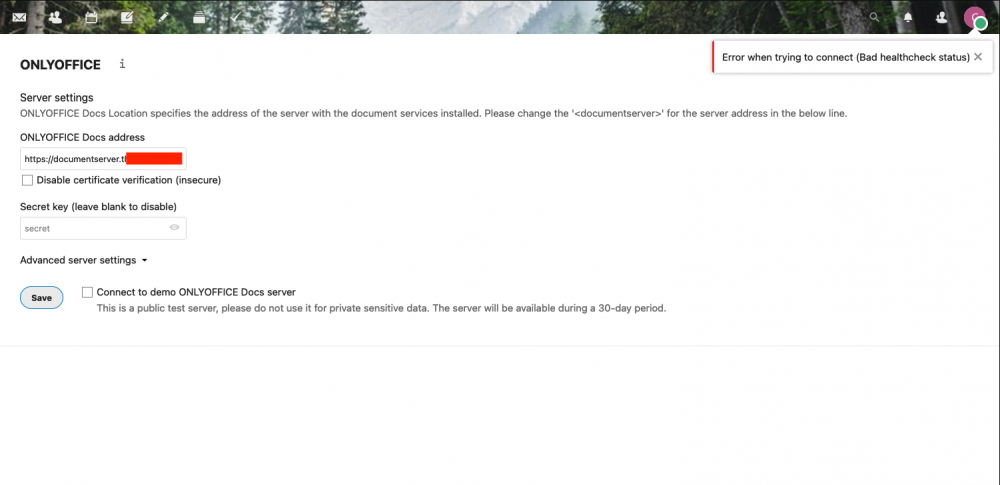
 I'm stuck with the "Error when trying to connect (Bad healthcheck status)" error. I followed spaceinvadersone's video as well. I'm using Swag and I haven't used NginxProxyManager before. I've tried deleting the folders inside of onlyofficeds and restarted the container but that did not fix the error. I had to comment out "proxy_redirect off;" in the config file because of the ("proxy redirect" directive is duplicate in) loop I got in the swag log. I've also changed the repository to "onlyoffice/documentserver:6" but no fix. I've been going through many posts, but could not find a solution that works for me. Attached are screenshots of my setup and errors. Hoping I can get some help to get onlyoffice working with nextcloud. Does anyone know what does the "Bad healthcheck status" really mean? Thanks in advance.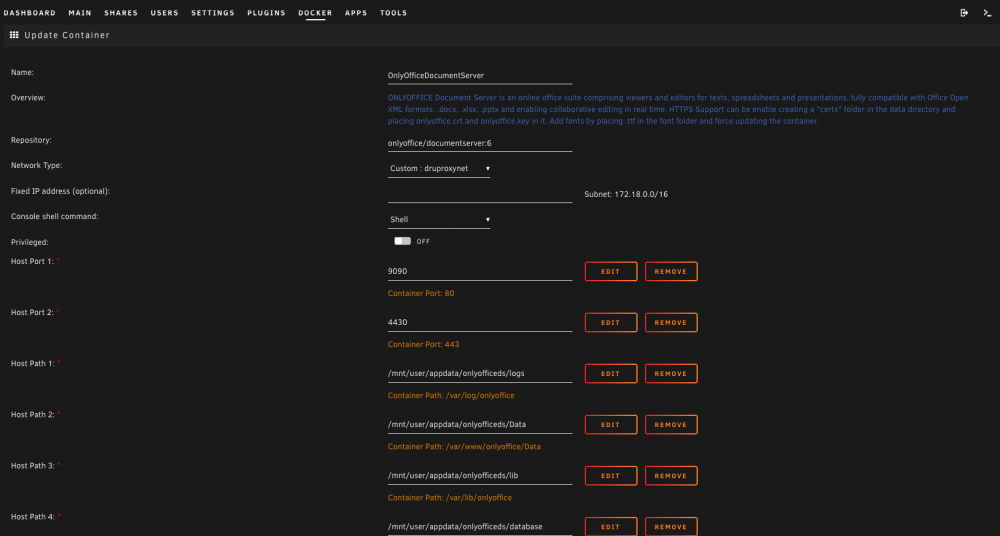
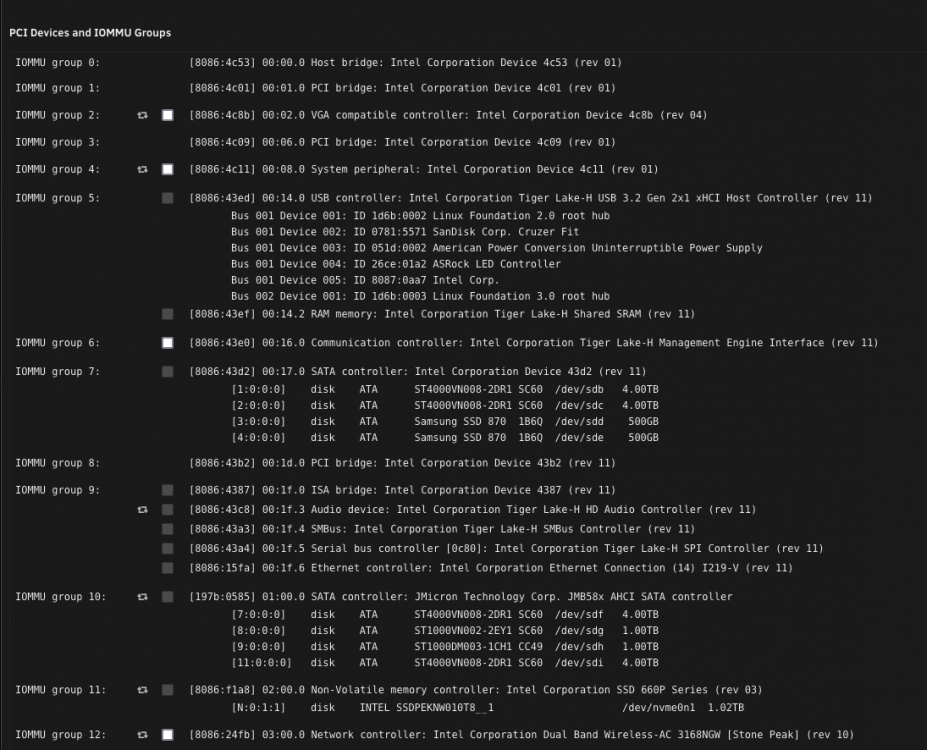
 Hi @ghost82 and @morethanenough I'm getting a similar error but not exactly sure I understand this solution or if it will work for my case. I’m running and intel i5-11400 with iGPU. No other GPU. Attached is what my system devices looks like. I have tried all the options for ACS override before but it made no difference in the system devices. According to my screenshot, what do I need to do? Thanks
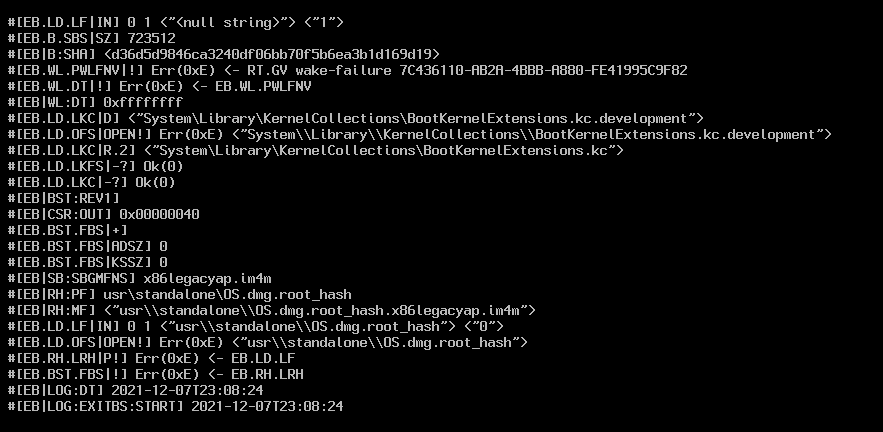
 Thanks @GG73 It looks like I'll need to devote more time into this. I'll have to wait until the weekend to go back through the posts and try again. Meanwhile, I hope you get a solution as well 🙂This is my first attempt ever to install and setup a VM on unRaid. I followed the instructions from Spaceinvader One video "How to Install Big Sur and Other macOS Versions with New Macinabox" but I ended up stuck at the attached screen after starting the VM. I don't know where to go from here or how to fix it. Any help, please? Thanks
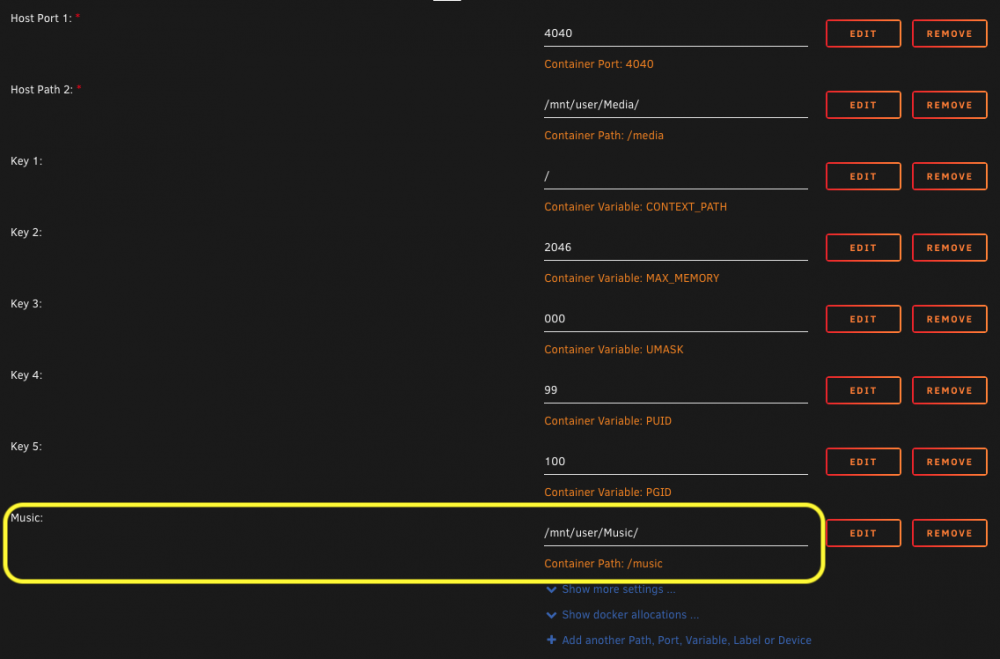
 Thanks @binhex. That worked! I needed the copy over: /db/ /airsonic.log /airsonic.properties I did not include the other folders( /thumbs, /index18, etc.). One thing I had to go back and do is add in a new container path for Music (see attached) because my original music path from airsonic could not be found when I started airsonic-advanced.
 Hello @binhex How do I migrate from Airsonic (linuxserver/airsonic) to Airsonic-Advanced, keeping my existing settings, playlists, data from Airsonic without having to start from scratch again?In mc, I'm seeing these types of files under disk2/appdata/arisonic/transcode !ffmpeg !flac !lame under disk2/appdata/swag/keys !letsencrypt Can I still just delete the appdata from disk2 or do I need to move those files over to the cache first? See screenshot for comparison of what on disk2 vs what s on cache drive.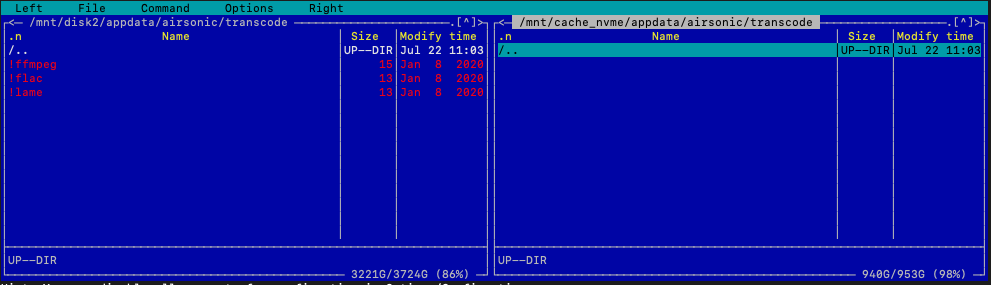
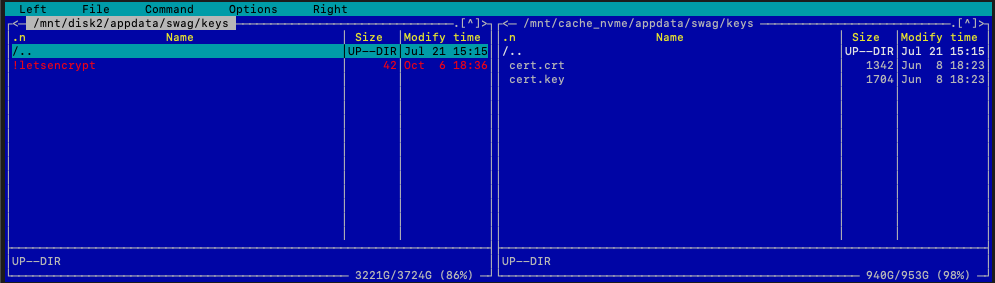 Thanks for confirming. Yes, I use mc to edit files on the disks.




