





DuzAwe
Members
-
Joined
-
Last visited
Everything posted by DuzAwe
-
Just. a sinpet of what I am seeing. Nov 6 08:52:14 TheLibrary kernel: ---[ end trace 0000000000000000 ]--- Nov 6 08:52:14 TheLibrary kernel: i915 0000:2e:00.0: [drm] *ERROR* GT0: GUC: Unsuccessful self-config (-EPROTO) key 0x906 value 0xa10800 Nov 6 08:52:14 TheLibrary kernel: i915 0000:2e:00.0: [drm] *ERROR* GT0: GUC: CT: Failed to register RECV buffer (-EPROTO) Nov 6 08:52:14 TheLibrary kernel: i915 0000:2e:00.0: [drm] *ERROR* GT0: GUC: CT: Failed to enable CTB (-EPROTO) Nov 6 08:52:14 TheLibrary kernel: i915 0000:2e:00.0: [drm] *ERROR* gt: MMIO unreliable (forcewake register returns 0xFFFFFFFF)! Nov 6 08:52:14 TheLibrary kernel: i915 0000:2e:00.0: [drm:add_taint_for_CI [i915]] CI tainted:0x9 by fw_domains_get_with_fallback thelibrary-diagnostics-20241106-0855.zip
-
AH! Yup says N/A for power1. Cool, as always thanks for the help and awesome work.
-
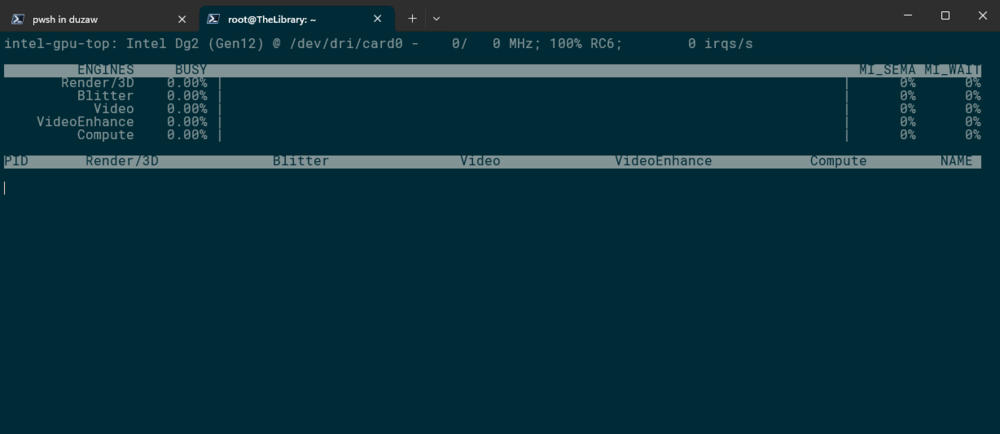
Just got an a40. I cant see the power draw in the CLI nor in the dashboard. The bar fills but no numbers. thelibrary-diagnostics-20241028-1942.zip
-
Hey, I'm not sure if bug or something just funky. But woke up this morning to my GPU missing. I got a notification for a driver update shortly before I noticed. Attached are images and Diags before I rebooted, everything is back and working as expected since the reboot. I don't have ASPM enabled as far as I am aware. thelibrary-diagnostics-20240817-1038.zip
-
There were no changes to the remote around the time it stopped mounting. Last package update was a few weeks ago. The only change is Unraid 6.12 -> 7
-
Done! Still no change. I can list and see the mount available but it won't mount. Via CLI or the plugin. Aug 3 15:50:27 TheLibrary unassigned.devices: Mounting Remote Share '192.168.0.40:/var/lib/rancher'... Aug 3 15:50:27 TheLibrary unassigned.devices: Mount NFS command: /sbin/mount -t 'nfs' -o rw,soft,relatime,retrans=4,timeo=300 '192.168.0.40:/var/lib/rancher' '/mnt/remotes/192.168.0.40_rancher' Aug 3 15:50:27 TheLibrary unassigned.devices: NFS mount failed: 'mount.nfs: mounting 192.168.0.40:/var/lib/rancher failed, reason given by server: No such file or directory'. Aug 3 15:50:27 TheLibrary unassigned.devices: Remote Share '192.168.0.40:/var/lib/rancher' failed to mount.
-
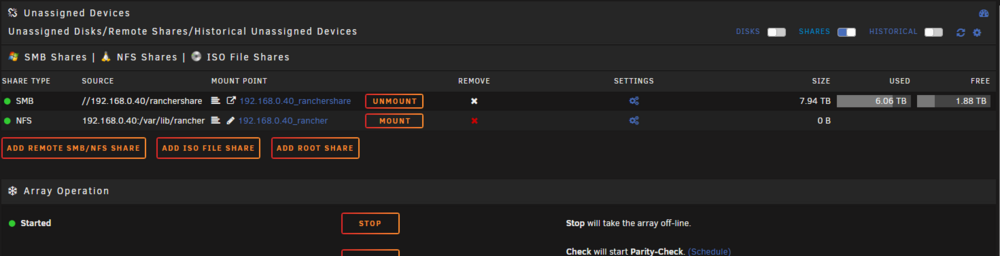
/var/lib/rancher *(rw,async,no_subtree_check,anongid=100,anonuid=99,no_root_squash) #/var/lib/rancher 192.168.0.0/24(rw,no_root_squash,subtree_check,fsid=0) root@PiBox:~# exportfs -rav exporting *:/mnt/dietpi_userdata exporting *:/var/lib/rancher Samba mounts no issues. NFS has stopped working, It was working according to my logs at 11am on the 2nd and stopped by 6pm.
-
It was mounted a few days ago. Had been mounted since the last time I posted about an issue. So a few months. The same path mounts with samba.
-
Can't mount NFS since upgrade to 7.0. Finds it fine, just wont mount it. Aug 2 22:08:38 TheLibrary unassigned.devices: Mounting Remote Share '192.168.0.40:/var/lib/rancher'... Aug 2 22:08:38 TheLibrary unassigned.devices: Mount NFS command: /sbin/mount -t 'nfs' -o rw,soft,relatime,retrans=4,timeo=300 '192.168.0.40:/var/lib/rancher' '/mnt/remotes/192.168.0.40_rancher' Aug 2 22:08:38 TheLibrary unassigned.devices: NFS mount failed: 'mount.nfs: mounting 192.168.0.40:/var/lib/rancher failed, reason given by server: No such file or directory'. Aug 2 22:08:38 TheLibrary unassigned.devices: Remote Share '192.168.0.40:/var/lib/rancher' failed to mount. thelibrary-diagnostics-20240802-2209.zip
-
Could we get the conservative power governor?
-
Got everything working this morning thanks for the patch.
-
Still no joy. I got it working with samba.
-
Little confused these nfs shares are not from unraid but a debian distro running on a pi. I dont want to mount any Unraid Shares.
-
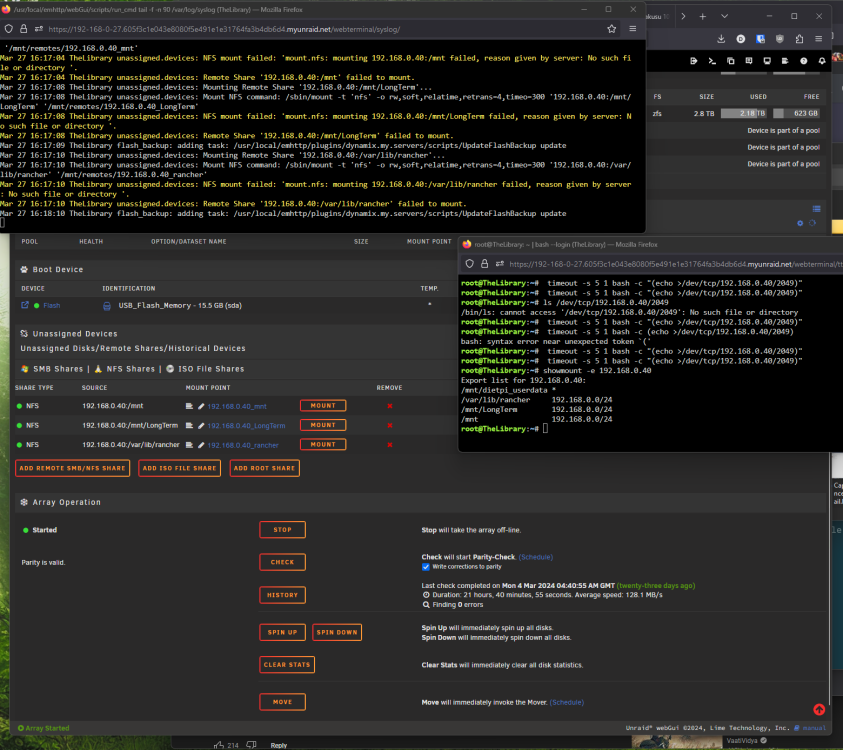
Is this what you need?
-
I get nothing from the unraid box root@TheLibrary:~# timeout -s 5 1 bash -c "(echo >/dev/tcp/192.168.0.40/2049)" root@TheLibrary:~#
-
root@PiBox:/# rpcinfo -p | grep nfs 100003 3 tcp 2049 nfs 100003 4 tcp 2049 nfs 100003 3 udp 2049 nfs root@PiBox:/#
-
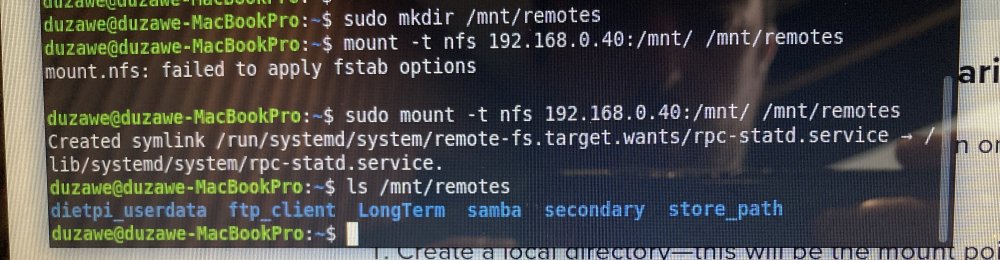
I can get it to work on my Mint Laptop. But Unraid wont mount it.
-
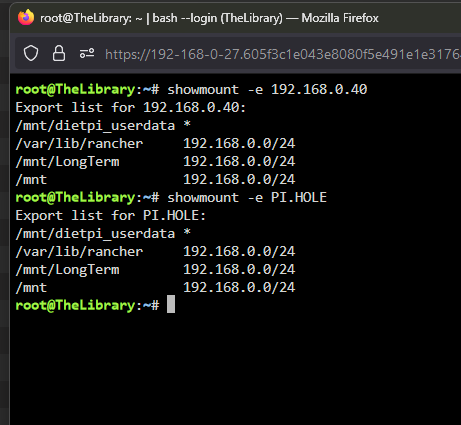
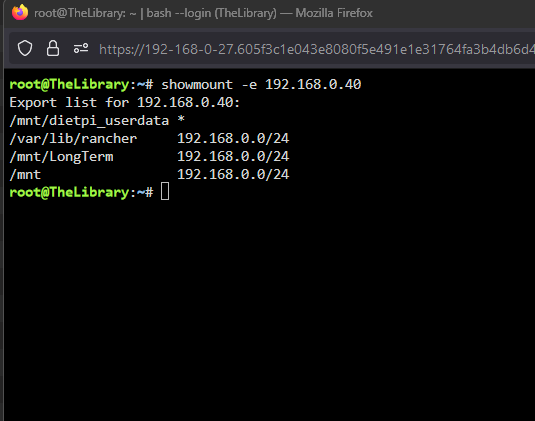
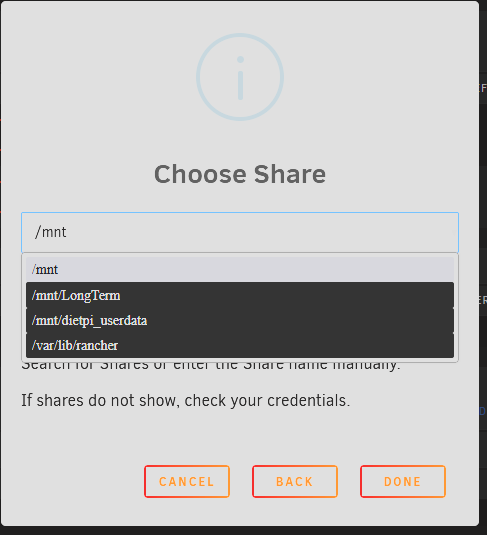
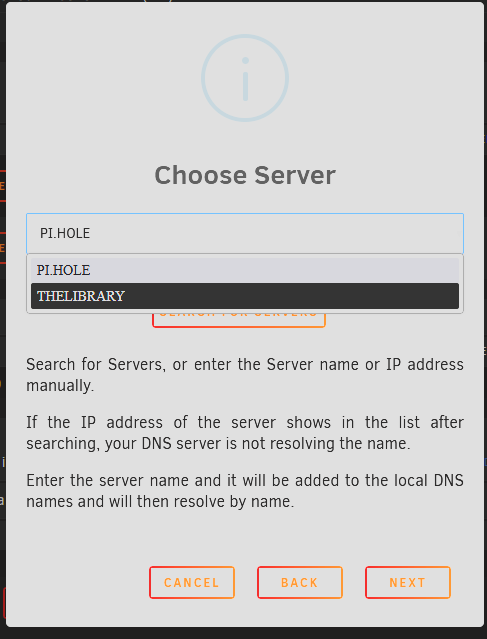
Finds and adds the share doesn't mount it and says the server is off line.

-
there is indeed. root@PiBox:/# ls /mnt/ dietpi_userdata ftp_client LongTerm samba secondary store_path there is also a /var/lib/rancher root@PiBox:/# ls /var/lib/rancher cross-seed-config downloads lost+found qbit-config qbit-manage-config watchstate
-
Hey, I had all this wokring for ages. Then this morning it just stopped. I keep getting the bellow error. But I can see the mounts without issue when I use showmount -e 192.168.0.40 I have double checked my settings, I have been unable to figure this out. I have attached my diagnostics. Mar 27 14:17:40 TheLibrary unassigned.devices: NFS mount failed: 'mount.nfs: mounting 192.168.0.40:/mnt/LongTerm failed, reason given by server: No such file or directory '. Mar 27 14:17:40 TheLibrary unassigned.devices: Remote Share '192.168.0.40:/mnt/LongTerm' failed to mount. Exports on device. # /etc/exports: the access control list for filesystems which may be exported # to NFS clients. See exports(5). # # Example for NFSv2 and NFSv3: # /srv/homes hostname1(rw,sync,no_subtree_check) hostname2(ro,sync,no_subtree_check) # # Example for NFSv4: # /srv/nfs4 gss/krb5i(rw,sync,fsid=0,crossmnt,no_subtree_check) # /srv/nfs4/homes gss/krb5i(rw,sync,no_subtree_check) /mnt 192.168.0.0/24(rw,sync,fsid=0,crossmnt,no_subtree_check) /mnt/LongTerm 192.168.0.0/24(rw,sync,fsid=0,crossmnt,no_subtree_check) /var/lib/rancher 192.168.0.0/24(rw,sync,fsid=0,crossmnt,no_subtree_check) thelibrary-diagnostics-20240327-1104.zip
-
Long story short. One of my drives had succumb to the LSI 2003 issue that has cropped up. I have gone through a number of drives before discivering this. So Today with a fresh drive I rearanged things and put the new drive into the MB instead of the HBA. About 30 minutes maybe an hour later I noticed my server had rebooted and needed me to start the array. Then got the notice that MCE had failed as I am on AMD. I know that error is just an Intel V AMD thing, But I wonder what caused it to run in the first place. Attached are my Diags and I have mirrored logs set up I can get if more is needed. Current Data rebuild has been running for 4 hours with no reboots. thelibrary-diagnostics-20240131-2026.zip
-
I appear to be in this boat. Only one of the drives I have has been dropping Model Number ST10000NT001 (10TB). None of my others are causing issue. I have doen the steps in the OP. Hopefully after another rebuild this will solve the issue.
-
I did not format anything. The drive was rebuilding before the issue. It doesn't appear that I anything is damaged with Checkarr thelibrary-diagnostics-20240123-1132.zip
-
The folders on disk 5 and in /mnt/user/lost+found are empty
-
The folders all seem to be empty



