





epp
Members
-
Joined
-
Last visited
Everything posted by epp
-
Vielen Dank für den Hinweis auch an @vakilando, das war mir bisher noch nicht bekannt. Ich schau es mir später mal an.
-
Moin, ich schau mich jetzt seit einer Stunde nach Cloudspeicheranbietern rein nur für Backups meiner Daten um und irgendwie scheint nichts wirklich in Frage zu kommen. Entweder gibt es Bedenken beim Datenschutz oder die Geschwindigkeiten sind zu langsam. Daher dachte ich mal in die Runde zu fragen was ihr so nutzt. Ich dachte erst einmal an 100-200 GB mit Luft nach oben, Backups werden mit duplicati laufen, wohl dann per webDav. Kosten soll es kein Vermögen aber solange der Service passt muss es auch nicht spottbillig sein. Beim Datenschutz geht's mir eher um's Prinzip, da ich eh verschlüsseln werde. Denke mir halt, dass wenn der Datenschutz eh flöten geht, kann ich auch global suchen... Vielleicht habt ihr ja den ein oder anderen Tipp 😃 Danke schonmal! LG, epp
-
Hey koaly, I ended up getting the x570m pro4 too Very happy with it so far, about to setup my gaming vm.
-
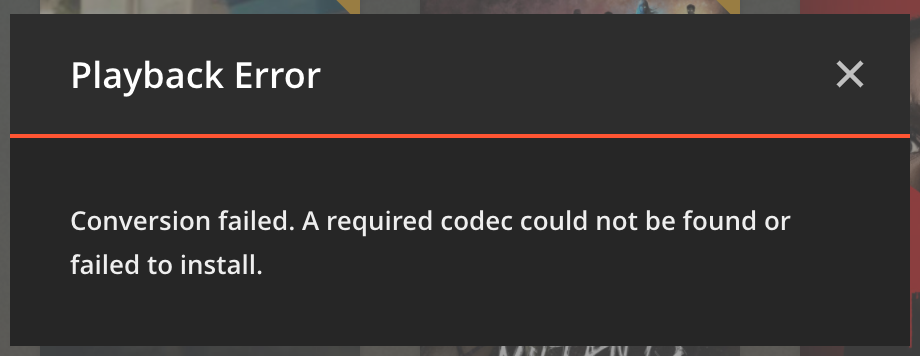
I have a peculiar problem with plex: I added a new library entry and mapped it to a cached share (via /mnt/user/*). Scan works, playback works, all is perfect ... until my array drives are spun down. When I try to play a video, I get the following error: When I spin up the drive containing the video manually playback works as expected. So plex isn't accessing the file in a way that makes unraid spin up the drive. Any idea why that may be? I tried the search but most hits are regarding plex spinning up their drives, that's not really my issue. Initially I assumed it might be related to me using the Dynamix Cache Directories plugin, but the problem persists when I disable it. Besides I had the relevant folders excluded within the plugin settings. I'll take the question to the plugin thread if noone has an idea here, but I thought I'd start with plex since the problem doesn't appear if I start the video file manually on my pc.
-
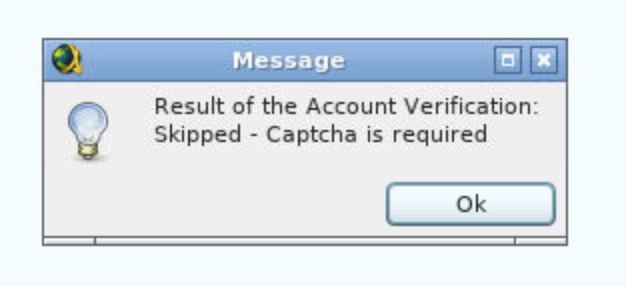
How can I add my nitroflare account, I get this message: EDIT: Nevermind, I just realized I can set up accounts on my.jdownloader.org aswell
-
I have figgured out the problem: I had the zsh, tmux und ncurses-terminfo installed via nerd tools. After removing those the disks didn't keep spinning up anymore. My guess is zsh was accessing disk1 for some weired reason ... will survive without it and maybe try later to get it working again.
-
Thanks for the hint @itimpi, pretty new to unraid - I'll keep in mind attaching it immediately next time I attached the diagnostics log to this post. Tried to find out if anything remaining on disk1 is being used but can't find anything... hal-diagnostics-20210301-2103.zip
-
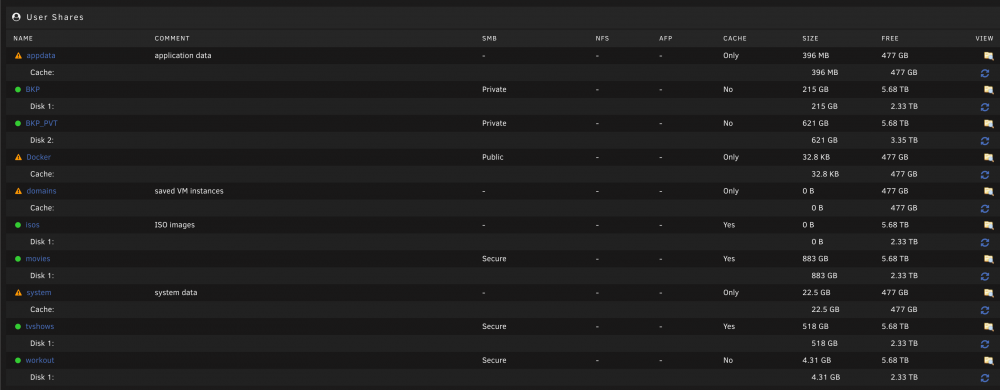
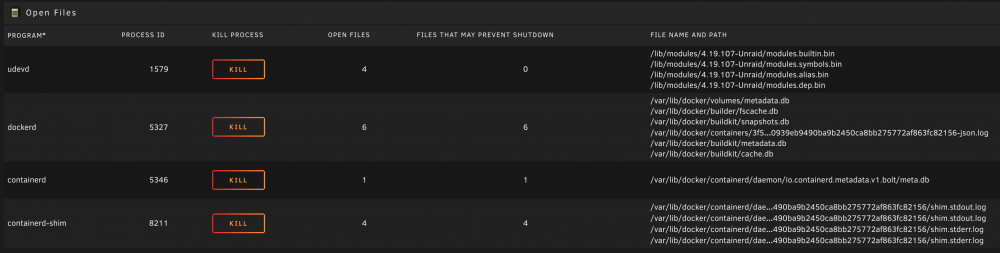
Hi, this weekend I set up my first unraid. Now I'm at the point where I would expect my hdd drives to spin up only when doing certain things. Having set up a spin down time of 15 minutes I don't see them spinning down at all. After some investigation I realized docker to be responsible. When stopping all docker containers the disks spin down and stay that way. Now to make it easier to troubleshoot I limited my further testing to only a single docker container: CaddyV2. It's a reverse proxy not doing much file wise and I have all volume mappings pointed to the cache drive: Here are my user shares, as you can see only custom shares are on disk 1 and everything system related is on cache only: I've installed the open files plugin to see what's being accessed, here's a screenshot from when my drives just spun up after starting CaddyV2: And here how it looks like while no dockers are running and the drives are spun down: So containers-shim seems to the the only difference. Any idea on how those files in /var/lib/docker are making the drive spin up and others are not? Where are /lib/modules/ or /var/lib/docker stored anyway? Can't find then on neither the flash drive, cache or array... What might be relevant: I've installed unraid and first added only disk 1 to the array - without a parity or cache disk. I added those only when I had also added disk 2 and all my data was transferred. Then I moved all the system related stuff to cache. The spin up behaviour can only be seen on disk 1 so I assume there might be something system related installed.


-
Another thing: I didn't really think about buying a b450/x470 chipset board but since my choices are so limited that might be an option too. Would you buy a b450/x470 board in 2021?
-
Hi there, I'm in search for the right mainboard for my upcomming build. I'm pretty much set on the 3900x and got a case I want to use, so it has to be a micro-ATX AM4 board. Since I need 2 mechanical x16 PCIe slots and have 2 M.2 drives and 5 sata drives I need to connect the field of possible contendors is limited. Basicly it comes down to those four: ASRock X570M Pro4 MSI MAG B550M Mortar ASRock B550M Pro4 ASRock B550M Steel Legend Another possibility could be to accept 4 SATA ports and throw in a SATA controller, that would make the ASUS TUF a possibility which seems to be popular. I need some insight on which to choose for tinkering around with multiple VMs, HW passthrough and so on. I don't want to choose untested stuff so taking a reliable board is prefered to a fancy new one. Hope you can give me a recommendation. Thanks!


